


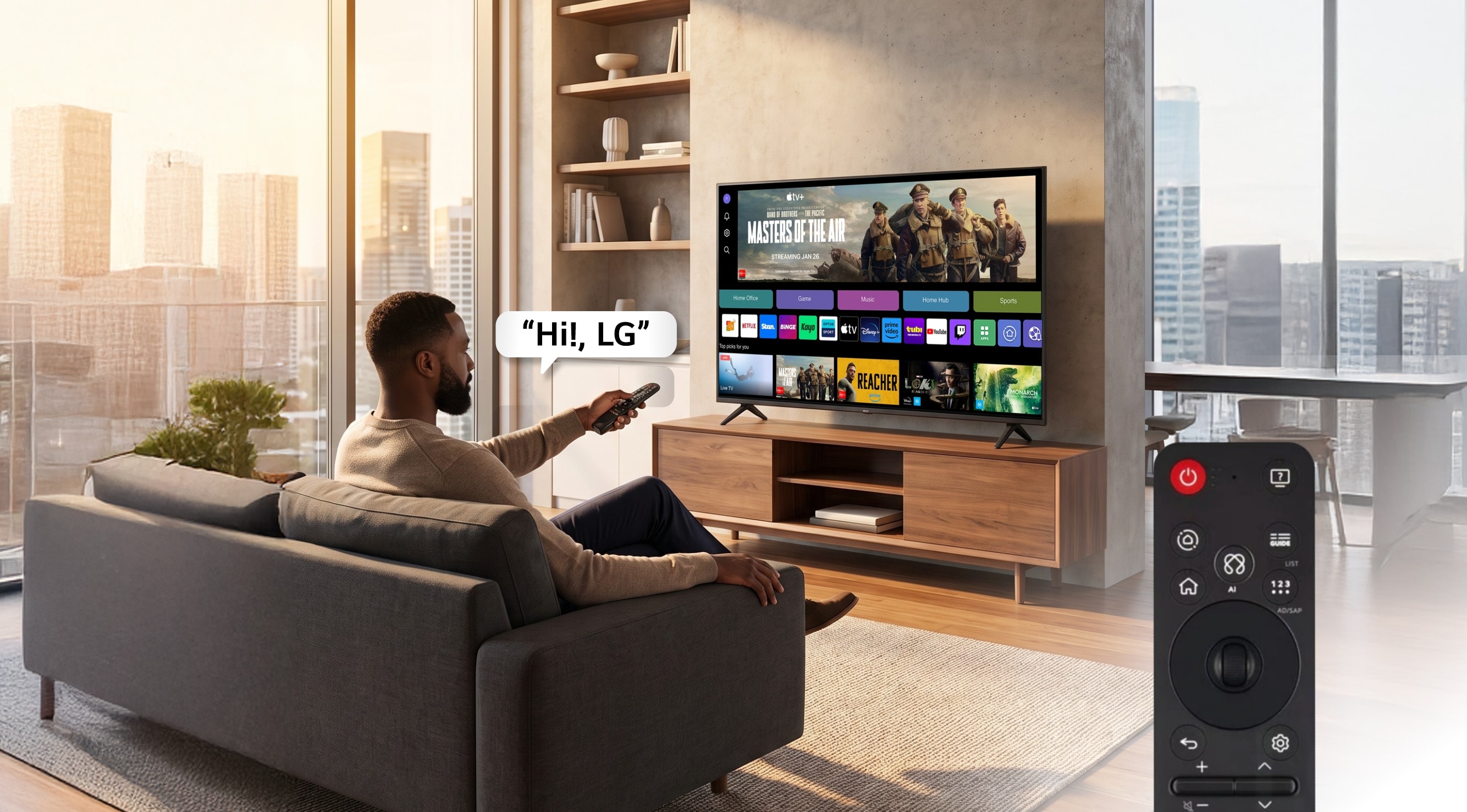
How AI Magic Remote Enhances Your Way of Controlling the TV
-
The AI Magic Remote redefines the way we interact with our LG TV, taking convenience and intelligence to a new level; thanks to the integration of artificial intelligence. This advanced remote turns every action into an intuitive and efficient experience, adapting to the needs of the modern user.
-
What Is the AI Magic Remote and How Does It Work?
The AI Magic Remote is an intelligent remote control developed by LG that integrates artificial intelligence capabilities, allowing you to navigate, search and control your TV in innovative ways. Its ergonomic design and mouse-like pointer make selecting content easy, while voice commands open the door to natural interaction with the TV. Thanks to technologies such as ThinQ AI and voice recognition, the AI Magic Remote interprets complex instructions and personalizes recommendations according to your viewing habits.
-
What Sets the AI Magic Remote Apart from Other Remotes?
The AI Magic Remote offers smooth and personalized interaction, surpassing conventional remotes with its smart pointer, voice commands and direct access to popular apps such as Netflix, Disney+ and YouTube. Its integration with ThinQ AI allows you to control smart home devices from the TV, centralizing control in a single remote. While traditional remotes require multiple buttons and steps, the AI Magic Remote streamlines everything with natural gestures and context recognition.
Getting Started with the LG AI Magic Remote: Features You Need to Know
-
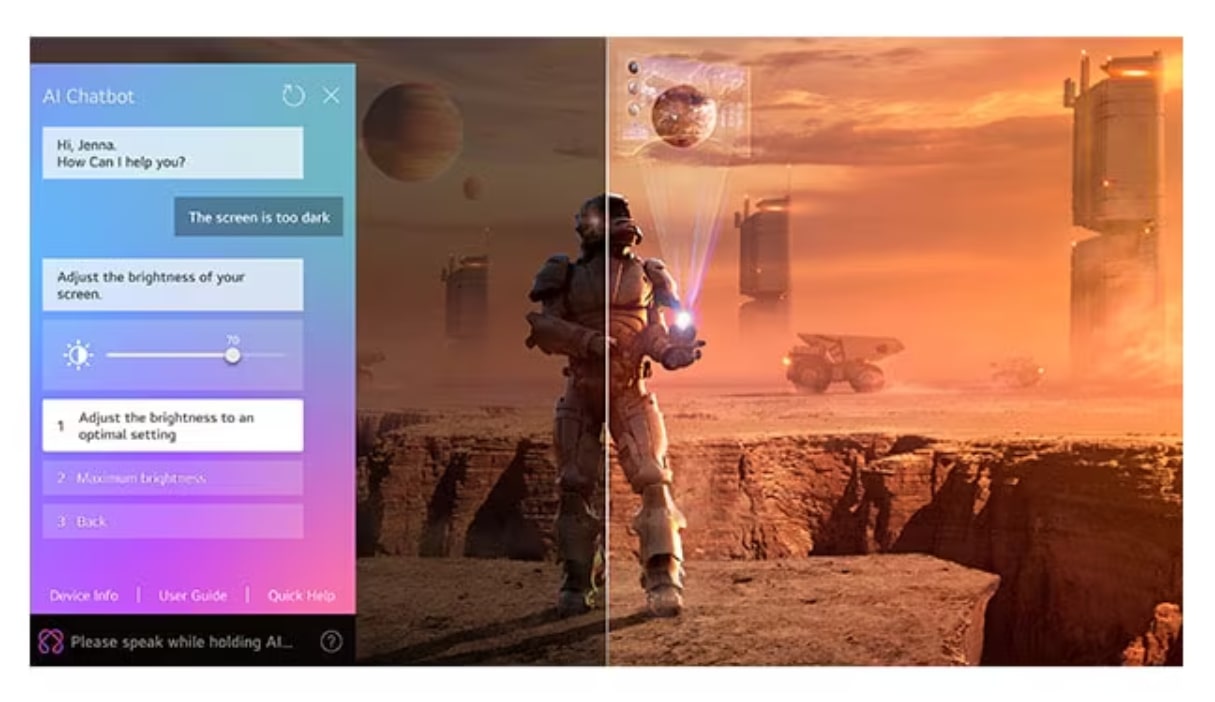
AI Chatbot: Interact with the AI Chatbot through your AI Magic Remote and address all concerns from configuring settings to troubleshooting. AI can understand and will provide immediate solutions.
-
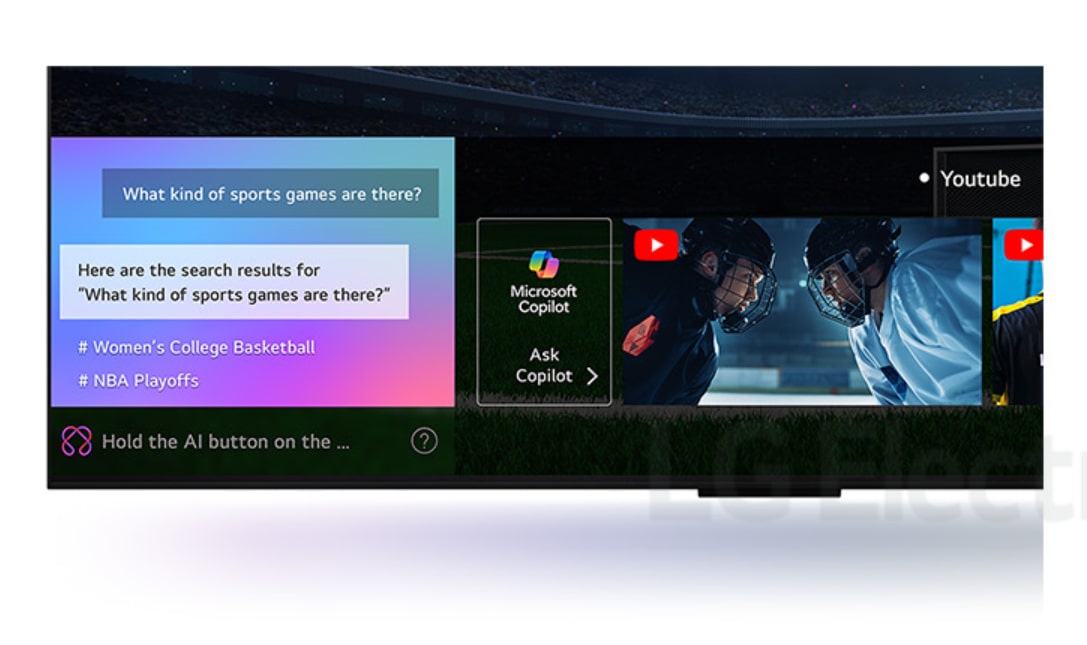
AI Search: Ask your TV anything. Built-in recognizes your voice and swiftly provides personalized recommendations to your requests. You can also get additional results and solutions with Microsoft Copilot.
-
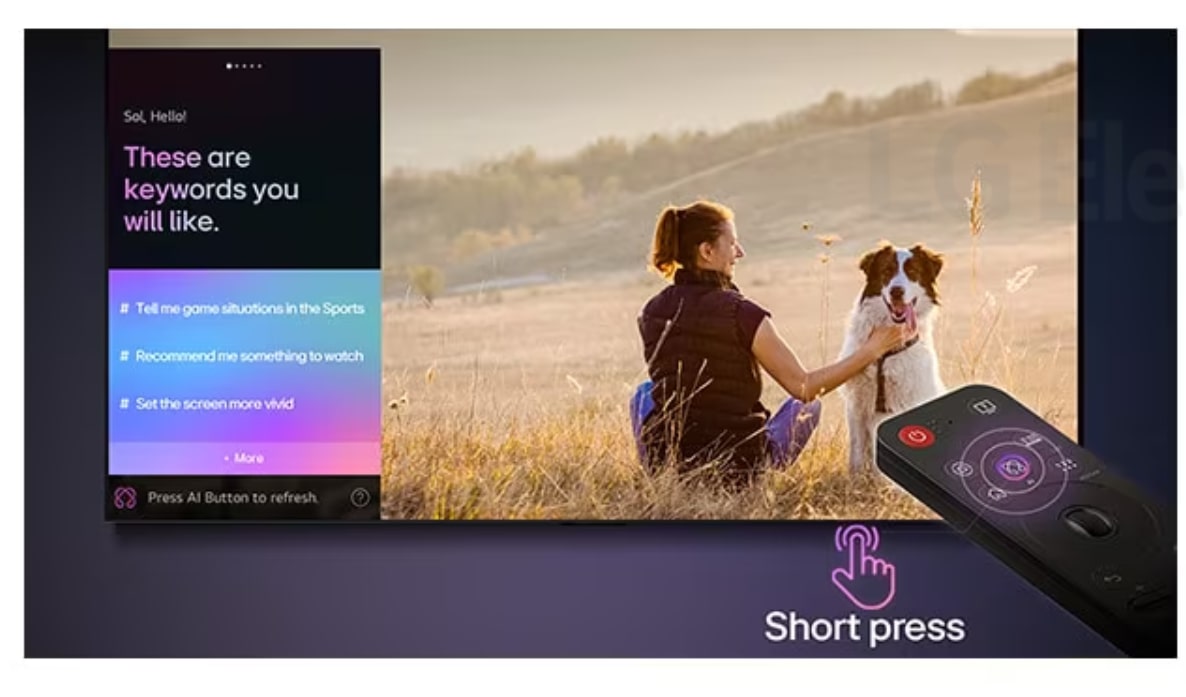
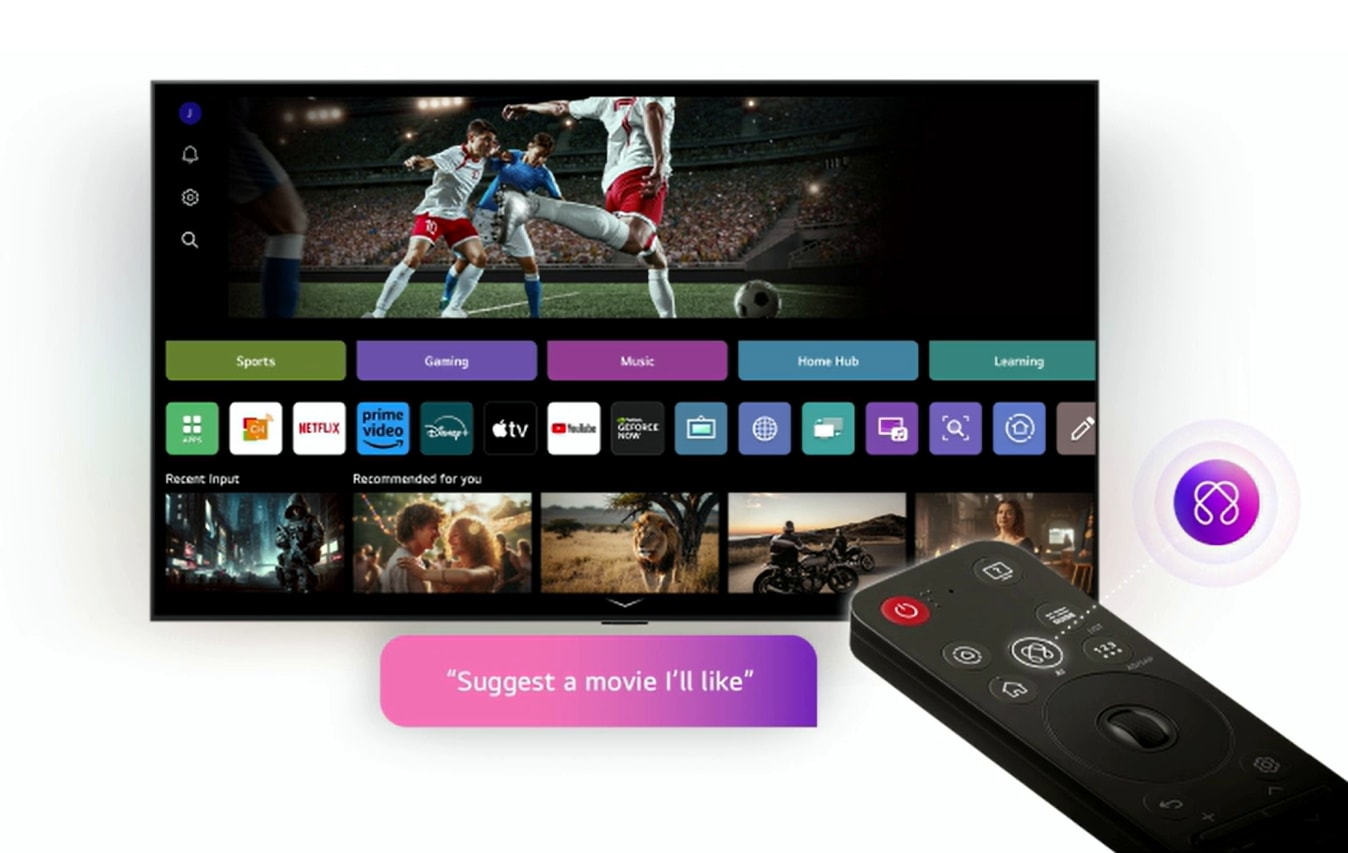
AI Concierge: One short press on the AI button on your remote opens up your AI concierge which provides customized keywords and recommendations based on your search and watching history
-
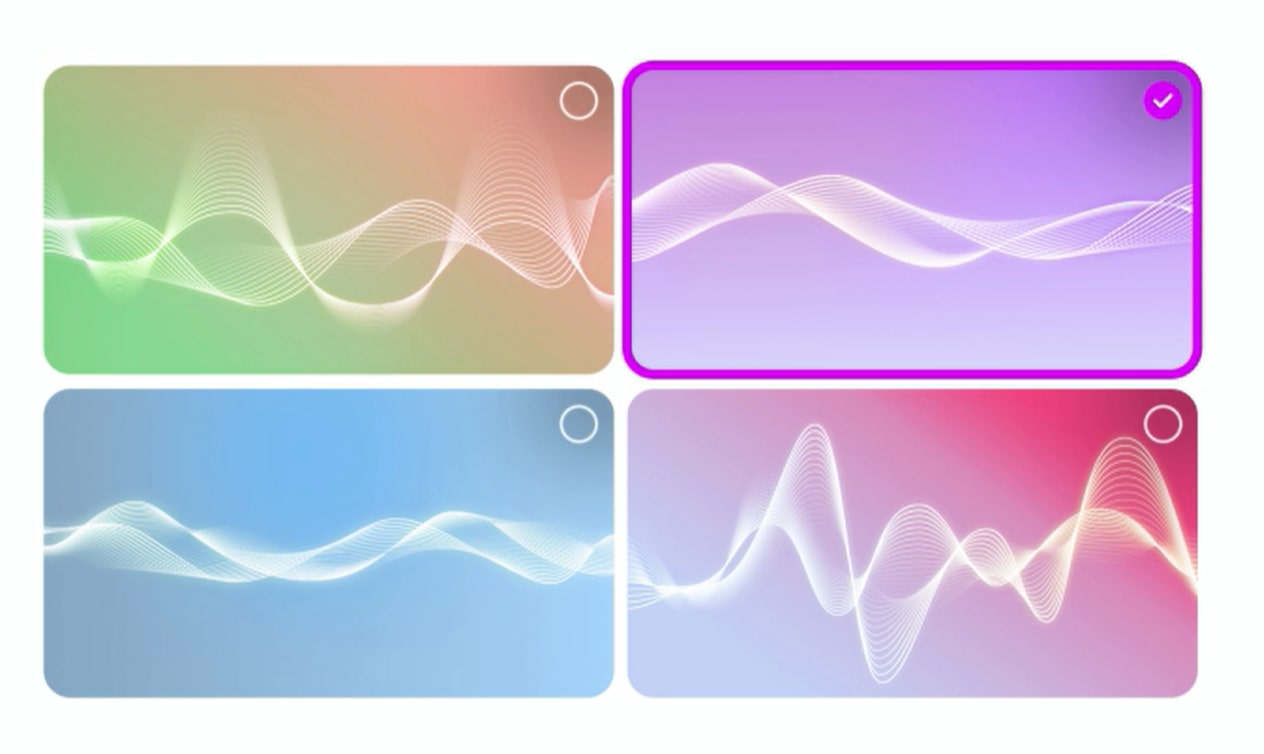
AI Sound Wizard: Choose the audio you like from a selection of sound clips. From 40 million parameters, AI creates a tailored sound profile tuned to your preferences.
-
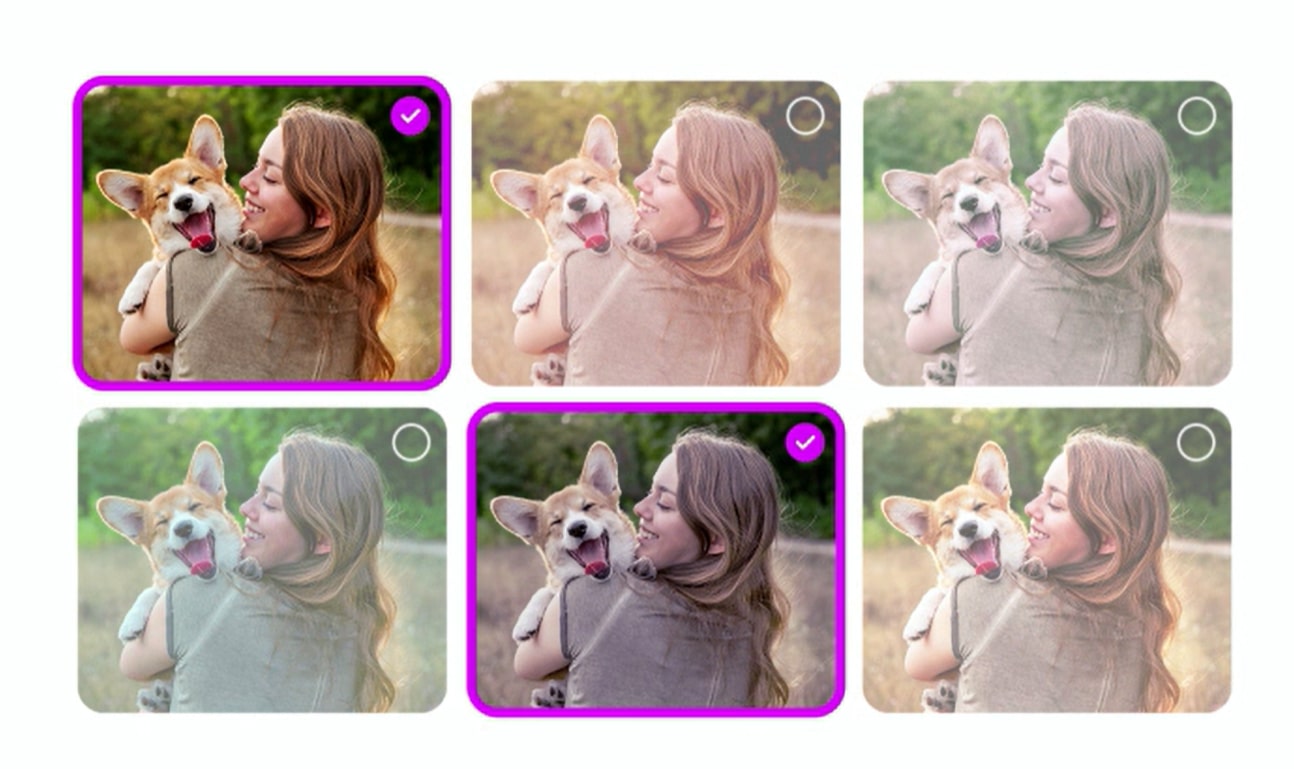
AI Picture Wizard: Advanced algorithms learn your preferences by going through 1.6 billion image possibilities. Based on your selections, your TV creates a personalized picture just for you.
-
AI Voice ID: LG AI Voice ID recognizes each user’s unique voice signature and offers personalized recommendations the moment you speak.
Pro-tips to get the Most out of Your AI Magic Remote
-
Mastering the AI Magic Remote can completely transform your entertainment routine. To get the most from it:
•Customized quick buttons: Assign favorite apps to shortcuts.
•Use compound commands: For example, say "increase the volume and switch to HDMI 2" in a single phrase.
•Explore compatibility: Discover how to link it with other LG ThinQ devices to create smart scenes in your home.
•Update the firmware: Keep your TV and remote updated to access the latest features.
Explore our range of compatible LG TVs and learn more about the possibilities offered by the AI Magic Remote.
-
Regular Maintenance and Care Tips for the AI Magic Remote
Taking care of your AI Magic Remote ensures long-lasting and precise performance. We recommend:
1.Clean the remote with a soft, dry cloth to prevent dust build-up.
2.Change the batteries when you notice a slow or intermittent response.
3.Avoid contact with liquids and prolonged exposure to sunlight.
4.Store the remote in a safe place to prevent drops.
Based on independent tests, the AI Magic Remote maintains optimal functionality for over 50,000 clicks on average. LG's internal trials confirm that the remote's ergonomic design minimizes button wear even with intensive daily use. In addition, industry comparisons place the AI Magic Remote among the most durable remotes in its category.
-
How to Troubleshoot Common Problems with the AI Magic Remote?
The AI Magic Remote is designed to be reliable, but occasionally issues may arise. If you experience problems such as lack of response, difficulty pairing, or voice commands not working, follow these steps:
1.Replace the batteries with new ones.
2.Restart the TV and re-pair the remote by holding down the OK button.
3.Check that there are no obstacles between the remote and the TV.
4.Update the TV software from the settings menu.
If problems persist, contact LG support for specialized assistance. Discover how our customer service can help you resolve any situation.
FAQ
-
Q.
What is the LG AI Magic Remote?
-
A.The AI Magic Remote is an intelligent remote control developed by LG that uses artificial intelligence to make navigating and controlling your TV easier. It allows voice commands, pointer navigation and advanced search, optimizing the user experience.
-
Q.
How do I pair the AI Magic Remote with my LG TV?
-
A.To pair the AI Magic Remote, simply point the remote at the TV and press the OK button until a confirmation message appears on the screen. The process is quick and does not require complex settings.
-
Q.
What advantages does the AI Magic Remote offer over traditional remotes?
-
A.The AI Magic Remote offers pointer navigation, voice commands, smart search and direct access to apps. These features speed up daily use and allow you to personalize your experience according to your preferences.
-
Q.
Does the AI Magic Remote work with other smart home devices?
-
A.Yes, the AI Magic Remote can control compatible devices via the LG ThinQ platform, allowing you to manage lights, air conditioners and more from your TV, integrating your smart home.
-
Q.
What should I do if the AI Magic Remote stops working?
-
A.If the AI Magic Remote is not responding, check the batteries, restart the TV and re-pair the remote. If the problem persists, consult the user guide or LG technical support for advanced assistance.