






Try this:
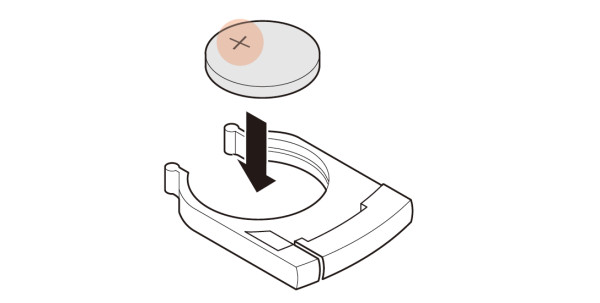
Pull out the battery tray from the remote control and check the battery insertion status.
Place the battery on the tray with the + (plus) mark facing up.
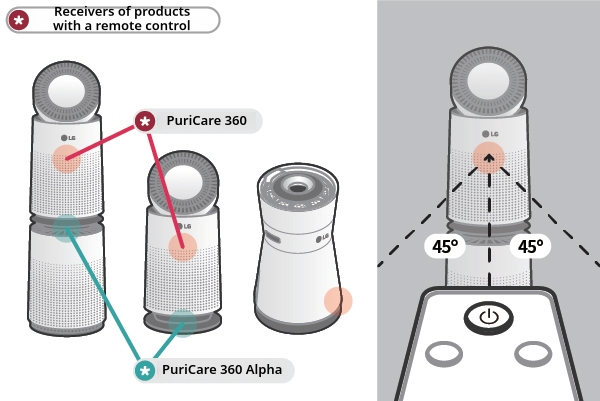
When using the remote control, please point it towards the receiver of the product.
The remote control may not work well if you point outside of the receiving position and angle.
It is recommended to use the remote control pointing towards the front of the product and staying within 45 degrees to the left and right facing the front.
The AeroTower is a rotatable product.
If you use the remote control during rotation, the reception may not be smooth.
Please check the location of the receiver to use it.
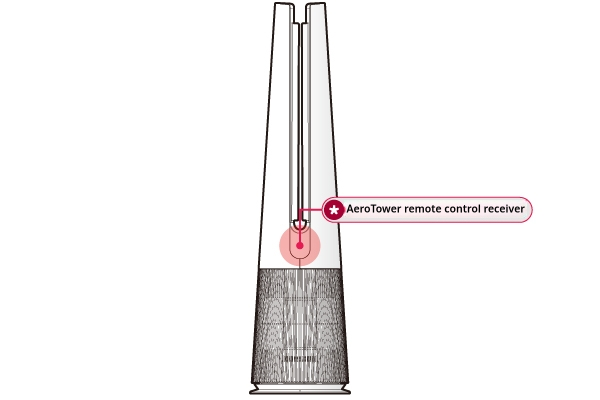
Signature Air Purifier: The bottom area of the front of the product
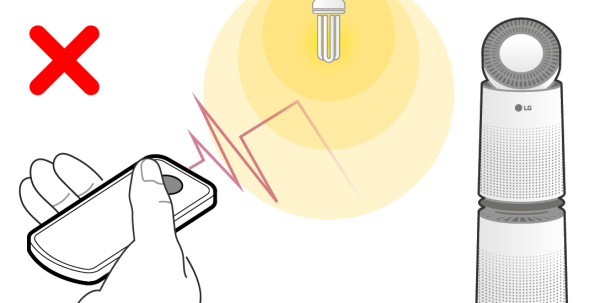
3-way fluorescent lamps or strong neon signs can interfere with the transmission and reception between the remote control and the product.
Please lower the brightness of the lighting or move the product to another place.
Please check if the remote control is faulty.
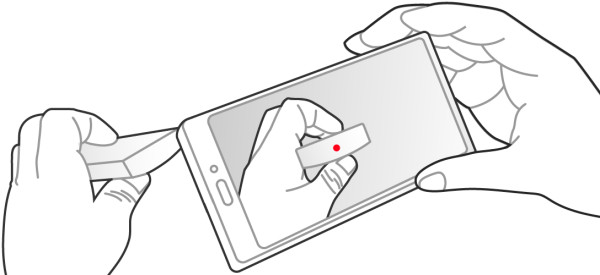
Turn on a cell phone camera, point the remote to the camera lens, and press the remote control's [Power] button continuously while looking at the cell phone screen.
If the light of the remote control blinks on the screen of the mobile phone, the remote control is working properly.
If there is no light, the battery may be out of battery or the remote control may be faulty, so purchase one at a nearby service center.
Use the [e-mail inquiry / phone consultation reservation] menu on the customer support menu of LG Electronics homepage.
[Book a visiting service] provides accurate diagnosis and inspection by a professional service manager.


