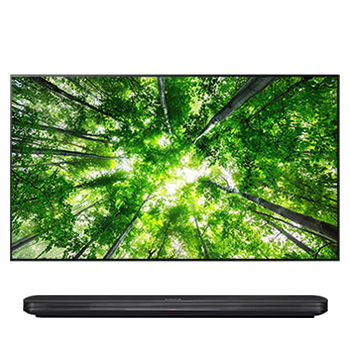
Detailed applicable model list : Please check with reference Tab exactly
* SW information
1. Improvement
1) Fixing minor bugs in software
2. Applicable model list
75NANO95TPA
65NANO95TPA
65NANO95VPA
75NANO95VPA
65NANO99TPZ
OLED88Z1PTA
OLED88Z1PVA
OLED88Z1PTZ
OLED77Z1PTA
86QNED99TPB
75QNED99TPB
86QNED99TPZ
75QNED99VPA
86QNED99VPA
65QNED99TPB
65QNED96TPA
75QNED95VPA
65QNED95VPA
3. Release History
[03.10.71]
1. Voice recognition service feature will be updated.
2. Software update contains minor bug fix.
[03.10.77]
1. Improved sound noise
[03.15.28]
The following services will be added to the newly updated version.
1. Automatically activate Dolby vision game mode when Dolby vision game contents are on.
2. Game Dashboard is provided for game users through setting button
3. More leagues are available in sports alarm. (Korea/Australia)
4. A button that links to other art app in Art gallery app service.
5. No need to change the input for using Facebook Portal
*The availability of services may vary depending on the region or TV models
[03.15.32]
1. Fixing minor bugs in software
[03.15.75]
1. Fixing minor bugs in software
[03.20.40]
1. Music recognition feature improvement.
[03.20.65]
1. Fixing minor bugs in software
[03.20.80]
1. Fixing minor bugs in software
[03.21.05]
1. Fixing minor bugs in software
[03.21.10]
1. Fixing minor bugs in software
[03.30.20]
1. The voice recognition performance has been improved.
2. Automatically switches to Game Optimizer mode when playing Dolby Vision games.
3. The usability of the Accessibility menu has been improved to help people with disabilities.
[03.33.11]
1. The home screen layout has changed.
[03.33.15]
1. Fixing minor bugs in software
[03.34.55]
1. The voice recognition feature has been improved.(China)
[03.34.80]
1. Fixing minor bugs in software
[03.34.95]
1. Fixing minor bugs in software
[03.34.96]
1. Fixing minor bugs in software
[03.36.50]
1. Reducing latency for Amazon Prime Video live streaming.
[03.40.85]
1. Room to Room Share feature is now available for more devices.
2. LG Channels expanded its availability to more countries. (India)
[03.40.87]
1. Fixing minor bugs in software
[03.41.00]
1. Fixing minor bugs in software
[03.41.05]
1. Fixing minor bugs in software
[03.51.15]
1. LG Magic Remote control now supports the Mic feature.
[03.51.16]
1. Fixing minor bugs in software
[03.52.55]
1. Fixing minor bugs in software
[03.53.15]
1. Fixing minor bugs in software
[03.53.20]
1. Fixing minor bugs in software
[03.53.31]
1. Fixing minor bugs in software
[03.53.45]
1. Fixing minor bugs in software