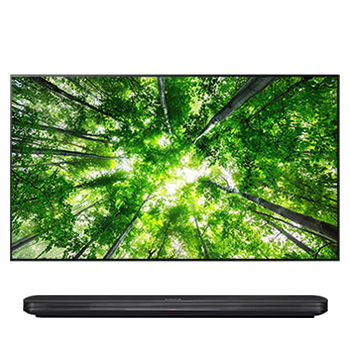
Detailed applicable model list : Please check with reference Tab exactly
* SW information
1. Improvement
1) Fixing minor bugs in software
2. Applicable model list
65SK9500PTA
65SK9500PVA
65SK9500YVA
49SK8500PTA
55SK8500PTA
65SK8500PTA
49SK8500PVA
55SK8500PVA
65SK8500PVA
55SK8500YVA
65SK8500YVA
55SK8000PTA
65SK8000PTA
75SK8000PTA
75SK8100PVA
75SK8100PTA
49SK8000PTA
55SK8000PTA
65SK8000PTA
75SK8000PTA
49SK8000PVA
55SK8000PVA
65SK8000PVA
86UK6500PTB
86UK7050PVA
86UK7150PTA
86UK7050YVA
OLED55B8PTA
OLED65B8PTA
OLED55B8PVA
OLED65B8PVA
OLED55B8YVA
OLED65B8YVA
3. Release History
[03.01.30]
1. Improvement of sibilant sound in Dolby ATMOS and Smart Sound setting.
[04.10.06]
1. Google Assistant is also available in the following countries.
(Australia, Canada, France, Germany, Korea, Spain, United Kingdom)
2. Alibaba voice AI feature is available in China.
3. You can control the TV (channel change, volume control, input switch, etc.) using the Google Home / Amazon Echo Smart Speakers in the following countries as well.
(Google Home : France, Germany, Japan, Korea)
(Amazon Echo : Australia, Canada)
4. We have reduced the amount of time the cursor is displayed when not moving the MRCU.
In addition, Minor Bugs are fixed.
[04.10.07]
1. This patch activates the key lock during Off-RS/JB operation on store mode in OLED model.
[04.10.20]
1. To improve that the subtitle is not displayed when HbbTV app in on.
[04.10.36]
1. To improve issue of external AV Receiver "Not Supported" error when playing Dolby Atmos content
[04.10.65]
1. To improve no audio issue when changing sound out from ARC to TV Speaker in QSM Mode On
[05.10.10]
1. Improving Google Assistant service
2. Improving Amazon Echo service
3. "Direct TV Now" ready for 2018 yeares of product launch
4. TV Remote service expansion to 14 EU countries
5. Adding Compensation function in OLED model Auto Off condition
6. Adding 18Y HDCP2.3
7. Adding to Israeli STB Universal Remote Control
8. Fixed minor bugs
[05.10.20]
1. To improve SUNNXT App audio quality issues.
[05.10.35]
1. fix the abnormal termination in Disney+ App
[05.10.40]
1. Add HEVC logo to user guide
[05.10.50]
1. fix that playback doesn't work when setting YouTube speed to such as x2
[05.20.01]
1. Fix minor issues including the failure of access to certain website in the browser
[05.30.02]
1. Apple AirPlay/HomeKit available in selected countries .
2. LG Channel has been upgraded and service territory expansion.
[05.30.10]
1. Improved disconnection in certain apps after software update
[05.30.20]
1. Software update contains minor bug fix
[05.30.25]
1. Fixing minor bugs in software
[05.40.09]
1. Fixing minor bugs in software
[05.40.26]
1. Fixing minor bugs in software
[05.50.10]
1. The voice recognition feature has been improved.
2. LG Channels expanded its availability to more countries. (some countries in Latin America)
[05.50.15]
1. Fixing minor bugs in software
[05.50.40]
1. Fixing minor bugs in software
[05.50.60]
1. Fixing minor bugs in software
[05.50.70]
1. Fixing minor bugs in software