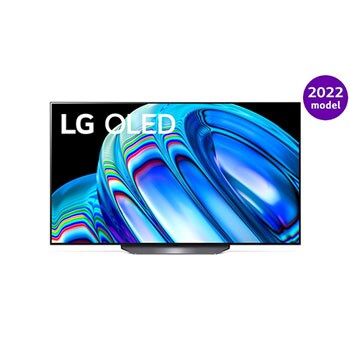
[13.30.61]
Experience the all-new webOS.
With a simplified webOS, conveniently use various apps on your TV.
Edit your home screen and view recommended apps, video contents and services tailored for you.
- New home
- Enriched functionality for the following services: Music, Gaming and Home Office
- Settings at a glance
- Helpful tips
- Stabilized performance and enhanced security
After upgrading your webOS,
-You may be asked to consent to those updated User Agreements in order to enable certain Smart Media Product features and services. Update details may differ by model and country.
- Reflecting our latest policies in Privacy Policy, Terms of Use, Viewing Information, Voice Information, Interest-Based Advertisement Agreement.
- Updating our Privacy Policy to reflect changes in how we transfer personal data outside the EU (European Economic Area, Switzerland, and the United Kingdom Only)
- Launching Shop Time Overlay Service (provides various shoppable content on live channels) and relevant user agreements added (US Only)
- LG Channels Sevice Agreement has been merged into Privacy Policy(US Only)
-Google Assistant is shutting down.
(You can enjoy the Voice Recognition service provided by LG TV at any time.)
-Downgrading to the previous software version is unavailable.
*If you don’t upgrade the terms and conditions, security updates may be limited in use.
*Only supported on OLED models(A2, B2 Series)
[04.41.03]
1. Fixing minor bugs in software
[13.30.80]
1. Fixing minor bugs in software
[13.30.85]
1. Fixing minor bugs in software
[23.21.20]
1. Fixing minor bugs in software
[23.21.23]
1. Fixing minor bugs in software
[23.21.29]
1. Fixing minor bugs in software
[23.22.03]
1. Fixing minor bugs in software
[23.25.40]
1. Fixing minor bugs in software
[23.25.45]
1. Fixing minor bugs in software
[23.25.55]
1. Fixing minor bugs in software
[33.22.52]
1. Fixing minor bugs in software
[33.22.80]
AI Concierge & AI Chatbot
- The AI concierge recommends content based on your viewing history and provides information on how to use key features.
- If you have any questions or difficulties while using the TV, you can talk to the chatbot to solve the problem.
New Q Cards (News, Gaming Portal, New & Hot, etc.)
- News Q Card collects news from various sources and provides personalized content.
- You can enjoy the latest popular games and recommended games, from casual games to cloud games, on the Game Q Card.
Personalized Picture Quality Wizard
- You can determine the desired picture quality in the custom screen settings and automatically adjust it.
Google Cast
- You can play high-definition videos on your TV with Google Cast.
LG Gallery+
- You can create your own album with LG Gallery+ and record various photos that suit your taste.
[33.22.85]
1. Fixing minor bugs in software.
[33.22.95]
1. Fixing minor bugs in software.
[33.23.05]
1. Fixing minor bugs in software.
[33.31.23]
1. Fixing minor bugs in software.
[33.31.61]
1. The DAFC sound settings process has been improved to be more simple and intuitive, allowing for easier configuration.
2. The Easy TV remote control functionality has been enhanced for better clarity and usability, making it more convenient to use.
3. A new feature within the Sports Portal allows users to more intuitively access match information and analytical content, with seamless integration to the Playbook service.
4. During the World Cup period, a dedicated feature is provided to enable quick access from the home screen to the World Cup page, where related information can be easily viewed.