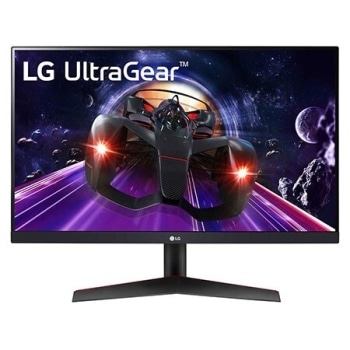
24GN60R-B.ATR

Help Library

Topic

  • Document Contents
    Repair
    [LG Monitor OnScreen Control] How to Update Monitor Software (Firmware)
    [https://lg.com/support]OnScreen Control is an application that allows you to easily control monitorsconnected to your PC.It offers features such as screen splitting, monitor settings, and monitorsoftware (firmware) updates.Try this--------...
  • Document Contents
    Troubleshooting
    [LG TV] How to hear dialogue clearly when background music is loud
    If background music is too loud and you can’t hear the dialogue clearly, or theaudio sounds like it’s echoing, try turning on [Clear Voice] or [Clear VoicePro].This feature reduces background noise and emphasizes speech frequencies to maked...
  • Document Contents
    Troubleshooting
    [LG TV] What to Do If the Magic Remote Pointer Doesn’t Appear
    If the Magic Remote pointer (cursor) does not appear on the screen, first checkthe battery level, and verify if the [Audio Guidance] feature is enabled.If the batteries and settings are correct, it may be because the remote isdisconnected f...
  • Document Contents
    Troubleshooting
    [LG TV] How to use the Magic Remote for TV
    The Magic Remote connects to your TV via RF(Radio Frequency). Once paired, apointer appears on the screen. Simply move the remote to control the pointer oruse the directional keys to navigate.If the remote malfunctions or the pointer does n...
  • Document Contents
    Troubleshooting
    [LG TV] How do I use LG Gallery+?
    LG Gallery+ is an integrated service that combines Always Ready and the LGGallery app. It offers a variety of visual content, including famous paintings,nature scenes, and AI-generated images. In addition to free content, a paidsubscription...
  • Document Contents
    Troubleshooting
    [LG TV] How Do I Sync the Picture and Sound? (Audio and Video Out of Sync)
    If the voice does not match the lip movements on the screen (lip sync issue),first check if this occurs only on specific channels.If the audio is out of sync on all channels, you can fix this by turning on[Bypass] or adjusting the delay val...
See More