42LT360C.AMAZ

Help Library

Topic

  • Document Contents
    Troubleshooting
    LG TV How to use the Magic Remote for TV
    The LG Magic Remote lets you point at the TV screen and navigate as intuitivelyas a mouse.If the pointer doesn't appear on screen, the remote has likely lost itsconnection to the TV. To fix this, re-register the remote to your TV.If voice r...
  • Document Contents
    Troubleshooting
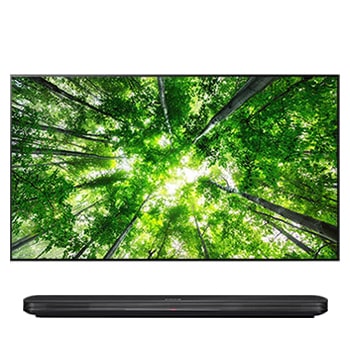
    LG OLED TV - How can I access and use Gallery?
    [https://lg.com/support]------------------------Try this--------How to use the gallery➔ [2019 WebOS4.5 or later]1. Turn on the TV and press the [Home] button on your TV remote.Select [Gallery] in [Home].2. Select the theme you want.3. Press...
  • Document Contents
    Troubleshooting
    TV channels are missing. How do I run Auto Tuning?
    If your LG TV isn't showing channels after a new purchase or move, first makesure the antenna cable is securely connected, and then run [Auto Tuning] in theTV settings.If you are using a set-top box: You do not need to run [Auto Tuning]. Si...
  • Document Contents
    Troubleshooting
    How to Display Your PC Screen on Your LG TV (Wired or Wireless)
    Connect your PC or laptop to your LG TV to enjoy your computer screen on abigger, more immersive display.Choose the setup that works best for you. You can choose a stable wired HDMIconnection, or a wireless screen share (mirroring) from you...
  • Document Contents
    Troubleshooting
    How to Update Your LG TV Software and Turn On Automatic Updates
    Updating your LG TV to the latest software version can add new features andimprove system stability for a better viewing experience.If your TV is connected to the internet, you can check for and install thelatest version from the Settings m...
  • Document Contents
    Troubleshooting
    How to fix a zoomed-in picture or cut-off text on your LG TV
    If the picture on your LG TV appears too large or subtitles are cut off, theaspect ratio may have been changed or zoomed in.To fix this, press the [Settings] button on your remote. Go to [All Settings],[Picture], [Aspect Ratio], and select ...
See More