
To properly experience our LG.com website, you will need to use an alternate browser or upgrade to a newer version of internet Explorer (IE10 or greater).
The LG.com website utilizes responsive design to provide convenient experience that conforms to your devices screen size. In order to get the best possible experience our LG.COM website please follow below instructions. If you’re using Internet Explorer 9 or earlier, you will need to use an alternate browser such as Firefox or Chrome or upgrade to a newer version of internet Explorer (IE10 or greater).


-


-
![/6k-monitor]()
![/6k-monitor]()
-
![OSN LG-Hero]()
![OSN LG-Hero]()
-
![01_Global_Steam_2018_Hero_1600x800_D_Ver1]()
![01_Global_Steam_2018_Hero_768x840_M_Ver1]() Check out latest video tutorials for how to install & use LG products.
Check out latest video tutorials for how to install & use LG products.


Recently Viewed


*productTag1*
*productTag2*
*epsPictogramArea*
AED *rPrice*.*rPriceCent*
*productFileName*
*energyLabel*
*energyLabelImage*
*secondEnergyLabel*
*secondEnergyLabelImage*
*productFileName2*
AED *rPrice*.*rPriceCent*
AED *rPromoPrice*.*rPromoPriceCent*
*discountMsg*
OBS_MEMBERSHIP_MSG AED *membershipPriceValue*
*retailerPricingText*
( *obsWelcomePriceDescription* AED *obsWelcomePrice* )
NEW
COMING SOON


NEW
COMING SOON
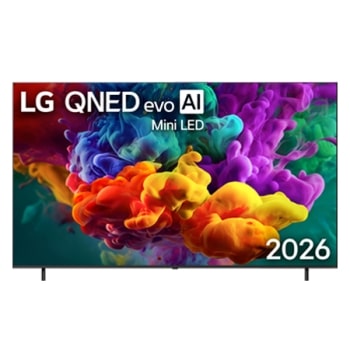
NEW
COMING SOON


NEW
COMING SOON


NEW
COMING SOON


NEW
COMING SOON


NEW
COMBO OFFER


NEW
COMING SOON


There are no recently viewed products.
There is no availabel product.
-
![The Power of SELF-LIT PiXELS]()
![The Power of SELF-LIT PiXELS]()
The Power of SELF-LIT PIXELS
-
![Knock Twice, See Inside]()
![Knock Twice, See Inside]()
Knock Twice, See Inside
-
![Simple to use, versatile to cook]()
![Simple to use, versatile to cook]()
Simple to use, versatile to cook


-
JOIN THE CONVERSATION
Connect with us


YouTube


LG Product Service and Support
Get your questions answered about product setup, use and care, repair and maintenance issues. We can help.
-
![Chat Service]() Chat ServiceAdd "+971 54 3939 054"
Chat ServiceAdd "+971 54 3939 054"
to your phone contact & connect to
LG Customer Service via WhatsApp
Check our new WhatsApp service -
![Email Us]() Email UsSend a Message to LG Customer Support.
Email UsSend a Message to LG Customer Support. -
![Telephone]() TelephoneCall an LG Support Representative at
TelephoneCall an LG Support Representative at
Afghanistan :5454
Armenia :060 700 333
Azerbaijan :(+99412) 404 7354
Bahrain :8000 1919
Georgia :032 2 000 333
Kuwait :1833 333
Oman :800 75545
Pakistan :0800 15454
Qatar :800 0054
UAE :800 54
Yemen :+967 1 264 096


AED *rPrice*.*rPriceCent*
AED *rPromoPrice*.*rPromoPriceCent*
*discountMsg*
*retailerPricingText*
OBS_MEMBERSHIP_MSG AED *siblingMembershipPrice*
*obsMemberShipLinkEnd*