Help Library

Topic

  • Document Contents
    Troubleshooting
    LG Oled TV - How can I enable AirPlay?
    [https://lg.com/support]What is AirPlay?AirPlay is Apple’s wireless feature that lets you stream audio, video, photos,and even your device screen from Apple devices—such as iPhone, iPad, and iPodTouch—to your TV.If your smartphone supports ...
  • Document Contents
    Troubleshooting
    LG OLED TV - How to Fix Reoccurring Pixel Refresher Notifications
    [https://lg.com/support]Note * If the issue persists after following the steps below, please contact LG Electronics Support for assistance. * If the reoccurrence of the Pixel Cleaning notification is caused by the SimpLink(HDMI-CEC) feature...
  • Document Contents
    Troubleshooting
    LG TV - My PC screen does not fit.
    [https://lg.com/support]If the resolution setting is incorrect when the TV is connected to a PC, it mayresult in symptoms like screen cut-off and enlarged screen.In this case, set the optimal resolution by consulting the TV user manual.Caus...
  • Document Contents
    Troubleshooting
    [LG TV] How to Change Location Settings and Set LG Services Country
    To change the Location settings on your LG TV, press [Settings] on the remote,then go to [All Settings] → [General] → [System] or [Location].The menu path may vary depending on your webOS version. Set-top box settings maybe restricted for m...
  • Document Contents
    Troubleshooting
    [LG TV] How to Fix Echoing or Out-of-Sync Sound When Using TV Speakers and External Speakers Together
    When the TV’s built-in speakers and an external speaker (such as a soundbar)play audio at the same time, you may hear an echoing sound.This is typically caused by a slight audio delay (latency) because the TV andthe soundbar process digital...
  • Document Contents
    Troubleshooting
    [LG TV] What to Do If the Magic Remote Pointer Doesn’t Appear
    If the Magic Remote pointer (cursor) does not appear on the screen, first checkthe battery level, and verify if the [Audio Guidance] feature is enabled.If the batteries and settings are correct, it may be because the remote isdisconnected f...
See more

Game App

You can enjoy more games by downloading them to an external device(USB memory, HDD). Use the links below to download.
NOTICE : Please prepare a USB memory or HDD to save Game App. files.

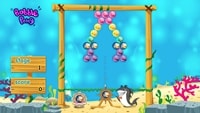
  • Bobble Pong

    Match three or more consecutive bubbles of the same color using the arrow. The matching bubbles will pop and your scores will rise.

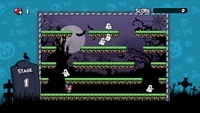
  • Monster World

    Get various items while avoiding monsters and pumpkins. Once you remove all monsters you can proceed to the next stage for more items!

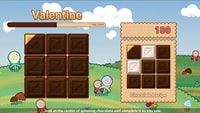
  • Valentine

    Match chocolate pieces by following each recipe to make it complete.