To properly experience our LG.com website, you will need to use an alternate browser or upgrade to a newer version of internet Explorer (IE9 or greater).

The LG.com website utilizes responsive design to provide convenient experience that conforms to your devices screen size. In order to get the best possible experience our LG.COM website please follow below instructions.

If you’re using Internet Explorer 8 or earlier, you will need to use an alternate browser such as Firefox or Chrome or upgrade to a newer version of internet Explorer (IE9 or greater).

If you’re using Internet Explorer 9 and higher, turn off your Internet Explorer browser’s “Compatibility View settings” by following steps below:

  • Right click at the top of your browser and make sure the “Menu Bar” option is selected
  • Select “Tools” from the menu bar and then select “Compatibility View settings”
  • In the pop-up menu uncheck all three boxes and click “Close”
  • Your browser window will automatically refresh and you’ll be ready to go
Skip to Contents Skip to Accessibility Help

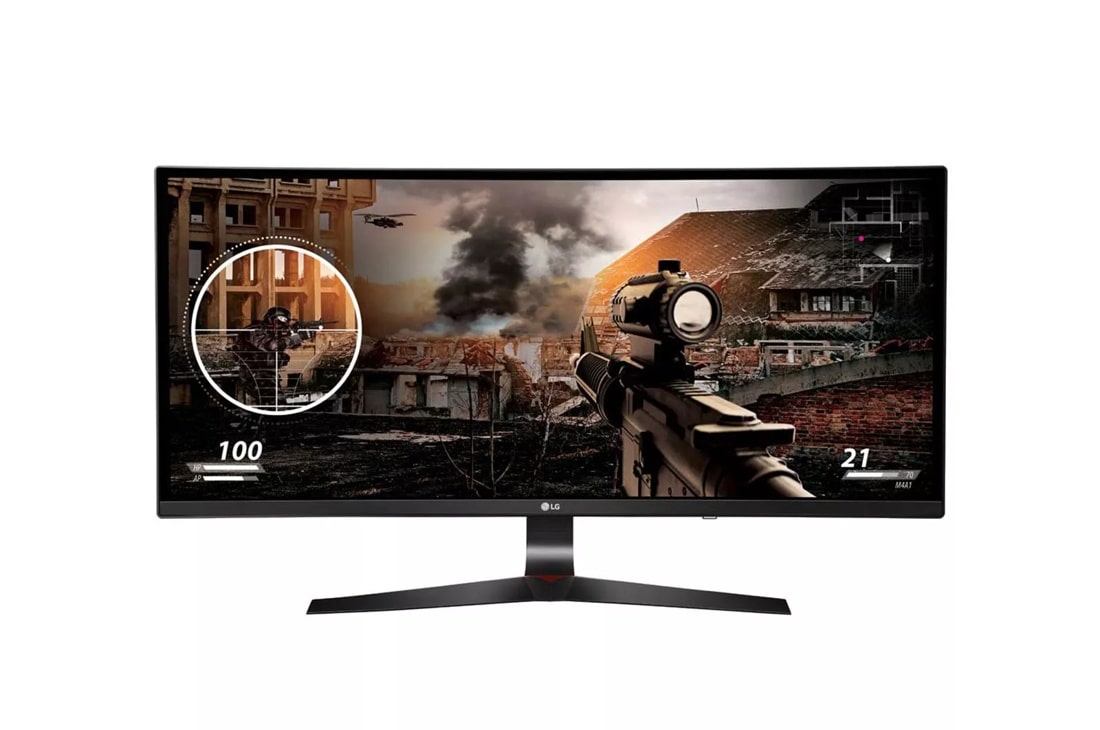
34" Class 21:9 UltraWide® Full HD IPS Curved Gaming Monitor (34” Diagonal)

  • 34UC79G-B

Key Features

  • 21:9 UltraWide Monitors
  • AMD FreeSync™ Technology
  • 1ms Motion Blur Reduction
  • 144 Hz Refresh Rate
  • Crosshair Feature
FreeSync

FreeSync

With FreeSync, gamers can experience seamless, fluid movement throughout hi-res, fast-paced games. FreeSync nearly eliminates tearing and stuttering that can occur because of differences between a graphic card’s frame rate and a monitor’s refresh rate.

1ms Motion Blur Reduction - 34UC79G

"1ms Motion Blur Reduction"

A monitor’s response time is absolutely critical in games. The 1ms Motion Blur Reduction feature will allow gamers to enjoy the precision and accuracy needed to play at a very high level. With a response time that is virtually 1ms, blurring and ghosting are reduced to make the action smoother and gamer reactions more precise.

144Hz Refresh Rate - 34UC79G

144Hz Refresh Rate

Experience smoother and clearer gaming action with a 144Hz refresh rate. Games played on the LG 34UC79G are noticeably smoother when compared to monitors with refresh rates of 60Hz or 75Hz. Combine the smooth action with the curved screen, and gamers will love the optimized and immersive gaming experience.

Crosshair

 Crosshair 

With the Crosshair feature, gamers can take their skills to the next level. By placing the striking point in the center of the display, the feature enhances firing accuracy in first-person shooter games.

Advanced Gaming Features - 34UC79G

Advanced Gaming Features

Serious gaming features for serious gamers. Quickly optimize monitor settings to activate Black Stabilizer to reveal superior detail in dark scenes while the Dynamic Action Sync feature assures smooth, fluid gaming action.

Game Mode

 Game Mode 

Set Game Mode for optimal gaming conditions. There are 3 modes, 2 First-Person-Shooter modes and a RTS pre-set mode so you can choose the best mode for your games.

PANEL
Screen Size 34" Curved 144Hz
Panel Type IPS
Color Gamut (CIE 1931) NTSC 72%
Color Depth (Number of Colors) 8bits, 16.7M
Pixel Pitch (mm) 0.312 mm x 0.312 mm
Response Time 14ms / 5ms GTG
Refresh Rate 144Hz
Aspect Ratio 21:9
Resolution 2560 x 1080
Brightness 250 cd/m2
Contrast Ratio Mega
Viewing Angle 178 / 178
INPUTS/OUTPUTS
HDMI Yes (ver2.0, 2ea)
DisplayPort (ver1.2) Yes
USB 3.0 2 ea
USB Up 3.0 1
USB 3.0 Quick Charge USB Port 1
POWER
Type Adapter
Input 100~240V, 50/60Hz
Normal On (EPA 7.0) 50W (EPA 7.0)
SPECIAL FEATURES
Picture Mode Custom, Reader, Photo, Cinema, Dark Room 1, Dark Room 2, Color Weakness, FPS Game 1, FPS Game 2, RTS Game, Custom (Game)
Ratio Wide, Original, Cinema 1, Cinema 2, 1:1
PIP In Screen Split
DDC/CI Yes
HDCP Yes
Key Lock Yes
1ms Motion Blur Reduction Yes
FreeSync Yes (DP 50~144Hz)
Game Mode Yes
DAS Mode Yes
Black Stabilizer Yes
Flicker Safe Yes
Six Axis Control Yes
Smart Energy Saving Yes
Reader Mode Yes (included in Picture Mode)
Super+ Resolution Yes
Color Calibrated Yes
Dual Controller Yes
Screen Split 2.0 (in OSC) Yes
My Display Preset (in OSC) Yes
OnScreen Control (OSC) Yes
Dual EDID (H/W) Yes
One Click Stand Set-up Yes
Tilt (Angle) -5~20 Degree
Height (Range) 120mm
DIMENSIONS/WEIGHT
With Stand (WxHxD) 32.7" x 17.7" x 11.0" (down) – 15.7" (up)
Without Stand (WxHxD) 32.7" x 14.6" x 3.0"
Shipping Dimensions (WxHxD) 38.9" x 8.3" x 20.6"
With Stand Weight 18.9 lbs
Without Stand Weight 14.1 lbs
Shipping Weight 26 lbs
CABINET / ACCESSORIES
VESA® Size (mm) 100 x 100
Power Cord Yes
HDMI Yes
Display Port Yes
Cable Holder Yes
STANDARD
UL(cUL) Yes
TUV-type Yes
FCC-B, CE Yes
ErP Yes
CCC (for China) Yes
BSMI (for Taiwan) Yes
Windows Yes
WARRANTY / UPC
Limited Warranty 1 Year Parts & Labor
UPC 719192606715

What People Are Saying

  • bvseo_sdk, java_sdk, bvseo-2.3.0.0
  • CLOUD, getReviews, 4ms
  • REVIEWS, PRODUCT
  • bvseo-msg: The resource to the URL or file is currently unavailable.;

We're here to support you with our product.

View 34UC79G-B Product Support

Contact us for any support inquiries.

ASK & ANSWER

Ask your questions. Share your answers.
Please first review the detailed product information and help guides in the Product Support section for this product prior to posting a question.

Gsync version maybe?

Asked by: Getfunk
No. For G-Sync to work with monitor, manufacturers have to purchase physical G-Sync module from nVidia and design the monitor based on it while Freesync does not require physical module to be installed and it's open source. This is why very few manufacturers build monitors with G-Sync capability because it causes monitor price to go-up.
Answered by: nexuslotus
Date published: 2016-11-13

Can it be used as a tv

Asked by: Javierrrrhbf
No
Answered by: janelly
Date published: 2016-11-05

I have just received this and tried hooking it up to a laptop to test it but can't get sound is their speakers in this monitor or do I need to buy speakers separately?

Asked by: Handy
We appreciate your interest in this monitor. This model has not been designed with internal speakers. Audio connections on this device are only valid for use with the Headphone Jack.
Answered by: NeilE
Date published: 2016-10-27

When is going to be G Sync available ?

Asked by: ENOC
Free sync only works with AMD gpu G-sync only work with NVIDIA GPU Adaptive sync works with both.
Answered by: correctanswer
Date published: 2016-10-26

Does It Have Built In Speakers??

Asked by: Flipviduani
The LG 34" Class 21:9 UltraWide® Full HD IPS Curved Gaming Monitor (34” Diagonal), Model # 34UC79G-B does not have built-in speakers. It does have an HDMI out that you can use to connect to an external receiver or Sound Bar or Home Theater System. It also has a 3.5 mm (Headphone) jack that you can connect headphones to or connect external desktop speakers to...^IFV
Answered by: LGJoel
Date published: 2016-10-13

What is the response time of this monitor? In the spec list for this monitor it says 14ms with a 5ms GTG, and I don't know what gtg is, so can someone please clear the air on this, I would very much appreciate it. Thank you.

Asked by: Kevin Gomez
It's 1ms response time is a optional feature that you can turn on and off.
Answered by: Kyser
Date published: 2016-10-12

Can I use this monitor effectively for office ? Or you r commend a different one

Asked by: Rafi2016
why not?
Answered by: ojay
Date published: 2016-10-11

Would this computer be able to handle something like a elgato HD pro and does this come with the whole setup like monitor and system

Asked by: rynspark233
This is a monitor....... 
Answered by: Regret
Date published: 2016-10-07
  • 2016-11-21T08:21CST
  • bvseo_cps, prod_bvqa, vn_cps_3.4.0
  • cp_1, bvpage1
  • co_hasquestionsanswers, tq_16
  • loc_en_US, sid_MD05771107, PRD, sort_recentAnswersFirst
  • clientName_LG
  • bvseo_sdk, java_sdk, bvseo-2.3.0.0
  • CLOUD, getContent, 5ms
  • QUESTIONS, PRODUCT