32 Inch UltraFine™evo 6K Nano IPS Black Monitor with Thunderbolt™ 5
Top Deals: Save 30-50% on select home appliances

Top Deals: Save 30-50% on select home appliances


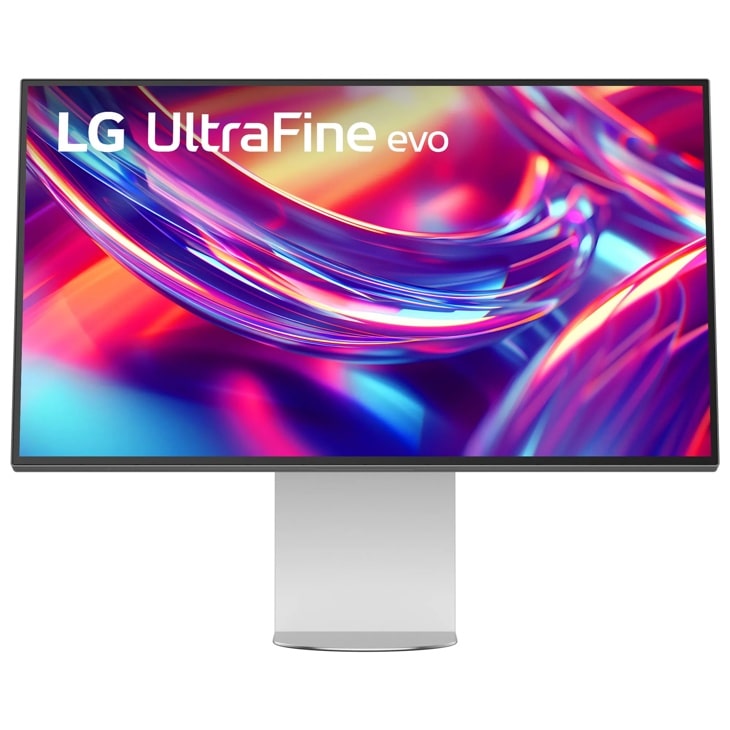

32 Inch UltraFine™evo 6K Nano IPS Black Monitor with Thunderbolt™ 5
Key features
- 32” 6K Nano IPS Black and 224 PPI delivers ultra-clear, high-contrast visuals
- Thunderbolt 5: One cable. Ultra-fast speed, power, and flexibility
- Work smarter with Thunderbolt 5, DisplayPort 2.1, HDMI, and USB-C connectivity
- VESA DisplayHDR™ 600 unlocks bright, deep, dynamic visuals
- Color gamut with up to 98% DCI-P3 and 99.5% Adobe RGB coverage
- Nano IPS Black with 2000:1 contrast reveals deeper blacks and sharper shadows
- Mac compatibility: Studio Mode² presets + Mac keyboard control made easy⁴
- Tilt, pivot, rotate & height adjust—on a 4-side, virtually borderless display
Bundle Offers
Related Accessories
Review your selections
The LG 32" UltraFine™evo 6K Nano IPS Black Monitor with Thunderbolt™ 5 is engineered to deliver professional-grade image quality with a 6K resolution and 224 pixels per inch. Its advanced Nano IPS Black panel offers a 2000:1 contrast ratio, delivering deeper blacks and sharper shadows for enhanced detail visibility.
Color fidelity is a priority, with wide color gamut support covering up to 98% of DCI-P3 and up to 99.5% of Adobe RGB color spaces, making it a prime choice for creatives demanding color accuracy.Connectivity is versatile and future-proof, featuring Thunderbolt 5 for ultra-fast data transmission and power delivery through a single cable. It also supports DisplayPort 2.1, HDMI, and USB-C connections, ensuring compatibility with multiple devices and workflows.
The monitor's VESA DisplayHDR 600 certification enhances brightness and dynamic contrast, providing vibrant and dynamic visuals.Ergonomics are finely tuned: users can adjust tilt, pivot, rotate, and height to customize their viewing comfort. The virtually borderless design on all four sides creates an immersive viewing experience and minimizes distractions. Mac users benefit from dedicated Studio Mode presets and simplified keyboard control integration, enhancing productivity within Apple ecosystems.This monitor is designed to meet the needs of professionals in graphic design, video editing, photography, and other creative fields, delivering exceptional visual performance and flexible, reliable connectivity in a sleek, modern design.
32U990A-S UltraFine evo 6K Monitor Frequently Asked Questions (FAQs):
1. Q: Can the LG 32U990A-S monitor connect to a Mac easily?
A: Yes, the LG 32U990A-S is Mac compatible and includes Studio Mode presets along with Mac keyboard control for convenient use.2. Q: What makes the Nano IPS Black panel special on this LG monitor?
A: The Nano IPS Black technology offers a 2000:1 contrast ratio, revealing deeper blacks and sharper shadows for high-contrast visuals.3. Q: Does the LG UltraFine evo support multiple input ports?
A: Yes, it supports Thunderbolt 5, DisplayPort 2.1, HDMI, and USB-C connectivity for flexible device connections.4. Q: Is the display adjustable for ergonomic comfort?
A: The monitor supports tilt, pivot, rotate, and height adjustments with a 4-side virtually borderless design for customizable viewing.5. Q: Is the LG 32U990A-S suitable for professional photo editing?
A: This monitor is perfect for creative professionals, the LG 32U990A-S offers 6K resolution and a wide color gamut with up to 98% DCI-P3 and up to 99.5% Adobe RGB, ideal for professional photo editing.6. Q: Does this monitor support ergonomic adjustments?
A: Yes, it supports tilt, pivot, rotate, and height adjustments.1World’s First Thunderbolt™ 5 6K resolution monitor as of August 2025: https://www.thunderbolttechnology.net/products
2Studio Mode requires updating the monitor firmware to version 3.05 or later via the LG Switch software, available starting October 2025. The update can be performed automatically or manually when the computer is connected to the internet and the monitor using either: (1) a USB-C to A or USB-A to B cable, or (2) a USB-C to C or Thunderbolt cable.
To enable Studio Mode, connect monitor via USB Type-C or Thunderbolt, then download the LG Switch app from your product’s Support > Manuals & Software section. In LG Switch update the monitor to firmware version 3.05 or later, then relaunch the app to access Studio Mode (Studio Mode available via joystick as well).
Mac is a trademark of Apple Inc., registered in the U.S. and other countries and regions. This product is not an Apple-affiliated product, and does not provide any Apple services or warranties.
3Mac is a trademark of Apple Inc., registered in the U.S. and other countries and regions. This product is not an Apple-affiliated product, and does not provide any Apple services or warranties.
4M-Control requires the use of the LG Switch software when turning the feature on or off. Mac is a trademark of Apple Inc., registered in the U.S. and other countries and regions. This product is not an Apple-affiliated product, and does not provide any Apple services or warranties.
5TÜV Rheinland certification ID (Eye Comfort): 1111305154 www.tuv.com.
6Software installation required. Visit Support on LG.com to download.
Images may be simulated and dramatized for illustrative purposes. Actual features, functionality, and other product specifications may differ and are subject to change without notice. Prices, promotions, and availability may vary by model, store, and online. Prices subject to change without notice. Quantities are limited. Check with your local retailers for their final price and availability.
- TV & Home Theater
- My Account
- About LG
- Offers
- Articles & Gift Guides
Social Support
 Copyright © 2009-2026 LG Electronics. All Rights Reserved