We use cookies, including cookies from third parties, to enhance your user experience and the effectiveness of our marketing activities. These cookies are performance, analytics and advertising cookies, please see our Privacy and Cookie policy for further information. If you agree to all of our cookies select “Accept all” or select “Cookie Settings” to see which cookies we use and choose which ones you would like to accept.

LG LAB
4K Ultra HD TV Buying Guide
4K Ultra HD TV packs four times the resolution of Full HD into its screens, improving movies and sports viewing with true-to-life detail. With 4K televisions now available across a wide range of sizes and price points — and plenty of 4K Ultra HD content to enjoy — there's never been a better time to upgrade. Read our LG 4K TV buying guide to find the right model for you.
What is a 4K TV?
A 4K TV is a television with a screen resolution of 3,840 × 2,160 pixels — roughly four times the pixel count of a Full HD (1080p) TV. That higher pixel density translates to sharper images, finer detail and more lifelike textures, especially on larger screens.*
Modern 4K televisions typically also include features that go beyond raw resolution, such as HDR (High Dynamic Range), upscaling technology to enhance lower-resolution content, smart TV platforms, and gaming-friendly features like VRR. LG's 4K TV range includes LED, QNED, MRGB and OLED models — giving you a choice of picture technologies to suit your budget and viewing style.
What does 4K mean?
The "4K" in 4K TV refers to the horizontal resolution of the display — approximately 4,000 pixels across. The "K" stands for kilo, meaning a thousand. So when you see "4K," it's shorthand for a screen that has around 4,000 horizontal pixels.
In practical terms, a 4K TV has a resolution of 3,840 × 2,160 pixels, for a total of about 8.3 million pixels. That's four times more pixels than Full HD (1080p) and sixteen times more than HD (720p). On a TV's spec sheet you'll usually see resolution written as "3840 × 2160" — that's a 4K TV.
More pixels means each individual dot of light is smaller and more densely packed, so images look sharper and more detailed even when you sit closer to the screen.
How does 4K work?
Your TV picture is made up of pixels, and 4K televisions work by packing in many more pixels than a standard HD TV. A typical HD screen contains around two million pixels, while a 4K screen increases that to 8.3 million pixels — more than four times as many.
TV screen resolution is defined by the number of pixels running horizontally across the screen and the number of scanning lines running vertically from top to bottom:
- - HD: 1,920 (horizontal) × 1,080 (vertical)
- - 4K UHD: 3,840 (horizontal) × 2,160 (vertical)
To put that in perspective, imagine two 55-inch TVs sat side by side — one HD, one 4K. If you took all the pixels from the HD TV and dropped them into the 4K TV, they would only fill a quarter of the screen. The remaining three-quarters of the 4K TV is packed with extra pixels you simply wouldn't get on HD.
This is why 4K televisions look so much sharper, especially on larger screens. With more pixels spread across the same space, each individual dot of light is smaller and more tightly packed, so the picture stays detailed and crisp even when viewed up close.
What is 4K Ultra HD TV?
4K UHD TV, which stands for 4K Ultra High-Definition Television, offers a display resolution of 3,840 pixels horizontally and 2,160 pixels vertically, totaling approximately 8.3 million pixels. This results in a significantly sharper and more detailed picture. Additionally, 4K HDR (High Dynamic Range) technology further elevates the viewing experience by providing enhanced brightness and more vivid colours. With four times the resolution of Full HD (1,920 x 1,080), 4K UHD ensures exceptional clarity and detail, making it an ideal choice for a superior viewing experience.
Is 4K the same as UHD?
In everyday use, "4K" and "UHD" (Ultra High Definition) are used interchangeably — and for the vast majority of consumer TVs, including LG 4K TVs, they refer to the same thing: a resolution of 3,840 × 2,160 pixels.
Strictly speaking, the cinema industry uses a slightly different "true 4K" standard of 4,096 × 2,160 pixels, which is 256 pixels wider than UHD. This is the format used in commercial cinema projectors. For home televisions, however, the industry standardised on the 3,840 × 2,160 UHD resolution, and manufacturers — LG included — typically market these sets as 4K, 4K UHD, Ultra HD or 4K Ultra HD.
So if you're shopping for a 4K TV, you can be confident that "4K UHD" and "Ultra HD" on the spec sheet mean the same thing in practice.
What are the benefits of 4K TVs?
- Sharper image: With four times as many pixels as Full HD, movies and sports are rich in detail.
- Improved depth: Feel like you’re in the scene with the added depth of 4K bringing landscapes to life.
- HDR support: Enjoy movies with over one billion colours and see detail in bright and shadowy scenes with support for HDR formats like Dolby Vision.
- 4K content: Netflix, Amazon Prime Video and Sky are among those showing Ultra HD content (subscriptions required).
- Full HD upscaling: Enjoy Full HD content at near 4K resolution, with powerful built-in upscaling technology.
- Lots of choice: 4K TVs are available in screen sizes ranging from the small to super-large (42-inch to 115-inch), to suit most home and room sizes.
- Sit closer to the screen: Because a 4K TV packs in so many more pixels, the picture stays pin-sharp even when you sit close. Move the sofa nearer and you'll be drawn deeper into the action without seeing the picture break up.
Can you watch 4K content on a 4K TV?
Yes — to watch 4K content in its full native resolution, you need a 4K TV. A standard HD or Full HD TV simply doesn't have enough pixels to display 4K content at its true quality. The good news is that 4K televisions are compatible with a huge range of native 4K sources, from streaming platforms to Blu-ray discs and the latest gaming consoles.
What is 4K upscaling?
4K upscaling is the technology that takes lower-resolution content — such as Full HD or HD video — and is designed to enhance it for display on a 4K TV. Rather than simply stretching the image (which would look blurry), supported models use smart processing to analyse the source content, help reduce noise, sharpen edges and add detail, so it appears closer to 4K quality.
This matters because most TV broadcasts, older films, DVDs and many streaming services still deliver content at HD or Full HD resolution. Without upscaling, that content would look soft on a large 4K screen. With it, you get a sharper, cleaner picture from virtually any source.
LG's premium 4K TVs use the α (Alpha) AI Processor to power upscaling, applying scene-by-scene analysis to optimise sharpness, contrast and colour. The result is enhanced everyday viewing — even when you're not watching native 4K content.
Do I need a special TV for 4K Ultra HD?
To fully enjoy 4K Ultra HD content, you will need a display that supports this resolution. This typically means investing in a 4K TV. 4K Ultra HDs can vary greatly, depending on how much you want to invest. Budget 4K TVs will give you 4K resolution, but they won’t offer much more and are way behind OLED TVs.
Should I invest in a premium 4K UHD TV?
4K Ultra HDs can vary greatly, depending on how much you want to invest. Budget 4K TVs will give you 4K resolution, but they won’t offer much more and are way behind OLED TVs.
Premium 4K Ultra HD TVs, however, are packed with features that narrow the gap between them and OLED. The best LG 4K TVs use Dynamic QNED Colour Solution to create a much better picture quality and viewing experience than a cheaper 4K TV thanks to the more accurate colours.
Is 4K worth it?
For most viewers today, a 4K TV is absolutely worth it. The volume of 4K content available across streaming services, gaming consoles and Blu-ray means you'll see the benefit on day one, and the price gap between Full HD and 4K TVs has narrowed dramatically in recent years.
That said, 4K televisions range widely in quality. Budget 4K TVs give you the resolution but often little else, and they fall well behind OLED in picture quality. Premium 4K models — including LG's QNED range with Dynamic QNED Colour, Micro RGB with RGB Primary Colour for more colour than ever, and OLED models with self-lit pixels — deliver much richer colour, deeper contrast and smarter upscaling for a noticeably better viewing experience than entry-level sets.*
If you watch a lot of films, sports or play next-gen console games, investing in a premium 4K TV is one of the easiest ways to upgrade your living room.
*Dynamic QNED Colour/ Colour Pro utilises LG's latest and unique wide color gamut technology, which replaces quantum dots.
What size screen to buy?
Generally, bigger is better when it comes to TVs. And 4K is no different. The bigger the screen, the better the viewing experience you’ll enjoy with your 4K UHD TV.
Buy the biggest screen you can afford – but also consider your room size. Don’t buy a TV that’s too big for your house. A huge 77-inch TV will overwhelm a small room.
And to get the best viewing experience, you need to be the right distance from your TV. The larger the screen size, the further away you need to sit.
- 40-inch TV – sit 8ft away from the TV
- 48-50-inch TV – sit between 9ft and 10ft from the TV
- 55-inch TV – sit between 11ft and 12ft from the TV
- 65-inch TV – sit between 13ft and 14ft from the TV
Which is better, LED or OLED?
Generally, OLED is considered superior to LED for picture quality, particularly for deep blacks, contrast, and colour accuracy, making it ideal for movie enthusiasts. OLED TVs offer a significantly wider and better viewing angle compared to 4K UHD LED TVs, thanks to their self-illuminating pixels that eliminate shutter issues common in LEDs. This makes OLED a clear winner in terms of viewing experience. However, LED displays tend to be more affordable, making them better for those on a budget. The best choice depends on individual priorities and needs.
It doesn’t have to be 4K or OLED when you’re buying a new TV. Because OLED is a type of screen and 4K a screen resolution, you can get a combo of both with a 4K OLED TV or choose a traditional 4K LED TV.
Since it is the king of picture quality many may consider OLED to be the best kind of 4K Ultra HD TV, thanks to its ability to create absolute, perfect blacks.
OLED or LED screen?
It doesn’t have to be 4K or OLED when you’re buying a new TV. Because OLED is a type of screen and 4K a screen resolution, you can get a combo of both with a 4K OLED TV or choose a traditional 4K LED TV.
Since it is the king of picture quality many may consider OLED to be the best kind of 4K Ultra HD TV, thanks to its ability to create absolute, perfect blacks.
Why is this?
LED TVs need a backlight to create the picture. The backlight can lead to light bleed – making blacks seem grey. But 4K premium TVs use local dimming to reduce light bleed.
OLED TVs do not need a backlight and can therefore create the deepest black tones. The G5 and M5, the 2025 launch models, have passed UL Solutions' “perfect black” and “perfect colour” tests.
OLED TVs do not need a backlight and can therefore create the deepest black tones.
Which is better, 4K or 8K?
TV picture quality is measured in resolution. For many years, Full HD was the best. This was then superseded by 4K UHD in the early 2010s. 4K offered four times the detail of Full HD, with 3840x2160 pixels compared to 1920x1080 of Full HD.
4K has only become the norm in recent years though, with a huge rise in 4K Ultra HD content available from Sky, Netflix, and Amazon Prime Video.
Now, we have the early stages of the next generation of TV resolution – 8K. There’s very little 8K content available at present, outside specially created YouTube videos. LG offers a small range of 8K models, although 4K is the most popular.
Which is better, LED or 4K TV?
"4K" refers to the screen resolution, while "LED" describes the backlight technology used in a TV. So they are not competing technologies – they can work together. Therefore, a "4K LED TV" is considered superior to a standard HD LED TV as it has the higher resolution of 4K, offering a sharper, more detailed picture compared to the standard LED TV with lower resolution.
Should I invest in HDR?
4K and HDR work hand in hand on a modern television: 4K increases the number of pixels on the screen, while HDR improves the quality of those pixels — making each one capable of brighter highlights, deeper blacks and a wider palette of colours.
High Dynamic Range (HDR) transforms TV, gaming and cinema. With it you can enjoy games and movies with brighter whites, darker blacks and lots of detail in the shadows. It also opens a palette of over one billion colours with a wider colour gamut. Premium 4K HDR TVs are compatible with different HDR formats, such as HDR 10, HLG and Dolby Vision®.
Dolby Vision is the most advanced HDR, approved by Hollywood directors. It enhances what you’re watching scene by scene, optimising colour, brightness and tone definition.
Will I be using it for gaming?
The latest generation of Xbox and PlayStation consoles can run games in native 4K. To get the best from those consoles, you need a 4K TV. Some premium 4K TVs have features designed specifically for gaming, including:
VRR: Variable Refresh Rate syncs the TV’s refresh rate with the frame rate of the game you are playing to eliminate "screen tearing" (where the screen looks cut in half) and stuttering, resulting in smooth and responsive gameplay.
Auto low latency mode: the TV automatically switches into a game mode, which reduces the delays between you pressing a button on your game controller and the action appearing on-screen – leading to more fast-paced and accurate gaming.
HGiG: Experience the game how the developers intended. HGiG is a group of gaming experts which sets guidelines for better HDR gaming.
Do I need Dolby Atmos®?
Dolby Atmos® is the latest in cinema sound. If you’ll be watching movies or top-flight football on your 4K TV, it makes sense to choose a model with Dolby Atmos®. It creates sound that moves around you in three-dimensional space, putting you at the centre of the action.
Find your perfect LG 4K TV
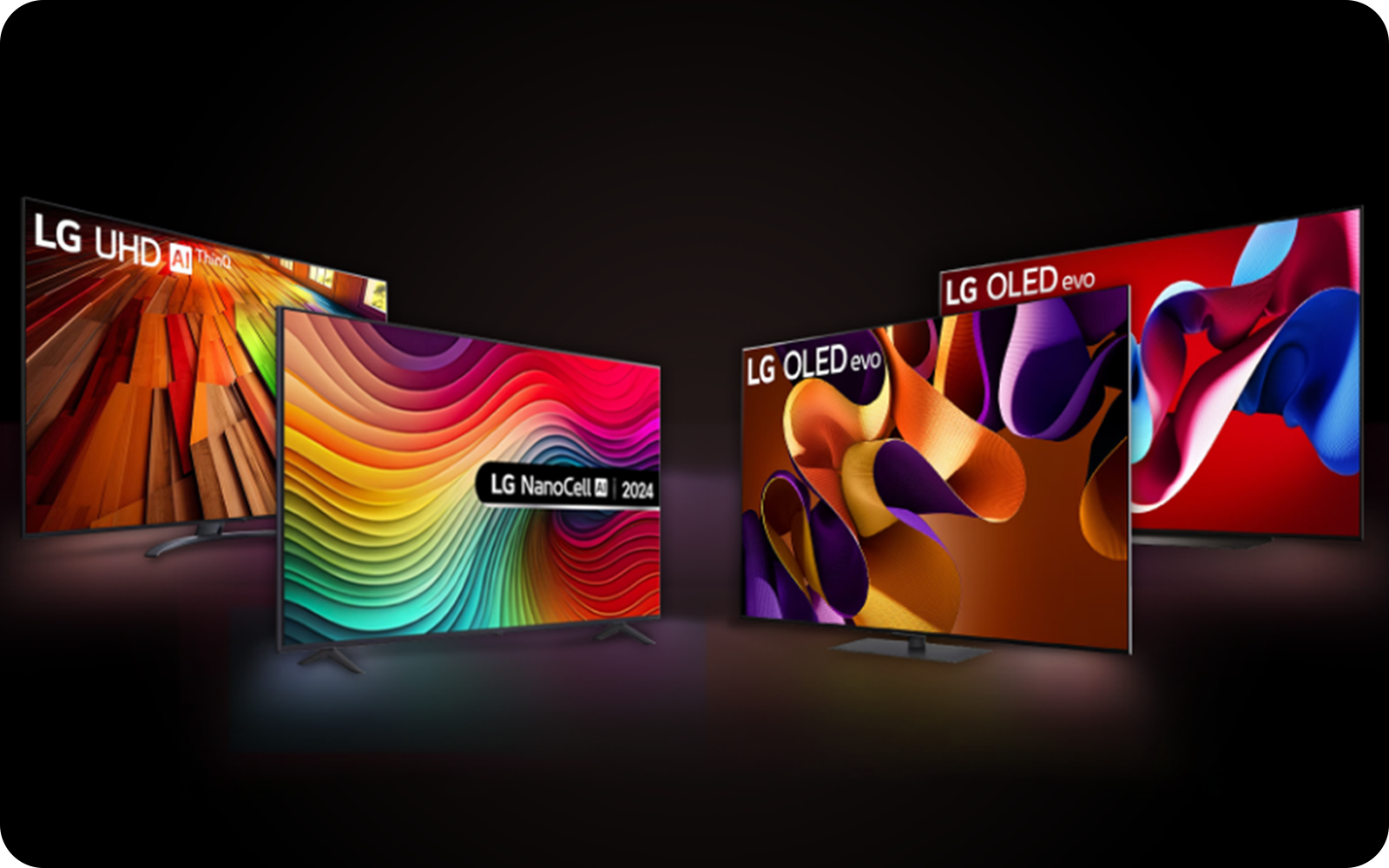
LG offers a range of 4K UHD TVs, including LED, QNED, MRGB and OLED models. You can be assured of a great experience regardless of your budget, with OLED representing the pinnacle of TV picture quality.
Ready to explore? Find your perfect 4K TV with LG