Explore curated art and visuals with LG Gallery+, designed to style your space.

LG Smart TV showcasing LG Gallery+ app with rotating framed artwork and diverse visuals including classic art, games, and animations, offering personalized screen styling for home decor.

Endless art. Curated for you.

Explore curated art and visuals with LG Gallery+, designed to style your space.


What makes LG Gallery+ feel like a gallery?​

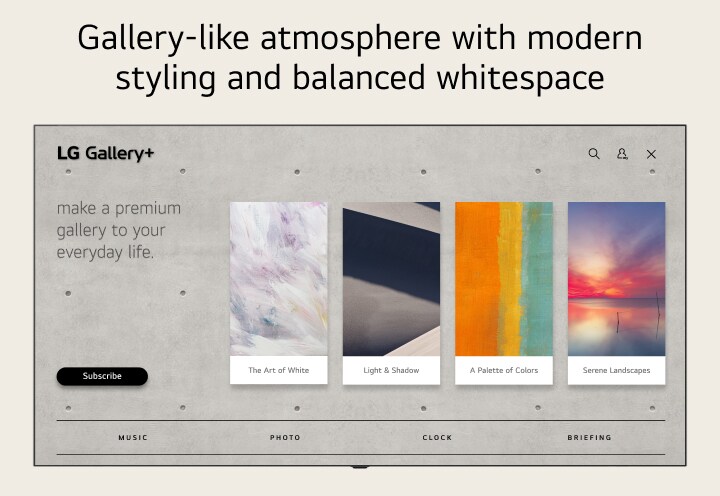
LG Gallery+ provides an interface designed for a more immersive and intuitive way to explore art.


LG Gallery+ presents a visually appealing Home UI with curated art collections.

Discover limitless masterpieces with LG Gallery+

LG Gallery+ lets you access over 100+ artworks, ambient videos, and other visual content to elevate your space. With regular library updates, personalize your home with curated content that reflects your style.

LG Gallery+ showcases curated artwork in a modern home interior, featuring stylized gray botanical prints at the center,

*Available content may vary by country.​

*Provided content is subject to change without notice.​

*5,000 pieces of content is only available in countries where webOS Pay is supported (Korea, USA, UK, and selected EU countries).

*Access to network-based smart services requires an LG Account.

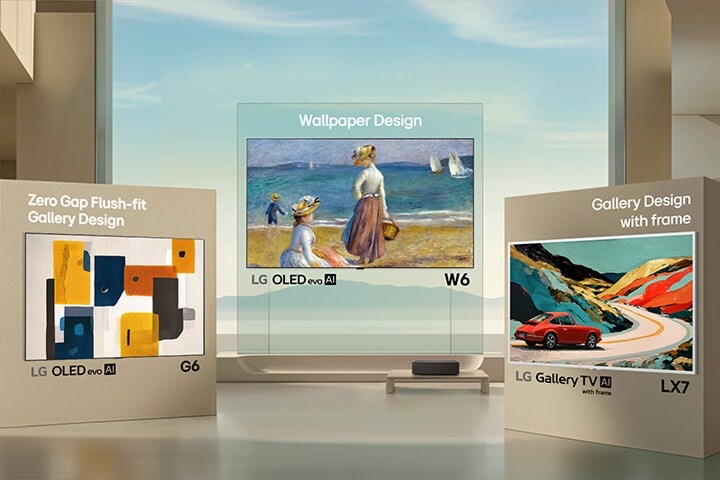
LG Art TV​

Beyond the frame

Experience Art TV beyond the limits of a single frame. A new spectrum of expression designed to transform your space into a personalized masterpiece.

LG Gallery TV displayed in a cozy living room, featuring a slim white TV frame and showcasing artwork on screen, blending seamlessly into the interior like a framed gallery piece.

FAQ

Q.

What is LG Gallery+?

A.

LG Gallery+ is a visual content service on LG Smart TVs that displays artwork, nature scenes, and AI-generated images on your screen. It can be used to enhance your space by showing visual content when you are not actively watching TV.​


*Available content may vary by country.​

**Provided content is subject to change.​

***Access to network-based smart services requires an LG Account.

Q.

Is LG Gallery+ free?

A.

LG Gallery+ offers 100+ free pieces of content, with selections updated quarterly. To access over 5,000 pieces of content, including classical masterpieces, a subscription is required. All users are eligible for a 1-month free trial, so sign up and start enjoying LG Gallery+ today.​


*5,000 pieces of content is only available in countries where webOS Pay is supported (Korea, USA, UK, and selected EU countries).​

**A subscription to the LG Gallery+ service is required to access full content and features.​

***A 1-month free trial is offered exclusively to customers with a subscription.​

****Access to network-based smart services requires an LG Account.

Q.

What features are available in LG Gallery+?

A.

LG Gallery+ offers several features to display and personalise visual content on your LG TV.


1. Generative AI: Create AI-generated images using available credits.​

2. Music: Play music stored on your TV or from connected devices such as Bluetooth or USB.​

3. Photos: Display personal photos from external devices, mobile devices connected via LG ThinQ, or Google Photos.​

4. Briefing: Show useful information such as weather, reminders, and connected device status.

Q.

Which LG TVs support LG Gallery+?

A.

LG Gallery+ is supported on LG TVs released in 2025 or later that run webOS 25 or newer. Some models may support LG Gallery+ after a software update. It can be experienced more fully on LG Art TV designed to enhance visual display and aesthetics.​


*Availability may vary by model and region.​

**Access to network-based smart services requires an LG Account.

Q.

How do I use LG Gallery+?

A.

You can use LG Gallery+ directly from your LG Smart TV to browse and display visual content.​

1. Press the Home button on your remote.​

2. Select LG Gallery+ from the home screen.​

3. Open My Page and sign in with your LG Account.​

4. Browse and select content to display on your screen.​


*Access to network-based smart services requires an LG Account.

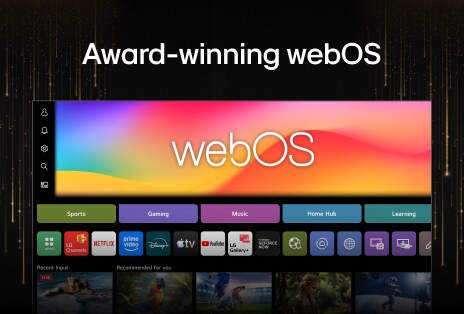
What else can do with webOS?

Discover more apps, services, and entertainment experiences available on LG TV.

Explore the LG AI TV lineup and find the right one for you

Learn more about the different LG AI TVs and discover the one that fits your needs best.