Mounting Location

The actual installation location of this item may vary depending on product model. 

For more detailed information, please refer to the product manual for your model. 

If you open the cover on the left and right of the exterior you will find it

How to Replace

The replacement instruction for this item may differ slightly from the information below. 

For more detailed information, please refer to the product manual for your model.

STEP 1

Separate the filter cases from the product.

• Pull the filter cases at the spots marked in Figure 1 above to separate the cases from the product.

Separate the filter cases from the product Pull the filter cases at the spots marked in Figure 1 above to separate the cases from the product

STEP 2

Insert the PuriCare Filters into the filter cases with the arrow on the Puri-Care Filters facing up.

Insert the PuriCare Filters into the filter cases with the arrow on the Puri Care Filters facing up

STEP 3

Align the filter cases with the grooves at the front of the product and press the cases in until they click into place.

Make sure to align the filter cases correctly before reassembling.

The LG PuriCare logo is on the right filter case.

Align the filter cases with the grooves at the front of the product and press the cases in until they click into place Make sure to align the filter cases correctly before reassembling The LG PuriCare logo is on the right filter case

STEP 4

Replacement period: 1 month (Based on 10 hours use per day) Replace the filters when they become dirty.

* Product images and features may contain advertising expressions and may differ from the actual product. Product appearance, specifications, etc. may change without prior notice for product improvement.

* All product images are photo cuts and may differ from the actual product. Product color may vary depending on monitor resolution, brightness settings, and computer specifications.

* The performance of the product may vary depending on the usage environment, and availability may vary by store.

Summary

Dimensions

All specs

GENERAL

  • Part Number

    ADQ75797604

  • Components

    Filter (2 EA)

DIMENSIONS & WEIGHTS

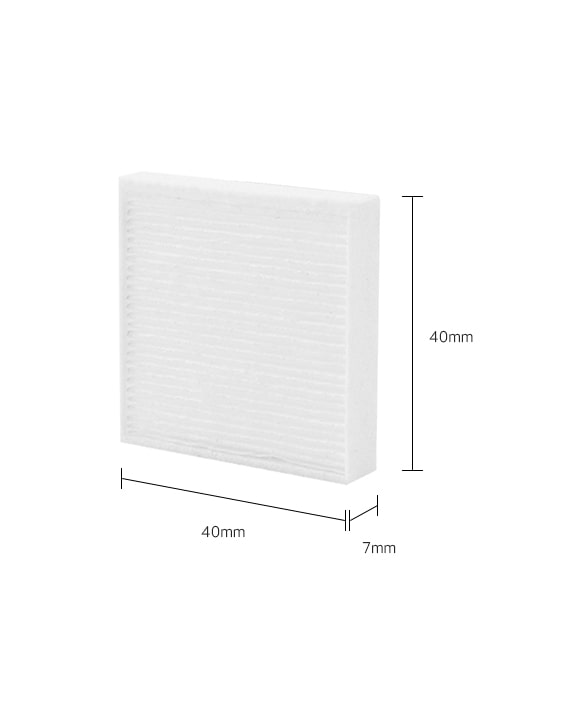
  • Product Dimension (W x H x D, mm)

    40 x 40 x 7

  • Net Weight (g)

    3

What people are saying

Our picks for you

Find locally

Experience this product around you.