To properly experience our LG.com website, you will need to use an alternate browser or upgrade to a newer version of internet Explorer (IE9 or greater).

The LG.com website utilizes responsive design to provide convenient experience that conforms to your devices screen size. In order to get the best possible experience our LG.COM website please follow below instructions.

If you’re using Internet Explorer 8 or earlier, you will need to use an alternate browser such as Firefox or Chrome or upgrade to a newer version of internet Explorer (IE9 or greater).

If you’re using Internet Explorer 9 and higher, turn off your Internet Explorer browser’s “Compatibility View settings” by following steps below:

  • Right click at the top of your browser and make sure the “Menu Bar” option is selected
  • Select “Tools” from the menu bar and then select “Compatibility View settings”
  • In the pop-up menu uncheck all three boxes and click “Close”
  • Your browser window will automatically refresh and you’ll be ready to go
Skip to Contents Skip to Accessibility Help

32UD59-B

Key Features

  • 4K UHD (3840 x 2160)
  • DCI-P3 95% Color Gamut
  • HDCP 2.2 Compatible
  • AMD FreeSync
  • On Screen Control
Suggested Price

$499.99

Suggested Price
Promotion Price*

$399.99

Promotion Price*
27 Inch 4K UHD IPS

32 Inch 4K UHD

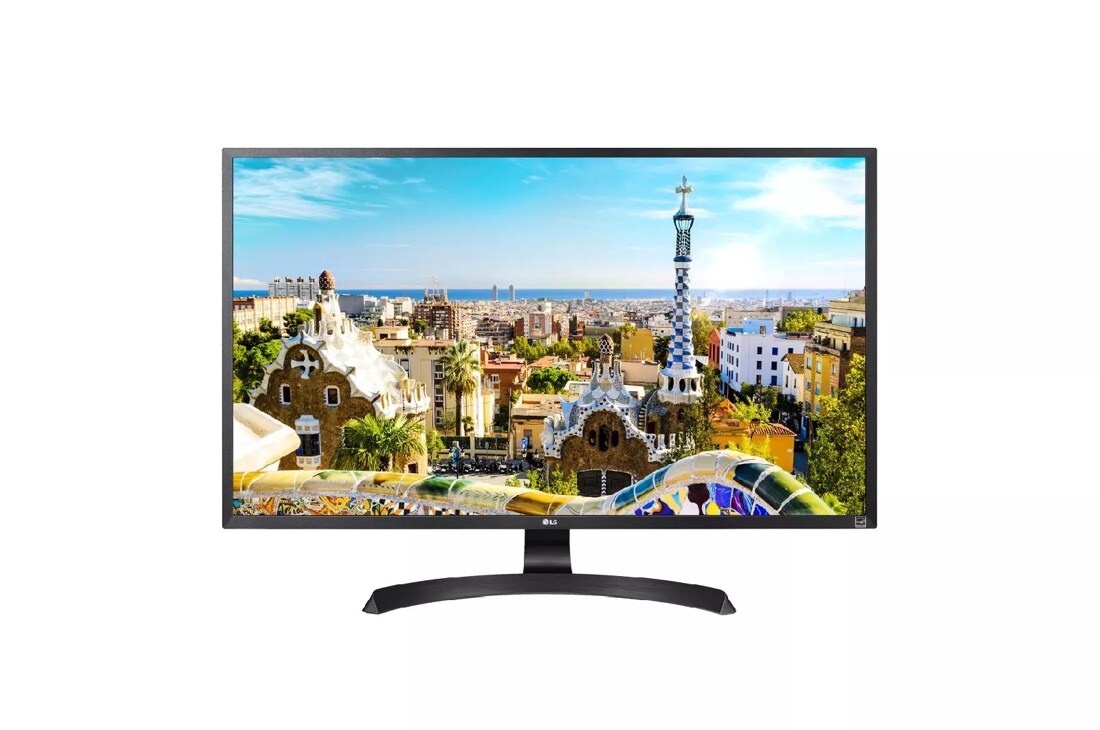
Outstanding Ultra HD performance is assured by the specially designed 4K display, delivering accurate colors that remain consistent with four times the resolution of Full HD.

DCI-P3 95 Color Gamut

DCI-P3 95% Color Gamut

This monitor covers 95% of the DCI-P3 color space, the current standard utilized by the film industry, assuring an exceptionally wide range of available colors.

HDCP 2.2 Compatible

HDCP 2.2 Compatible

Connect with confidence: This LG 4K monitor is compatible with the latest HDCP 2.2 copy protection, so it will display video from 4K streaming services, game consoles and Ultra HD Blu-ray disc players.

AMD FreeSync™ Technology

AMD FreeSync™ Technology

LG's monitors with AMD FreeSync™* technology reduce the tearing and stuttering that occur between a graphic card’s frame rate and a monitor’s refresh rate. Thanks to FreeSync, gaming enthusiasts can experience seamless, fluid movement throughout any hi-res, heavy-duty game.

*FreeSync is only available when it is connected to Display Port or HDMI.

Dynamic Action Sync

Dynamic Action Sync

Gamers can experience optimized, fast-pace gaming with Dynamic Action Sync. Dynamic Action Sync is a feature that minimizes input lag so the game play in RTS games is more responsive.

Black Stabilizer

Black Stabilizer

Keep visibility even in dark scenes. LG's Black Stabilizer senses dark scenes and helps make it brighter so that you can find the enemies hiding and waiting to attack your player in the dark.

On-Screen Control

On-Screen Control

On-Screen Control puts a host of monitor settings into a handy window for quick, easy access. Volume, brightness, picture mode presets, Screen Split 2.0 and Dual Controller can be adjusted with just a few clicks of the mouse.

Learn more

open

Watch how the On-Screen Control feature can help configure your display for maximum organization and efficiency.

On-Screen Control

Software download required to enable OnScreen Control. For download details, visit LGUSA.com/OnScreenControlSupport

Screen Split

Screen Split

Customize your monitor layout for multitasking with the latest version of LG Screen Split. Resize and display multiple windows at once, with 14 options including four different picture-in-picture (PIP) choices.

Height Adjustable Display

Height Adjustable Display

Find your perfect viewing angle: The adjustable stand allows users to raise and lower the monitor as desired to provide the best possible view.

ENERGY STAR® Qualified

ENERGY STAR® Qualified

ENERGY STAR® certified monitors meet stringent energy efficiency requirements set by the US Environmental Protection Agency in On, Sleep, and Off Modes. On average, monitors that have earned the ENERGY STAR® are 25% more energy efficient than standard options.

PICTURE QUALITY
INPUTS/OUTPUTS
POWER
SPECIAL FEATURES
DIMENSIONS/WEIGHT
STAND
CABINET / ACCESSORIES
STANDARD
WARRANTY / UPC

What People Are Saying

Rated 3 out of 5 by from Good Clarity. Good colors - once dialled in. I've had this monitor for a week, and clarity is good with no dead pixels. The colours while good, were skewed towards the red, so needed to be adjusted. Unlike some reviews i'd read, the brightness is more than sufficient. The big let down was panel uniformity. VA glow on black is excessive on the bottom left corner which reduced overall perception of contrast, which is the main reason for buying a VA panel, and white uniformity was quite poor, with obvious dark splotches in the centre right, and hot spots centre left.
Date published: 2019-03-20
Rated 5 out of 5 by from Great monitor! First time buying a 4K monitor and it was hard to beat the price for what I got. Very happy.
Date published: 2019-03-09
Rated 5 out of 5 by from Loaded with choices that would satisfy any one. My computer went belly up a couple of days before I got the monitor. I just got it back and have not had but 2 days of using the (MON) I am excited, impressed and pleased with the choices I have forth coming in finishing the set up.Great Monitor
Date published: 2019-03-01
  • y_2019, m_3, d_23, h_18
  • bvseo_bulk, prod_bvrr, vn_bulk_2.0.11
  • cp_1, bvpage1
  • co_hasreviews, tv_0, tr_62
  • loc_en_US, sid_MD05854382, prod, sort_[SortEntry(order=SUBMISSION_TIME, direction=DESCENDING)]
  • clientName_lg
  • bvseo_sdk, java_sdk, bvseo-2.3.0.0
  • CLOUD, getReviews, 227ms
  • REVIEWS, PRODUCT

ASK & ANSWER

Ask your questions. Share your answers.
Please first review the detailed product information and help guides in the Product Support section for this product prior to posting a question.

I'm using OnScreen Control version 3.28 on Mac with LG-32UD59-B and I do not see the option for PIP. How to enable it?

Asked by: itwsanta79
Hello, there is dual controller software located in the link provided. ^AC https://www.lg.com/us/support-product/lg-32UD59-B
Answered by: Amber C
Date published: 2018-12-24

I'm unable to force this monitor to use only 2k resolution on mac OSX. Is there a way to do this? Content is too small with 4k, and too big with 1080.

Asked by: Jumpboi
We would be happy to assist you with setting up your monitor. Please contact our computer specialists by calling 800-243-0000 so we can help you. ^CP
Answered by: ChrisPSM
Date published: 2018-12-21

Does this monitor support real 4K (4096x2160)? Thanks.

Asked by: Ghuzlaan
Hello, this monitor is a 4K UHD (3840 x 2160) resolution monitor. ^AC
Answered by: Amber C
Date published: 2018-12-21

Suddenly I don't get any sound out of my monitor or through speakers when connected. I mostly use this monitor to play PS4Pro. I get audio from the PS4Pro when I use my headsets. Is there anyway to resolve using a Macbook and a USB- c displayport cable?

Asked by: JR74
Hate to hear but would love to see if we can help out. We will need some more information if you could drop us a line at 1-800-243-0000 we would love to help out. ^AC
Answered by: Amber C
Date published: 2018-09-18

I am not getting cable box output to display through HDMI cable supplied; get message saying no signal. Wanted to use PIP to display TV while using PC. Is this possible? I don't see OSD for multiple simultaneous input sources. Thank you.

Asked by: Mhenry1958
Hello, you do need to download the software to enable OnScreen Control. For download details, visit LGUSA.com/OnScreenControlSupport If you have done this and still need help, please give us a call at 1-800-243-0000 when you are with the unit. ^AC
Answered by: Amber C
Date published: 2018-05-17

There is a vertical band, making up about a third of the screen, just left of center. Anything white, outside of that band has a barely perceptible greenish tint. You can really see the band on a black screen, looking from above. Anyone else see this?

Asked by: SkyCyclePilot
Hello SkyCyclePilot, hate to hear. Please give us a call at 1-800-243-0000 when you are with the unit. We would love to see what we can do. ^AC
Answered by: Amber C
Date published: 2018-04-06

I am enjoying this monitor especially watching Netflix in 4k. But there is so little 4k content available via streaming so I now want to connect a 4k blu-ray player. Anyone done this? Any issues? Any models to recommend? Thanks.

Asked by: XimonSez
Hello XimonSez, the 32UD59-B does have the ability to connect to a 4K Blu-ray, however it does not have sound. You could connect a unit like the UP870 to the 32UD59-B using HDMI and then run a Digital Optical Cable to a sound bar. ^AC
Answered by: Amber C
Date published: 2018-03-30

WILL IT WORK WITH AN PS4 pro ?

Asked by: Ibrahim12
Please check on what the requirements are for your gaming console. The LG 32" Class 4K UHD LED Monitor, Model # 32UD59-B does not support HDR. It has a 60 Hz refresh rate and a 10-bit Color Depth (actually 8-bit + A-FRC) and has a maximum resolution of 3840 x 2160. It has 2 x HDMI ports (Version 2.0 and both are HDCP 2.2 compliant) and a Display Port and AMD FReesync is supported over HDMI and through the Display Port...^IFV
Answered by: LGJoel
Date published: 2019-02-14
  • y_2019, m_3, d_24, h_18CST
  • bvseo_bulk, prod_bvqa, vn_bulk_2.0.11
  • cp_1, bvpage1
  • co_hasquestionsanswers, tq_19
  • loc_en_US, sid_MD05854382, prod, sort_[SortEntry(order=LAST_APPROVED_ANSWER_SUBMISSION_TIME, direction=DESCENDING)]
  • clientName_lg
  • bvseo_sdk, java_sdk, bvseo-2.3.0.0
  • CLOUD, getContent, 3ms
  • QUESTIONS, PRODUCT