32 Inch LG Smart Monitor AI U7s, UHD Monitor for Streaming with webOS
Top Deals: Save 30-50% on select home appliances

Top Deals: Save 30-50% on select home appliances


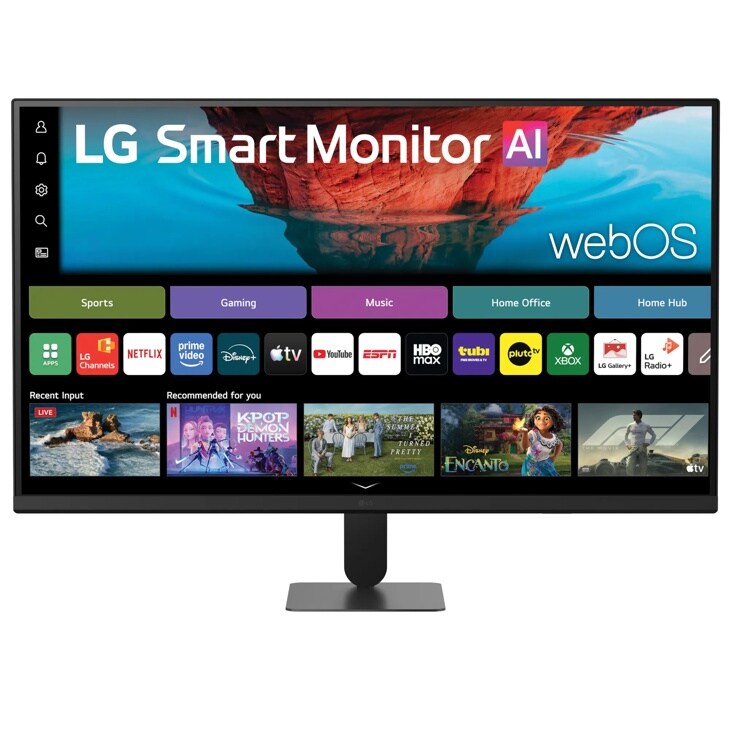

32 Inch LG Smart Monitor AI U7s, UHD Monitor for Streaming with webOS
Key features
- LG Smart Monitor: 32” 4K smart display with easy access to your favorite streaming services
- 4K UHD display with up to 90% DCI-P3—vibrant color and clarity from wide viewing angles
- Easy access to popular streaming apps and cloud gaming services with webOS²
- Xbox Cloud, GeForce NOW, and Luna via the LG gaming Portal - no console needed³
- alpha 7 AI Processor 4K Gen9 optimizes picture and sound in real time
- Wirelessly stream from your devices with AirPlay 2⁵ and Screen Share
- LG Switch⁹ app splits your screen, customizes layouts, and streamlines work and play
Related Accessories
Review your selections
1Accessories not included. Remote PC is only available on PCs with Windows 10 Pro or later OS.
2Internet connection and subscriptions to streaming services are required. Amazon, Prime Video and all related logos are trademarks of Amazon.com, Inc. or its affiliates. Amazon Prime membership and/or Prime Video fees apply. See primevideo.com/terms for details. HBO Max™ ©2026 Warner Media, LLC. All Rights Reserved. HBO Max is used under license. Number of LG Channels subject to change.
3Some gaming services may require a subscription and gamepad. An LG Account and acceptance of the relevant Terms and Conditions are required to access network-based smart services and features, including streaming apps and webOS features. Without an LG Account, only external device connections (e.g. via USB-C or HDMI) are available. There is no fee to create an LG Account.
4Internet connection and LG Gallery + subscription required for select features. LG account required to access our network-based smart services.
5To use AirPlay and HomeKit with this monitor, the latest version of iOS, iPadOS, or macOS is recommended. Apple, AirPlay, and HomeKit are trademarks of Apple Inc., registered in the U.S. and other countries and regions. The Works with Apple Home badge is a trademark of Apple Inc. Screen Share supported on Android or Windows 10 and above.
6This feature is available on webOS only and is supported on models running webOS26 or later. An LG Account and acceptance of the relevant Terms and Conditions are required to access network-based smart services and features, including streaming apps and webOS features.
7These features are available on webOS only and are supported on LG Smart Monitor models running webOS 26 or later. An LG Account and acceptance of the relevant Terms and Conditions are required to access network-based smart services and features, including streaming apps and webOS features.
8An LG Account and acceptance of the relevant Terms and Conditions are required to access network-based smart services and features, including streaming apps and webOS features. Without an LG Account, only external device connections (e.g. via USB-C or HDMI) are available. There is no fee to create an LG Account.
9Software installation required. Visit Support on LG.com to download.
Images may be simulated and dramatized for illustrative purposes. Actual features, functionality, and other product specifications may differ and are subject to change without notice. Prices, promotions, and availability may vary by model, store, and online. Prices subject to change without notice. Quantities are limited. Check with your local retailers for their final price and availability.
- TV & Home Theater
- My Account
- About LG
- Offers
- Articles & Gift Guides
Social Support
 Copyright © 2009-2026 LG Electronics. All Rights Reserved