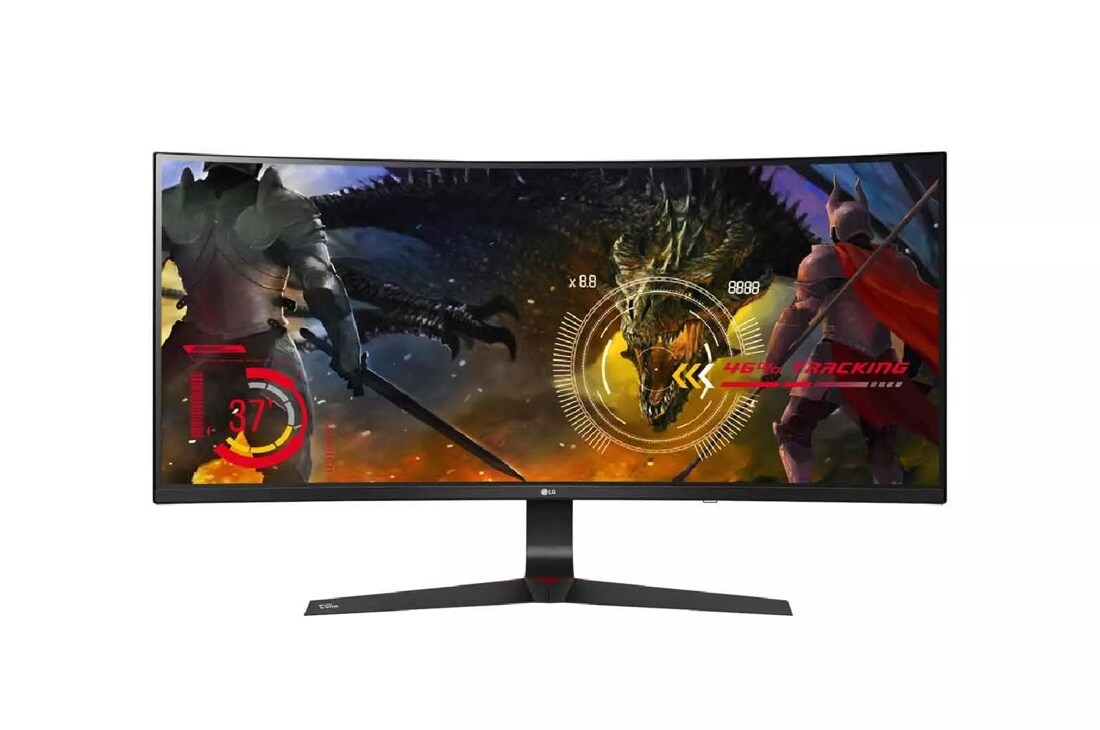
34UC89G-B
34" Class 21:9 UltraWide® Full HD IPS Curved LED Gaming Monitor with G-SYNC™ (34" Diagonal)
Key Features
- 34" 21:9 UltraWide® Full HD Curved IPS Display
- NVIDIA G-SYNC™ Technology
- 144 Hz Refresh Rate
- Dynamic Action Sync
$799.99
Suggested Price
GET THE EDGE
Seeing more screen on the new LG 21:9 UltraWide® monitor with G-SYNC™ and 144Hz refresh rate gives you an edge on the competition.
SEE IT IN ACTION
Now that, Temperrr, co-owner of pro gaming team, FaZe Clan, has his LG 21:9 UltraWide® monitor, he’s ready to get the edge on the competition. Watch him unbox it now.
Curved UltraWide® Display With G-SYNC™
The 34UC89G combines an immersive IPS Curved UltraWide screen with NVIDIA G-SYNC compatibility, a 144Hz refresh rate, plus a dedicated Game Mode and Black stabilizer for ultimate domination.
NVIDIA G-SYNC™ Compatible
This monitor supports NVIDIA G-SYNC* , an advanced display technology that synchronizes refresh rates to the GPU inside GeForce GTX-powered PCs, eliminating screen tearing and minimizing stutter and input lag for a smoother, faster gaming experience.
*G-SYNC compatible graphics card sold separately.
144Hz Refresh Rate
Games played on the LG 34UC89G are noticeably smoother and clearer when compared to game play on monitors with refresh rates of 60Hz or 75Hz. Combine the clarity and smooth action with the curved screen, and gamers will fall in love with an optimized and immersive gaming experience.
UltraWide For A Gaming Advantage
The graceful curve of the screen offers an immersive gaming experience. The wider displays allows enhanced game play with the ability to see more of the game than on a 16:9 monitor.
Crosshair
With the Crosshair feature, gamers can take their skills to the next level. By placing the striking point in the center of the display, the feature enhances firing accuracy in first-person shooter games.
Advanced Gaming Features
Serious gaming features for serious gamers. Quickly optimize monitor settings to activate Black Stabilizer to reveal superior detail in dark scenes while the Dynamic Action Sync feature assures smooth, fluid gaming action.
OnScreen Control
Watch how OnScreen Control puts a host of essential monitor settings into a handy window for quick, easy access. Volume, brightness, picture mode presets, Screen Split 2.0 and more can now be adjusted with just a few clicks of the mouse, instead of hard buttons on the monitor.
Software download required to enable OnScreen Control. For download details, visit LGUSA.com/OnScreenControlSupport
What People Are Saying
We're here to support you with our product.
-
Warranty Information
View manufacturer warranty information
-
Register Your Product
Get the most out of your ownership
-
Manuals and Downloads
Download owner's manuals and documentation
-
Help Library
Help yourself to helpful product information
-
Video Tutorials
Learn how to install & operate your LG product
-
Request a Repair
Submit an online service request
-
Other Support Options
More help with your LG product
Choose a support option below:
-
LG Chatbot
24x7 Support with Chatbot!
-
Telephone
Call an LG Support Representative
(800) 243-0000 Consumer (6am-midnight CST)
-
Twitter
Tweet @LGUSSupport for Support.
Mon-Sat 8:00am - 7:00pm CST
-
Email
No time to chat? Send LG Support your inquiry.
ASK & ANSWER
Ask your questions. Share your answers.
Please first review the detailed product information and help guides in the Product Support section for this product prior to posting a question.