







You can usually find the model and serial numbers for your LG product on a label attached to the packaging.
If you no longer have the packaging, check the silver label on the back or bottom of the product, or inside the door.
If your product is connected to the LG ThinQ app, you can also find the model and serial numbers under Product Information in Settings.
For TVs, you can also find the model and serial numbers in the Settings menu.
The location varies by product, so follow the instructions below.
How to Find the Model and Serial Numbers by Product Type
TV
TV Information in Settings on Recent Models
General
Devices
TV
You can view information including model, Serial Number, & Device Name. Additionally, with the TV turned ON, press the MUTE button on the remote controller 3 times in a row and the model information will be displayed on screen.
On some other recent models (webOS5.0 2020 models), accessing the model and serial number of your specific television or product support information has been moved as per following instructions:
Support TV
Information
View TV Information in Settings in vintage models (Below 2020)
Settings General Menu
rd About TV
TV Information
Serial Number
Earbuds and Headsets
Earbuds : Remove the earbuds from the charging case, then check the inside back or bottom of the case.
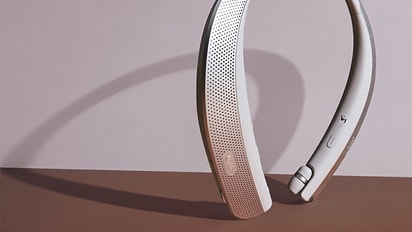
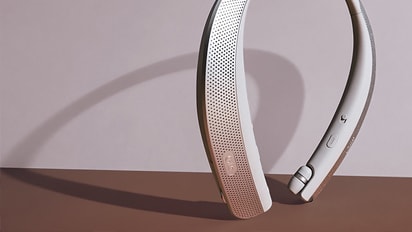
Headsets : Check the underside of the left side of the headset.
Home Audio
Sound bars, sound plates, home theater systems, speakers, and subwoofers: Check the bottom or back of the unit.
Blu-ray / DVD players
Check the bottom or back of the unit.
Washing Machine
- Front-load washer: Open the door and check the silver label at the top of the door opening.
- Top-load washer: Check the back or right side of the washer, or the top of the cabinet under the open lid.
Dryer
Open the door and check the silver label at the top of the door opening.
Sidekick
Pull the drawer fully open and check the rear right side inside the drawer. The label may also be on the upper left or right side of the unit.
WashTower
Check inside the washer and dryer doors.
Styler
Check the right side panel or near the bottom inside the door.
Laptop
Check the back or bottom of the laptop.
Monitor
Check the back of the monitor.
Gas and Electric Range
- Check the left side of the oven door when it is open.
- Check the left side of the drawer when it is open.
- Check the back of the control panel.
- Check under the control panel. Look upward to find the label.
Wall Oven
- Check under the control panel. Look upward to find the label.
Microwave
- Open the door and check the frame around the door opening and the back of the product.
Cooktop
- Check the front or side of the cooktop base.
- Check the underside of the cooktop.
- Open the cabinet below the cooktop to find the label.
Range Hood
- Remove the filter and check inside the range hood.
Open the door and check the right edge of the door.
On Newer Models
- Check the inside left wall of the refrigerator or top-freezer compartment.
On Most Older Models
- Check the inside right wall of the refrigerator compartment.
Air Conditioners
Indoor unit: Check the right side.
Outdoor unit: Check the right side.
Portable and Window Air Conditioners
Check the side of the unit.
- Stick vacuum: Remove the battery and check inside the battery compartment.
- Robot vacuum: Check the bottom of the main unit.
Air purifiers: Check the top of the unit, or remove the filter cover and check inside.
Dehumidifiers: Check the left or right side of the unit.
Check the upper left side of the unit.
Check the label on the lower back of the chair.
Open the LG ThinQ app and go to the settings for your appliance. Select Product Information to find the model number.
Frequently Asked Questions
- Q. How Can I Find the Model Number if the Product Label Is Damaged or Unreadable?
- A. If the label is damaged, you may be able to find the model number on the purchase receipt, warranty certificate, or delivery notification you received through email or text message.
- Q. What Is the Difference Between a Model Number and a Serial Number?
- A. The model number identifies the product type, color, features, and other specifications. The serial number, or S/N, is a unique identifier assigned to the individual product.
Move left or right to check the contents.
This guide is based on standard models. The settings menu may vary by model.