






No Sound coming from the sound bar
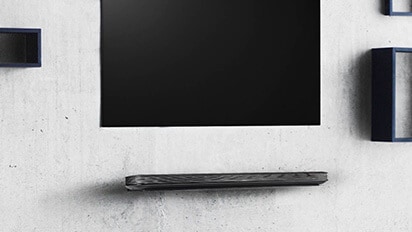
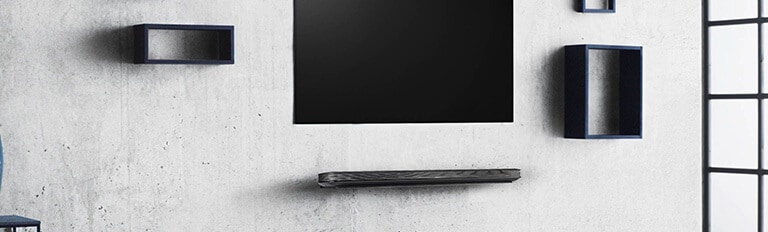
Sound bars by nature are designed to complement large screen size televisions in providing fuller, richer and deeper sound.
Although major innovations have been brought to televisions in recent past years, the panel thinness is not most appropriate to deliver sound quality of an audiophile loudspeaker.
A sound bar and subwoofer set adds that special touch.
However, a sound bar becomes problematic when no sound is being produced.
Cause and Symptoms
- Volume set too low
- Mute function accidentally activated
- Incorrect signal source selected
- Sound only coming out of TV
- Content paused or stopped
Try this
If the soundbar and TV are connected but no audio is heard, try the following.
1. Check the volume of the soundbar.
Turn up the volume using the soundbar remote control or the volume buttons on the soundbar itself.
2. Check the volume of your TV.
Turn up the volume using the TV remote control or the volume buttons on the TV itself.
[Example image] Location of volume buttons on different LG TV remote controls.
3. If you have a set-top box connected, check the volume and cable connection of the set-top box.
Turn up the volume using the set-top box remote control.
Check the cable connection between your TV and set-top box. Ensure that both ends of the cable are securely plugged into their respective ports.
4. Check the cable connection between your TV and soundbar.
Make sure both ends of the HDMI cable are securely plugged into the TV and soundbar.
Make sure both ends of the optical cable are securely plugged into the TV and the soundbar.
5. Check your TV's speaker settings.
※ Please consult your TV’s user manual to configure the TV speaker settings.
- In settings, select Optical Digital or HDMI for audio output from wired speakers.
- Select Bluetooth for audio output from wireless speakers.
[Example] LG TV's speaker settings.
6. If your TV or beam projector is connected to the soundbar with a WOW Dongle, check the status of the Dongle.
- The dongle should be powered on.
- The dongle should be connected to the HDMI ARC port of the TV or beam projector.
- The TV's output speaker should be set to HDMI/ARC.
- To reset the dongle, press the [RESET] button on the dongle.
Is the TV and the Speaker compatible?
Compatibility
➔ If Wired Connection and Wireless Connection did not work, check the TV and Speaker if it is compatible. Make sure that the TV and Speaker is both LG brand.
Has the mute function been activated?
Deactivating mute function
➔ If MUTE appears on the status display, the mute function is on. Press the Mute button to unmute.
Selecting appropriate signal source function
Is the correct product function selected according to the external device connected?
➔ Press the Function button to check if you selected the correct function.
Sound coming from TV only?
Is there sound coming from the television but not the sound bar?
➔ Make sure the TV Sound Output is set to external device and NOT TV internal speakers.
If using an optical output connection, make sure to select proper Wired Speaker Connection option in the TV audio menu. Same goes for HDMI connection.
Could the connection wire be broken or damaged?
Verify wire quality
➔ Either try a brand new cable or at least a different one.
Is the source content being played or is it paused?
Verify content Play mode
➔ Make sure content PLAY button has been pressed and not left in Pause.
Other connected peripherals
Are none of the connected peripheral not producing any sound?
➔ If only one device is causing you grief, check that device. If no sound being is reproduced regardless of connected devices, the sound bar will require repair service.
Contact an LG representarive for proper course of action in getting sound bar fixed at nearest authorized service center.
Other area of concern - Sudden volume drop to inaudible
Should you be experiencing a similar situation, could we ask you to report it to the LG Customer Information Center so that the issue may be escalated to the factory engineers?
- Make sure to have the model and serial number handy as well as the home entertainment connection setup (wireless, HDMI or optical)
- Provide answer whether issue is intermittent and whether you have performed troubleshooting to fix the issue if only just temporarily.
- Is it occurring from one source only or regardless of content played. Sound bar only, sub-woofer only or both?
This guide was created for all AUDIO SOUND BAR PRODUCT CATEGORY models. Images and content presented herein may differ from your product.