LG UltraWide™ Monitor Curved logo.

LG UltraWide™ Monitor Curved logo.

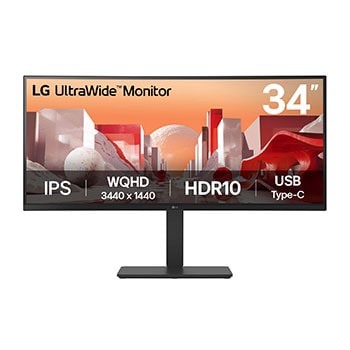
34" WQHD IPS display

Vivid colour at wide angles

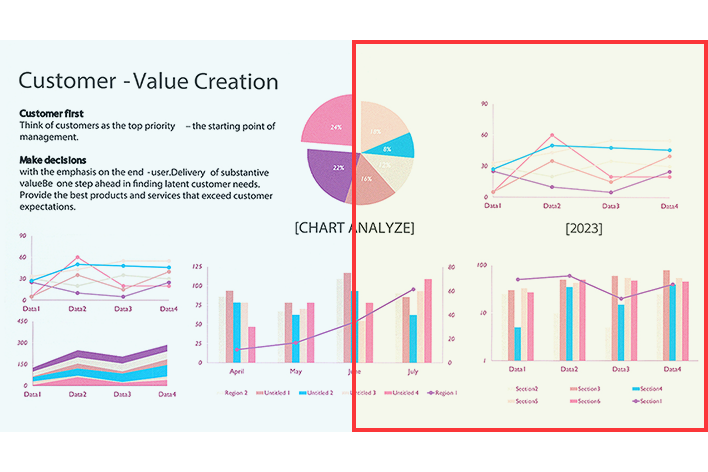
LG WQHD (3440x1440) monitor with IPS technology delivers a clear and consistent colour. It can provide vivid colour reproduction and help users to view the screen at a wide angle.

A WQHD IPS monitor is on the desk, displaying a video conference and various graphs on the screen.

*The images simulated to enhance feature understanding. It may differ from actual use.

**The keyboard and mouse are not included in the package.

Display

34” WQHD (3440x1440) Curved IPS

sRGB 99% (Typ.) / HDR10

Usability

Built-in power and speakers

USB Type-C™ (PD 90W) / RJ45

Comfort & Trust

Ergonomic stand

Reader Mode & Flicker Safe

EPEAT & Energy Star

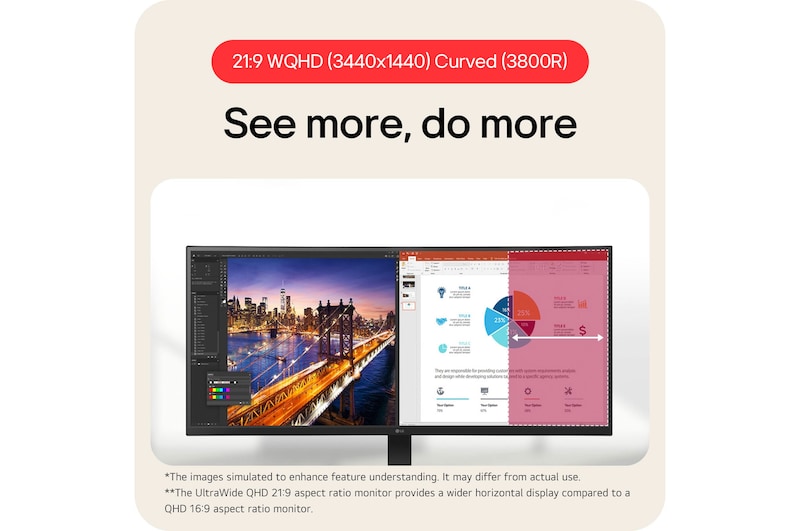
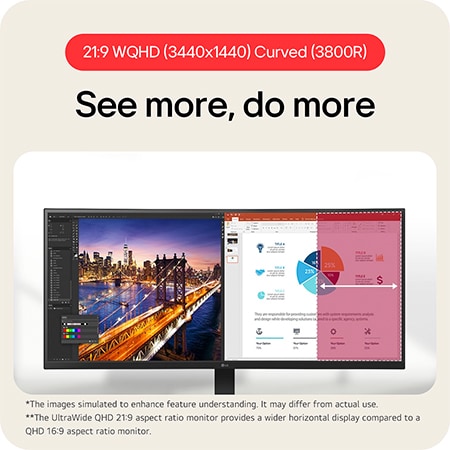
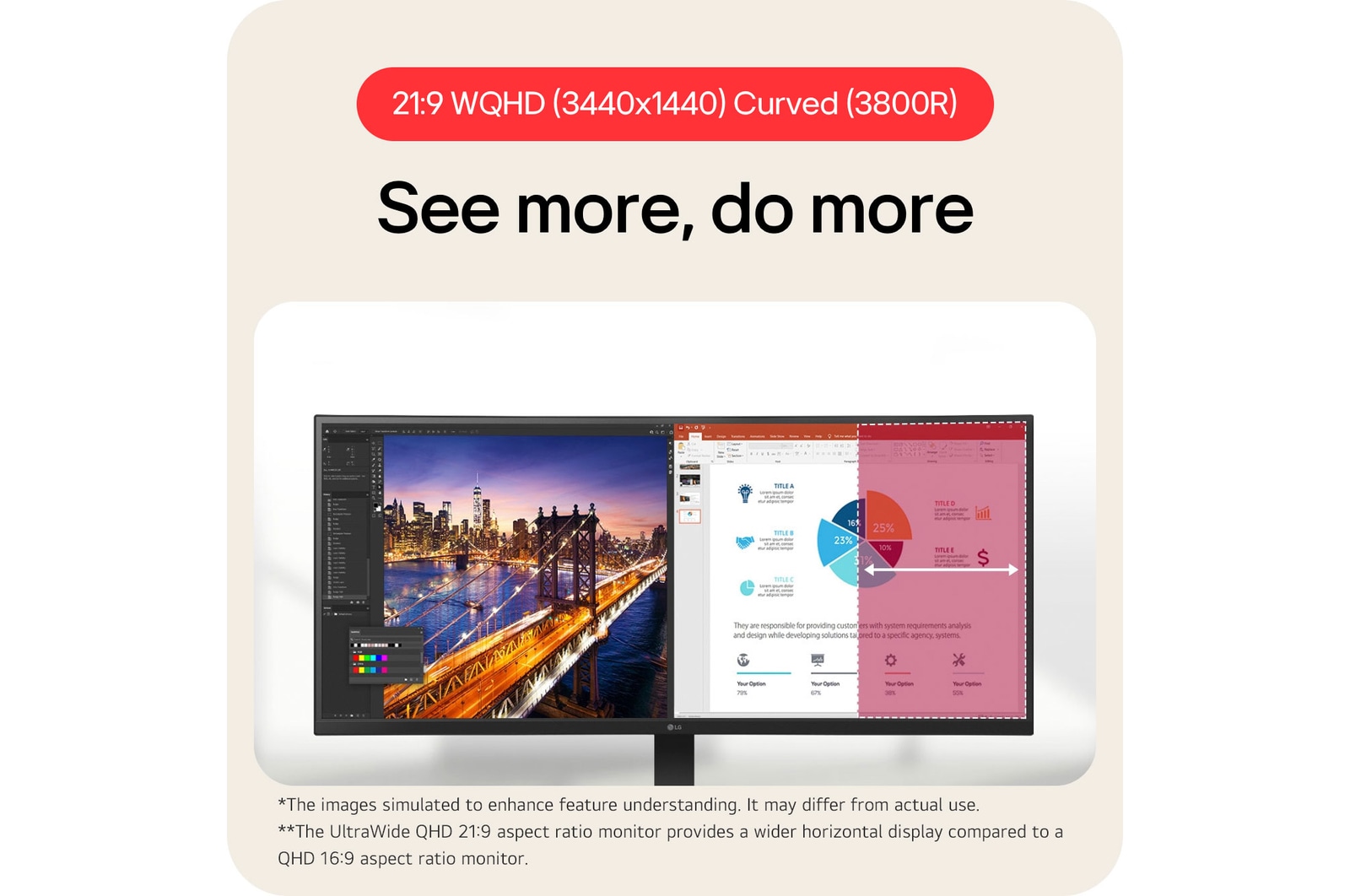
21:9 WQHD (3440x1440) Curved (3800R)

See more, do more

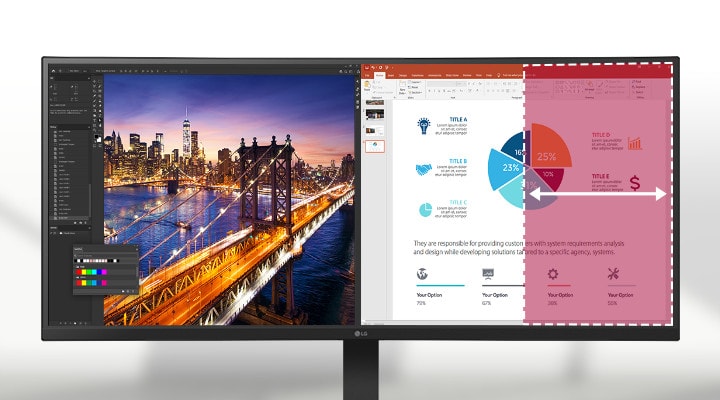
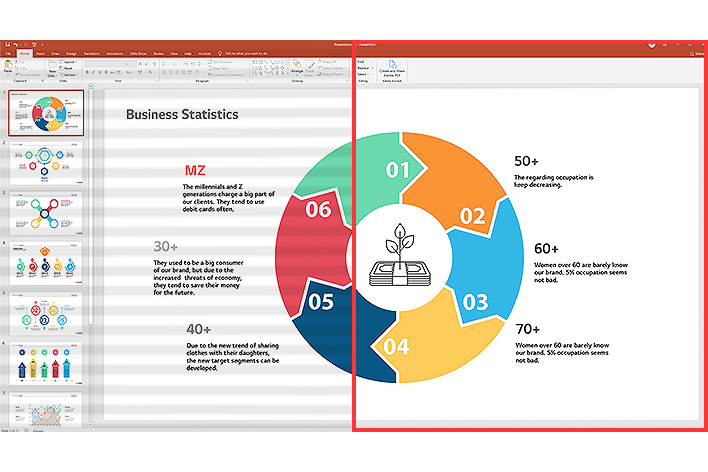
The UltraWide™ QHD (3440x1440) monitor, featuring a 3800R curvature and a 21:9 aspect ratio, provides you with more screen real estate and elevates your work efficiency. You can have multiple files open side by side and view extended rows of data in a spreadsheet without wrapping.

A 21:9 WQHD curved monitor displays Photoshop and PowerPoint, and its large screen allows multiple programs to be used simultaneously, increasing work efficiency.

A 21:9 WQHD curved monitor displays Photoshop and PowerPoint, and its large screen allows multiple programs to be used simultaneously, increasing work efficiency.

*The images simulated to enhance feature understanding. It may differ from actual use.

**The UltraWide QHD 21:9 aspect ratio monitor provides a wider horizontal display compared to a QHD 16:9 aspect ratio monitor.

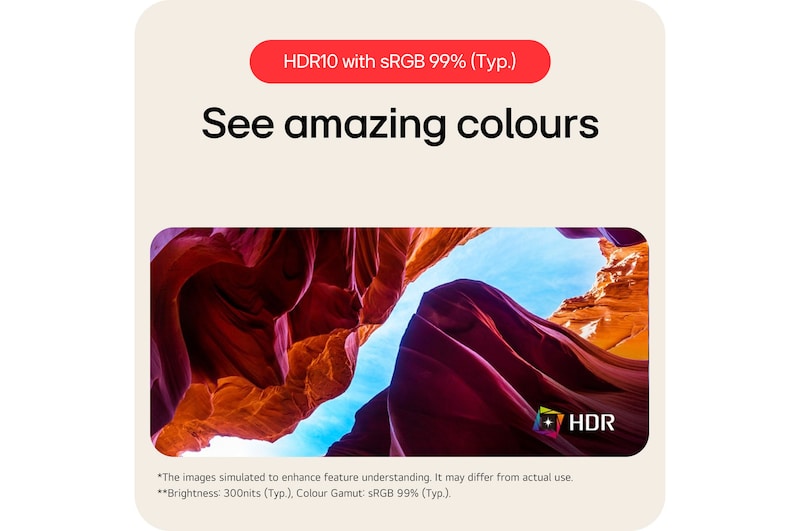
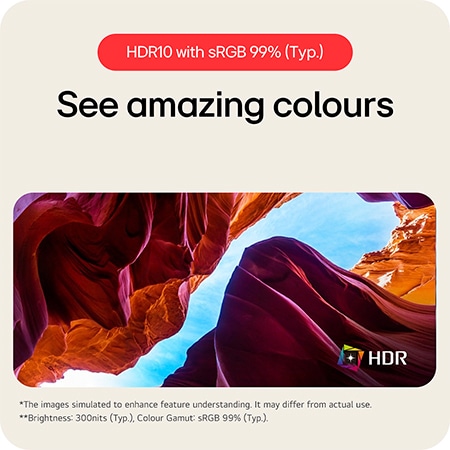
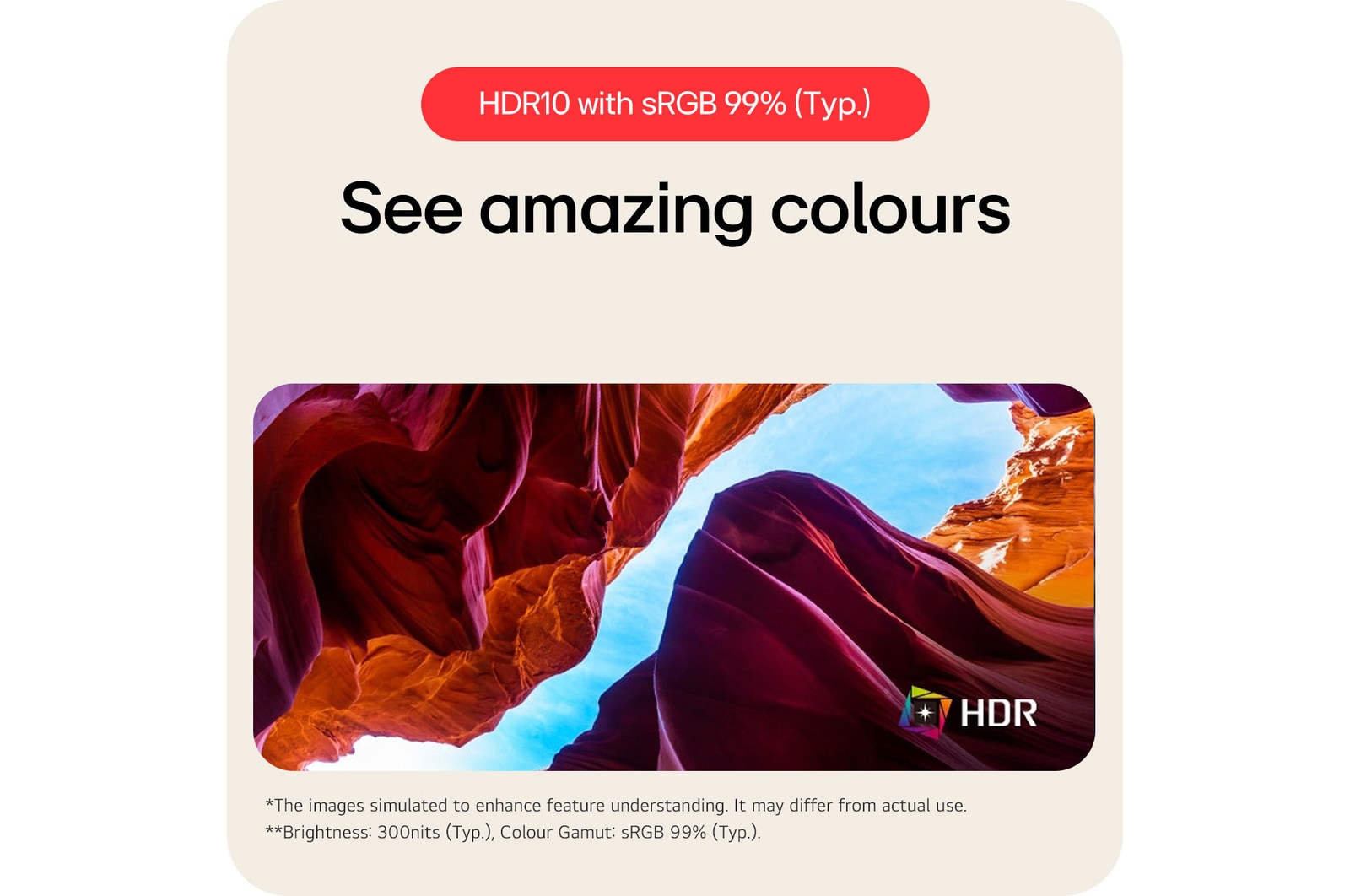
HDR10 with sRGB 99% (Typ.)

See amazing colours

HDR technology is now applied to various content. This monitor is compatible with industry standard HDR10 (High Dynamic Range), based on the sRGB 99% colour gamut, supporting specific levels of colour and brightness that enables viewers to enjoy the dramatic colours of the content.

*The images simulated to enhance feature understanding. It may differ from actual use.

**Brightness: 300nits (Typ.), Colour Gamut: sRGB 99% (Typ.).

Picture By Picture (PBP)

One screen, multiple views

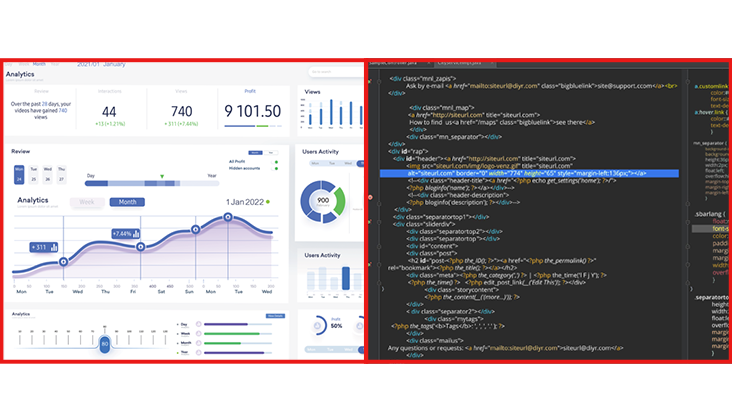
34BA75QE allows you to see multiple contents from two computers with the picture-by-picture feature, so it helps to process work efficiently.

*Images are simulated to enhance feature understanding and may differ from actual use.

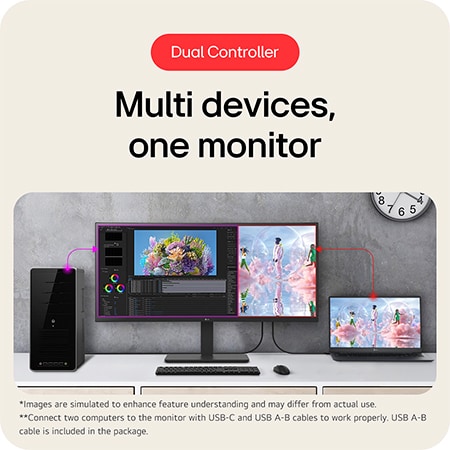
Dual Controller (Built-in KVM)

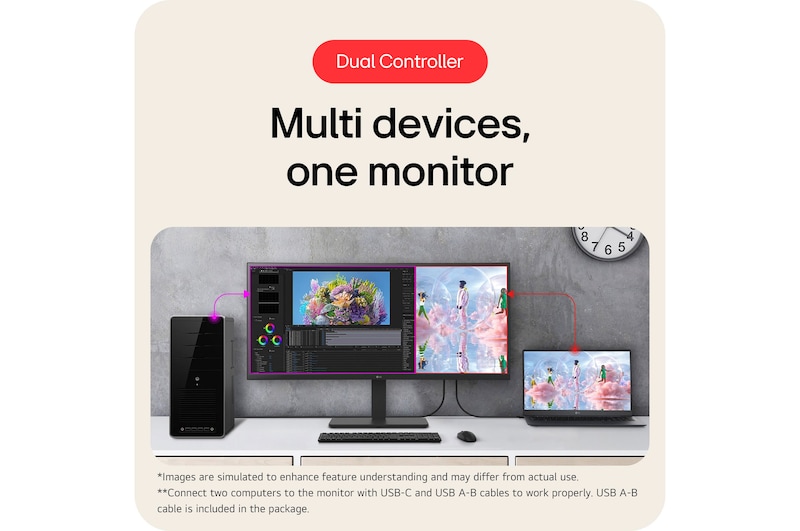
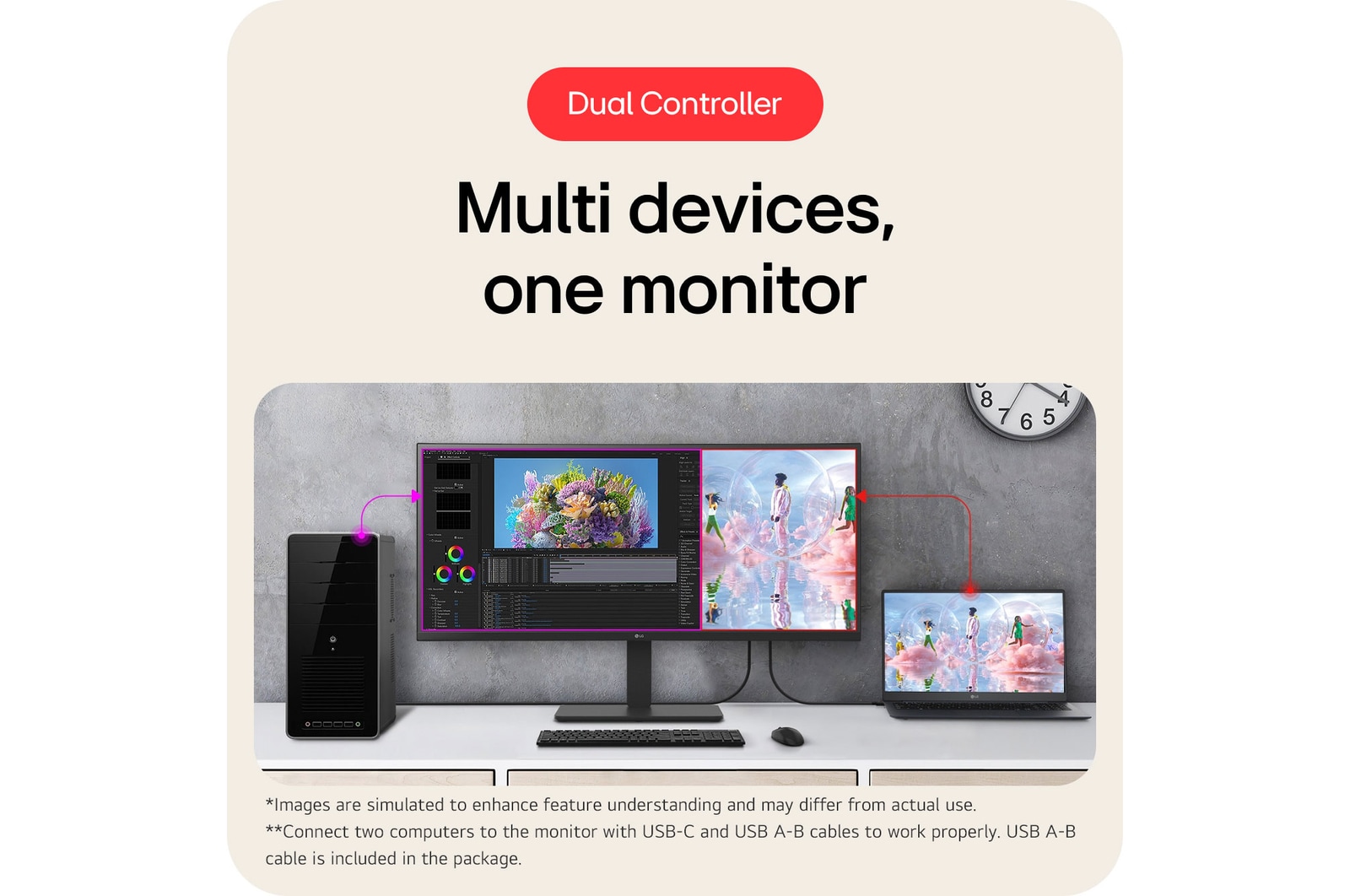
Multi devices, one monitor

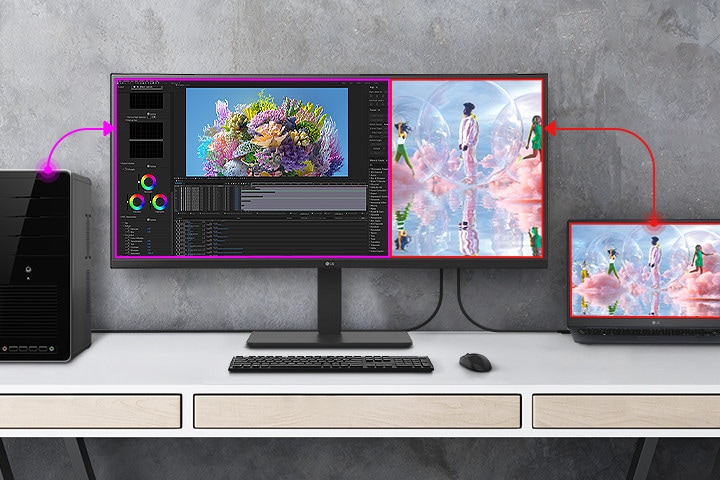
The dual controller helps to work through a single monitor with two computers and transfer files to either computer. Also, the built-in KVM feature allows you to control both computers with a single keyboard and mouse.

The dual controller helps to work through a single monitor with two computers and transfer files to either computer.

*Images are simulated to enhance feature understanding and may differ from actual use.

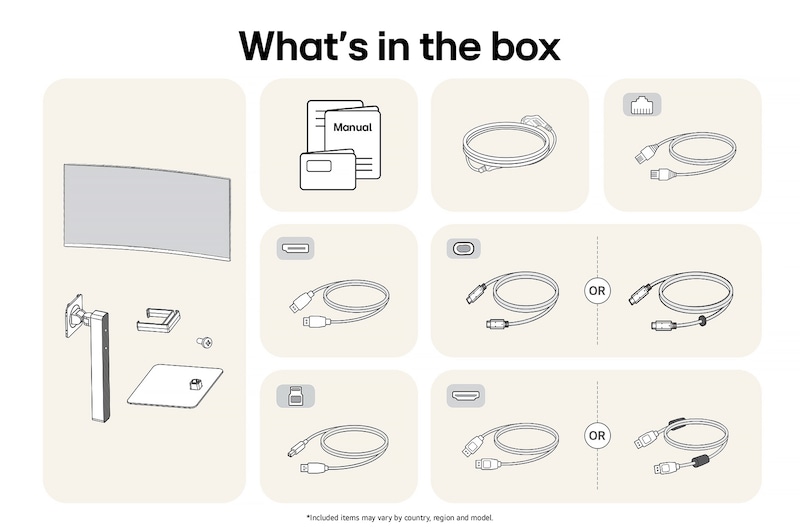
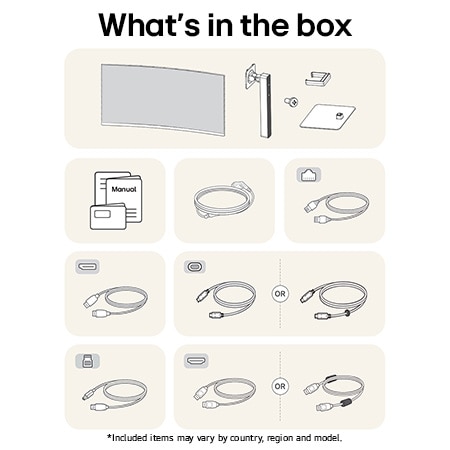
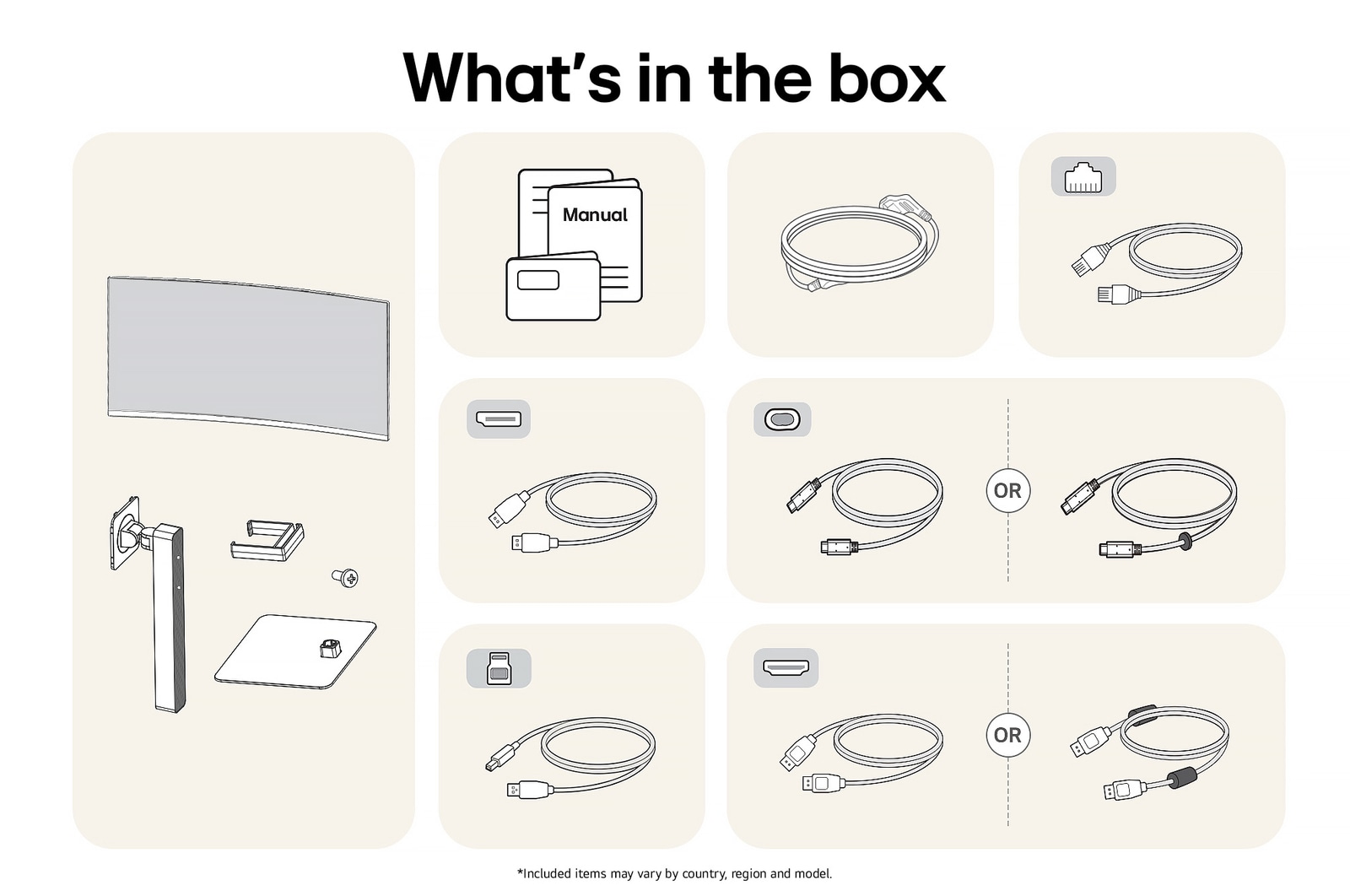
**Connect two computers to the monitor with USB-C and USB A-B cables to work properly. USB A-B cable is included in the package.

***For the dual controller feature, both computers (Main PC and SUB PC) are required to be on the same network. And this monitor has to connect to the computer running in Main PC mode.

USB Type-C™

Productivity hub with easy connectivity

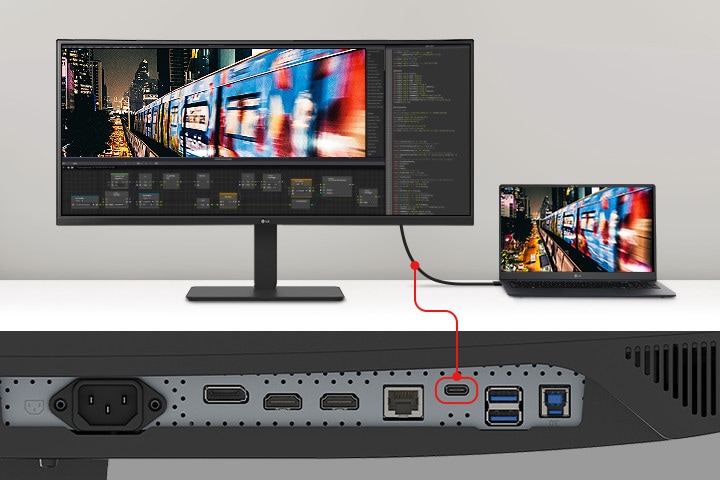
USB Type-C™ port allows from display and data transferring to connected device charging (up to 90W), enabling support for your laptop all at the same time over a single cable.

Display pictogram.

Display

Data pictogram.

Data

Power delivery pictogram.

Power Delivery

(Up to 90W)

An image of a laptop and monitor connected with a single USB Type-C cable.

An image of a laptop and monitor connected with a single USB Type-C cable.

*Images are simulated to enhance feature understanding and may differ from actual use.

**To work properly, you need to connect the USB Type-C™ port to the monitor.

***The USB Type-C™ cable is not included in the package.

Multi ports

A variety of interface

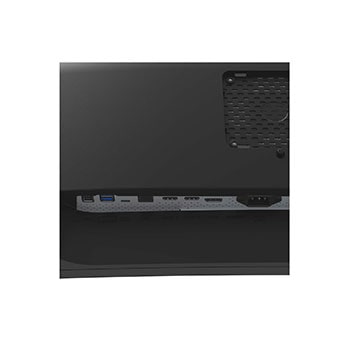
The 34BA75QE offers a variety of ports, solving the problem of limited connectivity for hardworking individuals. With its multiple ports, you can easily connect numerous devices for efficient desk setup. Say goodbye to the frustration of running out of ports.

Front view showing a workstation with multiple devices connected to monitors.

Front view showing a workstation with multiple devices connected to monitors.

*The images simulated to enhance feature understanding. It may differ from actual use.

**HDMI and DisplayPort cables are included in the package.

***The keyboard and mouse are not included in the package.

Integrated power module

Fully use your desk

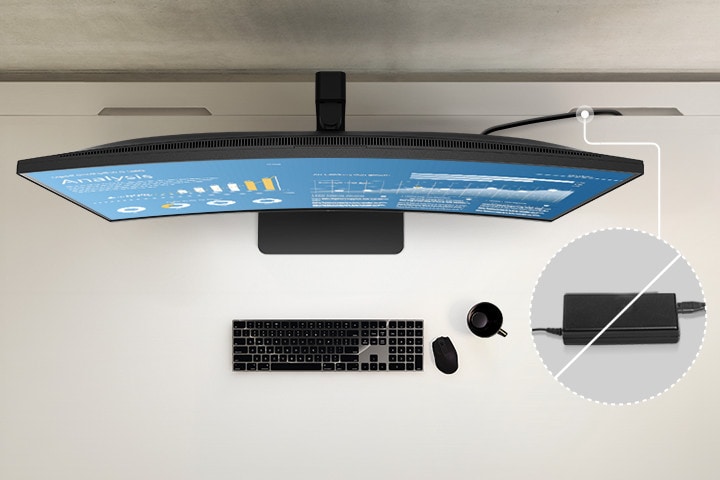
With built-in power, workstations can have a streamlined, clutter-free layout. This improves space utilisation and organisation, resulting in a cleaner and more efficient work environment.

Top view showing the clean layout of the workstation by providing a built-in power source.

*The images simulated to enhance feature understanding. It may differ from actual use.

**The keyboard and mouse are not included in the package.

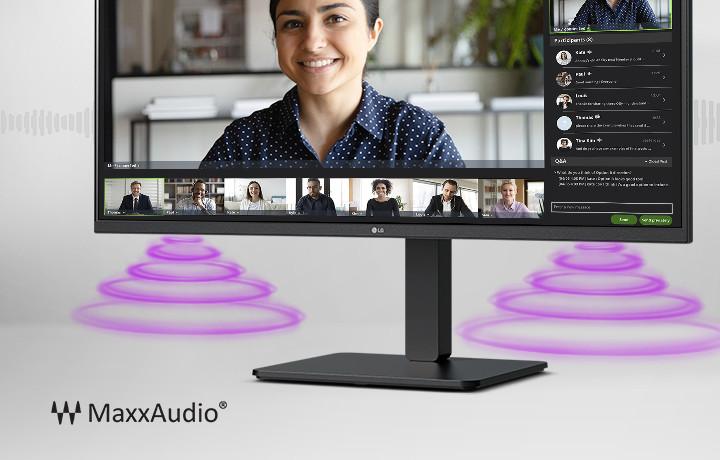
The monitor screen shows a video conference, while sound is coming from the speakers at the bottom of the monitor. In the bottom left corner, there is a MaxxAudio® logo.

Built-in speakers with MaxxAudio®

All set for virtual meetings

The 34BA75QE supports built-in speakers with MaxxAudio®, eliminating the need for extra speaker installations when participating in web conferences or watching videos.

*The images simulated to enhance feature understanding. It may differ from actual use.

**The webcam is required for video conferences and is not included in the package (sold separately).

Ergonomic design

Easy and comfy

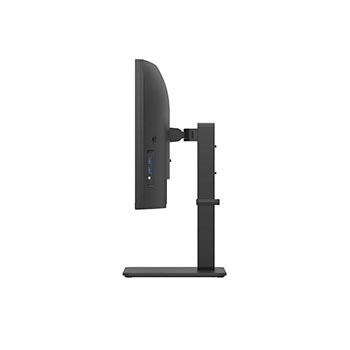
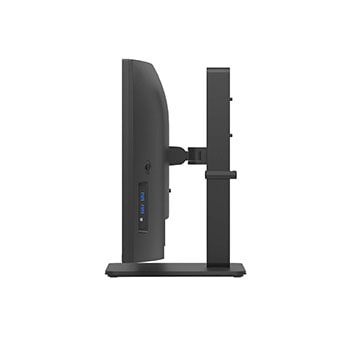
Achieve optimal positioning with the Ergonomic Stand: Simple setting with one click as well as easily adjust Height, Tilt, and Swivel for your ideal viewing experience.

One Click Stand icon.

One Click Stand

Easy installation

Tilt adjustable icon.

Tilt

-5~21°

Height adjustable icon.

Height

150mm

Swivel adjustable icon.

Swivel

±45°

Image showing One Click Stand, Tilt, Height, and Swivel view of the monitors.

Image showing One Click Stand, Tilt, Height, and Swivel view of the monitors.

*The images simulated to enhance feature understanding. It may differ from actual use.

Visual comfort

*The images simulated to enhance feature understanding. It may differ from actual use.

**Above feature may vary depending on real use conditions that the user is using.

  • Off

  • On

Colour Weakness Mode

Colour Weakness Mode adjusts the colour palette and contrast to help users with colour vision deficiencies, making it easier to distinguish between red and green.

*The images simulated to enhance feature understanding. It may differ from actual use.

fingerheart icon.

fingerheart icon.

Better life for all

34BA75QE complies with multiple standards such as Energy Star and EPEAT.

Summary

DIMENSIONS

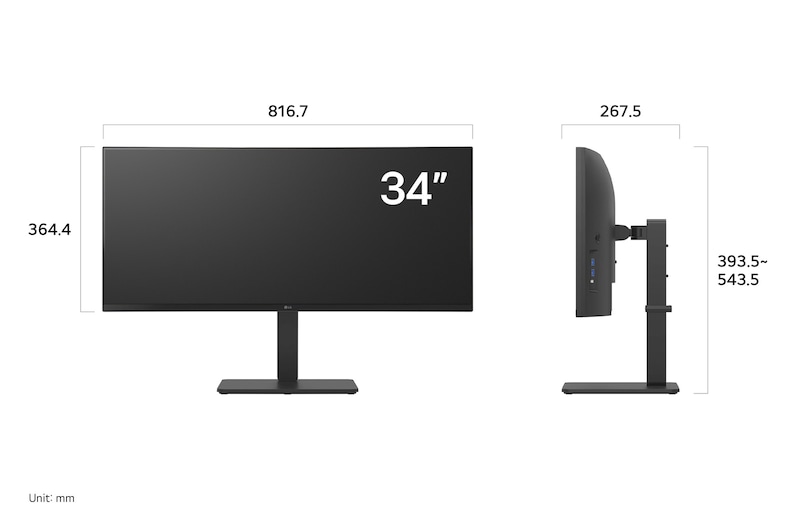
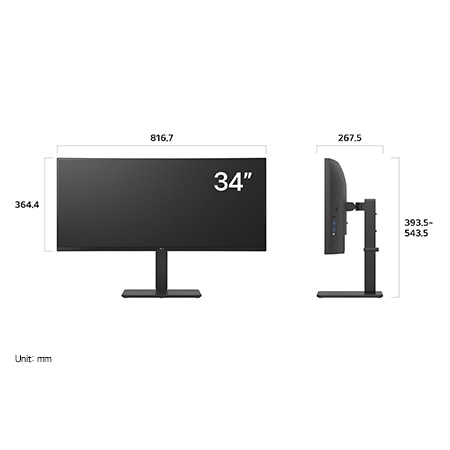
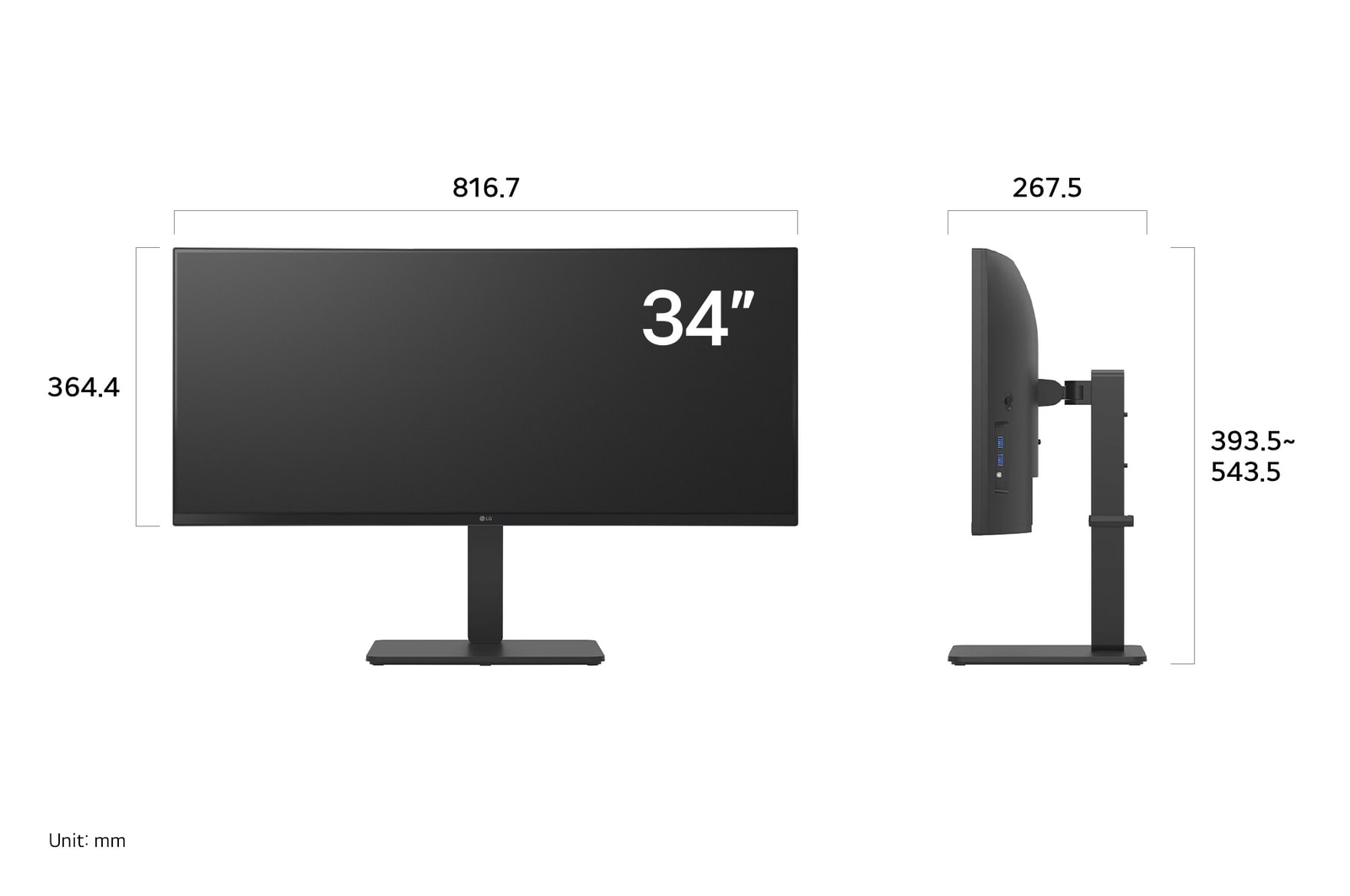
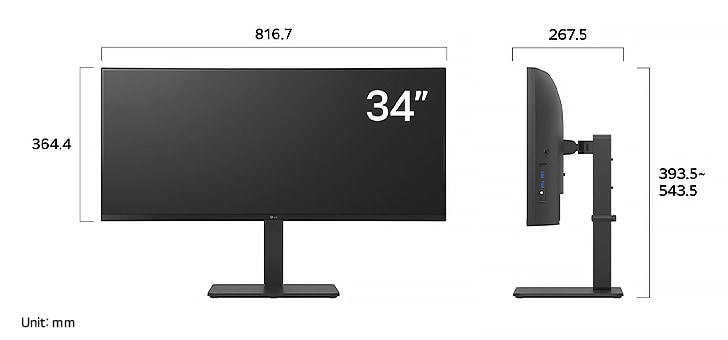
LG UltraWide Monitor 34BA75QE displaying dimensions, measuring 816.7 mm width, 364.4 mm display height, 393.5 mm to 543.5 mm total height, and 267.5 mm depth.

Key Spec

  • Display - Size [Inch]

    34

  • Display - Resolution

    3440 x 1440

  • Display - Panel Type

    IPS

  • Display - Aspect Ratio

    21:09

  • Display - Color Gamut (Typ.)

    sRGB 99% (CIE1931)

  • Display - Curvature

    3800R

  • Display - Refresh Rate (Max.) [Hz]

    60

  • Display - Response Time

    5ms (GtG at Faster)

  • Mechanical - Display Position Adjustments

    Tilt/Height/Swivel

All Spec

INFO

  • Product name

    UltraWide

  • Year

    Y24

DISPLAY

  • Size [Inch]

    34

  • Size [cm]

    86.72 cm

  • Resolution

    3440 x 1440

  • Panel Type

    IPS

  • Aspect Ratio

    21:09

  • Pixel Pitch [mm]

    0.2325 x 0.2325 mm

  • Color Gamut (Min.)

    sRGB 90% (CIE1931)

  • Color Gamut (Typ.)

    sRGB 99% (CIE1931)

  • Color Depth (Number of Colors)

    1.07B

  • Contrast Ratio (Min.)

    700:1

  • Contrast Ratio (Typ.)

    1000:1

  • Response Time

    5ms (GtG at Faster)

  • Refresh Rate (Max.) [Hz]

    60

  • Viewing Angle (CR≥10)

    178º(R/L), 178º(U/D)

  • Curvature

    3800R

  • Brightness (Min.) [cd/m²]

    240 cd/m²

  • Brightness (Typ.) [cd/m²]

    300 cd/m²

  • Colour Bit

    10bit (8bit+FRC)

FEATURES

  • HDR 10

    YES

  • HDR Effect

    YES

  • Color Calibrated in Factory

    YES

  • Flicker Safe

    YES

  • Reader Mode

    YES

  • Color Weakness

    YES

  • Super Resolution+

    YES

  • Black Stabilizer

    YES

  • Dynamic Action Sync

    YES

  • User Defined Key

    YES

  • Auto Input Switch

    YES

  • PBP

    YES (2PBP)

  • Smart Energy Saving

    YES

  • Others (Features)

    KVM, PBP, Ethernet

SW APPLICATION

  • Dual Controller

    YES

  • OnScreen Control (LG Screen Manager)

    YES

CONNECTIVITY

  • HDMI

    YES(2ea)

  • DisplayPort

    YES(1ea)

  • DP Version

    1.4

  • USB-C

    YES(1ea)

  • USB-C (Max. Resolution at Hz)

    3440X1440@ 60Hz

  • USB-C (Data Transsmission)

    YES

  • USB-C (Power Delivery)

    90W

  • USB Upstream Port

    1x USB3.2 Gen1

  • USB Downstream Port

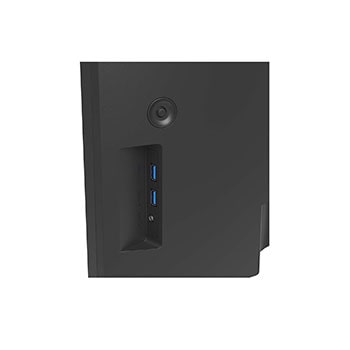
    2x USB3.2 Gen1, 2x USB2.0

  • Built-in KVM

    YES

  • LAN (RJ-45)

    YES

  • Headphone out

    3-pole (Sound Only)

SOUND

  • Speaker

    5W x 2

  • Maxx Audio

    YES

POWER

  • Type

    Built-in Power

  • AC Input

    100~240V (50/60Hz)

  • Power Consumption (Sleep Mode)

    Less than 0.5W

  • Power Consumption (DC Off)

    Less than 0.3W

  • DC Output

    20.5V, 9A

MECHANICAL

  • Display Position Adjustments

    Tilt/Height/Swivel

  • Wall Mountable [mm]

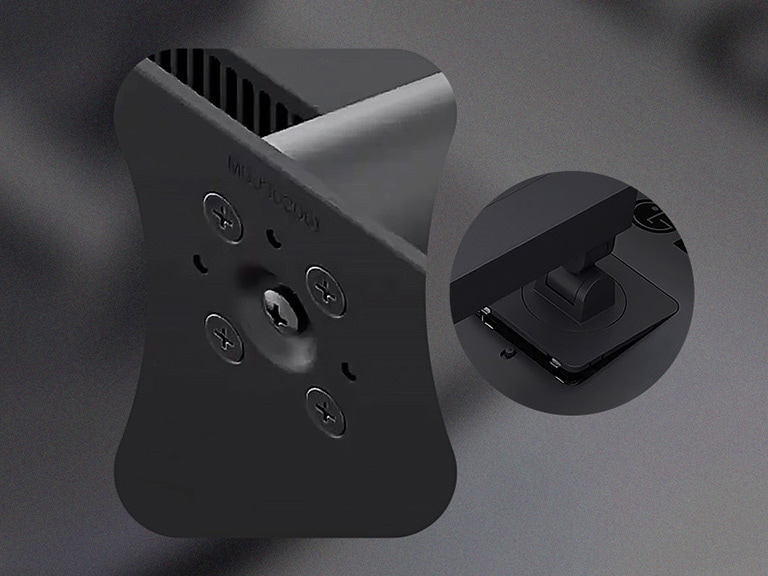
    100 x 100 mm

DIMENSIONS/WEIGHTS

  • Dimension with Stand (W x H x D) [mm]

    816.7*543.5*267.5(Up)816.7*393.5*267.5(Down)

  • Dimension without Stand (W x H x D) [mm]

    816.7*364.4*83.6

  • Dimension in Shiping (W x H x D) [mm]

    988 x 482 x 203 mm

  • Weight with Stand [kg]

    11kg

  • Weight without Stand [kg]

    7.5kg

  • Weight in Shipping [kg]

    13.7kg

ACCESSORY

  • HDMI

    YES

  • USB-C

    YES

  • Display Port

    YES

  • HDMI (Color/Length)

    Black / 1.8m

  • Power Cord

    YES

COMPLIANCE INFORMATION

The safety information for accessories is included with the safety information for the product and is not provided separately.
To learn more about how this product handles data and your rights as a user, please visit ″Data Coverage & Specifications″ at LG Privacy

What people are saying

FAQ

What are the benefits of using FHD & QHD monitors?

– FHD Monitors

1. Ideal for most everyday tasks such as web browsing, document editing, and video streaming, with a budget-friendly price point.

2. Compatible with older PCs and entry-level laptops, as they don’t require high-end GPUs for smooth performance.

3. Well-suited for fast-paced games like eSports, where maintaining high FPS is important.


– QHD Monitors

1. Offer about 1.8 times more pixels than standard displays, providing a wider workspace for multitasking and detailed content work.

2. Deliver sharper and more precise text and images, making them suitable for content creation that demands visual clarity.

3. Provide realistic visuals and smoother gameplay, making them ideal for high-quality gaming.

Who would especially benefit from using FHD & QHD monitors?

FHD monitors are well-suited for users who value practicality and affordability. They provide sufficient resolution for everyday tasks such as document editing, email, and video streaming, making them ideal for office workers, students, and home users. Since they put less strain on the GPU, they are also a great choice for casual gamers who enjoy high-refresh-rate eSports titles.

QHD monitors are recommended for users who need more screen space and sharper image quality. They offer an efficient work environment for professionals such as marketers, planners, and analysts who often multitask. With relatively low GPU demand yet high visual precision, they are also suitable for beginner photo/video editors and content creators. Additionally, QHD monitors deliver better visuals and smoother performance for gamers who enjoy high-quality gaming experiences.

What is the difference between IPS and VA panels?

IPS panels are known for their accurate colour reproduction and wide viewing angles, maintaining clear images from various positions. This makes them well-suited for office work, design, and gaming. Their excellent colour accuracy is especially appealing to gamers who want to experience visuals exactly as the developers intended.

VA panels boast the highest contrast ratio among LCD types, providing an immersive experience for watching movies and videos. While not as fast as TN panels, they offer nearly comparable performance.

Our Picks for You 

Find a Store Near You

Experience this product around you.