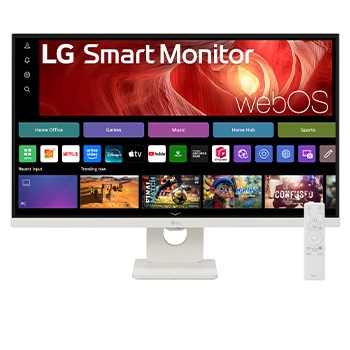
Award-winning excellence

*The CES Innovation Awards are based upon descriptive materials submitted to the judges. CTA did not verify the accuracy of any submission or of any claims made and did not test the item to which the award was given.

LG Smart Monitor logo.

LG Smart Monitor logo.

One screen. Endless possibilities.

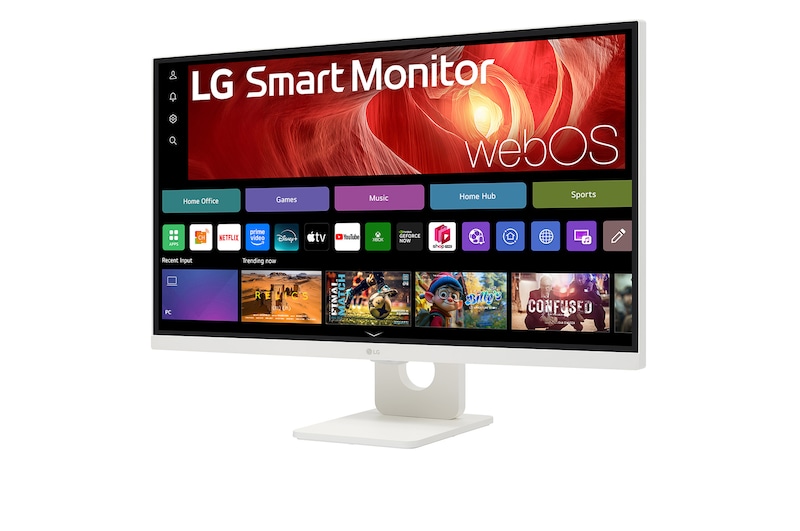
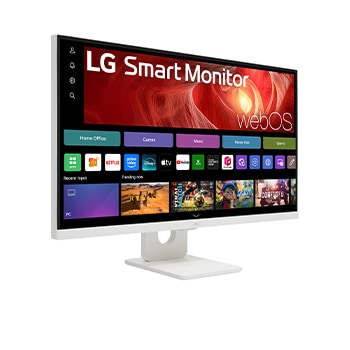
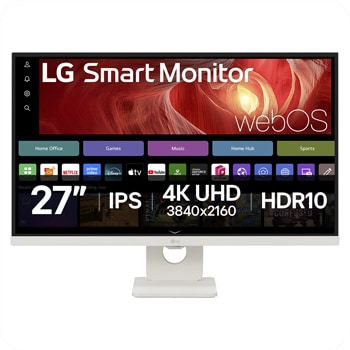
Adapt to any task or environment with numerous possibilities. Powered by webOS, you can manage home office tasks without a PC and enjoy a wealth of content, seamlessly balancing work and entertainment. Enjoy a large 27-inch display, and stunning 4K picture quality in your own space.

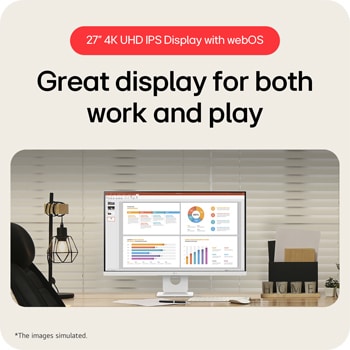
The picture shows a LG Smart Monitor on the desk, featuring work and play.

Front view of a black LG monitor on a desk, displaying layered screen resolutions for comparison, with cameras, books, colour chips, and speakers arranged around it.

*Images have been simulated to enhance feature understanding, and may differ from actual use experience.

*The above keyboard and mouse are not included in the package (sold separately).

It showcases an astronaut and a colourful abstract image with vibrant 4K UHD colours.

27” 4K UHD IPS Display

A photo showcasing the mirroring feature of a smart monitor.

Mirror From Your Device

A photo showcasing a smart monitor connected to a laptop via USB-C, demonstrating charging and data transfer.

Maximise Productivity

A photo showcasing LG Smart Monitors in a office and home.

webOS Work & Play

27” 4K UHD IPS Display

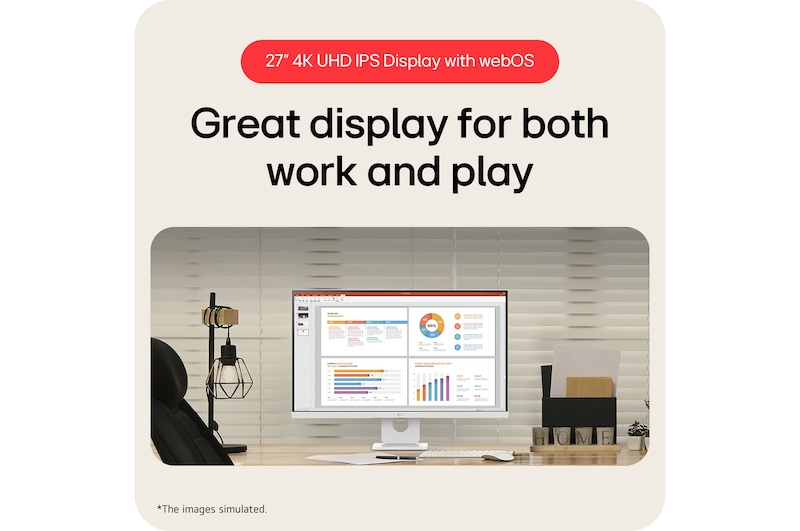
Great display for both work and play

4K UHD (3840x2160) IPS display with HDR 10 and up to 90% DCI-P3 colour Gamut delivers a high contrast ratio and precise colours. It lets you experience visual immersion, from enjoying entertainment to processing work.

It showcases an astronaut and a colourful abstract image with vibrant 4K UHD colours.

It showcases an astronaut and a colourful abstract image with vibrant 4K UHD colours.

*Images have been simulated to enhance feature understanding, and may differ from actual use experience.

*Brightness: 350nits (Typ.), colour Gamut: DCI-P3 90% (Typ.)

webOS

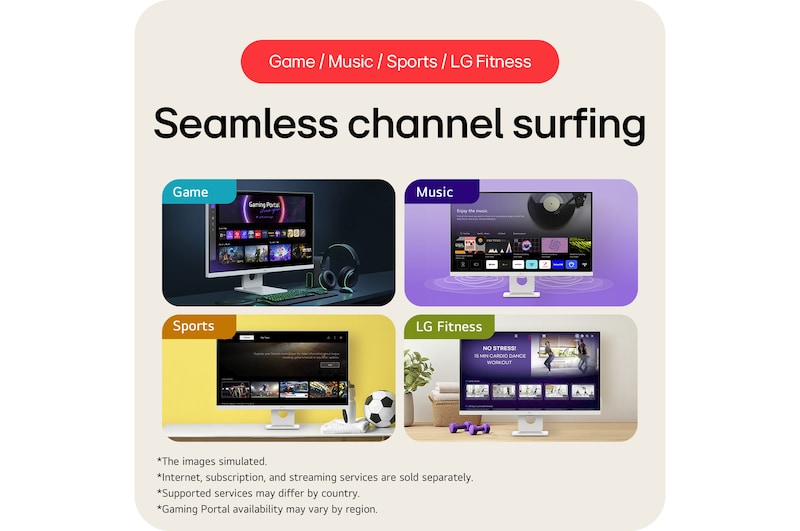
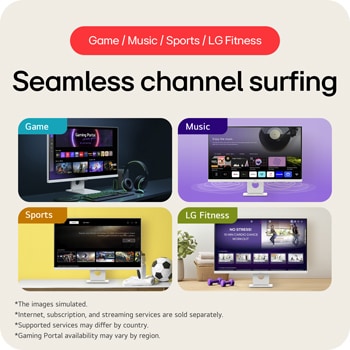
Seamless channel surfing

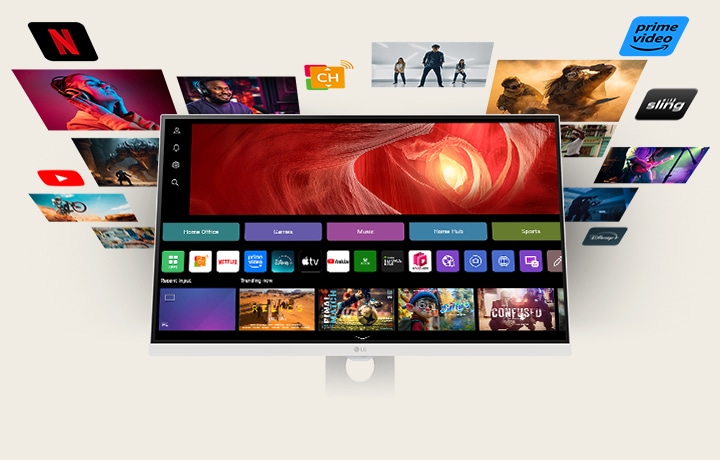
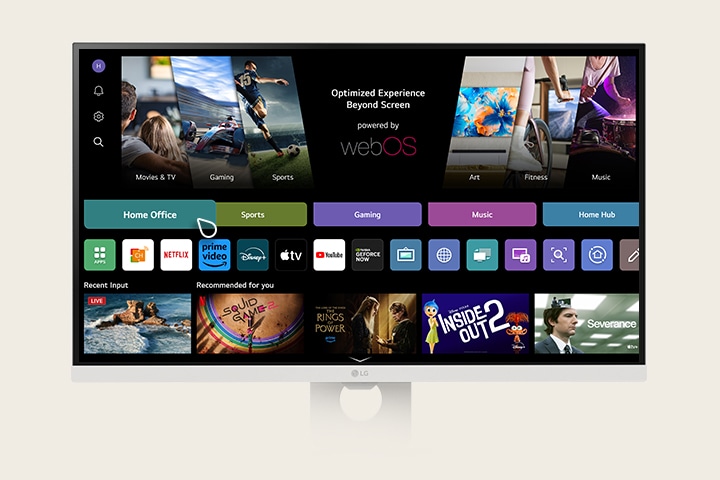
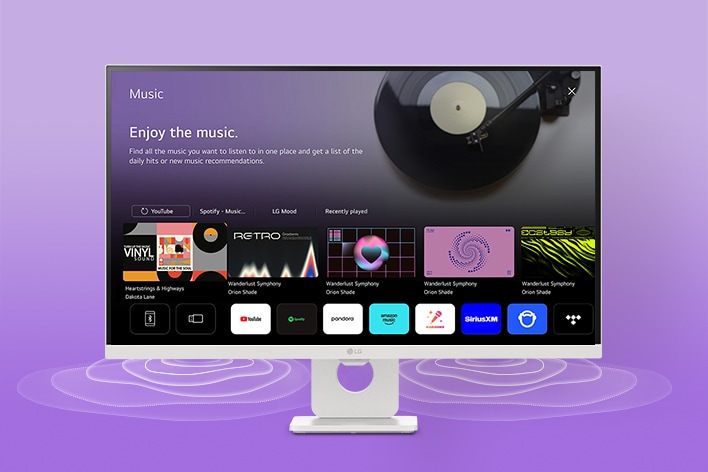
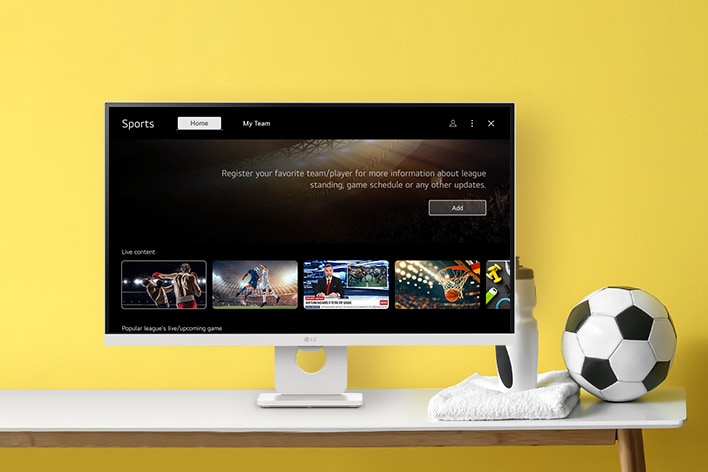
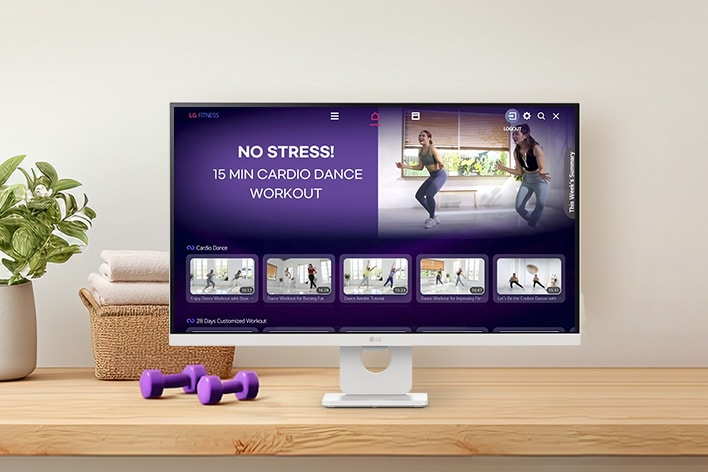
Thanks to webOS, enjoy seamless access to a variety of content through apps like Netflix, Prime Video, Disney+, YouTube, Apple TV, and free LG Channels. Get personalised recommendations, explore apps like Sports, Game, and LG Fitness, and easily control everything with a remote. The 3-side borderless design of the slim white body enhances immersion, while 5Wx2 stereo speakers deliver crystal-clear sound for the ultimate viewing experience.

A photo showcasing various content on WebOS.

A photo showcasing various content on WebOS.

*Images have been simulated to enhance feature understanding, and may differ from actual use experience.

*Built-in streaming services and apps may differ by country.

*An internet connection and subscriptions to streaming services are required. Additional fees may apply for some services, as they are not included and require separate subscriptions.

*Provides a host of customised apps and services, including music, sports, home office, and cloud gaming for each registered account.

New upgrade every year for
5 years with award-winning webOS Re:New Program

Get the benefits from the latest features and software with annual upgrades—up to four times over five years. A CES Innovation Awardee in the cybersecurity category, webOS keeps your privacy and data secure with every update.

*webOS Re:New Program applies to LG Smart Monitor models, set to be released in 2025, will feature the webOS 24 version.

*LG Smart Monitor models will plan to update not webOS 25 ver, but webOS 26.

*Updates and the schedule to some features, application, and services may vary by model and region.

*webOS upgrades are available up to four times over a five-year period from the product release date. Availability of features and update schedules may vary by model and region.

webOS

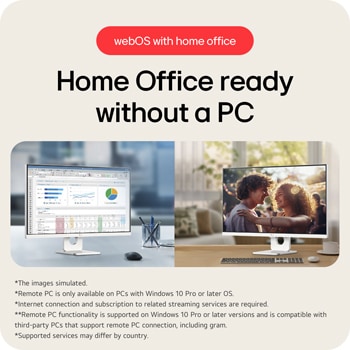
Home Office ready without a PC

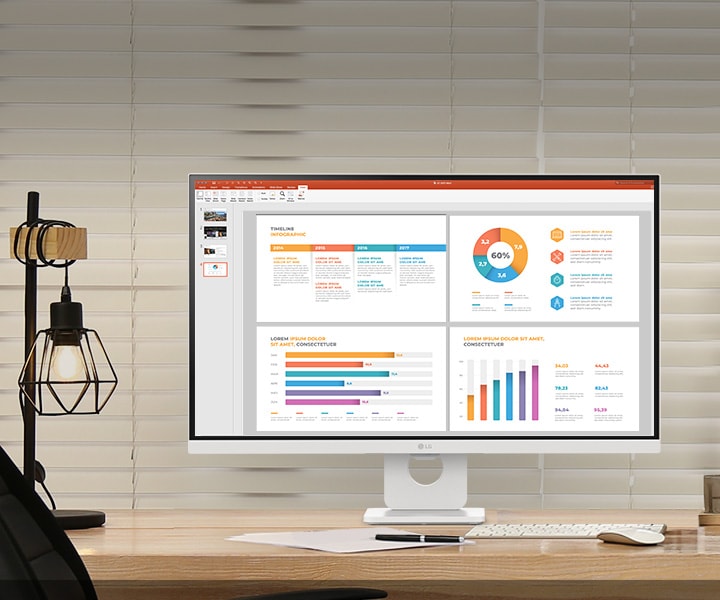
webOS enables you to remotely access your PC and Cloud PC via Remote PC. This functionality lets you utilise various home office services, including video conferencing and cloud-based applications, all without a PC.

*Images have been simulated to enhance feature understanding, and may differ from actual use experience.

*The above keyboard, mouse, headset, and game controller, webcam (Pogo type) are not included in the package (sold separately).

*Remote PC is only available on PCs with Windows 10 Pro or later OS.

*Internet connection and subscription to related streaming services are required. Separate streaming services may require a subscription payment, and they are not provided (purchased separately).

*Remote PC functionality is supported on Windows 10 Pro or later versions and is compatible with third-party PCs that support remote PC connection, including gram.

*Supported services may differ by country.

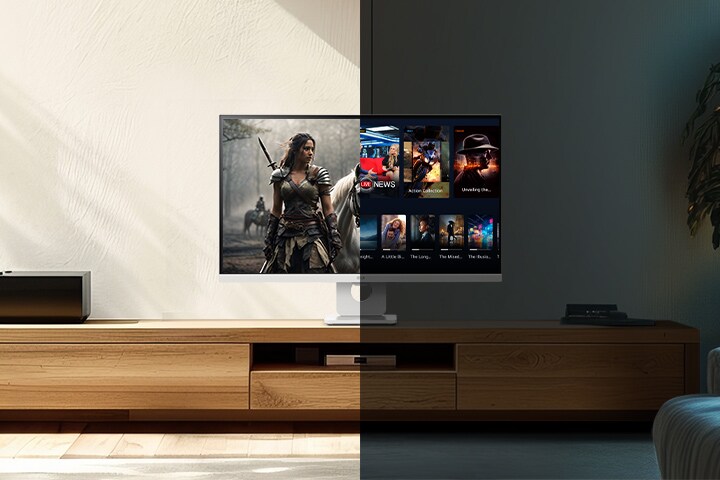
Brightness Control

Bright intelligence in any light

Brightness Control detects light sources in your space and automatically adjusts the screen brightness for crisp and clear visuals, whether it's day or night.

The left image shows the daytime appearance with the brightness adjustment feature, while the right image shows the nighttime appearance with the same feature.

*Images have been simulated to enhance feature understanding, and may differ from actual use experience.

Dynamic Tone Mapping

Come alive with brightness and contrast

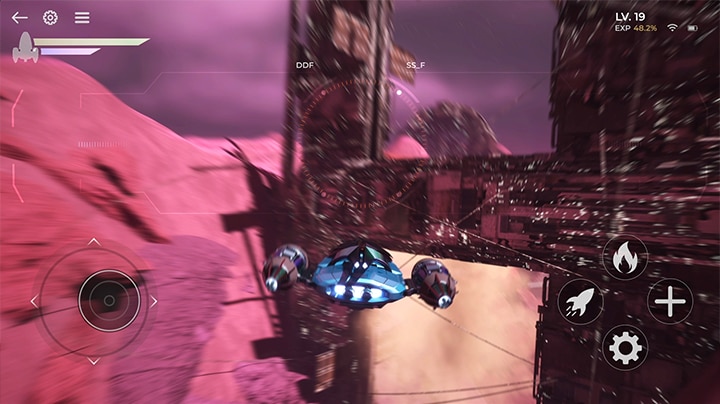
Enjoy visuals as they were meant to be seen, with Dynamic Tone Mapping adjusting brightness and contrast for optimal detail and realism. Movies and games come alive with rich immersion and consistent quality across all content.

*Images have been simulated to enhance feature understanding, and may differ from actual use experience.

*Available only when HDR video signal is input.

Simple design

Optimise your space, enhance your style

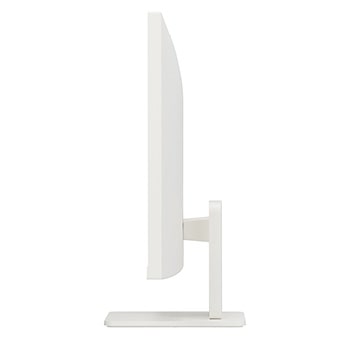
The 3-side borderless design of the slim white body, combined with the slim-flat stand, blends into your office or home, occupying minimal space. It allows an ideal viewing experience through convenient tilt adjustment.

Stylish space-saving design.

*The images simulated to enhance feature understanding. It may differ from actual use.

*Tilt: -5-15˚

USB-C

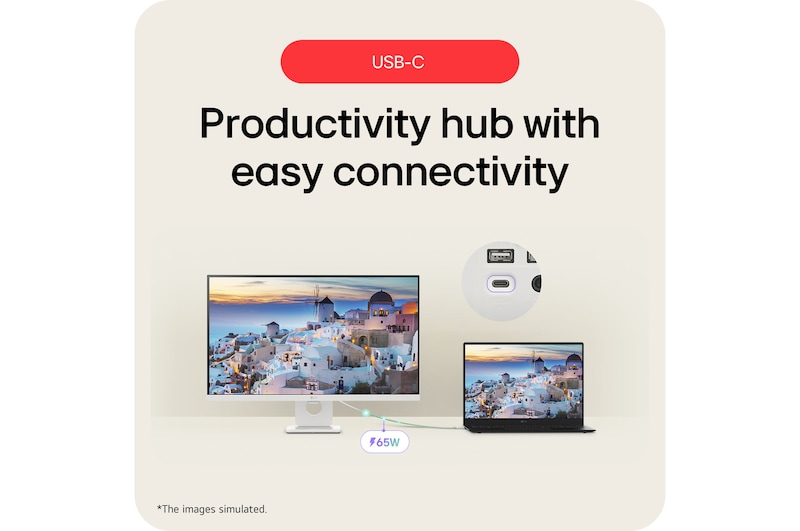
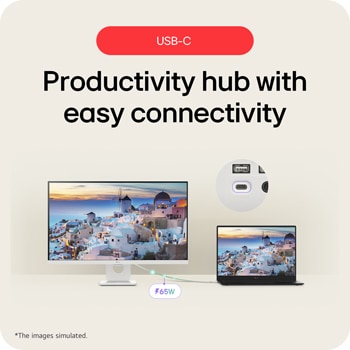
Productivity hub with easy connectivity

USB-C port allows from display and data transferring to connected device charging (up to 65W), enabling support for your laptop, all at the same time over a single cable.

A laptop is connected to a LG Smart Monitor via USB-C. It is charging through USB-C while displaying the same screen.

*Images have been simulated to enhance feature understanding, and may differ from actual use experience.

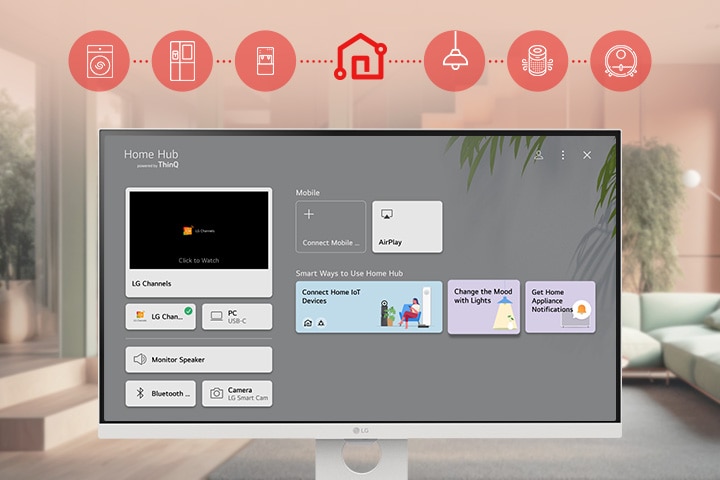
The LG Smart Monitor screen is showing the ThinQ Home Dashboard interface.

ThinQ Home Dashboard

Easily control your appliances

The ThinQ Home Dashboard makes life more convenient. Easily check and manage the status of your LG appliances and devices on one screen with the remote.

*To use ThinQ features, please install the 'LG ThinQ' app from the Google Play Store or Apple App Store on your smartphone and connect to Wi-Fi. Refer to the application's help section for detailed usage instructions.

*Wireless internet at home is required to register appliances in the LG ThinQ app.

*The actual functionalities of the LG ThinQ app may vary depending on the product and model.

*This product is registered as a TV in the LG ThinQ app. You can change the registered device name in the LG ThinQ app.

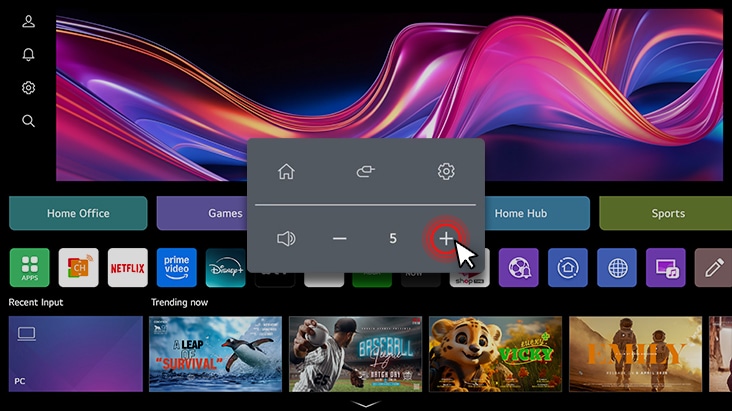
*Through the LG ThinQ app, you can use volume control, pointer, and power functions.

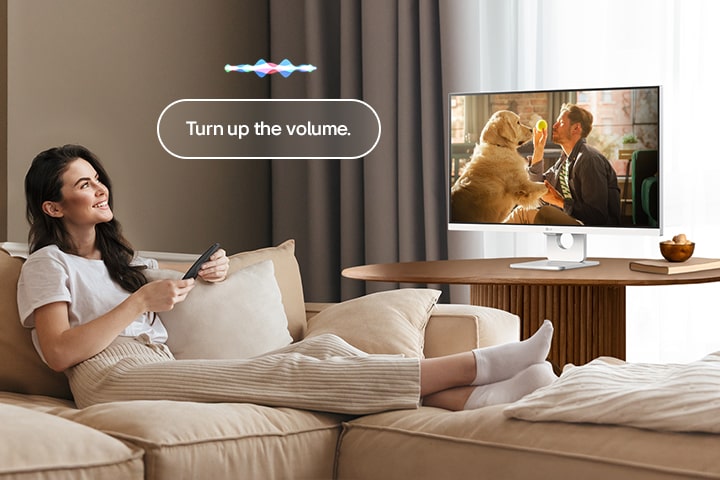
Voice control with Magic Remote

With the ThinQ app, the monitor can be easily controlled remotely using voice commands via Alexa, ensuring that the smart monitor serves as more than just a display. It becomes a central hub for all your entertainment and productivity needs, elevating your overall multimedia experience. All of this requires only the Magic Remote.

A woman is turning up the LG Smart Monitor’s volume using a Magic Remote.

*The images simulated to enhance feature understanding. It may differ from actual use.

*To work properly, you need to connect the LG Smart Monitor to the ThinQ app.

*The screen-shown images may differ from the actual app's. The services may vary depending on the region/country or the app versions.

*You can change language and region settings of 22 languages for 146 countries: English / Korean / Spanish / French / German / Italian / Portuguese / Russian / Polish / Turkish / Japanese / Arabic (Saudi/UAE) / Vietnamese / Thai / Swedish / Taiwanese / Indonesian / Danish / Dutch / Norwegian / Greek / Israeli (e.g., USA/English).

**The Remote Control is included in the package.

**Magic Remote is sold separately and may vary by country. 

**Alexa functionality is available. Please refer to product specifications for details.

AirPlay 2 + Screen Share + Bluetooth

Mirror straight from your devices

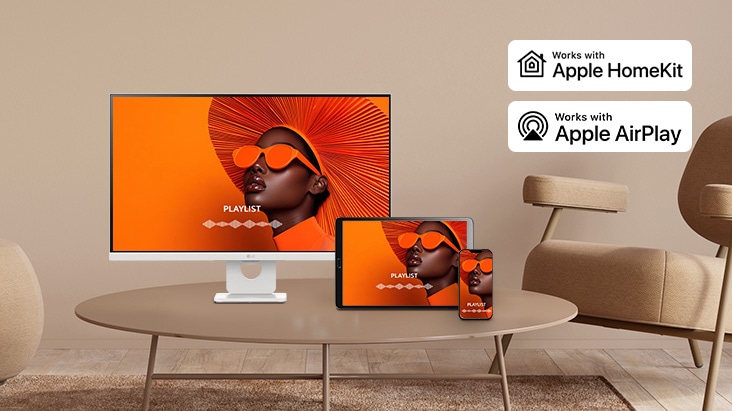
Effortlessly share content from your smart device to our monitor with AirPlay 2* (for Apple devices), Screen Share** (for Android devices). Connect instantly and enjoy a seamless viewing and audio experience on a larger screen with just a few taps.

*Apple and related marks and logos are trademarks of Apple Inc. Supported features may vary by countries and regions.

*To use AirPlay and HomeKit with this monitor, the latest version of iOS, iPadOS, or macOS is recommended. Apple, AirPlay, and HomeKit are trademarks of Apple Inc., registered in the U.S. and other countries and regions. The Works with Apple Home badge is a trademark of Apple Inc.

*Screen Share : Supported on Android or Windows 10 and above.

*Connect your device to the same network as your monitor.

LG Switch app

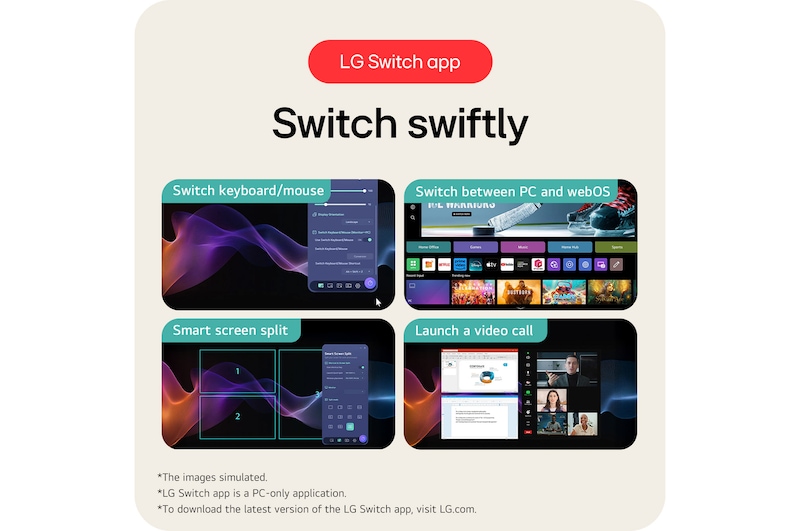
Easy to optimise effortlessly with LG Switch

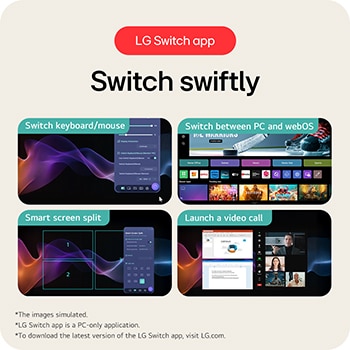
The LG Switch app optimises your monitor for both work and life. You can quickly navigate and select smart functions with the keyboard and mouse, while seamlessly switching between your PC and webOS using shortcut keys. Plus, you can easily split the display into up to 6 sections, change the theme design, or launch a video call platform with a mapped hotkey.

Quick Control

Discover the convenience of Quick Control on the LG Smart Monitor, which provides easy access to menus through simple actions.

*Images have been simulated to enhance feature understanding, and may differ from actual use experience.

*LG Switch app is a PC-only application.

*To download the latest version of the LG Switch app, visit LG.com.

Multi ports

A variety of interface

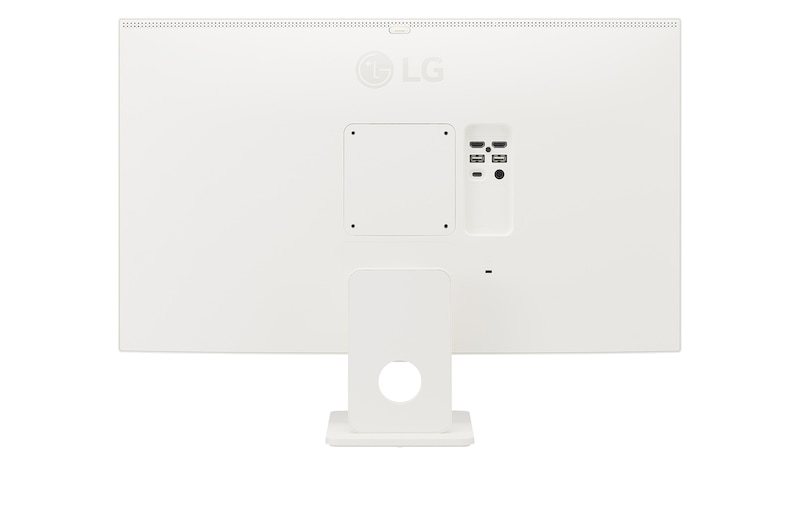
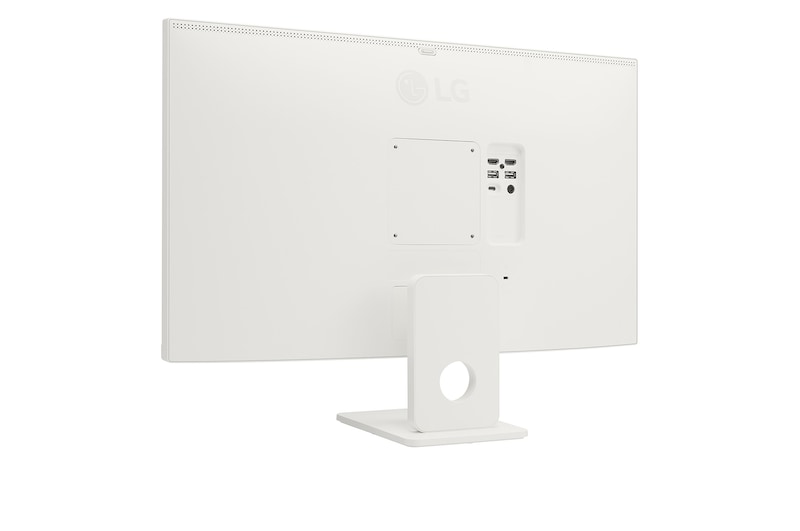
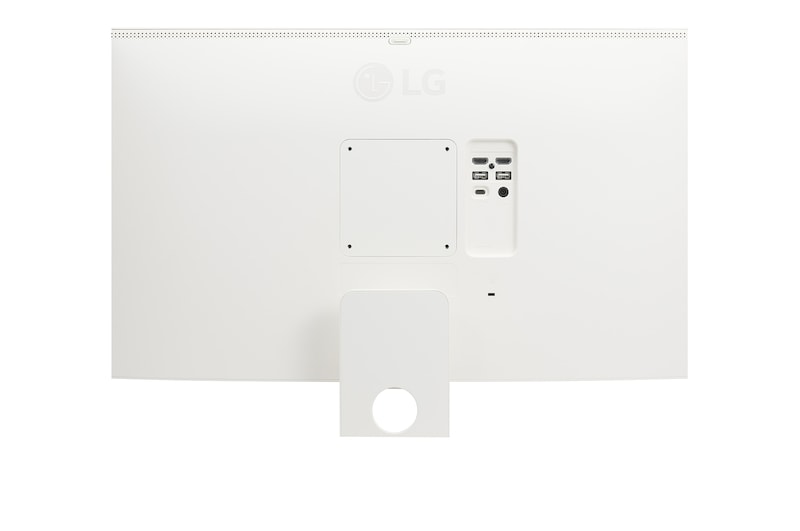
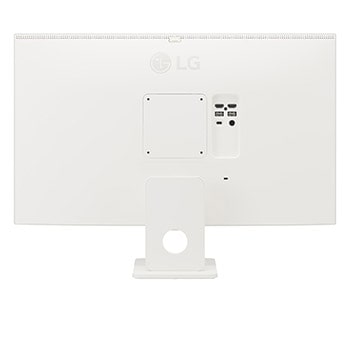
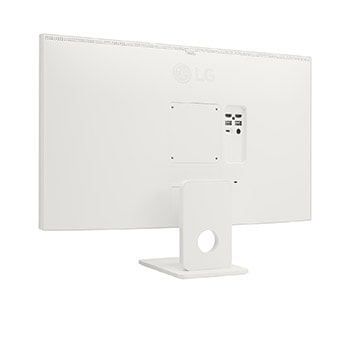
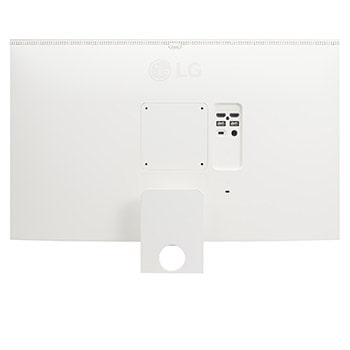
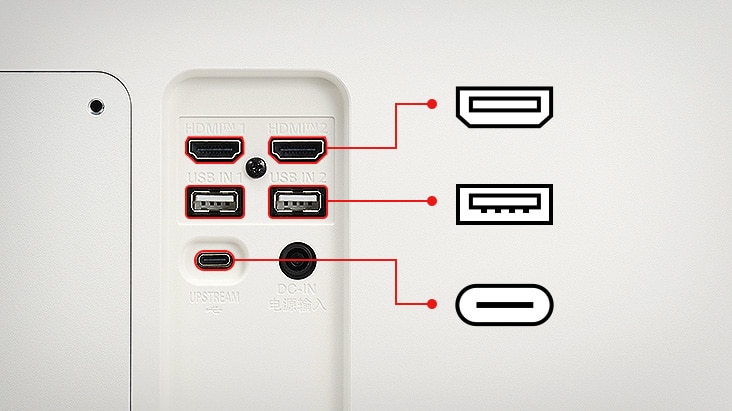
Our smart monitor offers 2xHDMI, 2xUSB, and USB-C ports compatible with various devices for a smooth display. It allows a clutter-free desk setup for ideal space utilisation.

*Images have been simulated to enhance feature understanding, and may differ from actual use experience.

Summary

DIMENSIONS

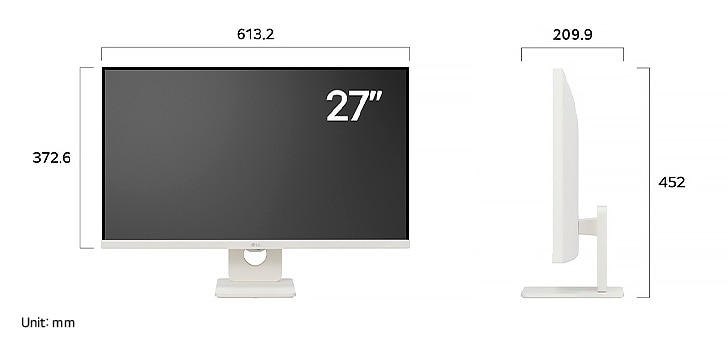
LG Monitor 27U731SA in a white finish displaying dimensions, measuring 613.2 mm width, 372.6 mm display height, 452 mm total height, and 209.9 mm depth.

Key Spec

  • Display - Size [Inch]

    27.0

  • Display - Resolution

    3840 x 2160

  • Display - Panel Type

    IPS

  • Display - Aspect Ratio

    16:9

  • Display - Color Gamut (Typ.)

    DCI-P3 90%​

  • Display - Curvature

    N/A

  • Display - Refresh Rate (Max.) [Hz]

    60

  • Display - Response Time

    5ms (GtG at Faster)

  • Mechanical - Display Position Adjustments

    Tilt

All Spec

INFO

  • Product name

    27U731SA-W

  • Year

    2025

DISPLAY

  • Size [Inch]

    27.0

  • Size [cm]

    68.4

  • Resolution

    3840 x 2160

  • Panel Type

    IPS

  • Aspect Ratio

    16:9

  • Pixel Pitch [mm]

    0.1554 x 0.1554

  • Color Gamut (Min.)

    DCI-P3 86%

  • Color Gamut (Typ.)

    DCI-P3 90%​

  • Color Depth (Number of Colors)

    1.07B

  • Contrast Ratio (Min.)

    700:1

  • Contrast Ratio (Typ.)

    1000:1​

  • Response Time

    5ms (GtG at Faster)

  • Refresh Rate (Max.) [Hz]

    60

  • Viewing Angle (CR≥10)

    178º(R/L), 178º(U/D)

  • Curvature

    N/A

  • Brightness (Min.) [cd/m²]

    280

  • Brightness (Typ.) [cd/m²]

    350

FEATURES

  • HDR 10

    YES

  • Dolby Vision™

    NO

  • VESA DisplayHDR™

    NO

  • HDR Effect

    NO

  • Mini-LED Technology

    NO

  • Nano IPS™ Technology

    NO

  • Advanced True Wide Pol.

    NO

  • Color Calibrated in Factory

    NO

  • HW Calibration

    NO

  • Auto Brightness

    YES

  • Flicker Safe

    NO

  • Reader Mode

    NO

  • Color Weakness

    NO

  • Super Resolution+

    NO

  • Motion Blur Reduction Tech.

    NO

  • NVIDIA G-Sync™

    NO

  • AMD FreeSync™

    NO

  • VRR

    N/A

  • Black Stabilizer

    NO

  • Dynamic Action Sync

    NO

  • Crosshair

    NO

  • FPS Counter

    NO

  • OverClocking

    NO

  • User Defined Key

    NO

  • Auto Input Switch

    NO

  • RGB LED Lighting

    NO

  • PBP

    NO

  • PIP

    NO

  • Smart Energy Saving

    YES

  • Camera

    NO

  • Mic

    NO

SW APPLICATION

  • LG Calibration Studio (True Color Pro)

    NO

  • Dual Controller

    NO

  • OnScreen Control (LG Screen Manager)

    NO

  • LG UltraGear™ Control Center

    NO

CONNECTIVITY

  • D-Sub

    NO

  • DVI-D

    NO

  • HDMI

    YES(2ea)

  • DisplayPort

    NO

  • DP Version

    N/A

  • Thunderbolt

    NO

  • USB-C

    YES(1ea)

  • USB-C (Data Transsmission)

    YES

  • USB-C (Power Delivery)

    65W

  • Daisy Chain

    NO

  • USB Upstream Port

    YES (USB-C, 1ea)

  • USB Downstream Port

    YES (USB-A, 2ea)

  • Built-in KVM

    NO

  • LAN (RJ-45)

    NO

  • SPDIF out (Optical Digital Audio Out)

    NO

  • Audio In

    NO

  • Mic In

    NO

  • Headphone out

    NO

  • Line out

    NO

SOUND

  • Speaker

    5W x2

  • DTS HP:X

    NO

  • Maxx Audio

    NO

  • Rich Bass

    NO

  • Bluetooth Connectivity

    YES

  • Dolby Atmos

    N/A

POWER

  • Type

    External Power(Adapter)

  • AC Input

    100~240Vac, 50/60Hz

  • Power Consumption (Sleep Mode)

    Less than 0.5W

  • Power Consumption (DC Off)

    Less than 0.5W

MECHANICAL

  • Display Position Adjustments

    Tilt

  • Wall Mountable [mm]

    100 x 100 mm

DIMENSIONS/WEIGHTS

  • Dimension with Stand (W x H x D) [mm]

    613.2 x 452 x 209.9

  • Dimension without Stand (W x H x D) [mm]

    613.2 x 372.6 x 45.6

  • Dimension in Shiping (W x H x D) [mm]

    768 x 130 x 435

  • Weight with Stand [kg]

    5.85kg

  • Weight without Stand [kg]

    4.55kg

  • Weight in Shipping [kg]

    8.05kg

ACCESSORY

  • D-Sub

    NO

  • DVI-D

    NO

  • HDMI

    YES

  • Thunderbolt

    NO

  • USB-C

    NO

  • Display Port

    NO

  • USB A to B

    NO

  • Remote Controller

    YES (Slim Remote)

COMPLIANCE INFORMATION

The safety information for accessories is included with the safety information for the product and is not provided separately.
To learn more about how this product handles data and your rights as a user, please visit ″Data Coverage & Specifications″ at LG Privacy

What people are saying

FAQ

What are the benefits of using UHD 4K & 5K monitors?

1. Ultra-High Resolution for Crystal-Clear Image Quality

With 4K (3840×2160) and 5K (5120×2160) resolution, these monitors offer significantly more pixels than standard displays, allowing for sharper, more detailed rendering of text, images, and videos.


2. Optimised colour Accuracy for Professional Visual Work

They support advanced technologies that enhance image quality and colour accuracy, making them ideal for professional tasks such as photo and video editing, graphic design, and colour grading.


3. Enhanced Content Immersion

You can enjoy 4K content from platforms like Netflix, YouTube, and other streaming services in its original quality. High brightness and rich contrast levels further enhance immersion when watching movies or TV shows.


4. More Screen Space

Thanks to the high resolution, you can display more content on a single screen. This is excellent for multitasking across multiple windows, especially for video editing, design, coding, or research work.

Who would especially benefit from using UHD 4K & 5K monitors?

LG UHD 4K & 5K monitors are especially well-suited for users who need precision, enjoy high-quality content, and value efficient multitasking.

They are ideal for professionals in graphic design, photo editing, and video production, where high resolution and accurate colour reproduction are essential. Support for technologies like DCI-P3 and HDR10 enhances both convenience and visual quality.

The expanded screen real estate also benefits planners, developers, researchers, and finance professionals who work with multiple windows at once, improving workflow efficiency.

For those who want to enjoy 4K content from platforms like YouTube or Netflix in its original quality, the sharp resolution and vibrant contrast deliver a highly immersive viewing experience.

In short, UHD 4K & 5K monitors offer a versatile experience—meeting the needs of both professional users seeking visual accuracy and general users who want to enjoy rich, detailed content.

What are the differences between OLED, IPS, and VA panels?

OLED panels emit their own light at the pixel level, delivering near-perfect blacks, exceptional contrast, and vivid colours. They also offer ultra-fast response times, making them ideal for high-end gaming monitors, premium TVs, and professional video editing.

IPS panels are known for their accurate colour reproduction and wide viewing angles, maintaining clear images from various positions. This makes them well-suited for office work, design, and gaming. Their excellent colour accuracy is especially appealing to gamers who want to experience visuals exactly as the developers intended.

VA panels boast the highest contrast ratio among LCD types, providing an immersive experience for watching movies and videos. While not as fast as TN panels, they offer nearly comparable performance.

Our Picks for You 

Find a Store Near You

Experience this product around you.