You have just plugged a new console into your TV, and the box promises 120 frames a second. Yet the picture tears during a fast chase, and every menu feels a beat late. Is it the console, the cable or the TV? Usually, it is three small acronyms: VRR, ALLM and HDMI 2.1. This guide explains them in plain language, then shows how LG TVs in India handle 4K gaming at three different price points.

What Is HDMI 2.1, and Is It One Single Feature?


HDMI 2.1 is the HDMI version behind 4K gaming at 120Hz. In short, it is not one switch. As per LG, each LG model lists exactly which features its HDMI inputs support, and select models differ. So please note: read the specification sheet of the TV you plan to buy, input by input. LG's C6 pairs HDMI 2.1 with VESA DSC certification for low-latency gaming, improving responsiveness and giving distortion free visuals throughout.

What Do VRR, ALLM and QMS Actually Do?


Feature Stands for What it does
VRR Variable Refresh Rate Syncs the TV's refresh rate with your console's frame rate, reducing screen tearing
ALLM Auto Low Latency Mode Switches the TV to its gaming settings automatically, reducing input lag
QMS Quick Media Switching Reduces screen blackouts when you change content

Simply put, VRR smooths motion, ALLM removes the hunt for Game mode, and QMS keeps switching between content calm. Also note that on LG, QMS appears on selected models only.

Do You Really Need HDMI 2.1 for 4K Gaming?


The answer is: only if you want 4K at 120Hz with VRR. The OLED evo C6 and QNED evo 82 list exactly that, while the QNED 65 tops out at 60Hz. Essentially, the refresh rate printed on the product page tells you which kind of gamer a TV suits. It is recommended to confirm every HDMI input you plan to use.

Which LG TV Suits Your Budget and Your Console?


Here is how three 139 cm (55) LG TVs compare on lg.com/in. Listed prices are from the product pages at the time of writing, with MRP in brackets; offers vary, so please verify.

Model Price (MRP)* Panel Refresh and VRR HDMI gaming support
OLED55C6PLA ₹1,60,261 OLED evo 120Hz, VRR up to 165Hz 4 inputs: 4K 120Hz, eARC, VRR, ALLM, QMS
55QNED82BLA ₹71,999 QNED evo Mini LED 120Hz, VRR up to 144Hz 3 inputs: same list
55QNED65BLA ₹58,499 QNED Mini LED 60Hz, VRR up to 60Hz 3 inputs: eARC, ALLM

UHD vs HD: The Honest Comparison


Ultra HD wins on resolution, clarity, and the depth of the viewing experience. But the right choice still depends on your screen size, viewing distance, and budget.

Factor HD Full HD 4K UHD
Resolution 1280x720 1920x1080 3840x2160
Best for screen sizes Up to 40 inches 40 to 55 inches 50 inches and above
Content availability Good Excellent Growing rapidly
Pixel density at large sizes Soft at large sizes Good Sharp at any size
Future-proofing Limited Moderate Strong

*Please note that this is MRP of the specific models and can differ from model to model. Check the product detail page on lg.com/in to know the exact price at the time of purchase.

If you keep asking which OLED should I buy for 4K gaming, the LG OLED evo C6 could be a recommendation. Self-lit pixels and the α11 AI Processor 4K Gen3 drive the picture, response time is under 0.1ms, and motion is ClearMR 10000 certified. It is also G-SYNC compatible, supports FreeSync Premium, and lists Dolby Vision for gaming at 4K 120Hz. Audio comes with Dolby Atmos and 40 watts of output, so a first console setup sounds as good as it looks.

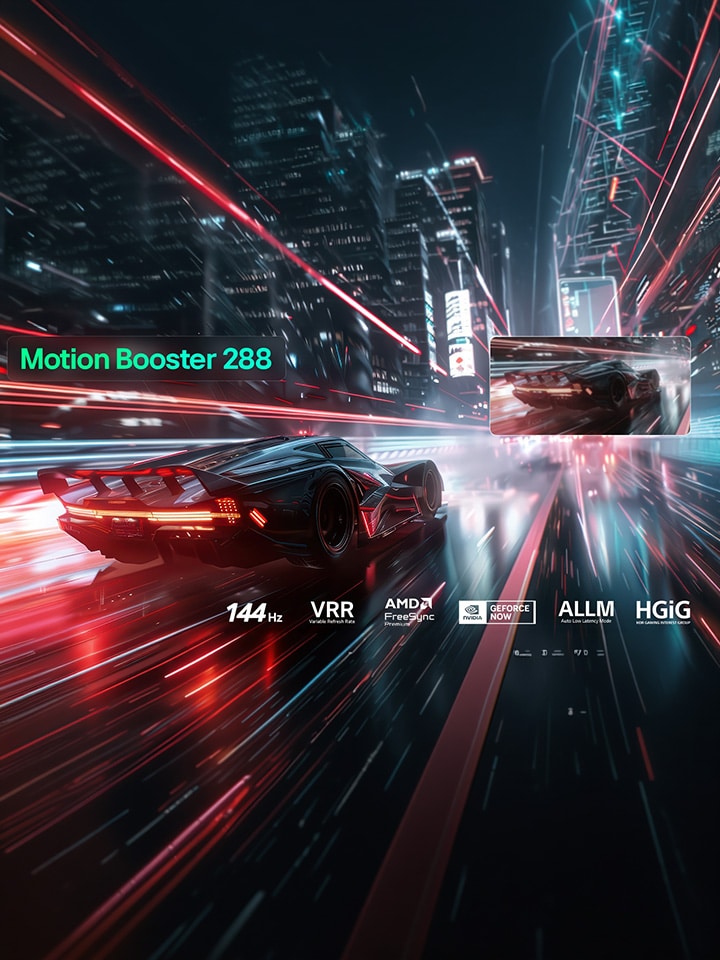
The QNED vs OLED middle path is the 55QNED82BLA. Dynamic QNED Colour Pro is certified for 100% Colour Volume, Mini LED brings deeper contrast, and the α8 AI Processor handles 4K upscaling. Motion Booster 288 reaches up to 288Hz at optimized Full HD, and it also lists Dolby Vision for gaming at 4K 120Hz.

The 55QNED65BLA suits movies, sport and daily streaming. It lists ALLM and VRR up to 60Hz with HDR10, but not 4K 120Hz. It still brings Dynamic QNED Colour, certified for 100% Colour Volume, and the α7 AI Processor 4K Gen9. Smaller room? The 81 cm (32) 32LB659BPLA is HD (1,366 x 768) at 60Hz, with Game Optimizer and HGiG mode, so it is a casual screen, not a 4K one.

How Do You Set Up Gaming Mode Step by Step?


  1. Step 1: Check the product page for an HDMI input that lists 4K 120Hz.
  2. Step 2: Connect your console to that input.
  3. Step 3: Let ALLM switch the TV to its gaming settings automatically.
  4. Step 4: Open Game Dashboard and Game Optimizer to adjust refresh rate, latency and visual modes.
  5. Step 5: Keep HGiG mode on for HDR games, which keeps HDR tone mapping as the game creator intended.

Tying the Knots


HDMI 2.1 is only useful when your TV supports the features you will use. You can choose the OLED evo C6 for full 4K 120Hz gaming, the 55QNED82BLA for the strongest value, and the 55QNED65BLA for relaxed 60Hz play. The complete LG TV range offers other options as well you can explore as per requirement and budget. Prices and offers change, so confirm on lg.com/in before you buy.

FAQs


A. Among the models checked, the 55QNED82BLA. Its three HDMI inputs list 4K 120Hz, eARC, VRR, ALLM and QMS, with VRR up to 144Hz and FreeSync Premium, at ₹71,999 on lg.com/in. The 55QNED65BLA stops at 60Hz.

A. For gaming, check HDMI inputs, VRR, ALLM and response time. For streaming, check Dolby Vision (listed on the C6 and QNED82), AI Picture Pro upscaling and panel type. OLED evo has self-lit pixels; QNED Mini LED offers Dynamic QNED Colour and Mini LED contrast.

A. LG UltraGear is the gaming monitor range, while UltraFine covers 4K and 5K monitors. Compare refresh rate, response time and resolution on each product page at lg.com/in.

A. The OLED55C6PLA, 55QNED82BLA, 55QNED65BLA list Apple AirPlay and Google Cast. They also list the LG ThinQ smartphone remote app, so your phone can double as a remote.

A. To point out a single LG TV or range is not recommended. Best price-to-performance value can be mapped based on what is your requirement or are you a first-time buyer or looking for an upgrade. At 139 cm (55), the 55QNED82BLA balances price and gaming features. At 81 cm (32), the 32LB659BPLA adds α5 AI Processor Gen9, Dolby Atmos and Game Optimizer; check its live price on lg.com/in.