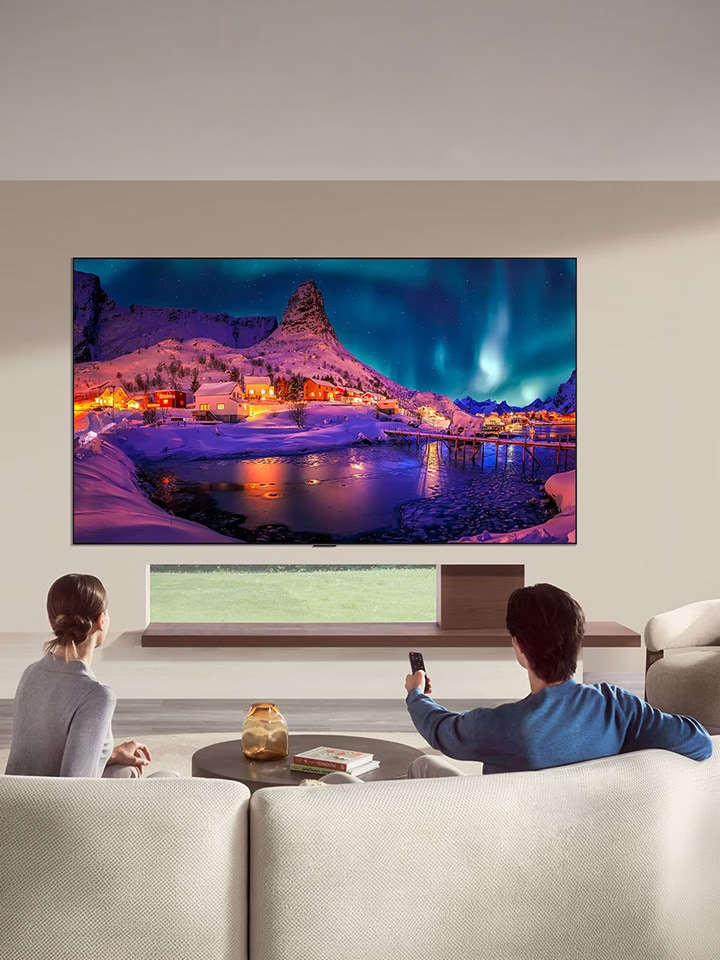
Beautiful walls in contemporary homes look exquisite, but often the aesthetics get disturbed by wires and TV cables. You pick the paint, the lighting and the artwork with care, and then a black cable droops down the wall like an afterthought. Sound familiar?

The good news is that a tidy TV wall is rarely about spending more. It is about making three decisions in the right order: where the TV sits, how it hangs, and where the cables go. Let us walk through each one.

How far should your TV be from the sofa?


In short, measure first and buy second. According to LG India’s TV size guide, you divide your viewing distance in cm by 1.2 to estimate a suitable screen size, based on a 40-degree field of view that is widely considered the cinema reference.

Screen size Suggested viewing distance
126 cm (50) to 149 cm (59) 150cm ~ 180cm
152 cm (60) to 175 cm (69) 180cm ~ 210cm
177 cm (70) to 189 cm (75) 210cm ~ 230cm
193 cm (76) to 215 cm (85) 230cm ~ 260cm

Can a TV really sit flush against the wall?


Yes, with the right design. A flush-fit design means the TV mounts close to the wall, so the screen reads as part of the wall instead of a box placed in front of it. The LG OLED evo G6 does this through its Gallery Design, with ultra-thin bezels and a refined profile that leaves no visible gap with the wall. LG adds that the actual fit depends on installation conditions, so a slight gap is possible. LG India’s Art TV guide describes an ultra-slim 9mm-range Wallpaper Design that sits close to the wall.

A flush wall only looks calm if the cables behave. Ask your electrician or interior designer about a concealed conduit and a recessed power point directly behind the TV, so the lead disappears into the wall instead of trailing down it. The OLED97G6PLA specification lists its power cable as attached, giving you one fixed lead to plan around.

Which placement idea suits your room?


Flexible placement is about matching the setup to how you live. Here are five ideas that work with an LG TV.

Placement idea Works well when LG detail
Flush on a feature wall You want the TV to blend in OLED evo G6 Gallery Design
Wall-mounted above a console You need storage below for devices Stands and wall mounts under LG TV accessories
On a stand, wall left free You have a rented space or avoid drilling Product pages list dimensions with stand
A frame-like art wall You want the screen to look styled when idle LG Gallery+ offers 100+ artworks
A bright, sunlit room Glare worries you G6 offers Reflection Free Premium and Auto Brightness Control

How do you reduce the number of cables in the first place?


The simplest way is to let the TV do more of the work.

  1. Step 1 Use built-in apps. LG India lists webOS with over four thousand global streaming apps plus LG Channels, so a separate streaming box may not be needed.
  2. Step 2 Go wireless. The OLED evo G6 lists Wi-Fi 6 and Bluetooth 5.3, and works with Google Cast and Apple AirPlay, so phones and audio connect without leads.
  3. Step 3 Use one cable for sound. HDMI eARC sends audio from the TV to a soundbar through a single HDMI lead, and the OLED97G6PLA lists eARC on HDMI 2.
  4. Step 4 Group what remains. Keep consoles and cable boxes together in a ventilated cabinet, and bundle leads with a cable channel.
  5. Step 5 Label each lead, so future changes never mean pulling the wall apart.

Does the TV wall need styling too?


Yes. A clean wall is only half the picture. Soft indirect lighting behind or around the screen, a low floating console, and one or two artworks beside it make the TV look planned. When the screen is on, Auto Brightness Control adjusts output to the room’s light, keeping viewing comfortable. When it is off, Gallery Mode can show artwork, and LG says power saving applies only when Gallery Mode and Always Ready are both enabled.

Which screen size keeps the wall balanced if the room doubles as a gaming corner?


Consoles and PCs create the biggest cable pile-up. For 4K gaming, the OLED97G6PLA lists four HDMI inputs that support 4K 120Hz, VRR and ALLM, plus G-SYNC compatibility and FreeSync Premium. Route those leads together through one channel.

Mistakes that spoil a clean wall


  • Buying by size alone, without measuring distance
  • Mounting first and planning the power point later
  • Sealing devices in a cabinet with no airflow
  • Placing the screen opposite a bright window without checking glare

Ending Thoughts


A beautiful TV wall is a series of small, sensible choices. Measure your seating distance, pick a size that fits it, decide how the screen will hang, and plan the power point before the paint dries. Since drilled walls are hard to undo, a little planning now saves a lot of patching later. Then let built-in apps, Wi-Fi and a single eARC lead do the rest. With the LG OLED evo G6, flush-fit Gallery Design and LG Gallery+, the screen can become part of the décor when it is switched off. Explore LG OLED TVs in India and TV accessories on lg.com/in, and let your walls stay as beautiful as you planned them.

FAQs


A. Start with 4K resolution, a platform with wide app support, and fast Wi-Fi. LG India lists webOS with over four thousand global streaming apps plus LG Channels, and an LG Account is needed for network-based smart services. A 165 cm (65) screen suits a sofa about 1.8 to 2.1 m away. App availability varies by country, so confirm your apps before you move or travel.

A. Begin with a strong connection at the TV: the OLED evo G6 lists Wi-Fi 6 and an Ethernet port. Use the built-in apps, add a soundbar through HDMI eARC, and control the TV from the LG ThinQ app. Phones can share content through Google Cast or Apple AirPlay, and Home Hub brings compatible smart devices together. Features vary by model.

A. Choose a TV that supports several formats and let the content decide. The LG OLED evo G6 lists Dolby Vision, HDR10 and HLG. LG India’s buying guide advises getting either HDR or Dolby Vision with a 4K TV, and notes its multi-HDR format includes HDR10 and HLG. Always check the specifications page of the exact model you plan to buy.

A. On lg.com/in, the LG UltraGear 27GR93U-B is a 68.58 cm (27) UHD (3840 x 2160) IPS monitor with a 144Hz refresh rate, 1ms (GtG) response in Faster mode, DisplayHDR 400 and 95% DCI-P3 color. It is G-SYNC Compatible and supports FreeSync Premium. For 144Hz, your PC needs a graphics card with DisplayPort 1.4 (DSC) or HDMI 2.1. Check the product page for the current price.

A. LG India lists TVs in size bands, and the closest to 102 cm (40) are 106 cm (42) to 121 cm (48), and 81 cm (32) and smaller. Check the Promotions page and The All New LG AI TVs offers on lg.com/in. Offers and availability vary, so confirm the final price at checkout.