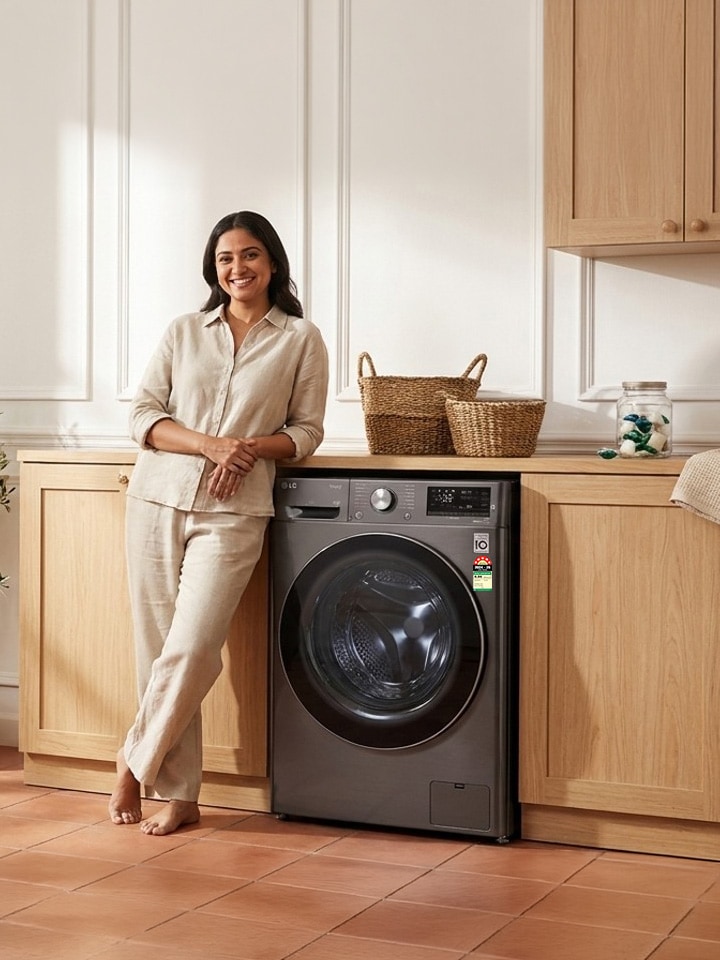
It is 8 pm in a Bengaluru apartment, the school uniforms are still wet, and the LG top load machine has just frozen mid-cycle flashing "UE." Every Indian household with a washing machine has lived this moment. Essentially, most LG error codes are not breakdowns — they are the machine talking to you. Here is what each one means and how to fix it.

What Do LG Washing Machine Error Codes Mean?


LG front-load and fully automatic top-load washing machines, such as the Smart Inverter and TurboDrum™ range, display use a set of alphanumeric codes to flag issues before they become real damage. Most of these machines carry a 10-year warranty on the Smart Inverter Motor, which is why LG builds in error codes rather than letting a fault go unnoticed. As per LG’s support guidelines for top-load and front-load washing machines, here is the full list and the quick fix for each.

*Please note that warranty may vary from model to model. Please check the model information and specifications carefully, before the purchase.

Code What It Means Quick Fix
IE Inlet error – water isn't filling Open taps fully, check the inlet hose for kinks, clean the inlet filter
OE Outlet error – water isn't draining Clear the drain filter, straighten the drain hose, check for blockages
UE Unbalance error – load bunched on one side Redistribute laundry, wash blankets one at a time on the Blanket/Duvet cycle
vS / uS Vibration sensor error Level the machine's feet, keep it clear of the wall, reduce load
dL Door not locked Check for trapped clothing in the latch, close the lid firmly, request service if it persists
PE Pressure sensor error – can't read water level Unplug and restart; persistent PE needs a technician visit
FE Overfill error – tub filled beyond limit Unplug, reconnect, and restart; recurring FE points to a faulty water level sensor
E3 Drain motor error Reset the machine
FF Freeze failure Move the machine away from direct cold exposure, let it thaw before restarting
PF Power failure A record of a power cut mid-cycle; LG's Auto Restart resumes the cycle on its own
CL Child lock / control lock active Press and hold the lock button for 3–5 seconds to release it*
tcL Tub clean reminder Not a fault — run the Auto Tub Clean cycle to clear the reminder

*Please note that the functionality may work differently for different models

How Do You Fix the Most Common LG Washer Errors?


  1. UE (Unbalance Error) stands for exactly what it sounds like — the load has shifted to one side of the drum. It shows up most on Cotton or Normal cycles when blankets or heavy towels clump together. The best way to clear a UE error is to redistribute the load and rewash bulky items separately using the Blanket/Duvet cycle.
  2. OE (Outlet Error) is called an outlet or drain error, and it usually means the pump can’t push water out fast enough. Before assuming the drain motor has failed, check the filter — it collects coins, hair, and lint over months of use — and confirm the drain hose behind the unit isn’t kinked.
  3. IE (Inlet Error) refers to the opposite problem: water isn’t coming in. This is often a household water-pressure issue rather than a machine fault, so check that both taps are fully open and the inlet filter mesh isn’t clogged with sediment.
  4. dL (Door Not Locked) is defined as a failed lid-lock confirmation. A stray sock caught in the latch mechanism is the usual culprit — clear it out and close the lid with a firm push.
  5. CL (Child Lock) is not really an error at all. Simply put, it is a safety feature that Indian households with toddlers rely on heavily, and it is released by holding the lock button down for 3–5 seconds.

In short, LG recommends unplugging the machine for a minute before assuming any component has failed — a majority of AE, tE, PE, and PF codes clear on a simple restart. If the same code returns twice in a row, that is LG’s way of telling you it is time to call a technician rather than keep troubleshooting on your own.

How Do You Reset an LG Washing Machine After an Error?


If a code won’t clear, a manual reset resolves it in most Smart Inverter and TurboDrum™ models. Follow these steps:

  1. Step 1 — Power down completely. Unplug the washer from the wall socket rather than just pressing the power button, and switch off the water tap.
  2. Step 2 — Wait it out. Leave the machine unplugged for at least one to five minutes so the control board fully discharges.
  3. Step 3 — Drain if needed. If water is still sitting in the drum, run a Drain or Spin-only cycle once power is restored, before starting a fresh wash.
  4. Step 4 — Restart on a light cycle. Plug the machine back in, select Rinse + Spin, and confirm it runs smoothly before returning to your regular wash programme.

How Do You Maintain an LG Washing Machine to Avoid These Errors?


A little routine care keeps most of these codes from showing up at all:

  1. Run the Auto Tub Clean cycle once a month to prevent odour and residue buildup.
  2. Wipe the drum and door seal dry after each wash to stop mould from forming.
  3. Clean the lint filter every few loads, and the inlet filter every few months.
  4. Use the correct detergent quantity — oversudsing strains the drain system and can trigger errors.
  5. Avoid overloading the drum beyond its rated capacity.
  6. Keep the machine level on its feet to prevent recurring UE and vibration.

Whether you own a front load or a Smart Inverter top load LG washing machine, these habits — paired with the LG ThinQ app’s Smart Diagnosis feature for instant remote troubleshooting — go a long way in avoiding an error code the night before school uniforms are due.

FAQs


A. On most LG front load and top load models, the door unlocks automatically a minute or two after the cycle ends. If it stays locked, confirm the machine has fully drained, then try Rinse + Spin or a quick power reset — cutting power for a few seconds often releases the latch.

A. The drain filter sits behind a small panel at the base of the machine. Turn it anticlockwise to remove it, clear out any lint, coins, or debris, rinse it under running water, and screw it back in firmly before the next wash. This is primarily for LG front-load washing machines.

A. Check the power socket and cord first — a loose connection is the most common cause. Confirm the door is fully closed, since most LG models won’t power up mid-cycle if the lid sensor reads "open."

A. This usually means Child Lock (CL) is active. Press and hold the lock button for 3–5 seconds to disable it, then try starting the cycle again. If it still doesn’t respond, a quick power reset should help.

A. Press and hold the dedicated Child Lock button — usually marked with a lock icon — for 3 to 5 seconds until the display confirms it’s off.

A. UE stands for Unbalance Error. It means the laundry load has shifted to one side of the drum, most often when washing a single heavy item like a blanket. Redistributing the load or using the Blanket/Duvet cycle usually solves it.

A. Simply put, some minor errors can be fixed manually at your end. However, sometimes your LG washing machine may need professional help through LG’s Smart Diagnosis feature or a technician visit.