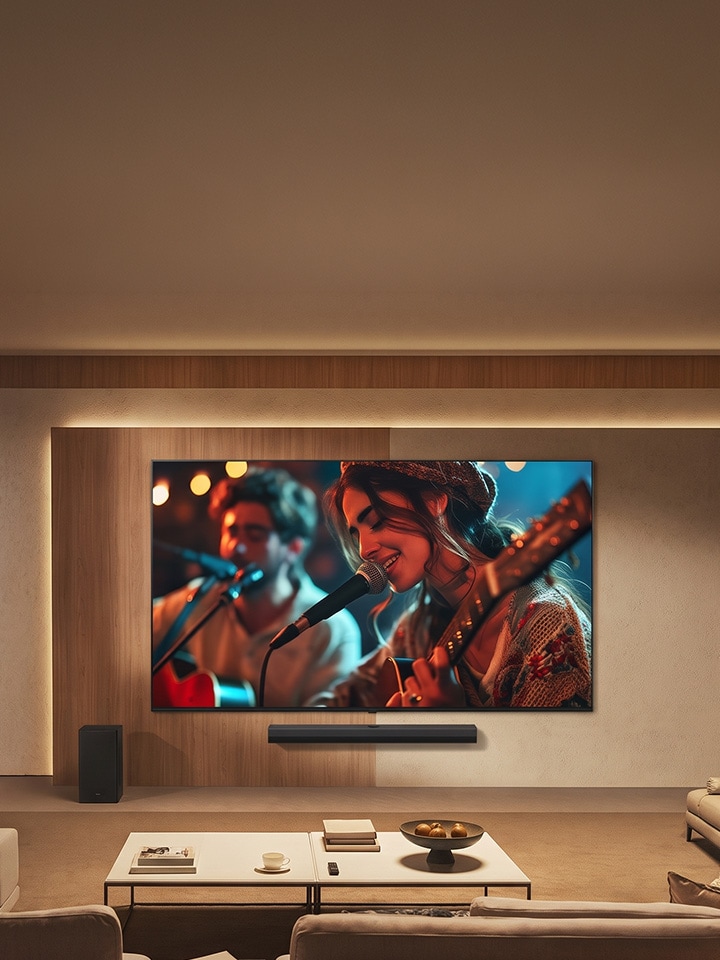
If you have been looking for a new TV for quite some time but are stuck on which one to buy, this might be the right place for you. Decisions like OLED TV vs QNED TV, how to compare TV models, and how much budget is good for a premium TV often get solved by visiting a retailer or talking to an expert. But what if you have already decided on a QNED and still cannot take your pick? This blog can help you reach the right choice by comparing the models, features, and other key aspects.

Which QNED evo Mini LED Models Are Worth Comparing?


Five models sit in this LG TV comparison, from 139 cm (55) to 292 cm (115). As per the product pages on lg.com/in, all five share 4K Ultra HD resolution (3,840 x 2,160), a 120Hz native refresh rate, and Dolby Vision, HDR10 and HLG support, which suits anyone tracking the latest TV technology for a smart TV in India.

Model Screen Dimming Processor Gaming refresh Sound
115QNED90BL 292 cm (115) Precision Dimming Ultra alpha 8 Gen3 VRR 165Hz, Motion Booster 330 40 watts, 2.2 ch
65QNED90BLA 164 cm (65) Precision Dimming Pro alpha 8 Gen2 VRR 144Hz 40 watts, 2.2 ch
100QNED86BL 254 cm (100) Precision Dimming Pro alpha 8 Gen3 VRR 144Hz, Motion Booster 288 40 watts, 2.2 ch
86QNED85BLA 217 cm (86) Precision Dimming alpha 8 Gen3 VRR 144Hz, Motion Booster 288 20 watts, 2.0 ch
55QNED82BLA 139 cm (55) Mini LED alpha 8 Gen3 VRR 144Hz, Motion Booster 288 20 watts, 2.0 ch

What Is QNED evo Mini LED, and Why Does It Suit Movies?


QNED evo Mini LED refers to LG's TV line that pairs Dynamic QNED Color with a Mini LED backlight. Simply put, the colour technology is certified for 100% Color Volume, so shades hold from dim scenes to bright ones, while Mini LED with Precision Dimming controls light zone by zone for deeper blacks. That is why night scenes in a film look layered rather than flat.

Which Specs Actually Matter for Movie Night?


In short, six specs decide how a film looks and sounds:

Spec What it does Screen Results*
Dolby Vision, HDR10, HLG HDR formats the TV supports Supported films show wider contrast in highlights and shadows
FILMMAKER MODE Keeps the picture close to the creator's intent; the Ambient version adapts to room light Films look as the director meant, day or night
Precision Dimming Mini LED light control in zones Deeper blacks in dark scenes
alpha 8 AI Processor 4K Gen3 with AI Picture Pro Upscales every frame up to 4K Lower-resolution content is refined toward 4K
Dolby Atmos with Virtual 11.1.2 Ch Immersive, room-filling sound Dialogue and effects feel placed around you
WOW Orchestra Syncs TV speakers with an LG Soundbar (sold separately) Fuller surround for big scenes

*Please note that these are recommended screen results only. Real-life viewing experience may vary.

Can the Same TV Handle Gaming Too?


Yes. Gaming is the second half of that Friday plan. According to LG India's product pages, these models offer:

  1. VRR, known as Variable Refresh Rate, up to 144Hz (165Hz on 115QNED90BL), with AMD FreeSync Premium compatibility
  2. ALLM, which stands for Auto Low Latency Mode and switches to low-latency settings automatically, plus Game Optimizer through the Game Dashboard
  3. Dolby Vision for Gaming at 4K 120Hz
  4. Motion Booster: up to 330Hz on 115QNED90BL and up to 288Hz on 100QNED86BL, 86QNED85BLA and 55QNED82BLA, at optimised Full HD resolution

Please note that 165Hz, 144Hz and Motion Booster work only with games or PC inputs that support them. The 65QNED90BLA page does not list Motion Booster.

How Do You Choose A QNED TV? Step by Step


The simplest way to choose is to work through five steps.

  1. Step 1: Pick your size. Choose the screen your room can host, from 139 cm (55) to 292 cm (115).
  2. Step 2: Check the contrast tech. Precision Dimming Ultra sits on 115QNED90BL, Precision Dimming Pro on 65QNED90BLA and 100QNED86BL, Precision Dimming on 86QNED85BLA, and Mini LED on 55QNED82BLA.
  3. Step 3: Decide on sound. The 115, 65 and 100 models give 40 watts and 2.2 channel; the 86 and 55 give 20 watts and 2.0 channel.
  4. Step 4: Count your devices. Check for the HDMI inputs basis your requirement.
  5. Step 5: Confirm the smart layer. Also check the webOS, so you know the upgrades to expect in the usage years.

Conclusion


Essentially, movie quality comes down to contrast, colour and sound, while gaming adds refresh rate and low latency. These LG TV models cover the core; the real differences are screen size, dimming tier, sound output and Motion Booster. Match those to your room and habits. Visit lg.com/in – TV & Soundbar range to check the entire model list.

FAQs


A. UHD vs 4K is a naming overlap, since LG lists its resolution as 4K Ultra HD. QLED uses quantum dots with an LED backlight, OLED pixels light up on their own, and QNED is with Dynamic QNED Colour. For movies, compare contrast; for gaming, check VRR, ALLM and refresh rate on the product page.

A. Start with lg.com/in. Its Accessories menu lists various products like TV remotes, stands and more, and the Support section has a Parts & Accessories page.

A. LG QNED is a premium TV line with Dynamic QNED Color, certified for 100% Color Volume, and Mini LED on evo models. LG OLED is a separate line on lg.com/in. Compare both product pages for HDR formats, gaming features and sound.

A. Check that your phone and TV are connected to the appropriate network, then follow the setup steps for Google Cast, AirPlay or the LG ThinQ app. Some LG smart services require an LG Account.

A. There are various models with smart features for streaming apps. They run webOS (models listed above) with LG Channels. It is recommended to check the product detail page and the specifications, before making the purchase.