We use cookies, including cookies from third parties, to enhance your user experience and the effectiveness of our marketing activities. These cookies are performance, analytics and advertising cookies, please see our Privacy and Cookie policy for further information. If you agree to all of our cookies select “Accept all” or select “Cookie Settings” to see which cookies we use and choose which ones you would like to accept.

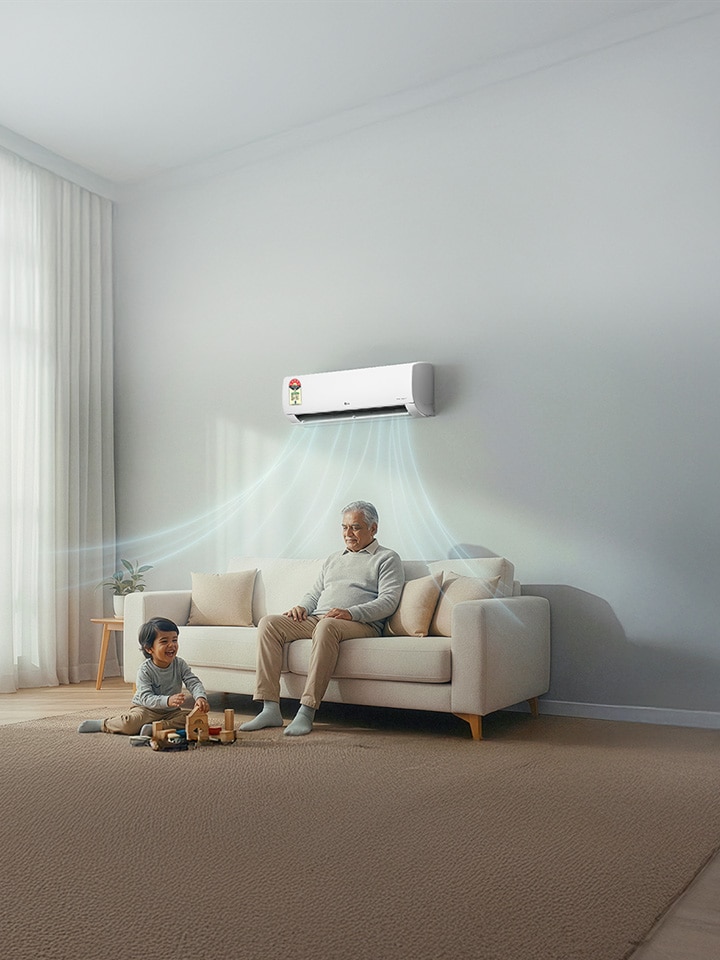
AI in air conditioners is not about robots or voice gimmicks. It is the intelligence built into your LG AC that watches, learns, and adapts — so you never have to.
In India, where summers are punishing, bills are brutal, and everyone wants the best AC in India that just works without fuss, this matters.
LG has spent years making that intelligence real, reliable, and genuinely useful for Indian households.
AI+ Deep Learning — The AC That Learns Your Comfort
SAI+ collects data on your usage patterns and room conditions through Wi-Fi, and adjusts cooling capacity and fan speed accordingly. Over time, it remembers your preferred temperature and works toward it faster — without you touching the remote.
| What it does | How | Why it matters |
| Collects usage data | Via IDU Wi-Fi to server | Understands your home |
| Adjusts capacity & fan speed | AI algorithm, server-side | Smoother, personalised comfort |
| Remembers preferred temperature | Stores user preference | No manual re-setting ever |
AI Dual Inverter Compressor — Faster Cooling, Less Waste
The AI Dual Inverter combines Varied Speed Dual Rotary technology with artificial intelligence. It predicts cooling needs before you feel discomfort — picking the right fan speed, vane position, and temperature automatically. This is why LG is referred to one of the leading Inverter AC brands.
| Compressor type | Key benefit |
| Dual Rotary with AI | Widest operating range; fastest pull-down |
| Smart Inverter (select models) | Reliable efficiency at lower price point |
| Non-Inverter (old tech) | Higher bills, less comfort |
AI Convertible 6-in-1 Cooling — Six Modes, Zero Effort
Six cooling modes from 40% to 124*% capacity (Viraat Mode). Mode 2 — the AI mode — uses inbuilt sensors to pick the right mode for you automatically. No scrolling, no guessing.
| Mode | Capacity | Best used when# |
| Mode 1 | 100% | Room full, everyone active |
| Mode 2 — AI/AI+ | Auto (AI selects) | Everyday use — let it decide |
| Mode 3 | 80% | A few people, low activity |
| Mode 4 | 60% | Light occupancy |
| Mode 5 | 40% | Sleeping, minimal load |
| Mode 6 — VIRAAT | 108–124%* | Extreme heat, instant blast cooling |
*Capacity claim from actual rated capacity. May vary model to model. Based on tests at standard conditions.
#please note that room situation is indicative.
LG ThinQ™ — Full AC Control from Your Phone
The ThinQ app gives you real control. Compatible with Android and iOS (works with Google Assistant and Amazon Alexa*), it is recommended by the brand for hands-free control. You can switch your AC on or off, change modes, manage vane direction, check energy consumption, set reminders, and schedule your AC, all from wherever you are.
*Google Assistant and Amazon Alexa are trademarks of their respective companies. LGEIL is not responsible for any change or removal of those services.
Energy Manager+ — Set a Bill Target, Not Just a Temperature
Air conditioners consume significantly more electricity than most household appliances — washing machines, refrigerators included. Energy Manager+ lets you fix a target for your electricity bill and works backward from there.
| Step | What happens |
| Step 1 — Set target | Enter period, daily usage hours & per-unit cost |
| Step 2 — System analyses | Reads your usage history |
| Step 3 — Optimisation runs | One-time compressor tune to stay within target |
| Status display | “EO” appears on indoor unit when active |
LG PreCool — Your Home Is Cool Before You Open the Door
PreCool uses GPS via the ThinQ app. Set your home GPS fence. When you cross it, the AC switches on with your preset settings, a stepping stone that reaches beyond comfort and provides ultimate convenience.
| Scenario | What PreCool does |
| You’re 2 km from home after work | AC switches on; room is ready when you arrive |
The Takeaway
AI in your AC is defined as real, measurable improvements: personalised cooling, lower bills, self-cleaning, and a home that’s ready before you walk in. Whether you’re looking for the best window AC 1.5 ton, a smart split for your living room, or simply the best AC that handles India’s heat without punishing your wallet — the answer increasingly points to one thing: an AC that works for optimum convenience.
Find an LG air conditioner for your home today.
FAQs
A. Step 1. Download the LG ThinQ app (Android or iOS).
Step 2. Create an account and tap ‘Add Device’.
Step 3. Ensure your AC is a ThinQ Wi-Fi model (look for the Wi-Fi badge).
Step 4. Follow in-app pairing instructions and connect to your home network
Once connected, you can control, schedule, monitor energy use, and run Smart Diagnosis remotely.
A. Essentially it depends on your requirements and what level of comfort you are expecting from your air conditioner. The factors below can help you reach a ballpark:
| Factor | Split AC | Best Window AC (LG Dual Inverter) |
| Room size | Medium to large | Small to medium |
| Installation | Outdoor unit + wall drilling | Single unit, simpler |
| Noise level | Very quiet (indoor unit) | Quiet |
| Smart features | ThinQ, Energy Manager+, PreCool | Select models: ThinQ, Energy Manager+ |
| Price point | Models available in multiple budgets | More accessible |
| Best for | Bedrooms, living rooms | Compact spaces |
A. Please note that most cooling issues are simple to identify at home. The most common reasons include: a dirty air filter (clean it monthly), low refrigerant gas, a closed or blocked air swing, or incorrect mode selection. LG's Smart Diagnosis feature lets you run a self-diagnosis via the ThinQ app — it identifies the issue.
It is advised to call a company service provider for quick resolution.
| Problem | Quick fix |
| Dirty air filter | Clean monthly — no tools needed |
| Low refrigerant gas | Call LG service for refill |
| Incorrect mode selected | Switch to Cool mode via remote or ThinQ |
| Blocked air swing | Check vane manually or via app |
| Sensor fault detected | Run self-diagnosis; share report with LG Care |
Please note: LG’s ADC Sensors (Ambient, Discharge, Condenser) monitor your AC continuously. Most issues are caught and flagged before they affect cooling significantly.
A. All LG air conditioners are optimum for cooling. “Fastest cooling” is not a feature in itself, although all features of LG air conditioners contribute to fastest cooling.
A. The LG Essential Series and other air conditioner models are available in this range, go to lg.com/in to find the best AC you can get at this budget.