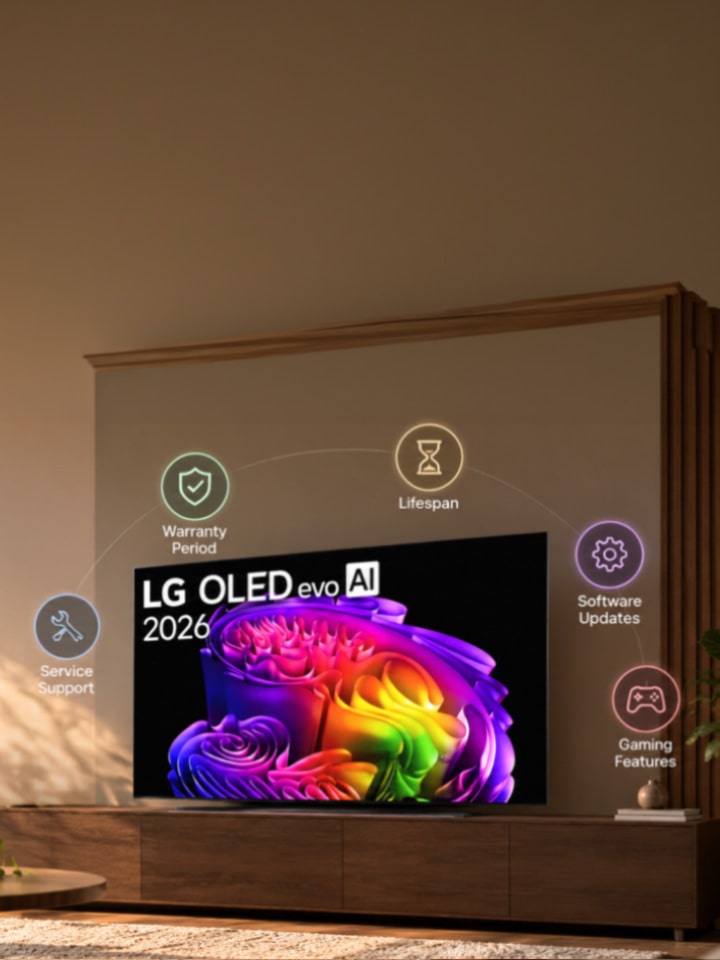
Buying a new TV or even renewing your old one is an investment. An investment where you judge gaming capabilities, processor, upgrade options, and all entertainment-related things. But what about how much the warranty on your TV covers? Or how long OLED pixels realistically hold up before quality starts to dip?

These are the questions that get skipped in the excitement of comparing screen specs — and they are exactly the ones that decide whether your TV still feels like a good purchase three years in.

Why Is It Important to Check Warranty Before Purchase?


Here's something most buyers don't realise -- LG's standard TV warranty in India is 1 - 2 years from the date of purchase, but LG frequently runs promotional warranty extensions — including 2-year and 3-year cards on TV models*, and dedicated extended warranty offers specifically for OLED TVs. These offers can vary by purchase period, which means the exact warranty on the TV you buy in March could look different from the one available in June.

*Please note that warranty information differs from product to product. Check product detail page or ask your retailer about the warranty information.

This is precisely why checking warranty terms before purchase isn't a formality — it is money on the table. LG maintains a dedicated page where buyers can locate the exact warranty card applicable to their purchase month and model. In short: never assume the warranty length from memory or from what a friend got last year. Confirm it against your specific purchase date.

Is There a Way to Know the Lifespan of My TV?


Lifespan isn't a single number stamped on the box, but there are real, checkable indicators. For OLED panels specifically, LG's self-lit pixel technology is generally understood to hold up for tens of thousands of hours. That’s generally good for a normal, mixed household viewing (news, shows, sport, streaming) rarely pushes a panel anywhere near that limit.

What shortens a panel's life is a narrower habit: leaving a static, high-brightness image — a channel logo, a paused game HUD, a stock ticker — on screen for many hours a day, every day, for years.

The platform matters too: LG's webOS Re:New Program provides up to 4 software upgrades over 5 years on eligible models, so even as hardware ages, the smart features and security don't get frozen in time the way they do on unsupported platforms.

Which Factors Should You Check Before Buying a TV?


Beyond the panel itself, here's a practical checklist worth running through before you commit:

What to Check Why It Matters
Warranty period & terms Confirm on lg.com/in for your exact purchase month — standard coverage and any live promotional extension differ
Panel type & HDR support OLED and QNED evo models support Dolby Vision; entry 4K UHD models typically support HDR10 and HLG only
Software update support webOS Re:New Program (up to 4 upgrades over 5 years) keeps the smart platform current well after purchase
Gaming features Game Optimizer, ALLM, HGiG, and VRR availability vary by tier — check before assuming a budget model has them all
Service network access Confirm authorized service centre coverage in your city via LG's support pages before buying

Running through this list takes ten minutes and can save a genuinely frustrating conversation with a service centre two years down the line.

Conclusion

A TV purchase decision that stops at screen size and processor speed is only half-informed. Warranty terms, realistic panel lifespan, and ongoing software support are what determine whether the TV still feels reliable — and still feels smart — well after the festive-season discount has been forgotten. Check the warranty card for your exact purchase month, understand what actually affects your TV’s longevity, and confirm software update support before you buy. That's the difference between a TV that ages well and one that quietly falls behind. Explore the comprehensive LG range of TVs.

FAQs


A. LG's OLED lineup has been recognised as the world's most-sold OLED TV brand for 12 consecutive years (2013-2024, per Omdia), which reflects sustained user trust at scale. Feedback generally points to strong picture consistency over years of use for long-term reliability specifically*.

*It is recommended that static content isn't left on screen for extended daily stretches — the same caveat that applies to any OLED panel, not just LG's.

A. Start with what your setup needs: a wall mount or stand rated for your exact screen size and VESA pattern, an HDMI 2.1 cable if you're gaming at 4K with high refresh rates, and an LG Magic Remote if your model doesn't include one by default. LG's accessories page lists options specifically matched to model and size — always check compatibility there rather than buying a generic third-party mount first

A. Yes — the LG 55NU870BPLA, a 2026 NANO 4K UHD TV available in India, supports 4K Ultra HD resolution (3840 × 2160) along with HDR10 and HLG. It also features LG’s HDR10 Pro, which applies Dynamic Tone Mapping to HDR10 content to optimise brightness, contrast and colour scene by scene. For streaming movies, shows and HDR content, HDR10 and HLG are the key supported formats.

A. LG's official TV accessories range on lg.com/in includes wall mounts and stands designed for specific screen sizes, so the right one depends entirely on your TV's model, rather than a single universal recommendation. For OLED models specifically, look for a low-profile or flush mount option, since these panels are considerably slimmer than standard LED TVs and benefit from mounts designed around that thinner profile.

A. For a TV that handles both well, LG's OLED evo C6 and G6 series are strong picks — they combine self-lit OLED contrast (ideal for movie nights) with Game Optimizer, ALLM, HGiG, and VRR support for responsive, tear-free gaming. The G6 series typically adds extra brightness for brighter rooms, while the C6 offers the same core gaming and picture strengths in a more space-friendly, wall-mount-ready design.