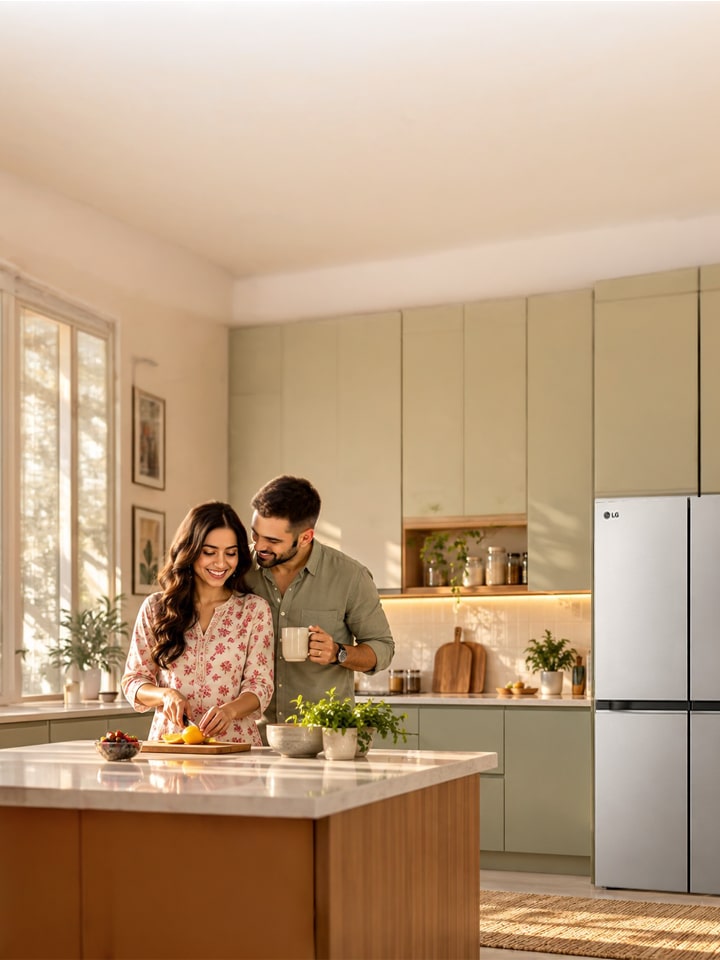
Smart refrigerators with AI and frost-free technology are becoming more popular among Indian households, combining convenient connectivity with reliable food storage and cooling. As homes become more connected and lifestyles become busier, refrigerators are evolving beyond basic food storage. Modern models can offer features that make it easier to manage cooling, monitor the appliance and organise everyday food storage.

LG refrigerators bring together technologies such as AI ThinQ™ connectivity, Smart Inverter Compressor, DoorCooling+™, Hygiene Fresh+™ and Convertible functionality on select models. These features provide greater convenience, efficient cooling, and flexibility for everyday Indian households.

What Smart Features Does LG AI ThinQ™ Offer for Refrigerators?


Feature Meaning How It Works
Temperature Control Allows users to manage refrigerator and freezer temperatures remotely. Users can check or adjust temperatures through the LG ThinQ™ app.
Express Freeze Helps freeze food faster by lowering the freezer temperature. Users can activate or deactivate the function through the app on compatible models.
Smart Diagnosis™ Helps identify certain refrigerator issues. It checks the appliance and provides diagnostic information through the app.
Push App Alerts Provides notifications about selected refrigerator events. Users can receive alerts for events such as an open door or completion of Express Freeze.
Smart Learner™ Learn refrigerator usage patterns. It analyzes usage patterns to provide an optimal storage algorithm on supported models.

How does the LG ThinQ app enhance refrigerator use?


The LG ThinQ™ app adds connected convenience to compatible LG refrigerators. Once the refrigerator is connected to the app, users can access supported functions from their smartphone without operating everything directly from the appliance.

Depending on the refrigerator model, ThinQ™ can allow users to:

  1. Monitor the refrigerator remotely: Check and manage selected settings through the app.
  2. Control selected functions: Adjust temperature or activate features like Express Freeze on compatible models.
  3. Receive alerts: Get notifications for selected events, including door-open alerts.
  4. Use Smart Diagnosis™: Compatible appliances can use the app to help identify certain issues.
  5. Manage the appliance conveniently: Access supported refrigerator functions even when you are away from the kitchen.

LG India offers AI ThinQ™/Wi-Fi connectivity on selected refrigerator models. Features and app functionality can vary by model, so users should check the specifications of their chosen refrigerator before purchase.

What makes smart refrigerators with AI special?


Smart refrigerators with AI offer a more connected and convenient way to manage everyday refrigeration. With compatible LG models, users can connect the AI ThinQ™ app to monitor and control selected functions from their smartphone.

Depending on the model, users can access features like temperature control, Express Freeze, appliance monitoring, and alerts. Smart Diagnosis™ can also help identify certain refrigerator issues, making troubleshooting more convenient.

Key advantages include:

  1. Connected control: Compatible refrigerators can be monitored and controlled through the LG ThinQ™ app.
  2. Convenient alerts: Receive notifications for selected appliance events, such as an open door.
  3. Efficient cooling: The Smart Inverter Compressor provides efficient and reliable cooling.
  4. Better temperature distribution: DoorCooling+™ helps deliver more even cooling, including around the door area.
  5. Improved freshness: Hygiene Fresh+™ is available on select models to help maintain a cleaner and fresher refrigerator environment.

These capabilities make a smart refrigerator more than just a food-storage appliance. They bring useful connected features into everyday kitchen routines. LG India offers Wi-Fi-enabled refrigerators across selected ranges; check the individual product specifications before purchase.

How Do Smart Features Enhance the LG Refrigerator Experience?


Smart Learner™, Smart Diagnosis™, and Smart LED make everyday refrigerator use more convenient, efficient, and user-friendly.

Smart Learner™

Smart Learner™ enables the refrigerator to understand usage patterns and help optimize its operation. By analyzing how the refrigerator is used, it can support more efficient cooling and storage based on everyday usage patterns on supported LG refrigerator models.

Smart Diagnosis™

Smart Diagnosis™ helps users identify certain refrigerator issues without requiring extensive troubleshooting. On compatible models, it works through the LG ThinQ™ app to check the appliance and provide diagnostic information, making it easier to understand and address potential issues.

How does Frost Free technology improve daily life?


Frost Free technology helps eliminate the need for regular manual defrosting by automatically managing frost formation inside the refrigerator. This makes everyday maintenance easier while supporting consistent cooling throughout the compartments.

Frost-Free operation can be especially convenient for Indian households, where refrigerators experience frequent door openings and changing storage needs.

Some of the key benefits include:

  1. Less manual maintenance: Automatic defrosting reduces the need for manual frost removal.
  2. Consistent cooling: Air circulation helps distribute cool air across different sections.
  3. Convenient storage: You can store food without regularly dealing with excessive frost build-up.
  4. Easier everyday use: The refrigerator remains ready for daily use with less maintenance effort.

LG India's Frost Free refrigerator range includes models equipped with technologies like Smart Inverter Compressor, DoorCooling+™, Hygiene Fresh+™ and other features, depending on the model.

How to install and set up your LG smart refrigerator in India


Setting up your LG smart refrigerator correctly can help ensure reliable performance and convenient everyday use. Before installation, select a suitable location with adequate space around the refrigerator and access to a proper power connection.

  1. Step 1: Choose the right location

    Place the refrigerator on a stable, level surface and ensure sufficient clearance around the appliance for proper ventilation.

  2. Step 2: Keep it away from heat sources

    Avoid placing the refrigerator in direct sunlight or close to appliances that generate significant heat. This helps the refrigerator maintain its cooling performance efficiently.

  3. Step 3: Allow the refrigerator to settle

    After installation, follow the instructions about when to switch on the appliance and when to load food.

  4. Step 4: Connect compatible models to LG ThinQ™

    If your refrigerator supports Wi-Fi, connect it to the LG ThinQ™ app to access supported smart functions such as remote monitoring, selected controls and notifications.

Always refer to the product manual for model-specific installation and setup instructions.

What should you do during power interruptions in India?


Power interruptions can be inconvenient, especially when the refrigerator contains fresh produce, dairy products, cooked food, and frozen items. During a power cut, one of the simplest steps is to keep the refrigerator and freezer doors closed as much as possible. This helps to minimize the loss of cold air.

Once the power supply returns, allow the refrigerator to resume normal operation. If your model is connected to LG ThinQ™, supported notifications and monitoring features can provide additional convenience.

LG also offers Auto Smart Connect™ on selected refrigerator models, which allows the refrigerator to work with a home inverter during power cuts. However, availability varies by model, so check the product specifications before buying.

Pro-tips for getting the most from your LG smart refrigerator


Getting the best performance from a smart refrigerator is not only about using its connected features. Good storage habits and regular care can also make everyday refrigeration more convenient.

  1. Keep fruits, vegetables, dairy products, and other food items in their suitable compartments.
  2. Avoid overloading the refrigerator and leave enough space for cool air to circulate properly.
  3. Use DoorCooling+™ on compatible models for more uniform cooling, including around the door shelves.
  4. Use ThinQ™ on available models to monitor the refrigerator and access supported controls from your smartphone.
  5. Keep frequently used items easily accessible to reduce unnecessary searching and prolonged door opening.
  6. Use Convertible functionality on selected models to convert freezer space into refrigerator space when extra fresh-food storage is required.

Regular maintenance and care tips


Keeping your LG smart refrigerator clean and well organised supports its long-term performance and maintains a hygienic storage environment.

A few simple practices can make a difference:

  1. Wipe spills and clean the refrigerator interior regularly.
  2. Clean the door gasket and check that it closes properly.
  3. Avoid blocking air vents with food containers.
  4. Do not overload shelves and compartments.
  5. Keep food covered or stored in suitable containers to reduce odours and maintain hygiene.
  6. If your refrigerator supports Smart Diagnosis™, use the feature when troubleshooting compatible issues.
  7. Follow the cleaning, installation and maintenance instructions provided with your specific LG refrigerator.

Regular care, combined with the right storage practices, can help keep your refrigerator functioning efficiently while making everyday food storage easier.

Disclaimer: All features should remain appropriately qualified as model-specific, and the applicable ThinQ/app connectivity and product -specification.

FAQs


A. The main benefit is connected and intelligent convenience. In compatible LG refrigerators, AI ThinQ™ allows users to monitor and control supported refrigerator functions through the LG ThinQ™ app. Depending on the model, features can include [MM6.1]temperature control, Express Freeze, alerts, and Smart Diagnosis™.

A. Frost Free technology automatically manages frost formation and circulates cool air through the refrigerator compartments. This reduces the need for manual defrosting and supports convenient, consistent cooling.

A. Yes, compatible LG refrigerators with Wi-Fi can be connected to the LG ThinQ™ app. Users can access supported controls and monitoring features remotely, such as temperature settings, Express Freeze and selected alerts. Availability depends on the refrigerator model.

A. Keep the refrigerator and freezer doors closed as much as possible during a power interruption to retain cold air. Once power is restored, allow the appliance to resume normal operation. Selected LG models also support Auto Smart Connect™, allowing the refrigerator to work with a home inverter.

A. Clean the interior and door seals regularly, avoid overloading the compartments, maintain proper airflow, and follow the care instructions provided with your model. If your refrigerator supports LG ThinQ™ and Smart Diagnosis™, you can also use the app's supported diagnostic functions for convenient troubleshooting.