| 1 |
Power |
Press once |
Power on / off |
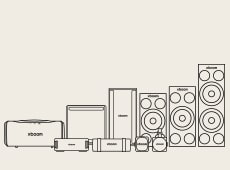
2025 Grab, Bounce, Stage301 2026 Mini, Rock, Blast, Stage501, Power9000, Power7000, Power5000 |
| 2 |
Power |
Press & hold (2s) |
Check battery level (3s display) Battery LED (Red: <20%, Amber: <80%, Green: >=80%) |
2025 Grab, Bounce, Stage301 2026 Mini, Rock, Blast, Stage501, Power9000, Power7000, Power5000 |
| 3 |
Volume + |
Press once |
Volume up (Portable series; Mini, Rock, Grab, Bounce, Blast 0-30 / Party series; Stage, Power 0-40) |
2025 Grab, Bounce, Stage301 2026 Mini, Rock, Blast, Stage501, Power9000, Power7000, Power5000 |
| 4 |
Volume - |
Press once |
Volume down (Portable series; Mini, Rock, Grab, Bounce, Blast 0-30 / Party series; Stage, Power 0-40) |
2025 Grab, Bounce, Stage301 2026 Mini, Rock, Blast, Stage501, Power9000, Power7000, Power5000 |
| 5 |
Play / Pause |
Press once |
Play / Pause track |
2025 Grab, Bounce, Stage301 2026 Mini, Rock, Blast, Stage501, Power9000, Power7000, Power5000 |
| 6 |
Play / Pause |
Double press |
Next track |
2025 Grab, Bounce, Stage301 2026 Mini, Rock, Blast, Stage501, Power9000, Power7000, Power5000 |
| 7 |
Play / Pause |
Triple press |
Previous track |
2025 Grab, Bounce, Stage301 2026 Mini, Rock, Blast, Stage501, Power9000, Power7000, Power5000 |
| 8 |
Play / Pause |
Press & hold (2s) |
Enter Voice Control mode. Exits automatically if idle for 2s |
2025 Grab, Bounce, Stage301 2026 Mini, Rock, Blast, Stage501, Power9000, Power7000, Power5000 |
| 9 |
Play / Pause (Incoming call) |
Press once |
Answer call via speakerphone |
2025 Grab, Bounce 2026 Mini, Rock, Blast, Stage501, Power9000, Power7000, Power5000 |
| 10 |
Play / Pause (Incoming call) |
Press & hold (2s) |
Reject call |
2025 Grab, Bounce 2026 Mini, Rock, Blast, Stage501, Power9000, Power7000, Power5000 |
| 11 |
Play / Pause (During call) |
Press once |
Mute / Unmute |
2025 Grab, Bounce 2026 Mini, Rock, Blast, Stage501, Power9000, Power7000, Power5000 |
| 12 |
Play / Pause (During call) |
Press & hold (2s) |
End call |
2025 Grab, Bounce 2026 Mini, Rock, Blast, Stage501, Power9000, Power7000, Power5000 |
| 13 |
Bluetooth |
Press once |
Enter BT pairing mode (1 min timeout) |
2025 Grab, Bounce, Stage301 2026 Mini, Rock, Blast, Stage501, Power9000, Power7000, Power5000 |
| 14 |
Bluetooth |
Triple press |
Enter USB Audio mode. Status: Yellow LED & sound effect |
2026 Mini, Rock, Blast, Stage501, Power9000, Power7000, Power5000 |
| 15 |
Bluetooth |
Press & hold (7s) |
User Reset. Status: Sound effect feedback |
2025 Grab, Bounce, Stage301 2026 Mini, Rock, Blast, Stage501, Power9000, Power7000, Power5000 |
| 16 |
Party Link |
Press once |
Enter Multi Mode. Status: Sound effect & LED (Main: Blue, Other: Cyan). Converging/Diverging motion for front lighting models |
2025 Grab, Bounce, Stage301 2026 Mini, Rock, Blast, Stage501, Power9000, Power7000, Power5000 |
| 17 |
Party Link |
Double press |
Enter Stereo Mode. Status: Sound effect & LED (Left: Blue, Right: Cyan). *Keep 'Always On' in Bluetooth power settings to maintain. |
2025 Grab, Bounce, Stage301 2026 Mini, Rock, Blast, Stage501, Power9000, Power7000, Power5000 |
| 18 |
Party Link |
Press & hold (2s) |
Cancel all Party Link modes |
2025 Grab, Bounce, Stage301 2026 Mini, Rock, Blast, Stage501, Power9000, Power7000, Power5000 |
| 19 |
My Button |
Press once |
Execute My Button function. If not set, white lighting blinks for 2s with sound |
2025 Grab, Bounce, Stage301 2026 Mini, Blast, Stage501, Power9000, Power7000, Power5000 |
| 20 |
My Button |
Double press |
Space Calibration. Plays calibration sound. Main lighting shows completion status. |
2025 Grab, Bounce, Stage301 2026 Blast, Stage501, Power9000, Power7000, Power5000 |
| 21 |
My Button |
Press & hold (2s) |
Switch call between phone / speaker (during call) |
2025 Grab, Bounce 2026 Mini, Blast, Stage501, Power9000, Power7000, Power5000 |
| 22 |
My Button |
Press & Hold |
Speak while pressing, release to play response. *Android: Turn on 'Appear on top' in App settings |
2025 Grab, Bounce 2026 Mini, Blast, Stage501, Power9000, Power7000, Power5000 |
| 23 |
Sound Mode |
Press once |
Toggle: Selected EQ(White) > Sound Field Enhance(Red) > Play Time Enhance(Green) > Standard EQ(Yellow) *Selected EQ refers to any EQ setting other than 'Standard' (Default: Bass Boost). |
2026 Blast, Stage501, Power9000, Power7000, Power5000 |
| 24 |
Combo Button (-, ♡) |
Press simultaneously |
Front lighting off |
2025 Grab, Bounce, 2026 Blast |
| 25 |
Lighting |
Press once |
Loop through front lighting modes & off |
2025 Stage301 2026 Stage501, Power9000, Power7000, Power5000 |
| 26 |
Smart (Party Link) |
Press once |
Enter Multi Mode |
Rock |
| 27 |
Smart (Party Link) |
Double press |
Enter Stereo Mode |
Rock |
| 28 |
Smart (Party Link) |
Press & hold (2s) |
Cancel all Party Link modes |
Rock |
| 29 |
Smart |
Triple press |
Toggle Party Link ↔ My Button. Status: Cyan lighting (3s) for Party Link, Purple lighting (3s) for My Button |
Rock |
| 30 |
Smart (My Button) |
Press once |
Execute My Button function. If not set, white lighting blinks for 2s with sound |
Rock |
| 31 |
Smart (My Button) |
Press & hold (2s) |
Switch call between phone / speaker (during call) |
Rock |
| 32 |
Smart (My Button) |
Press & Hold |
Speak while pressing, release to play response. *Android: Turn on 'Appear on top' in App settings |
Rock |
|
|
|
|
|