Ever wondered why some TVs present crisp picture quality and some don't? Or trying to figure the difference between 4k and HD? Well if you are thinking along these lines, you are concerned with TV Viewing Quality. And this blog speaks about it.

Picture quality used to come down to one thing: how many pixels a screen had. Buy more pixels, get a better picture, simple. Except anyone who has actually compared two “4K” TVs side by side in a showroom knows that's not the whole story.

Two TVs with identical resolution can look completely different, one flat and washed out, the other alive and detailed. The missing ingredient in that gap is almost always the processor, and more specifically, how much AI picture processing that processor is doing behind the scenes.

What Is AI Picture Processing?


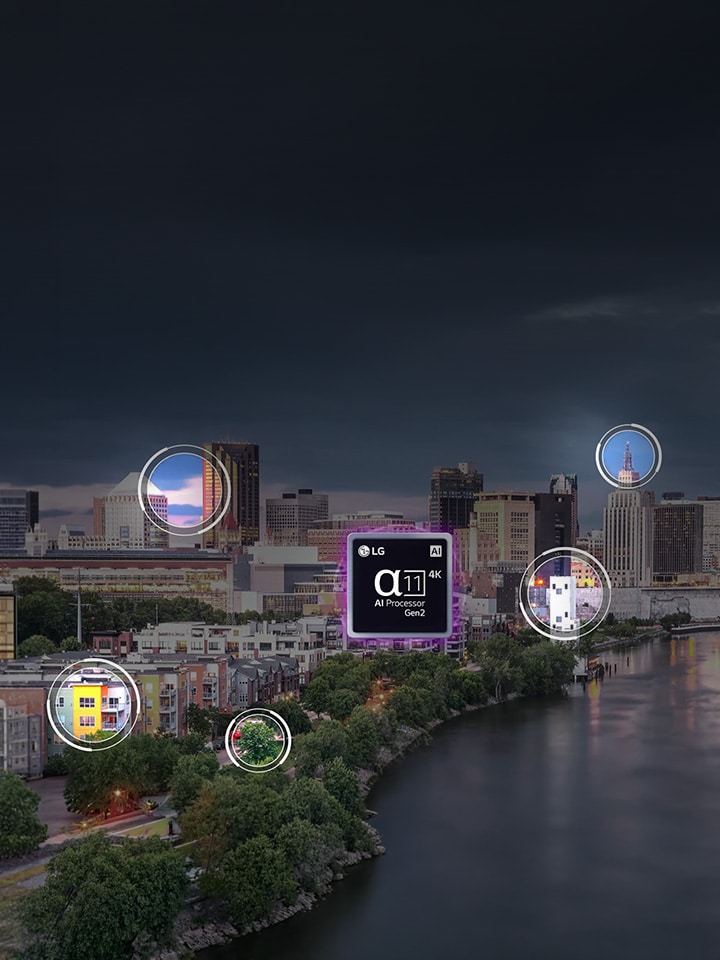
In short, AI picture processing is the TV analysing and enhancing every frame in real time, rather than just displaying whatever signal it receives.

It refers to a chip-level system that studies the incoming picture, source content, ambient lighting, and even the specific scene, then adjusts sharpness, colour, contrast, and motion accordingly, frame by frame.

This matters more than most buyers realise, because most of what you watch is not native, pristine 4K. Older shows, compressed streaming content, and standard broadcast feeds are frequently lower resolution than your screen. AI picture processing is what fills that gap intelligently, instead of just stretching a blurry image across a bigger panel.

How Does AI Picture Processing Work in LG TVs?


LG OLED evo models are built around the Alpha AI Processor with a Dual AI Engine, and this is genuinely worth understanding, not skipping. For OLED TV C Series, the processor of NPU is up to 5.6 times more powerful, its CPU is 50% faster, and its GPU performance has improved by 70% stronger, and the processor precisely controls 8.3 million pixels to automatically deliver optimal picture quality across movies, sports, games, and more.

That processing power is delivered to you through a few named features, so let's define each one simply:

Feature What It Actually Does
AI Picture Pro Restores fine detail through pixel-level upscaling, sharpening texture in grass, skin, and food surfaces
AI Sound Pro Refines individual audio elements for a more immersive, room-filling listening experience
AI Picture & Sound Wizard Learns your personal viewing preferences over time and optimises picture and sound automatically for you
Hyper Radiant Color Tech Combines Perfect Black, more vivid colour, and brighter visuals, powered by the Alpha processor

This same Dual AI Engine also drives Reflection Free Premium technology, which keeps blacks deep and true even in bright, sunlit living rooms, something that plain LED backlighting historically struggled with.

Please note that AI Concierge and AI Chatbot, also part of the webOS AI TV experience, work alongside AI Picture Pro. While AI Picture Pro is fixes the image itself, AI Concierge is quietly learning what you like to recommend better content, and AI Chatbot understands your problem before you even finish typing it, guiding you to a fix in real time.

It's worth noting that all of this AI picture and sound processing sits on the same platform as LG's Multi-AI search, powered by AI with Gemini, and every one of these AI experiences, from picture tuning to voice search, can be unlocked with AI Magic Remote.

LG’s platform brings all your AI picture and sound processing together—powered by AI with Gemini. You can effortlessly access every experience, including custom picture tuning and voice search, directly through the AI Magic Remote. So the “AI TV” label isn't just a marketing phrase sitting next to the box, it's a genuinely connected system where the processor, the remote, and the smart platform are all talking to each other.

Difference Between 4K and HD


The answer is simple: HD (1280x720 or 1920x1080 Full HD) and 4K Ultra HD (3840x2160) differ in one core measure, the number of pixels packed into the same screen size, and 4K packs in roughly four times as many.

Resolution Pixel Count Everyday Impact*
HD Ready 1280 x 720 Visible softness on screens above 32 inches
Full HD 1920 x 1080 Clean on mid-size screens, softer on large ones
4K Ultra HD 3840 x 2160 Crisp detail even on 55-inch-plus screens

*please note that this is indicative.

The real difference most people notice at home isn't the resolution number itself, it's whether the TV's processor can upscale non-4K content well.

The real difference most people notice at home isn't the resolution number itself, it's whether the TV's processor can upscale non-4K content well.

What Should I Consider When Buying an LG TV for a Small Living Room (Screen Size, HDR, Input Options)?


For a compact room, it is recommended stick to a 108(43)cms -126cms [AM2.1][D2.2][AM2.3][D2.4](50) screen viewed from roughly 6-8 feet*, so detail stays sharp without visual strain. Look for HDR support (HDR10 or Dolby Vision) since it's defined as a technology that expands contrast and colour range, making a real difference on smaller panels where detail needs to work harder. Also check for at least 3 HDMI ports (ideally HDMI 2.1), since a small room often still needs to juggle a set-top box, gaming console, and soundbar simultaneously.

Flip through the LG TV & Soundbar Range and bring home the best-suited LG TV today!

*disclaimer: this is just an indicative distance. The exact viewing distance will vary from surrounding to surrounding.

FAQs


A. The LG OLED evo C series, is the natural pick if you want one TV that handles both gaming and movies well. It runs on the Alpha processor with a Dual AI Engine, supports 4K gameplay with G-Sync and FreeSync, carries and pairs Dolby Vision and Dolby Atmos for movie nights.

A. LG's current OLED evo lineup, across the C and G, runs on the Alpha AI Processor with a Dual AI Engine. It handles both picture tasks, like AI Picture Pro's pixel-level upscaling, and sound tasks, like AI Sound Pro well.

A. OLED panels are self-emissive, meaning each pixel produces and switches off its own light, which is what gives LG OLED its signature perfect black and pixel-level contrast. QNED TVs instead use an LED backlight combined with Quantum Dot colour and LG's NanoCell filtering layer, which pushes higher peak brightness but doesn't achieve per-pixel black. If your room is dark to moderately lit and you want the deepest contrast, OLED is the stronger pick; if your room gets a lot of direct sunlight and brightness matters most to you, QNED is a reasonable, budget-friendlier option.

A. This usually points to one of two things: an HDMI cable that's loose, damaged, or has a poor connection, or an unstable broadcast or set-top box signal, rather than a fault with the TV panel itself. Follow the steps below for resolution:

  1. Step 1. : Start by turning off the TV and set-top box
  2. Step 2. : Disconnect the HDMI cable from the back of the TV
  3. Step 3. : Reconnect the cable firmly, ideally with a genuine HDMI cable.

A. For the complete step-by-step troubleshooting guide, including model-specific menu paths and the automatic HDMI cable inspection tool, refer to LG's official support page:https://www.lg.com/in/support/product-support/troubleshoot/help-library/cs-CT52006776-20154860117700/