Your search for TVs has not ended and your search history has phrases like - “compare tvs”, “hd vs full hd”, or “tv comparison” - this stress is understandable. This TV buying guide can be useful for you.

Somewhere between the fortieth open tab and the fifteenth YouTube review, TV shopping stops feeling exciting and starts feeling like homework. Every brand throws numbers at you, and every comparison site seems to disagree with the last one. The good news is that buying your first smart TV doesn't need a technical degree, just a handful of clear answers.

Which Factors to Consider When Buying a TV?


In short, the right TV is a mix of screen size that suits your room, resolution that matches your content, and a smart platform that actually understands what you want to watch, hear, or ask.

Start with screen size and viewing distance. A TV that's too big in a small room causes eye strain; too small, and you lose the immersive effect. Next comes resolution, which is where “hd vs full hd” and “full hd vs ultra hd” comparison usually begin.

Resolution Pixel Count Best Suited For
HD Ready 1280 x 720 Smaller screens, casual viewing
Full HD 1920 x 1080 Mid-size rooms, everyday entertainment
4K Ultra HD 3840 x 2160 Large screens, movies, sports, gaming

The answer is simple: for any screen above 43 inches, 4K Ultra HD is recommended, since it delivers four times the detail of Full HD and pairs naturally with today's streaming content, most of which is already mastered in 4K.

Picture technology is the next decision, where OLED and QNED panels enter the conversation, unpacked in the next section.

Then there's the brain of the TV: the processor and smart platform. LG OLED evo models run on the Alpha processor and AI Engine, which powers AI Picture Pro for pixel-level upscaling and AI Sound Pro for refined, immersive audio.

As recommended by home entertainment experts, a TV's processor matters as much as its panel, since it decides how well the screen upscales older content and balances sound without an external speaker.

Also note gaming credentials if you play console or cloud games: look for HDMI 2.1 ports, G-Sync and FreeSync compatibility, and a high refresh rate, all of which reduce lag and screen tearing.

Finally, check the remote and voice ecosystem. LG's AI Magic Remote, paired with Gemini and Copilot-based Multi-AI on webOS, lets you search, ask questions, and control smart devices with a single button. webOS itself is defined as a smart platform that stays updated with free feature upgrades for years after purchase, which is a key point when you compare LG TVs webOS vs Android TV models from other brands.

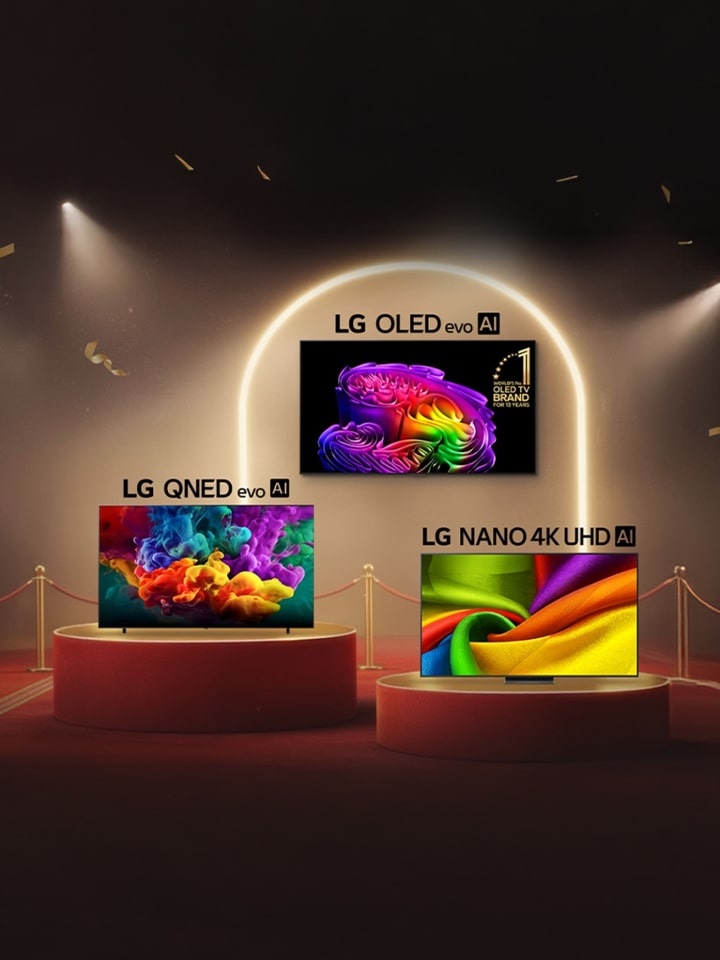
What Is the Difference Between LG QNED and OLED TVs?


OLED refers to Organic Light Emitting Diode technology, where each individual pixel produces its own light and switches off completely when displaying black. This is what gives OLED screens their signature perfect black and sharp contrast, since there's no backlight coming into dark scenes.

QNED, on the other hand, is a type of LED-backlit television that combines Quantum Dot colour technology with LG's NanoCell filtering layer. It uses a strong backlight to push out higher peak brightness, which some buyers prefer for very bright, sunlit rooms.

Parameter LG OLED LG QNED
Black Levels Perfect black, pixel by pixel Very good, but backlight-dependent
Peak Brightness Up to 3.9x brighter with Brightness Booster Ultra (G/W series) High, backlight-driven brightness
Best For Home theatres, dark or moderately lit rooms Brightly lit living rooms
Processor Alpha AI Processor with Dual AI Engine LG AI processor

If your room has heavy natural light and you prioritise brightness above all, QNED is a reasonable, budget-friendlier starting point. If you watch a lot of movies, sports, or gaming content and want true blacks and vivid contrast, LG OLED, especially the OLED evo range, is widely regarded as the best OLED TV in India for picture purists.

What Should I Look For When Comparing LG TV Prices Across Retailers?


Please note that the same LG TV model can carry different final prices across retailers because of bundled offers, not the television itself. Before comparing TVs on price alone, check:

  1. Screen size and exact model number
  2. Warranty terms, since select LG TV models may carry an extended warranty of up to five years
  3. Included accessories, such as the AI Magic Remote, or a bundled soundbar, a better deal & discounted TV offer
  4. webOS upgrade support, since LG offers five years of free feature upgrades on eligible models
  5. Installation and demo charges, EMI options, and exchange offers, which vary widely between offline stores and online marketplaces (LG TVs and Soundbars Price | LG India for online offers)

It is recommended to always cross-check the model number on LG's official India website before finalising a purchase, since retailers occasionally list older or regional variants under similar-sounding names.

Conclusion


Buying your first smart TV doesn't have to feel like decoding a spec sheet in a foreign language. Once you're clear on screen size and resolution, the rest is about matching your budget to a platform that actually keeps improving after purchase, thanks to LG TV features like webOS, AI Picture Pro, and AI Sound Pro. The next time your search history says “tv comparison,” you'll already know exactly what you're comparing. Check LG range of TVs now.

FAQs


A. For a small living room, you should stick to a 43–50 inch screen viewed from about 6–8 feet away, so the picture stays immersive without straining your eyes. Prioritise HDR support (HDR10 or Dolby Vision, depending on the series) for richer contrast on a smaller panel, and check that the TV has at least 3 HDMI ports, since one small room often still needs to connect a set-top box, gaming console, and soundbar together.

A. NanoCell is a colour-filtering layer that sits over the LED backlight to reduce colour impurities and widen the viewing angle, so blacks and mid-tones look cleaner than on a basic LED TV. It sits between entry LED models and the OLED evo range in overall picture depth: better colour accuracy and off-angle viewing than a standard LED TV, but without the pixel-level perfect black that OLED delivers.

A. Yes. A standard remote only handles basic functions like volume and channels. A smart remote adds app shortcuts and voice search. The AI Magic Remote goes further, using point-and-click navigation plus AI Voice ID and Gemini and Copilot-based Multi-AI access on webOS. If your TV supports it, the AI Magic Remote is worth choosing since it turns everyday navigation and search into a single button press.

A. To put it simply, you should choose a wall mount if you want a clean, furniture-free look and have a solid wall near a power socket; it also suits the ultra-slim profiles of OLED evo models. Choose a stand if you rent your home, want flexibility to rearrange the room, or don't want to deal with drilling and cable concealment. Either way, confirm the VESA mount size matches your exact 55-inch model before buying hardware separately.

A.

  1. Step 1. On first setup or from Settings, select Network, then choose Wi-Fi or Wired Connection.
  2. Step 2. For Wi-Fi, pick your home network from the list and enter the password; for a wired connection, plug an Ethernet cable into the TV's LAN port.
  3. Step 3. Once connected, sign in to your webOS account to unlock app downloads, software updates, and Multi-AI features like Gemini and Copilot.
  4. Step 4. Run a quick connection test from the Network settings menu to confirm speed is sufficient for 4K streaming.