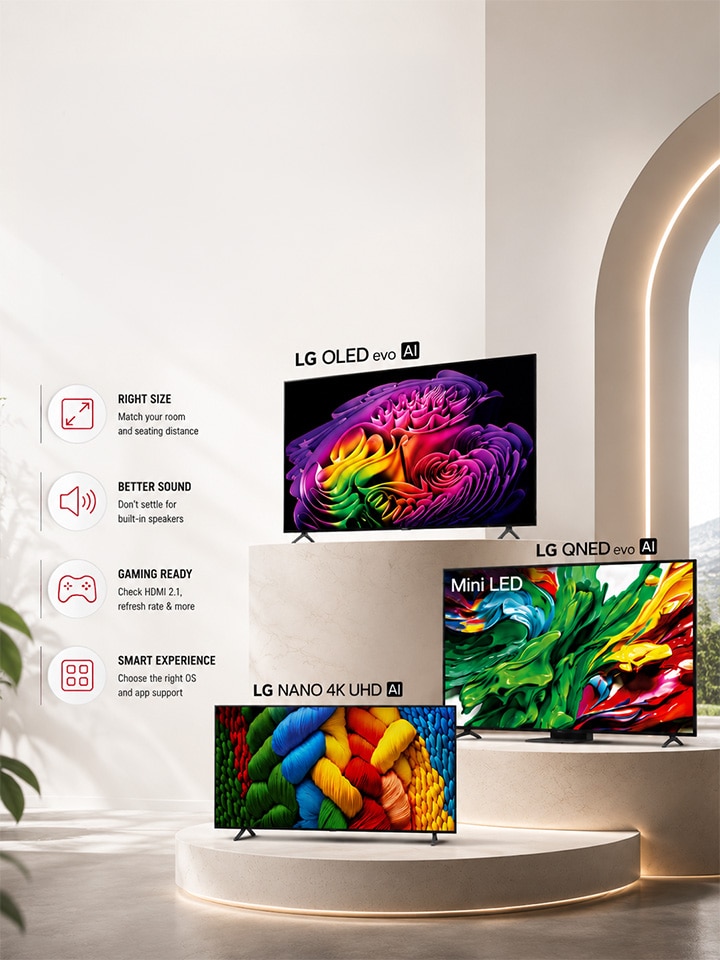
Buying a TV after reading a TV buying guide is a standard rule, but does it lead every buyer the right way? When you compare TVs, it's essential to know about the mistakes to avoid while making the purchase.

Most buying guides tell you what to look for. Fewer tell you what quietly goes wrong after the excitement of a discount takes over and a few small compromises start feeling reasonable. 2026 has more in store than ever, LG OLED, QNED, Nano 4K UHD, and comparing them properly takes a bit more than glancing at a price tag.

Here are the mistakes that trip up buyers most often, and how to sidestep each one.

Picking the Smaller TV to Save Money


This is the most common one. A buyer walks in planning for a 139(55) cms screen, sees a 108 (43) cms model at a friendlier price, and talks themselves into it being “close enough.” It rarely is.

Room Width Recommended Screen Size*
Small (under 10 ft) 108(43) cms - 126(50) cms
Medium (10-13 ft) 139(55) cms -164(65) cms
Large (13 ft+) 164(65) cms and above

The answer is simple: sit at roughly 1.5 times the screen's diagonal size for comfortable 4K viewing, and a screen that's undersized for the room makes even excellent picture processing, like AI Picture Pro on LG OLED evo models, harder to appreciate, since fine detail gets lost at a distance. If your room and budget genuinely support a larger panel, don't downsize just to save on the invoice; you'll likely end up wanting to upgrade within a year.

*Please note that this is indicative number suggested to improve the viewing quality. The screen size depends on the room size and user preferences.

Not Getting a Separate Sound System


Even the best checklist to compare TVs tends to focus entirely on the picture and forgets that sound is half the experience. Slim TV bodies physically don't have room for large speaker drivers, so built-in audio, however well processed, still has its limits in a full-size living room.

LG addresses part of this gap with AI Sound Pro, which refines individual audio elements for a more immersive listening experience. It's a genuine improvement over basic television speakers.

That said, if your room is large or you watch a lot of movies and OTT content, pairing the TV with even an entry-level soundbar closes the gap between “good enough” and “actually immersive,” especially for Dolby Atmos content that many current LG OLED evo and LG QNED evo TV models support.

Overlooking Gaming and Connectivity Specs


According to sources, gaming is where buyers lose the most value because they don’t know which TV features are important for gaming. A TV can have a stunning panel and still frustrate a gamer if the ports and refresh rate aren't right.

Check for the following before you finalise a model:

  1. At least one HDMI 2.1 port for full-bandwidth 4K high-refresh gaming
  2. G-Sync and FreeSync compatibility to prevent screen tearing
  3. A genuinely low input lag or fast response time in Game Mode
  4. VESA DSC certification if you plan to game at very high refresh rates
  5. Enough total HDMI ports (3 or more) for a set-top box, console, and soundbar together

This matters just as much for movie and OTT viewers as gamers, since the same HDMI 2.1 bandwidth that helps a console also carries higher-quality Dolby Vision and Atmos streams cleanly. On LG's OLED evo C series, for example, this gaming groundwork sits alongside movie-friendly features on the same TV, so families don't have to choose between a “gaming TV” and a “movie TV” as two separate purchases.

Ignoring the Operating System and App Support


Studies show buyers spend far more time comparing panel specs than the smart platform, even though the platform is what you'll interact with every single day. This is where the “webOS vs Android TV,” “smart tv vs android tv,” and “webOS vs Google TV” questions genuinely deserve more attention than they get in-store.

LG's webOS runs Gemini, letting you ask your query and get an answer, while AI Voice ID recognises your voice and switches straight to your personal profile. LG offers five years of free feature upgrades on eligible webOS models, so the smart features you buy into today don't quietly stop improving in year two.

It is recommended to also compare app support directly rather than assuming all smart platforms carry the same OTT apps, since regional availability can vary between webOS, Android TV, and Google TV devices. A platform mismatch here is an easy thing to overlook while comparing specs on paper, but it's the one that shows up the very first evening you sit down to watch something.

Conclusion


The best OLED TV in India, or any TV for that matter, is the one that matches your room size, your sound expectations, your gaming habits, and a platform you'll still enjoy using years from now.

Slow down at each of these checkpoints before you commit. Check out the LG range of TVs and soundbars

FAQs


A. Check your wall or stand can support the weight and size well in advance, and double-check delivery access through doorways and stairwells, since 97-inch panels are large and need a clear path. Note that at this size, some features vary from smaller models in the same series.

A. Prioritise Reflection Free Premium technology to keep blacks deep even with some ambient light, AI Picture Pro for detail restoration on non-native 4K content, and Dolby Vision and Dolby Atmos support since most OTT platforms stream in these formats. Also check for a panel warranty, offered on select OLED models, for long-term peace of mind in a dedicated theatre room.

A. For both LED and OLED screens, the official recommendation is the same: a soft, dry microfiber cloth, lightly dampened with water only for stubborn marks. Never use abrasive materials on either panel type, since these can permanently damage the screen's coating, and always unplug the TV before cleaning. It is advised to check the product user manual for complete information.

A. LG's OLED lineup, including the OLED evo is good for gaming and movies. They use a different self-lit panel enhanced with Hyper Radiant Color technology and the Alpha AI Processor with a Dual AI Engine, which delivers comparable perfect-black performance along with gaming credentials like G-Sync, FreeSync, and HDMI 2.1.

A. Insert the pendrive into any of the USB ports on the side or back of the TV, then use the remote to open the Home menu and select the USB device from the connected devices or Photo & Video app. From there, you can browse and play photos, videos, or music stored on the drive directly on screen.