The search for the best OLED TV in India for streaming content is a tough one. When you compare TVs, HD vs full HD is always a hot debate.

Add a third variable, OTT streaming, and the confusion multiplies. Netflix looks different from Prime Video, which looks different from a live cricket match on a sports app, and somewhere in between all that switching, you're also being told to care about resolution, panel type, and something called an AI processor. Let's slow this down and actually solve it, one comparison at a time.

Which TV Is Best: OLED, QNED or 4K for Streaming OTT Content?


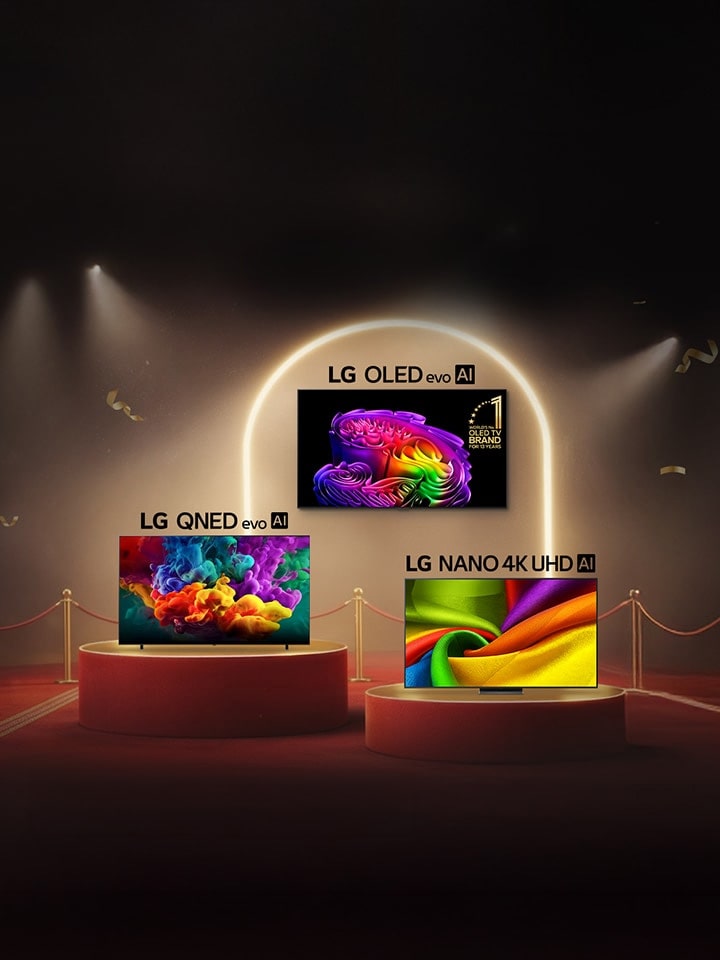
In short, the right answer depends on your room's lighting and how much of a home-theatre experience you want, beyond your budget ceiling. Here's how LG's three main tiers stack up for streaming specifically.

TV Type Core Technology Best For Streaming When...
Nano 4K UHD LED panel with Nano Detail Enhancer, powered by the α7 AI Processor You want clean 4K HDR streaming at an accessible price
QNED evo MiniLED backlight, Dynamic QNED Color, α8 AI Processor Gen2 or above Your living room gets strong daylight and you stream a lot of sports or bright content
OLED evo Self-lit pixels, Alpha AI Processor with Dual AI Engine You binge-watch films and shows in a dim or moderately lit room

Please note, “4K” and “UHD” are not competing formats, they refer to the same thing: a resolution of 3840x2160 pixels, roughly four times sharper than Full HD. The “4K vs UHD” debate that shows up is not a technical difference.

For streaming specifically, OLED has a natural advantage because most OTT platforms deliver HDR content, and OLED's self-lit pixels can switch off individually for true black, which is exactly what dark, cinematic scenes on Netflix or Prime Video lean on. This is powered by Hyper Radiant Color technology on OLED evo models, delivering perfect black, richer colour, and brighter highlights together, driven by the Alpha AI Processor with a Dual AI Engine.

QNED evo, on the other hand, is defined as LG's premium TV line, certified for 100% Color Volume through Dynamic QNED Color, and built with MiniLED backlighting precisely controlled by the α8 AI Processor Gen2 or above. It's a strong streaming pick for brighter rooms where OLED's absolute blacks matter less than raw brightness for daytime viewing.

webOS vs Android TV – the big debate? Whichever panel you land on, the smart platform running the show matters just as much. This is where the “webOS vs Android TV” and “webOS vs Google TV” comparisons come in: LG's webOS is built around Gemini and Copilot-based Multi-AI, letting you ask a question and get an answer, while AI Voice ID quietly switches to your personal profile the moment it recognises your voice.

LG's webOS features Multi-AI Search powered by Gemini, letting you ask questions and get instant answers—while AI Voice ID automatically recognizes your voice to switch to your personalized profile.

Multi-AI setup Powered by Gemini, LG’s webOS’s Multi-AI Search setup reaches beyond search. AI Concierge studies what you actually watch and quietly surfaces recommendations without interrupting your current show, and AI Chatbot understands a problem before you've even finished describing it, walking you toward a fix instead of leaving you to dig through menus. All of it, from switching profiles to troubleshooting, sits behind a single AI button on the AI Magic Remote, which is a genuinely different experience from scrolling through a generic Android TV or Google TV home screen app by app.

What Should I Look For When Choosing an OLED TV for a Home Theater Setup?


Viewers tend to notice picture quality most in dark scenes, which makes OLED's perfect black a genuine advantage for a home theatre room with the lights off. Beyond the panel itself, check for:

  1. Reflection Free Premium technology, which keeps blacks deep even if some ambient light creeps in, rather than washing the picture out to grey
  2. AI Picture Pro, which restores fine detail through pixel-level upscaling, since most streamed content isn't shot in native 4K
  3. AI Sound Pro, which refines individual audio elements for immersive sound directly from the TV, useful if a full soundbar setup isn't part of your plan yet
  4. Dolby Vision and Dolby Atmos support, since most major OTT platforms stream in these formats
  5. A 5-year free panel warranty*, for long-term peace of mind

It is recommended to also check webOS's five years of free feature upgrades, since a home theatre TV is a long-term investment, and a platform that keeps improving protects that investment far longer than the panel alone.

*please note it is offered on select OLED[AM3.1][D3.2] G series models

In a Nutshell


There's no single “best smart tv in india” for everyone, only the best fit for your room and your streaming habits. If your OTT sessions happen mostly after dark, OLED's perfect black and AI Picture Pro-driven detail make it the strongest pick. If your living room fights daylight all afternoon, QNED evo's brightness and colour volume carry the day. Either way, spend as much time evaluating the AI processor and webOS platform as you do the resolution number, since that's what actually decides how good your favourite show looks every single night, long after the “full hd vs ultra hd” spec sheet has stopped mattering and the actual watching has begun. LG TV Range is here to stun you with its lineup, check out now!

FAQs


A. For Android phones, follow the steps below:

  1. Step 1. Swipe down to open your Control Center,
  2. Step 2. Tap Screen Mirroring or Smart View,
  3. Step 3. Select your LG TV from the list of nearby devices,
  4. Step 4. Then accept the connection prompt on the TV.

For iPhones, follow the steps below:

  1. Step 1. Make sure AirPlay is turned on in the TV's settings and both devices are on the same Wi-Fi network,
  2. Step 2. Open Control Center on your iPhone and tap Screen Mirroring to find your TV.

A. The C4 is a strong previous-generation OLED, and its successor, the current OLED evo C series, carries that same all-rounder position forward. It runs on the Alpha AI Processor with a Dual AI Engine, supports 4K 165Hz with G-Sync and FreeSync, is VESA DSC and HDMI 2.1 certified for gaming, and pairs Dolby Vision and Dolby Atmos for movies, making it a genuine one-TV-does-both option.

A. Yes, for a dark room specifically. OLED's self-lit pixels switch off completely for true black, which is exactly the condition a dark home theatre creates, so contrast and shadow detail look better.

If the room is dedicated to movie watching with controlled lighting, yes, since you're paying for per-pixel black levels and Alpha AI Processor-driven detail that a standard LED panel structurally cannot match. If the same room doubles as a bright daytime family space, a QNED [AM6.1][D6.2]evo model may deliver better value for the money.

While OLED remains the ultimate standard for cinematic picture quality, a QNED evo model is specifically engineered to thrive in high-ambient-light family spaces.

A. Magic Remote compatibility depends on your TV's model year and webOS version, since pairing protocols have changed across generations; it isn't universally backward compatible with very old models. To pair a compatible remote, point it at the TV, press and hold the wheel or OK button for a few seconds until a pairing icon appears onscreen, confirming the connection.