So many options available and yet you are not able to find the best laptop or monitor. It is time to upgrade your research game, so you can find a monitor ideal for your work from home setup.

Think about your last work day. A spreadsheet in one corner. A Zoom call in another. Three browser tabs you swear you'll close later. Now picture doing all of that on a screen that's too small, too dim, or just not built for it.

The real problem is more than just "which monitor is best". It is which one actually fits how you work, every single day.

What Should a Work-From-Home Monitor Actually Do?


To put it simply, a monitor, work from home or general purpose, must seamlessly become a part of your day. You should be able to see movies, multitask, open multiple tabs, and do a lot more with one monitor.

A few things separate a good work monitor from an average one:

Feature Why it matters day-to-day
Bigger or ultrawide screen Fewer tabs hidden behind each other, less alt-tabbing
QHD / 4K resolution Text stays sharp even when you zoom into dense sheets
IPS or OLED panel Colours look right, and angles don't wash out during calls
Flicker Safe / Reader Mode Less eye strain across an 8-hour stretch
USB-C connectivity One cable, laptop charges and casts — no cable mess
Higher refresh rate Smoother scrolling, smoother video, smoother everything

In short: multitasking comfort, eye comfort, and one less cable to think about. That's the checklist. However, screen size takes priority over everything for many people. According to Rtings, the screen size is a key decisive factor for monitor purchase.

Also note that LG monitors feature VESA DisplayHDR™ 400*. This VESA certification means HDR400 (high dynamic range) supports specific levels of color and brightness. You can see clearer detail whether it’s a spreadsheet or an OTT show on weekends.

*Please note that this certification may vary from model to model. Check lg.com/in carefully before making a purchase

The Top 5 LG Monitors Worth Shortlisting


A quick note before this list: the model numbers below are shown in their 27-inch avatar simply because that's the most common desk size. Most of these LG monitor series — UltraGear, UltraFine, and the QHD/UHD range — also come in other screen sizes. So think of these as your reference point for the series, not the only size available.

LG UltraGear 27GX790A-B This is the one for people whose "work day" quietly turns into a "gaming night." OLED panel, 480Hz refresh, 0.03ms response time. Overkill for a spreadsheet? Maybe. But scrolling and video calls have never looked this smooth

Key Features:

  1. 27 (68.58 cm) QHD (2560x1440) OLED display
  2. DisplayHDR True Black 400 / 1.5M:1 contrast ratio
  3. OLED with 480Hz refresh rate
  4. 0.03ms (GtG) response time
  5. NVIDIA® G-SYNC® Compatible / VESA Certified AdaptiveSync / AMD FreeSync™ Premium Pro
  6. Hexagon lighting design with space-saving L stand

LG UltraFine 27US550-W 4K UHD, IPS, virtually borderless. This is the monitor for people who stare at fine print all day — research, design, long documents — and want it to stay sharp without squinting.

Key Features:

  1. 27 (68.58 cm) UHD 4K (3840x2160) IPS display
  2. 2HDR10, DCI-P3 90% (Typ.)
  3. 2Brightness 300nits upgrade
  4. 23-side Virtually Borderless
  5. 2LG Switch

LG 27U631A-B QHD with USB-C and a 100Hz refresh rate. Plug in one cable, and you're working. No fuss, no extra adapters. A genuinely simple, sensible pick.

Key Features:

  1. 27 (68.58cm) QHD (2560 x 1440) IPS display
  2. sRGB 99% (Typ.) / 100Hz refresh rate
  3. USB-C (PD 15W)
  4. Reader Mode & Flicker Safe
  5. Tilt adjustable stand
  6. LG Switch app

LG 27UP850K-W 4K UHD with DisplayHDR 400 and Dynamic Action Sync. This one sits comfortably between "serious work monitor" and "good enough for a movie night."

Key Features:

  1. 68.58 cm(27) UHD 4K IPS display
  2. DCI-P3 95% (Typ.)
  3. VESA DisplayHDR™ 400
  4. USB-C
  5. Tilt, height and pivot adjustable stand

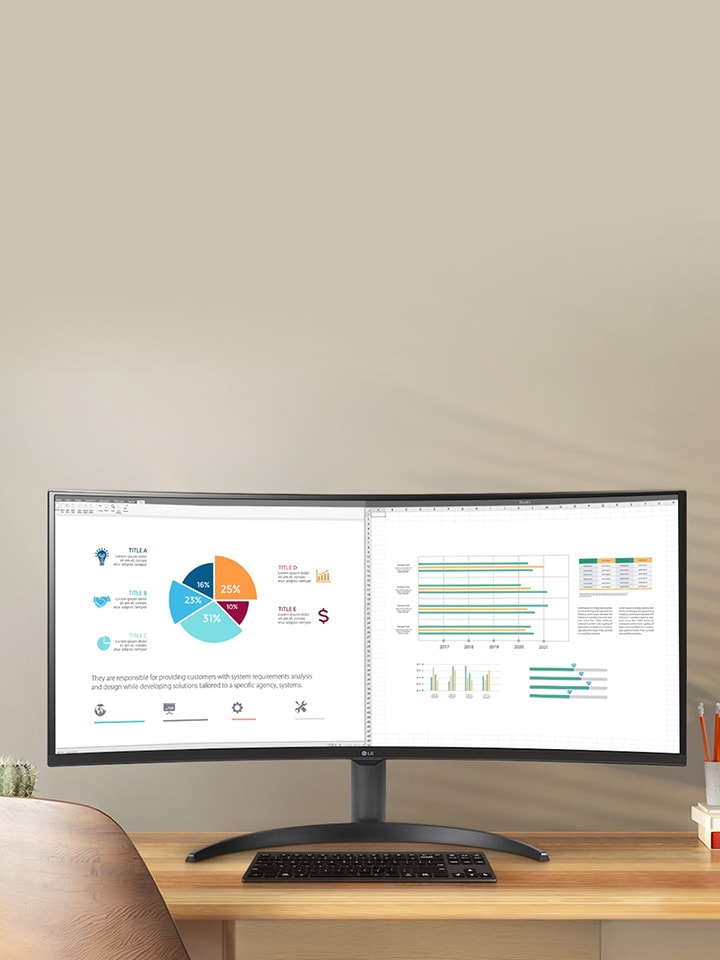
LG UltraWide 34U511A-B 21:9 aspect ratio, 34-inch canvas. This is the closest thing to a dual-monitor setup without actually buying two monitors. Spreadsheet on one half, browser on the other — no window-snapping gymnastics required.

Key Features:

  1. 86.36 cm (34) 21:9 WFHD (2560x1080) IPS Display
  2. 3-Side Virtually Borderless Design
  3. sRGB 99% (Typ.), Color Calibrated in factory
  4. 400nits (Typ.) Brightness / VESA DisplayHDR™ 400
  5. 100Hz Refresh Rate, 1ms MBR

Quick Comparison

Model Reference Size Panel Resolution Refresh Rate Best Suited For
27GX790A-B 27" (also in other sizes) OLED QHD 480Hz Work by day, gaming by night
27US550-W 27" (also in other sizes) IPS 4K UHD Standard Detail-heavy, document-heavy work
27U631A-B 27" (also in other sizes) IPS QHD 100Hz Simple, single-cable everyday use
27UP850K-W 27" (also in other sizes) IPS 4K UHD Standard Balance of work and entertainment
34U511A-B 34" IPS WFHD (2560x1080) Standard Multitasking without a second screen

So, Which One Should You Actually Buy?


Honestly? It depends on what your desk looks like right now.

Juggling five things at once and tired of Alt+Tab? It is recommended to go ultrawide — the 34U511A-B. Squinting at fine text by 4 pm? The 27US550-W or 27UP850K-W will fix that, and they sit at a friendlier price point than the gaming-grade options. Want the least complicated setup possible — one cable, no drama? The 27U631A-B does that job quietly and well. And if your evenings involve a controller more than a coffee mug, the 27GX790A-B earns its higher price tag.

None of these are "wrong" choices. They're just built for different kinds of days. The price is another key factor and for LG monitors you can easily do the price comparison on LG Monitor Range page. So now you can get yourself an ideal work setup in your budget.

FAQs


A. In LG monitor range you can find your top 5 affordable 4K monitors easily. The 27US550-W and the 27UP850K-W are your suitable bet here — both 4K UHD IPS panels with HDR support, priced more sensibly than the OLED gaming models while still looking sharp for work and streaming.

In general, if you want a better feature line-up in mid budget, choose a smaller size (27 inch probably).

A. You can skip the second monitor altogether — the 34U511A-B's 21:9 ultrawide screen already gives you that split-window setup. Prefer an actual dual-monitor pair instead? The 27U631A-B's slim design and USB-C port make two of them easy to sit side by side.

A. The LG monitor lineup starts at 27-inch because more screen space genuinely helps multitasking. For pro-gamers 27GX790A-B could be a go-to choice.

A. Simple rule: compare on the same day, same time. Check whether bank offers or exchange discounts are baked into the price, and confirm if a stand or cables are included — that's usually why the "same" monitor looks cheaper on one site than another.

A. Yes. Check LG Promotions for any upcoming discounts. You can also set up price-alert tools on shopping apps, keep an eye out during major sale seasons, and check LG India's own site directly — brand pages often run offers that never make it to marketplaces.