LG AI TV Playbook: Smart Answers for Everyday Life

The smart life you’ve always dreamed of is now within reach. From immersive sports viewing with informative insights to helping with tedious house chores to providing answers and solutions to any of your questions or concerns, and more—LG AI TV is made to make life more effortless and convenient from the minute you turn on your TV.

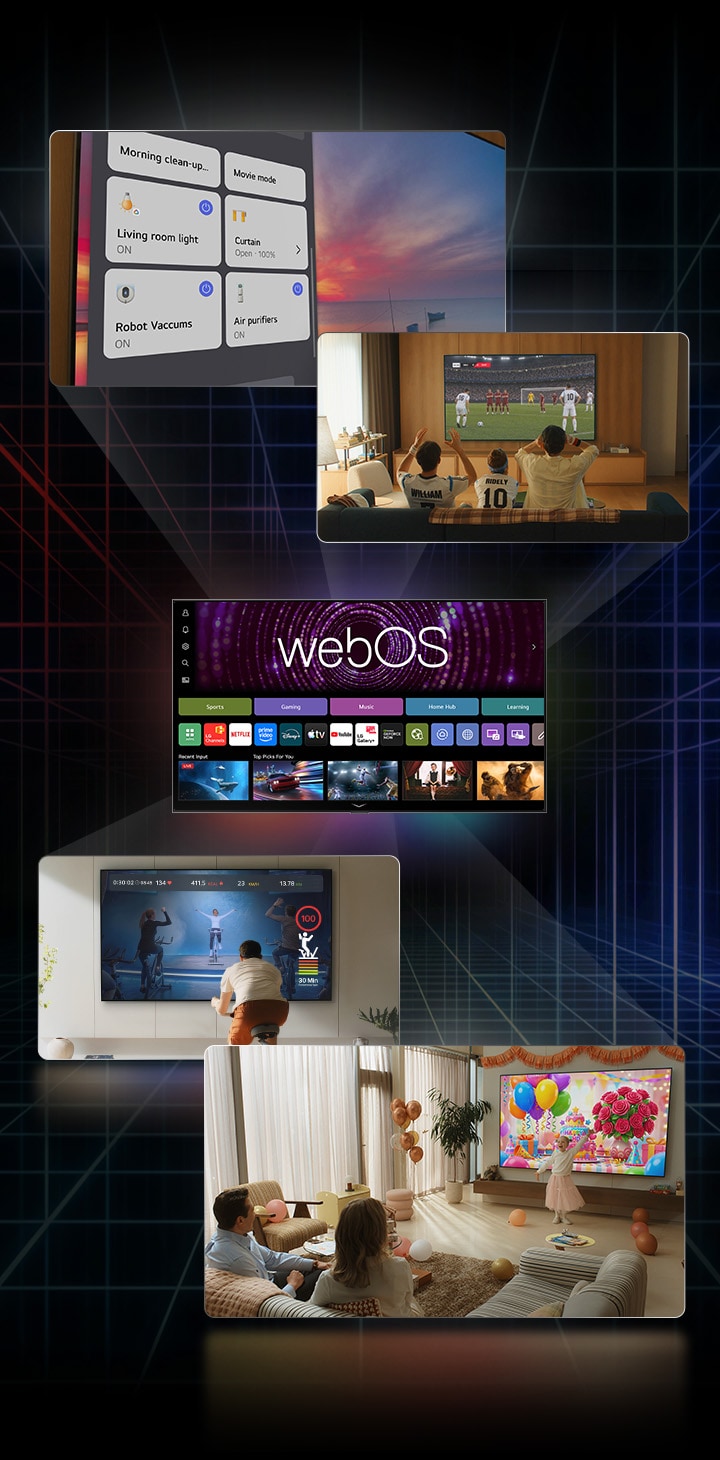
LG AI TV showcases the webOS home screen at the center of multiple entertainment scenes, including live soccer viewing, smart home controls, AI-generated image content, and an interactive home workout displayed across TV screens.

LG AI TV showcases the webOS home screen at the center of multiple entertainment scenes, including live soccer viewing, smart home controls, AI-generated image content, and an interactive home workout displayed across TV screens.

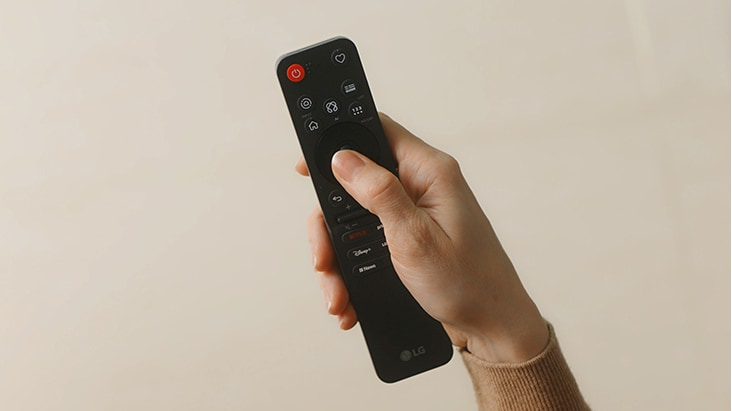
AI Magic Remote with a dedicated AI button, the ultimate companion for LG AI TV

Three icons are shown relating to key functions of the AI Magic Remote. AI Button icon shows a pink and purple geometric symbol inside a white circular background. Point & Scroll icon shows a remote control and cursor symbol inside a white circular background. 24 Languages icon shows a blue chatbot face symbol inside a white circular background.

Three icons are shown relating to key functions of the AI Magic Remote. AI Button icon shows a pink and purple geometric symbol inside a white circular background. Point & Scroll icon shows a remote control and cursor symbol inside a white circular background. 24 Languages icon shows a blue chatbot face symbol inside a white circular background.

 AI Concierge

Press the AI button,
get content recommendations based
on your viewing habits

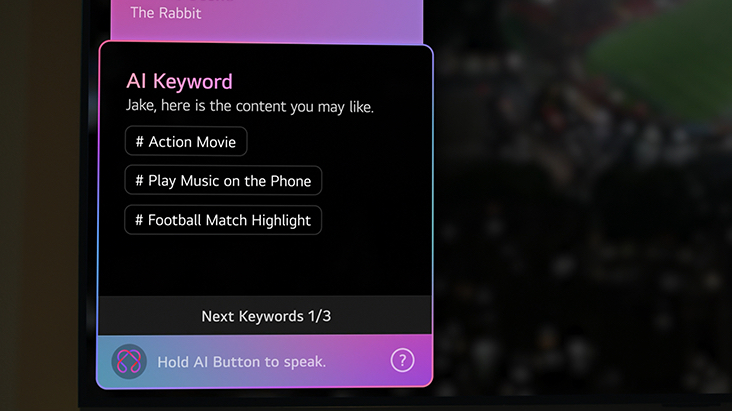
Ever spent time scrolling through channels, not knowing what to watch? With just one push of the AI button, your LG AI TV can recommend shows based on your watch history and preferences, delivering personalised content suggestions, feature recommendations, and shortcuts tailored to you. This is how AI personalises the TV experience to make it easier to find what to watch and do next.1)

*Magic Remote shown is not applicable to the UK.

AI Magic Remote

Navigate easily, just point and scroll like an air mouse

Navigate effortlessly with point, scroll, and select controls with natural hand movements of the AI Magic Remote. It's a faster, more intuitive way to use AI features on your TV and get where you want, so you can spend less time controlling and more time enjoying.2)

*Magic Remote shown is not applicable to the UK.

 AI Search

Just press the AI button and get answers to any question

LG AI TVs support AI voice assistants and AI Search that's capable of understanding 24 languages. Just ask and get what you need with Google Gemini providing answers right on your TV screen, whether it's finding a movie, helping plan your next trip, and more.3)

*Magic Remote shown is not applicable to the UK.

Maximise every moment of your favourite sports

AI Concierge & My Page

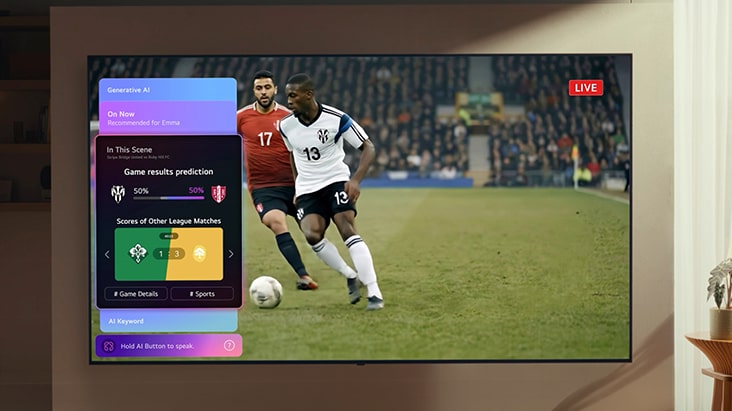
Have more fun watching with match predictions during the game

Use AI Concierge on your LG AI TV to get real-time info like match predictions, the current progress of league matchups, and more—all while watching the game so you never miss a play. And with My Page, you can customise your TV experience by putting together all your favourite widgets from your calendar, weather to the upcoming matches from your favourite teams, all in one place.4)

*Magic Remote shown is not applicable to the UK.

Sports Portal

Everything about your team in one place, from highlights to game info and alerts

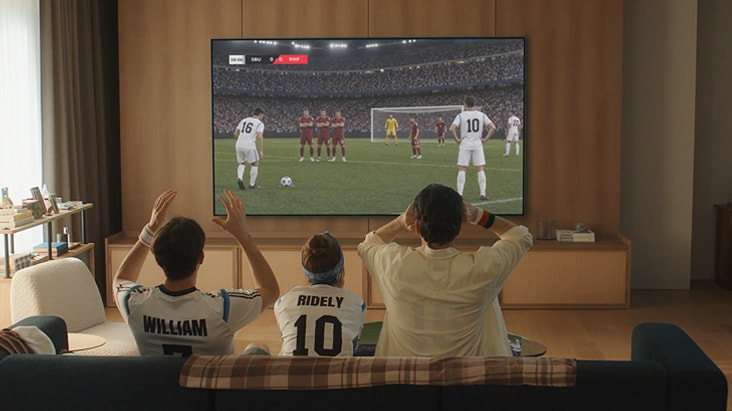
Tired of having your attention split between the game on TV and info on your phone? If you wonder what features help when watching sports on AI TV, the Sports Portal is the answer. This dedicated portal helps when watching sports on AI TV by giving you easy access to various content on your favourite teams. See game highlight videos, previous match results, current league standings, and even get game alerts when a match is about to start so you can watch it live.5)

*Magic Remote shown is not applicable to the UK.

Effortless control for your smart home

Home Hub

Your all-in-one hub for home appliances, controlled with AI voice assistants

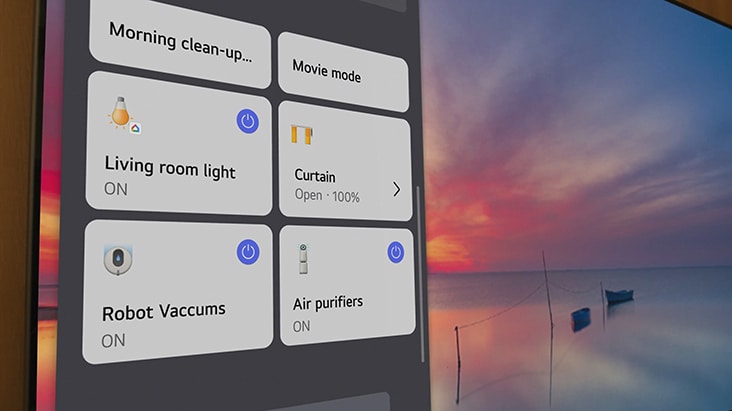
LG AI TVs support AI voice assistants. Connect your smart home devices to Home Hub and all it takes is a single command to control all your smart appliances from your TV. With Google Home, Matter, LG ThinQ support and more, Home Hub acts like a voice assistant—you can adjust lighting, start the robot vacuum, turn on the air purifier and turn a messy room into a date-ready atmosphere with just a few words. The My Home tab also lets you monitor all devices at a glance and the Home Hub allows you to control your IoT devices even while watching TV.6)

*Magic Remote shown is not applicable to the UK.

Enjoy solutions tailored to your needs

AI Voice ID

Your voice is all it takes to bring up your personalised home screen

Logging in every time you use the TV is getting inconvenient? Use AI Voice ID and your AI TV can identify your voice instantly, providing a personalised TV experience made just for you without the hassle of having to manually log in. Register your voice and your LG AI TV will recognise you from the moment you speak, automatically switching profiles with content recommendations tailored just for you.8)

*Magic Remote shown is not applicable to the UK.

AI Picture Wizard & AI Sound Wizard

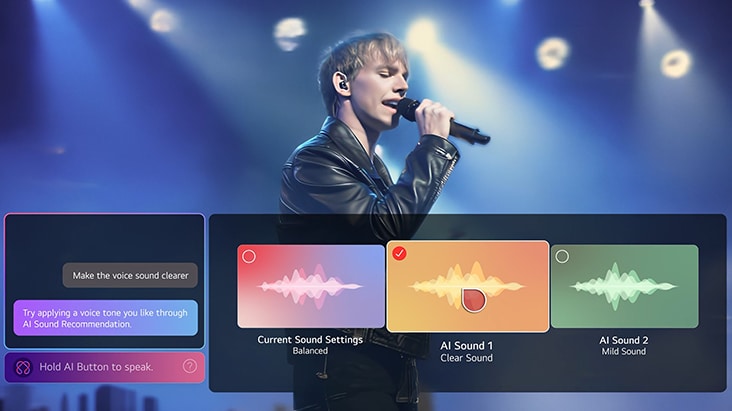
Tune picture and sound to your preferences with AI

Struggling to get the ideal picture and sound for you? Which AI TVs offer easily customisable picture settings? Discover how to use AI features offered by your AI TV like AI Picture Wizard to offer customisable picture settings for a visual experience matched to your preferences, and AI Sound Wizard for more tailored audio. This is one of the many ways you can use LG AI TV's features to personalise your viewing experience.

*Magic Remote shown is not applicable to the UK.

AI Chatbot (Proactive AI Recommendation)

Get helpful suggestions for troubleshooting before you even ask

Meet the LG AI Chatbot—intelligence that lets you use your LG AI TV more effectively by providing troubleshooting before you even realise there's an issue. From gentle nudges to quick solutions, the LG AI Chatbot provides helpful suggestions to help you take action and stay one step ahead without the hassle.9)

*Magic Remote shown is not applicable to the UK.

Generative AI with Google Gemini

Create high-quality images with Google Gemini and Nano Banana to set the right mood

Ever felt your party needed something more? Use Generative AI through Google Gemini and Nano Banana to create and edit high-quality images to display on the big screen. Pair them with music from Music Lounge and make your space look and feel distinctly you.10)

*Magic Remote shown is not applicable to the UK.

Experience a world of entertainment at your fingertips

LG Gaming Portal

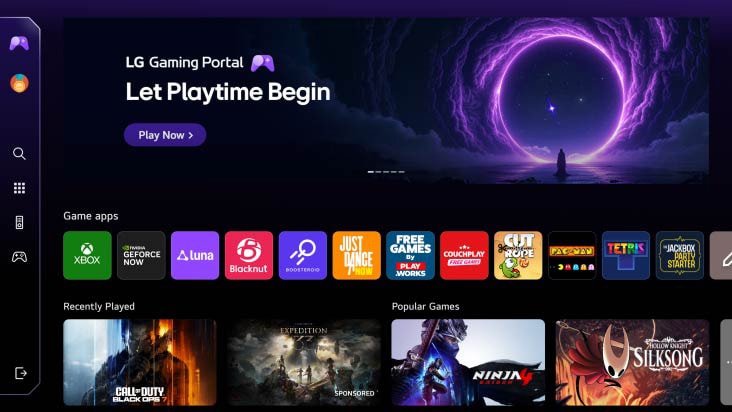
Your games, all in one place—no console required

Gaming Portal on LG AI TV brings your favourite games and cloud gaming services together in one convenient hub. Browse, discover, and launch games instantly with no console required, so you can spend less time searching and more time playing.11)

*Magic Remote shown is not applicable to the UK.

LG Channels

Endless entertainment with free content, available 24/7

LG Channels is not only free, it also allows you to watch the kind of content you want on your LG AI TV.12)

*Magic Remote shown is not applicable to the UK.

Global Streaming Services

Explore a universe of content from top streaming apps

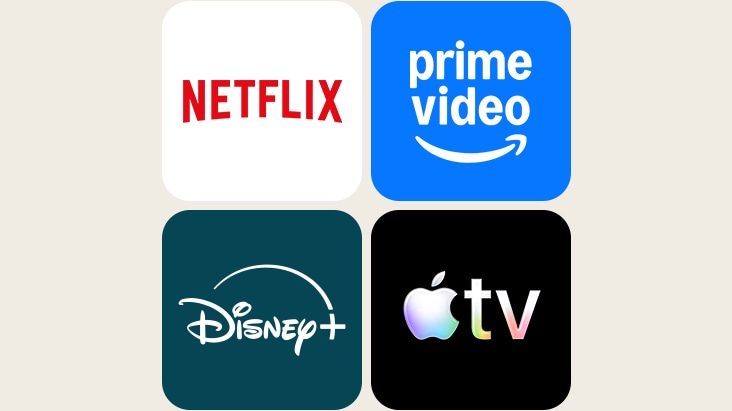
With Netflix, Disney+, Prime Video, Apple TV+, and various other streaming services available, indulge in a wide variety of TV shows, movies, and more—all on your LG AI TV.13)

LG Gallery+

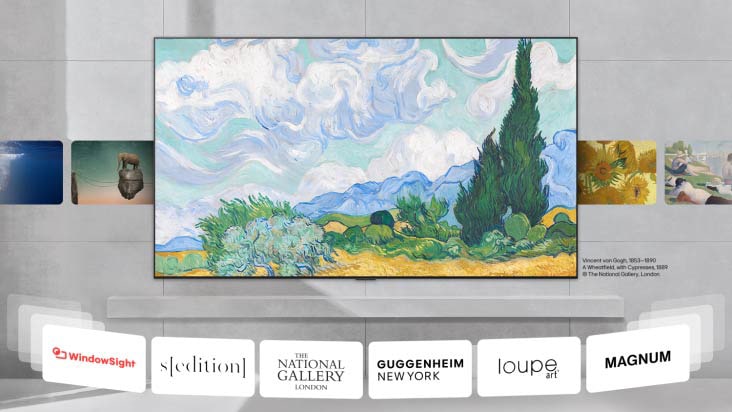
Make your TV the centerpiece in your space with over 5000+ artworks

With Gallery+, your TV becomes more than a screen. Turn it into a beautiful backdrop with access to an art library with over 5000+ artworks from our globally renowned partners like The National Gallery, Sedition, GUGGENHEIM, and more.14)

*Magic Remote shown is not applicable to the UK.

Meet trusted security with guaranteed updates

LG Shield

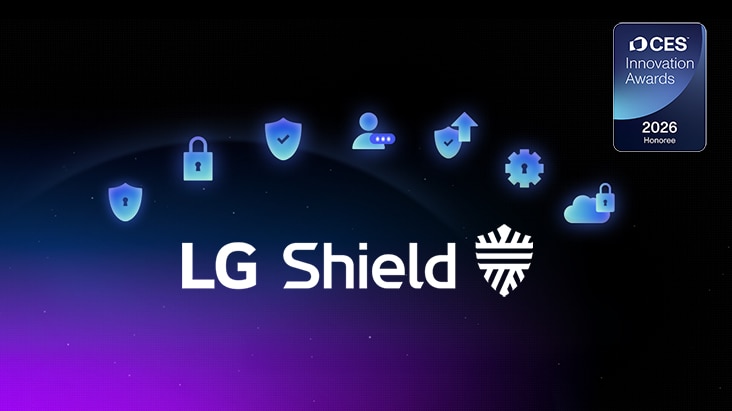
Award-winning LG Shield provides multi-layered protection with 7 core technologies

LG Shield's 7 core technologies ensure your data stays safe with secure data storage and management, secure cryptographic algorithms, ensured software integrity, user authentication and access control, secure data transmission, security event detection and response, and secure update management.

LG Shield's 7 Core Technologies¹⁵⁾

webOS Re:New Program

Upgrade your TV for up to 5 years for free

With the webOS Re:New Program, your TV stays up to date with the latest features and improvements through ongoing software updates for up to 5 years. Enjoy a refreshed experience over time, so your TV continues to feel new beyond day one.16)

A plain light beige background fills the entire frame, creating visual separation within the page layout.

A plain light beige background fills the entire frame, creating visual separation within the page layout.

Learn more about the different LG AI TVs and discover the one that fits your needs best.

FAQ

Q.

What is webOS on LG TV?

A.

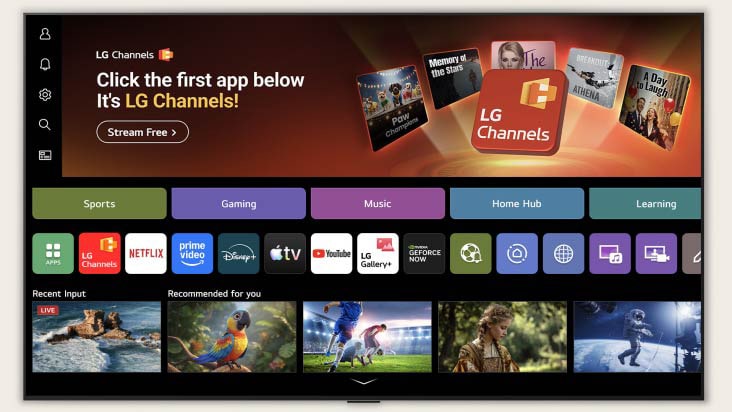
webOS is the smart TV operating system used on LG TVs. It brings streaming apps, live TV, and connected devices together on a single home screen, making it easy to navigate and control your entertainment. webOS also supports features such as voice control, personalised recommendations, and seamless switching between content, inputs, and settings.

Q.

What can I do with webOS?

A.

webOS lets you access streaming entertainment, apps, music, sports, and lifestyle services directly from your LG TV.

It helps you quickly find what you want with a simple home screen, personalised recommendations, and easy access to favourite apps. Everything is designed to be easy to find and enjoy in one place with the webOS interface.

Q.

What apps are available on LG smart TV?

A.

LG Smart TVs with webOS offer access to a wide range of apps through the LG Content Store.

Users can browse and download apps across categories such as entertainment, games, lifestyle, education, and news & information. Streaming services such as Netflix, Disney+, Prime Video, Apple TV+, and YouTube are also available depending on the region and model.


*Available content and apps may vary by country, product, and region.

**Separate subscription and its related entities are required for Netflix, Disney+, Amazon Prime, and Apple TV+.

***Access to network-based smart services requires an LG Account.

Q.

How do I install apps on LG smart TV?

A.

You can install new apps directly from the Apps section on your LG webOS TV. 


1. Press the Home button on your remote.

2. Open the Apps section.

3. Search for the app you want.

4. Select the app and choose Install.

Q.

How do I know the webOS version on LG TV?

A.

You can check the webOS version from the Software Update section in your TV settings.


1. Press the Settings button on your Magic Remote.

2. Select the gear icon to open All Settings.

3. Go to Support and select Software Update.

4. View the current webOS version shown on the screen.

Q.

How can I pay for content?

A.

LG TVs support webOS Pay, which allows users to purchase digital content after registering a payment method and confirming transactions with a PIN.


*Available content and apps may vary by country, product, and region

**Available when using purchase or subscription buttons in apps connected to webOS Pay.

***Access to network-based smart services requires an LG Account.

Disclaimer


* The images above in this product detail page are for illustrative purposes only. Refer to the gallery images for a more accurate representation.

* Specifications and features vary by region, model, and size.

* Service availability varies by region and country.

* Personalised services may vary depending on the policies of the 3rd party application.

* LG Account and acceptance of relevant Terms & Conditions is required to access network-based smart services and features, including streaming apps. Without LG Account, only external device connections (e.g. via HDMI) and terrestrial/over-the-air TV (only for TVs with tuners) is available. There is no fee to create LG Account.

* The content shown on this page may differ from the content available on the actual Gallery+ service.

1) * Some of these features may not be supported in certain regions or models.

* Menus displayed may be different upon release.

* Keyword recommendations vary according to the app and time of day.


2) * Provides quick access to the TV's AI features but has no built-in AI processing.

* AI Magic Remote's design, availability and functions may vary by region and supported language, even for the same model.

* Some features may require an internet connection.

* AI Voice Recognition is only provided in countries that support NLP in their native language.


3) * An internet connection is required, and partner AI services may be subject to change or require a subscription.Support 

* This feature may vary by region and model and is not available in countries where LLM support is not provided.

* AI-generated responses may not always be accurate and should only be used as a general guide.

* AI Search is supported by default in the U.S. and Korea while in all other countries it is supported only when Gemini is selected in Multi-AI.


4) * ‘In This Scene’ card is available in countries that support EPG (Electronic Program Guide).

* ‘On Now’ card is not available on Netflix and Other CP (Content Provider) apps, so the card will not be displayed.

* ‘Generative AI’ card is available in certain regions or models.

* The scope of support may vary by country.

* Information provided by AI Concierge is for general informational purposes only and may not be accurate. LG assumes no responsibility or liability for any actions or decisions made in reliance on such information.

* The widgets provided may vary by country and are subject to change or discontinuance without prior notice.

* My Page applies to 2026 OLED, MRGB, QNED, NANO UHD TVs.


5) * An internet connection is required for use.

* Support for Sports Portal varies by region and model.

* Sports Portal requires account registration, as features are linked to individual user accounts​.

* Information provided by Sports Portal is for general purposes only and may not be accurate. LG assumes no responsibility or liability for any actions or decisions made in reliance on such information.


6) * LG supports 'Matter' Wi-Fi devices. 'Matter' supported services and features may vary depending on the connected devices. Initial connection for ThinQ and Matter should be via ThinQ mobile app.


8) * Reduced or limited content may be shown depending on region and network connectivity.

* Voice ID support may vary by region and country and is available on OLED, QNED, NanoCell, and UHD TVs released from 2024 onwards, as well as on MRGB and FHD TVs released from 2026.

* It works only with apps that support the Voice ID account.

* The lock can be unlocked by someone with a similar voice, and if the voice changes due to health reasons or other factors, recognition may not work effectively.


9) * Internet connection required.

* It is possible to link the AI chatbot to customer service.

* In countries where NLP is not supported, voice-based app access and usage may not be available.

* From webOS26 initial, most of nudges will be provided based on LG account login, and only the following two will be provided when the LG account is NOT logged in:

1) Nudge to resolve TV error situations after self-diagnosis.

2) Default nudge within the device (e.g. HDMI input switching suggestion).


10) * Generative AI feature is only available in certain regions or models.

* A subscription includes 20 credits per month. One credit lets you generate one image.


11) * Support for cloud gaming services may vary.

* Some gaming services may require a subscription and gamepad.

* Gamepad is sold separately.


12) * Support for certain LG Channels varies by region.


13) * Available content and apps may vary by country, product, and region.

* Separate subscriptions are required for Netflix, Disney+, Amazon Prime, and Apple TV+ and their related services.

* Apple, the Apple logo, and Apple TV are trademarks of Apple Inc, registered in the U.S. and other countries.

* Amazon, Prime Video and all related logos are trademarks of Amazon.com, Inc. or its affiliates.


14) * Available content may vary by region and is subject to change.

* An LG Gallery+ subscription is required to access full content and features.


15) * LG Shield certification may vary depending on model.

* Install protection excludes app installations from unusual sources other than LG Apps, etc.

* Regular software updates are required for continuous 5-year protection.

* Data protection and encryption is secured under normal usage.

* webOS is secured by LG Shield.


16) * webOS Re:New is a software upgrade program and is available on select models only. The number of upgrades and Re:New support duration may vary by product, model, or region.

* Upgrade schedule, as well as features, applications, and services may vary by model and region.

* Available features, contents and services are subject to change without notice and may vary by product, model or region.