Laundry

    What Can I Do with the LG ThinQ™ App on My Laundry Appliances?


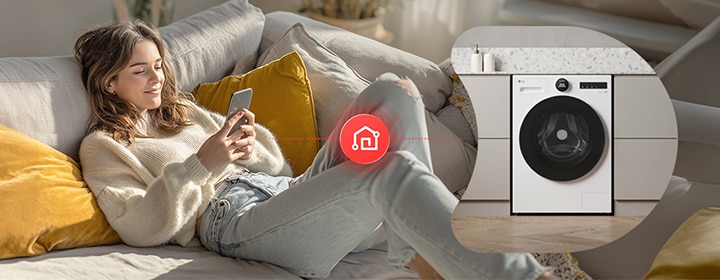
    LG laundry appliances controlled via smartphone with smart connectivity.

    LG ThinQ™ is a connectivity platform that lets you control and monitor compatible LG laundry appliances from your smartphone. This guide summarises key features like remote control, cycle monitoring, notifications, and Smart Diagnosis (model dependent).

    FAQ

    What is LG ThinQ™ for laundry appliances?

    LG ThinQ™ is LG’s smart connectivity platform that allows you to control, monitor, and manage compatible laundry appliances remotely using a smartphone app.


    With LG ThinQ™, you can connect your washing machine, tumble dryer, washer dryer, or WashTower™ to Wi‑Fi and access features such as remote start, cycle monitoring, maintenance alerts, and downloadable programmes (model dependent).

    How can I use the LG ThinQ™ app with my washing machine?

    With the LG ThinQ™ app, you may be able to:


    • Start or pause a cycle remotely

    • Check remaining wash or dry time

    • Receive notifications when a cycle is finished

    • Download additional programmes

    • Run Smart Diagnosis for troubleshooting

    • Monitor energy usage on supported models


    Available features depend on the appliance model and country.

    Who should use LG ThinQ™ for laundry?

    LG ThinQ™ is useful for busy households that want cycle notifications, users who prefer remote control, and anyone who wants easier troubleshooting and maintenance reminders.


    It can help reduce guesswork and make laundry management more convenient day to day.

    What do I need to use LG ThinQ™ with my laundry appliances?

    To use LG ThinQ™ features, you typically need:


    • A compatible LG appliance with Wi‑Fi capability

    • A stable home Wi‑Fi connection

    • The LG ThinQ™ app installed on a compatible Android or iOS smartphone

    • Product registration within the app


    Service availability and features may vary by model and country.

    How do I register my laundry product on LG ThinQ™?

    To register your laundry appliance on LG ThinQ™, follow these steps:


    1) Make sure your appliance and Wi‑Fi router are turned on.

    2) Place the appliance close enough to the router for a stable signal.

    3) Download and install the LG ThinQ™ app.

    4) Open the app and follow the on‑screen instructions to add and register your product.


    If the appliance is far from the router, signal strength may be weak and registration may take longer.

    How is LG ThinQ™ supported and updated over time?

    LG ThinQ™ is supported through ongoing app updates and system improvements.


    Updates may include stability improvements, feature enhancements, security updates, and expanded compatibility, depending on model and region.

    What safeguards are in place for LG ThinQ™ connectivity and data use?

    LG ThinQ™ is designed with security and privacy considerations in mind. Data handling and permissions are managed according to LG policies and user consent.


    Note: Specific security measures and legal requirements can vary by region.

    Why should you consider LG ThinQ™ connectivity when buying a laundry appliance?

    Before buying a laundry appliance, it helps to review a few practical factors so you can choose the setup that best fits your home and routine.

    • Household size and laundry volume – Larger households may benefit from higher-capacity appliances or separate washer-and-dryer setups.
    • Available space – Compact homes may prefer an all-in-one washer dryer, while homes with more vertical space may consider LG WashTower™.
    • Washing and drying preference – Decide whether you prefer separate appliances for maximum performance or a combined solution for convenience and space saving.
    • Energy efficiency and running costs – Compare energy labels and consider how often you wash and dry each week.
    • Everyday convenience – Features such as smart controls, ergonomic layouts, and simplified installation may improve daily usability.

    Reviewing these points can help you decide whether a washing machine, tumble dryer, washer dryer, or LG WashTower™ is the best fit for your home.

    When buying a laundry appliance, it can be helpful to consider smart features that make everyday use, monitoring, and maintenance more convenient.
     
    LG ThinQ™ connectivity allows compatible appliances to be monitored and managed through a smartphone app, with features such as remote control, cycle notifications, downloadable programmes, and Smart Diagnosis, depending on the model.
     
    This can be useful for busy households, users who want more visibility during the laundry cycle, or anyone who prefers easier troubleshooting and maintenance support.
     
    When comparing laundry appliances, reviewing smart connectivity alongside capacity, installation type, and performance features can help you choose a model that better fits your daily routine.
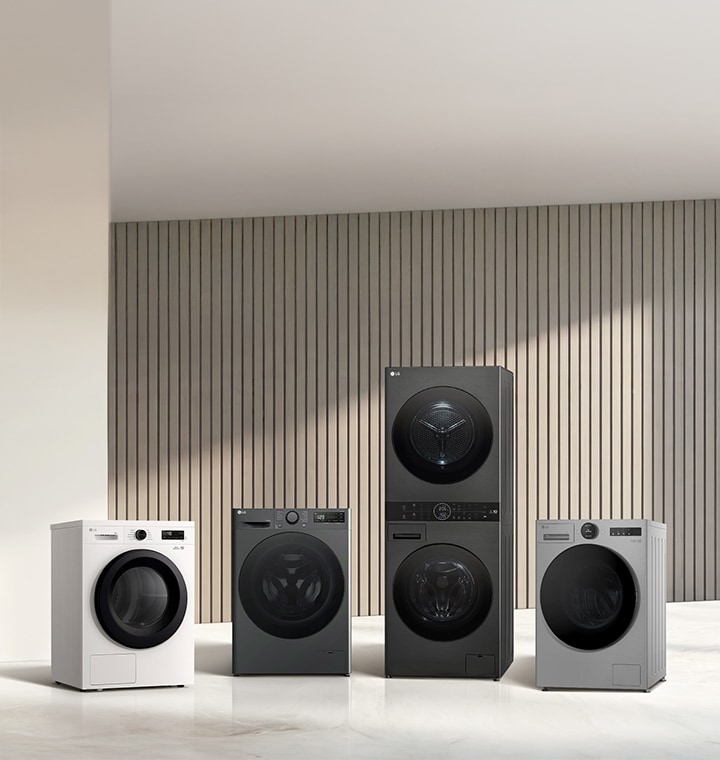
    LG laundry appliances lineup including washing machines and dryers displayed in a minimal interior setting.

    LG laundry appliances lineup including washing machines and dryers displayed in a minimal interior setting.

    Discover LG ThingQ Appliance / Discover LG Washing Machine

    You may also interested in