Share this content.  You can share the items you like with your friends.

HELPFUL HINTS

Monitor buying guide: what to look for when buying a monitor


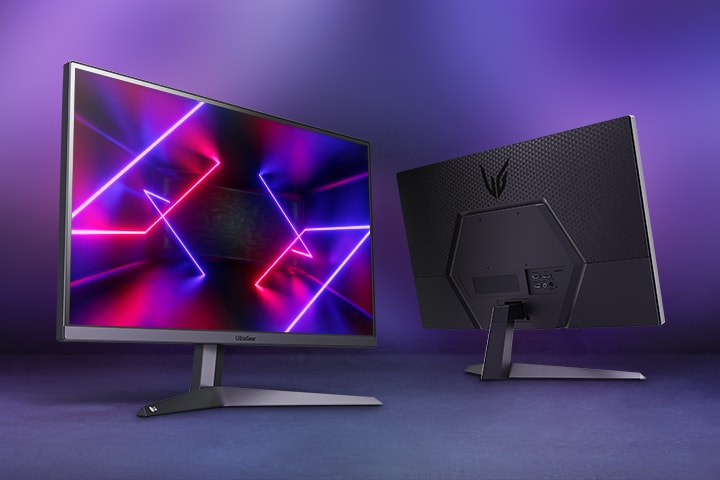
Two LG Monitors, one facing outwards with a dyncamic screenfill in a purple lit room

Two LG Monitors, one facing outwards with a dyncamic screenfill in a purple lit room

LG UK

Perhaps you're a hardcore gamer searching for the best gaming monitor with lightning-fast refresh rates and response times, or a creative professional craving colour accuracy. Maybe you're a multitasker in need of seamless productivity. Regardless of who you are, finding the right monitor — and choosing between the top gaming monitors on the market — can be tricky with so many display types available.


In this article, we discuss:


- Features to look for in a monitor for different purposes

- Monitor types and technologies

- Quick tips and recommendations

- Recommendations for monitor size, resolution, refresh rate and more!

Top picks: Best LG monitor for you


If you're just after some quick recommendations, here are some of our suggestions:


- Best LG gaming monitor: 52” LG UltraGear™ evo G9 5K2K 240Hz Gaming Monitor

- Best LG monitor for video editing: 49" LG UltraWide™ Monitor, Dual QHD Curved Display, 144Hz, 400nits

- Best LG monitor for working from home: 34" UltraWide Monitor, 21:9 Display, Colour Calibrated, 400nits, 100Hz, 1ms MBR

- Best LG bundle for dual monitor setups: 34" LG UltraGear 34G630A & 27" UltraGear 27G610A Monitor Bundle

- Best LG OLED gaming monitor: UltraGear OLED gaming range

- Best LG 4K & 5K monitor: UHD 4K & 5K range


From high-performance gaming to professional graphics work and ergonomic solutions for your home office, our varied range of monitors is designed to meet every need. Explore the full range of LG monitors to find the ideal addition to your set up.

How to choose the right LG gaming monitor


Choosing the right gaming monitor comes down to matching the right specs to the games you play, the hardware you own and the space you have. Use this checklist as a general guide to help narrow down monitor options based on your needs, preferences and setup.


1. Know what you play. Competitive shooters and racing games reward high refresh rates (165Hz+) and 1ms response times. Story-driven RPGs reward higher resolution and HDR.


2. With the world-first 5K AI Upscaling technology built into the latest LG UltraGear evo AI lineup, you no longer need to worry about GPU bottlenecks. The integrated processor intelligently enhances content from any device to 5K resolution, allowing you to enjoy ultra-high-definition visuals without the need for a high-end GPU upgrade.


3. Pick the right size for your desk. 24"–27" suits competitive PC gaming; 32" and above suit immersive single-player or console use.


4. Decide flat, ultrawide or curved. Flat 16:9 is the most versatile; ultrawide and curved are better for sims, RPGs and productivity.


5. Lock in the essentials. At minimum: ≥144Hz refresh rate, ≤1ms response time, HDMI 2.1, FreeSync or G-Sync, and HDR.


Tick those five boxes and you'll be better placed to shortlist gaming monitors that suit your setup and preferences.

How to buy a monitor - General tips on what to consider


Screen Size and Resolution: The higher the resolution, the clearer the picture.


A larger screen size, such as 27 inches or above, combined with a higher resolution like 4K, can provide a more enjoyable viewing experience whether you're using your monitor for gaming, watching videos or for working.


Panel Type: Common monitor panel technologies include Hyper Mini LED, OLED, IPS, TN and VA. Hyper Mini LED is designed to deliver high brightness, precise contrast and vivid detail. OLED panels offer deep blacks, high contrast and fast response times, making them well suited to immersive gaming and HDR content. IPS panels offer vibrant colours and wide viewing angles. TN panels are known for quick response times, while VA panels offer a balance of contrast and general performance.


Refresh rate: Higher is better.


A 60Hz refresh rate is common for everyday work and productivity. For smoother motion, especially for gaming or video, you may want to consider monitors with higher refresh rates such as 120Hz or above.


A higher refresh rate, like 144Hz, 240Hz, 540Hz, or 1,000Hz, will give you smoother motion and less blur when gaming or watching videos.


Keep in mind that the refresh rate only matters if your laptop or PC can handle it. Check that your computer has the right CPU and GPU.


Response time: Shorter is better, especially for gaming. For gaming monitors, 1ms response time is a common starting point, while around 1ms to 5ms is generally suitable depending on your usage and performance needs.


Connectivity: For easy integration with all your devices, keep an eye out for HDMI, DisplayPort, and USB C ports.


Ergonomics: Consider features such as an adjustable stand that offers tilt, swivel, and height adjustments, as well as curved monitors.


HDR Support: Consider High Dynamic Range (HDR) support that enhances the contrast, brightness, and colour accuracy of images displayed on a monitor.

Features to consider when buying a monitor:


  • Screen Size and Resolution
  • Panel Type (IPS, OLED, VA TN)
  • Refresh rate
  • Response time
  • Connectivity
  • Ergonomics
  • HDR Support
  • Overall Aesthetics


Monitor screen size and resolution


When picking your next monitor, two essential factors to consider are the screen size and resolution. The screen size determines how immersive your viewing experience will be, while the resolution affects the clarity and sharpness of the images displayed. Opting for a larger screen size, such as 27 inches or above, combined with a higher resolution like 4K, can provide a more enjoyable viewing experience for tasks ranging from work to entertainment. For users who want both a larger display and high resolution, 45-inch or 39-inch 5K2K options may also be worth considering.


Don't overlook pixel density (PPI). With an ultra-high 218 PPI on our 5K models, text and UI elements appear razor-sharp. This makes these monitors a perfect all-in-one solution for both elite gaming and professional productivity tasks like coding and detailed content creation.

Panel type (Hyper Mini LED, OLED, IPS, VA, TN)


The panel type of a monitor plays a crucial role in determining colour accuracy, viewing angles, contrast and response times. Key display technologies to consider include Hyper Mini LED, OLED, IPS, VA and TN. Hyper Mini LED is designed for high brightness and high-resolution performance, OLED offers deep blacks and fast response times, IPS provides vibrant colours and wide viewing angles, VA offers strong contrast, and TN is known for fast response times.


1. IPS (In-Plane Switching)


IPS panels are known for their excellent colour accuracy and wide viewing angles, making them perfect for tasks that require precise colour reproduction and detail. Video editors and graphic designers often prefer IPS monitors for their vibrant and true-to-life colours. 


2. OLED (Organic Light Emitting Diode)


OLED panels are the premium choice for gaming and cinematic viewing. Because every pixel emits its own light and can switch off completely, OLED produces perfect blacks, infinite contrast and stunning HDR performance. Response times are also exceptionally fast — as low as 0.03ms.


LG’s latest 4th Gen Tandem OLED sets a new industry benchmark for gaming displays. It delivers a breakthrough peak brightness of 1,500 nits—the brightest in our OLED lineup—while maintaining perfect blacks and infinite contrast. Combined with a near-instant 0.03ms (GtG) response time, it provides the most immersive and responsive HDR gaming experience available today.

3. TN (Twisted Nematic)


TN panels are popular among gamers due to their fast response times, making them ideal for fast-paced gaming where quick reactions are crucial.

4. VA (Vertical Alignment)


VA panels strike a balance between IPS and TN panels, offering good colour reproduction along with decent response times. 


5. Hyper Mini LED


Hyper Mini LED is a high-brightness, high-resolution display technology designed to deliver precise contrast and vivid detail. Featuring 2,304 local dimming zones and 'Zero Optical Distance' technology, it reaches a peak brightness of 1,250 nits while helping to reduce the 'blooming' or light-bleed effects common in older LED displays. This results in sharp highlights and deep, consistent blacks even in bright scenes.


Is OLED or IPS better for gaming?


This is one of the most common questions when shopping for the best gaming monitor, and the honest answer is: it depends on what you value most.


OLED — for the most immersive experience. Perfect blacks, infinite contrast and 0.03ms response times make OLED ideal for cinematic single-player titles, HDR-heavy games and console play on PS5 or Xbox Series X.


IPS — for vibrant, fast and versatile gameplay. Modern Nano IPS panels deliver excellent colour, wide viewing angles and high peak brightness, with 1ms response at refresh rates up to 240Hz.


Quick rule of thumb:


- You may choose OLED if you mostly play immersive single-player and cinematic games and want the best picture possible; or IPS if you mix competitive gaming with daily desktop work, or want premium gaming performance at a more accessible price.


Is a 4K gaming monitor right for you?


A 4K gaming monitor offers a resolution of 3,840 × 2,160 — four times the pixel count of Full HD.


4K is a great fit if you...


- Own a high-end GPU capable of driving 4K at 60+ fps

- Play story-driven, open-world or HDR-heavy games

- Game on a 27" or larger display

- Use a PS5 or Xbox Series X


4K may not be worth it if you...


- Have a mid-range or older GPU

- Mostly play competitive shooters where high frame rates beat sharper pixels

- Sit at a 24" display


What to look for in a gaming monitor: Recap


Screen size and resolution


We recommend choosing a screen size and resolution based on your usage, desk space and hardware. For many users, 27 inches or above paired with QHD, 4K or higher-resolution options can provide a sharper and more immersive experience.


Panels


For competitive play and premium gaming experiences, consider display technologies such as Hyper Mini LED, OLED and fast IPS, depending on whether you prioritise brightness, contrast, response time or colour performance.


Refresh rate


For the ultimate competitive edge, look for VESA Certified Dual-Mode. This allows you to seamlessly switch between a high-resolution 5K Mode at 165Hz for immersive AAA titles and an ultra-fast 330Hz Mode (at QHD/WFHD) for fast-paced FPS games, delivering pro-level speed and fluid motion.


Response time


A good response time for gaming is 1ms or lower. LG UltraGear OLED panels achieve 0.03ms.


Gaming-specific features (NVIDIA® G-SYNC® Compatible and AMD FreeSync™ Premium)


Features such as NVIDIA® G-SYNC® Compatible and AMD FreeSync™ Premium can help reduce screen tearing and stuttering on supported monitors and systems.


Connectivity


Ensure your setup is future-ready with DisplayPort 2.1 (UHBR 20). This next-gen connection provides the massive bandwidth required to support 5K/5K2K gaming at ultra-high refresh rates up to 330Hz, ensuring a lag-free and uncompromised visual experience.


Life’s Good!

Featured Product

Recommended Article