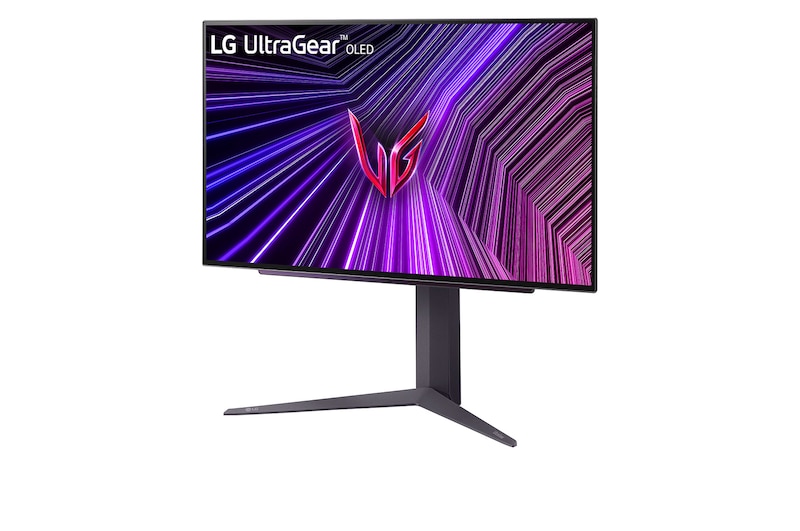
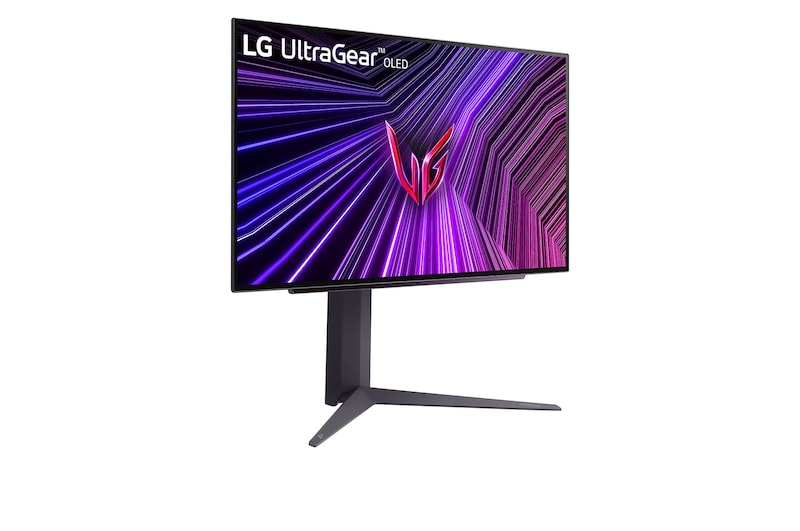
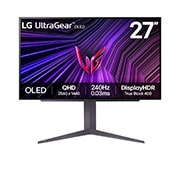
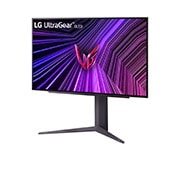
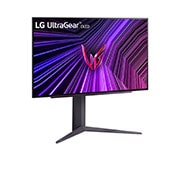
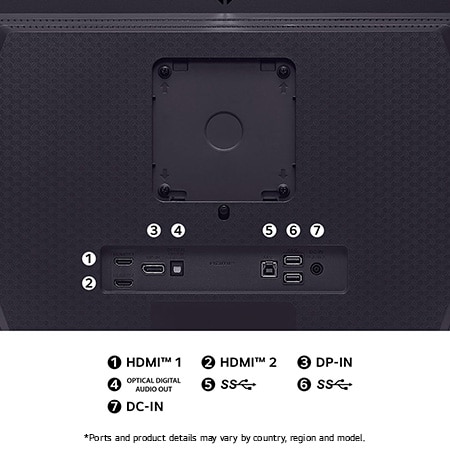
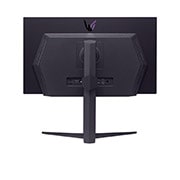
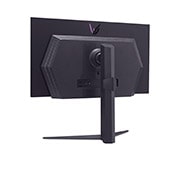
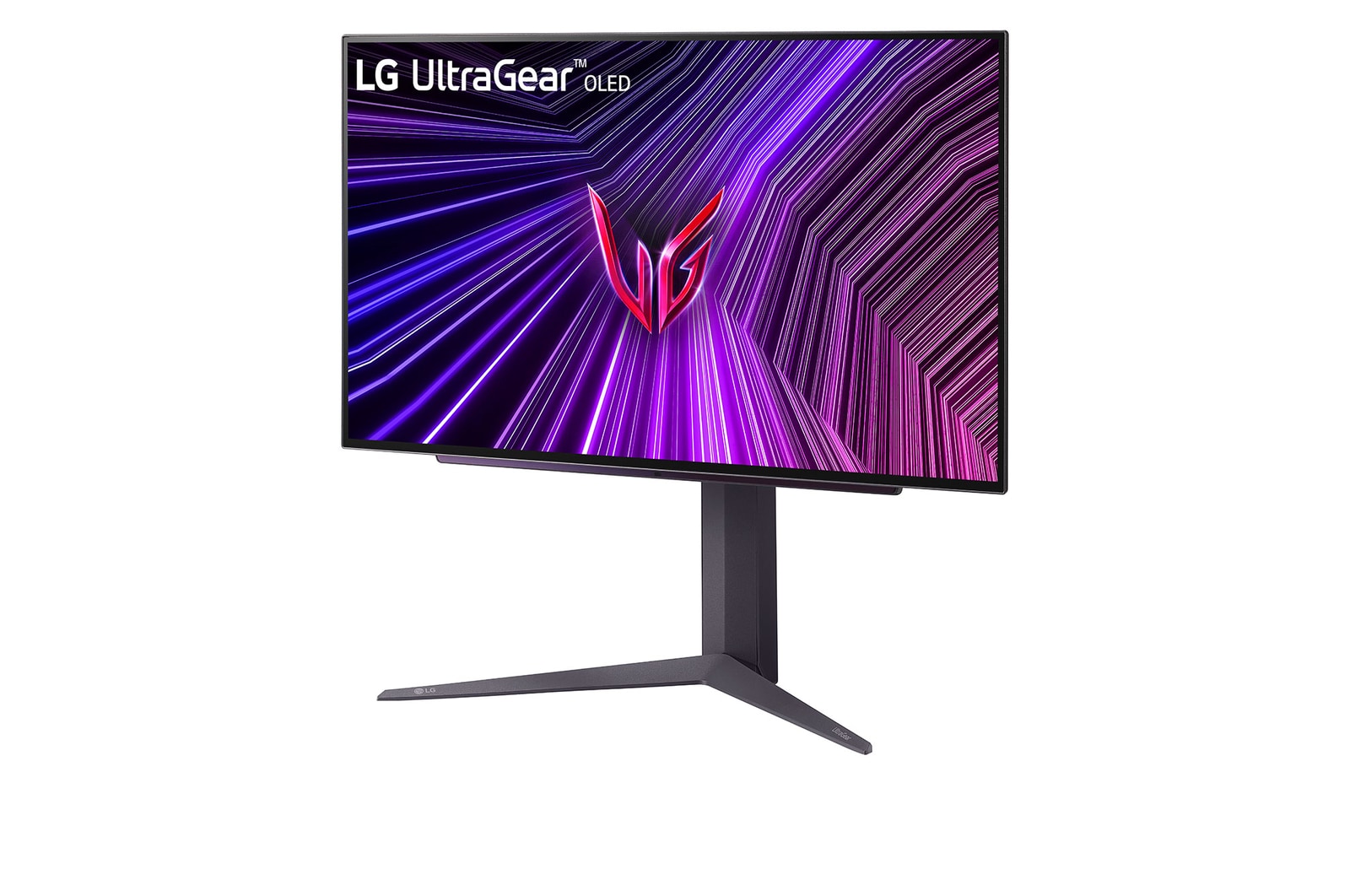
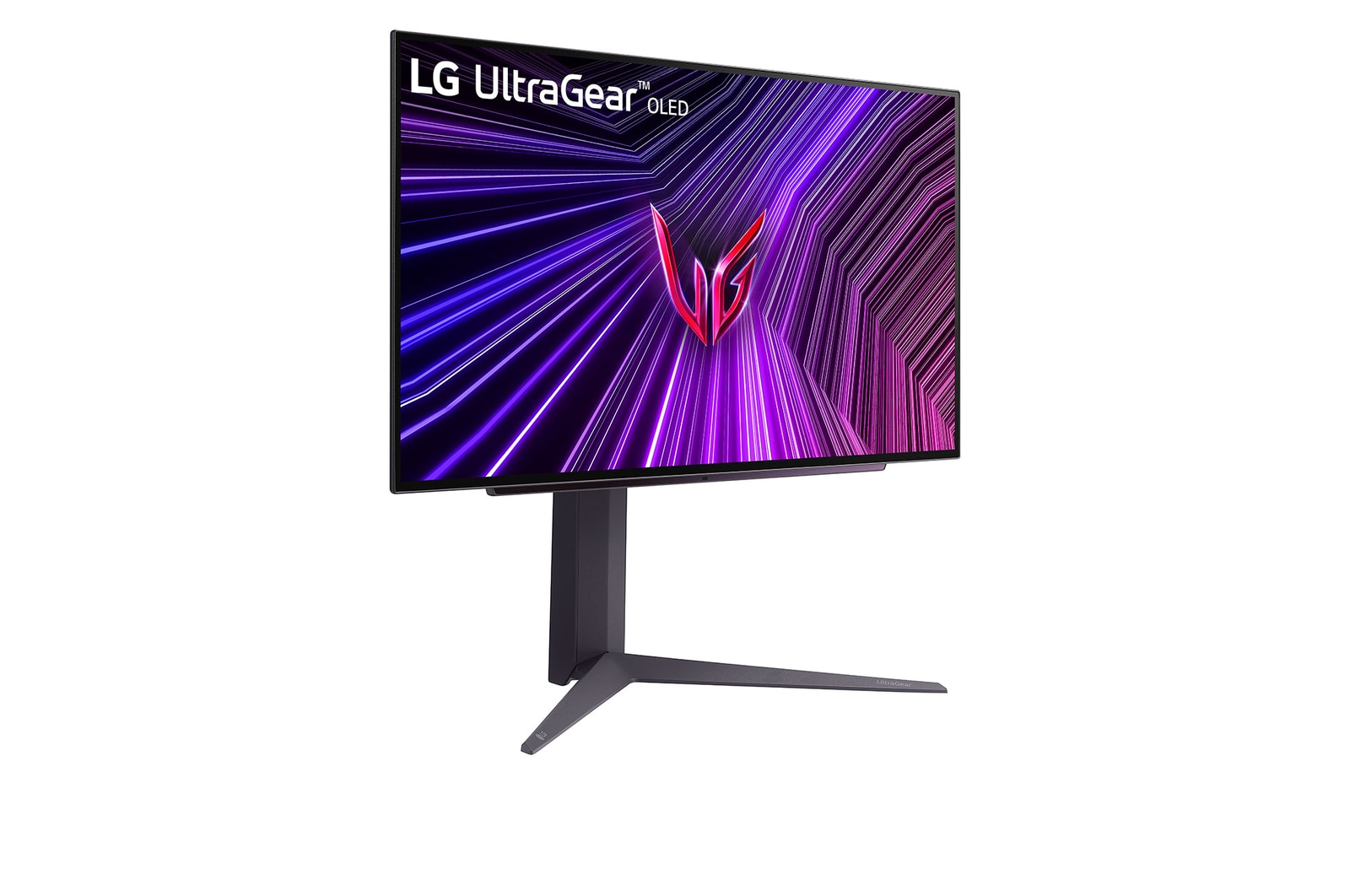
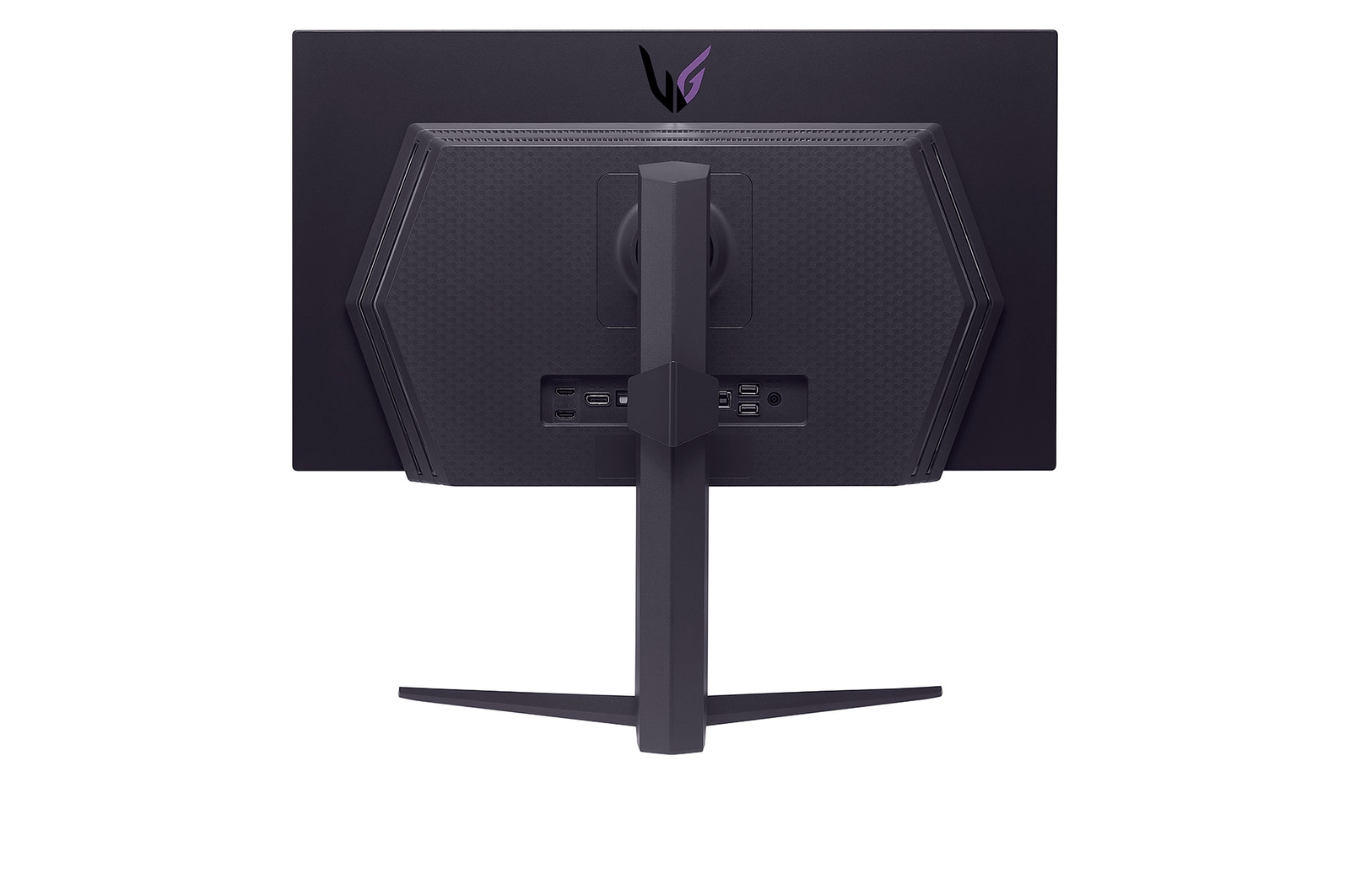
UltraGear™ OLED gaming monitor.

UltraGear™ OLED gaming monitor.

The gaming edge unlocked

Display

27" QHD (2560 x 1440) OLED

DisplayHDR True black 400 / DCI-P3 98.5%**

Anti-Glare / Low Reflection

Speed

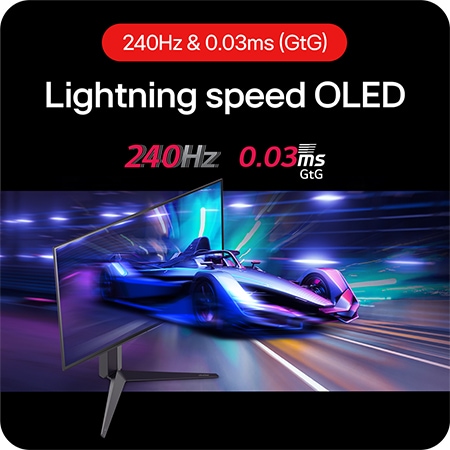
240Hz refresh rate

0.03ms (GtG) response time

QHD@240Hz from HDMI 2.1

Technology

NVIDIA® G-SYNC® Compatible

AMD FreeSync™ Premium Pro

VESA certified AdaptiveSync

*The images simulated to enhance feature understanding. It may differ from actual use.

*The brightness of the monitor is compared to the previous model, LG UltraGear 27GR95QE.

**DCI-P3 Typical 98.5%, Minimum 90%.

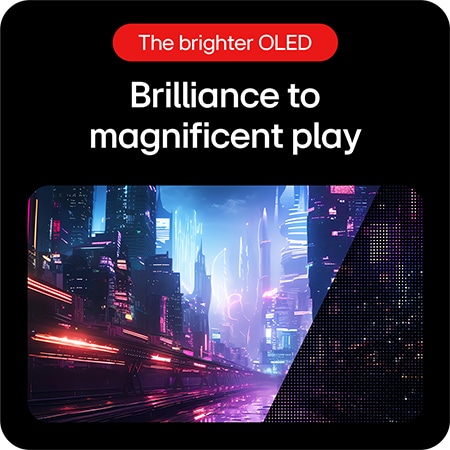
The brighter OLED

Brilliance to
magnificent play

The brilliant OLED display takes colours to a new level of vividness. With a standard luminosity of 275nits and a peak brightness of 1300nits, this monitor keeps your visuals bright and vibrant, ensuring you never play in the dark.

Bright OLED panel.

*Les images sont simulées pour améliorer la compréhension des fonctionnalités. Le résultat peut varier en fonction de l’utilisation réelle.

*La luminosité du moniteur est comparée à celle du modèle précédent, le modèle UltraGearMC 27GR95QE de LG.

*Luminosité : 250 nits (min.), 275 nits (typ.)

Micro Lens Array+

The evolution of OLED

Our UltraGear™ OLED featured Micro Lens Array+ technology, presents 37.5% higher brightness (SDR) compared to MLA.

*The images simulated to enhance feature understanding. It may differ from actual use.

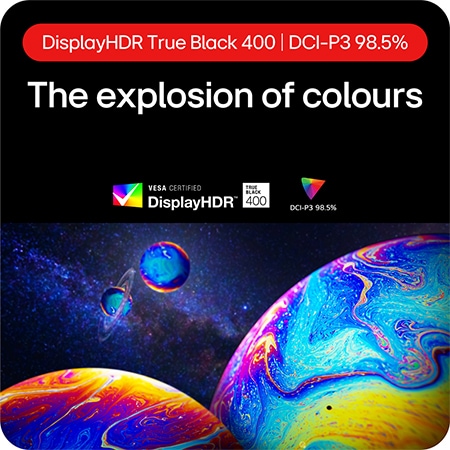
DisplayHDR True black 400 / DCI-P3 98.5%

The explosion of colours

VESA DisplayHDR True black 400 makes every scene, whether bright or dark, come to life with its realistic details with a 1.5M contrast ratio. Immerse yourself in playing with the more vibrant world created by DCI-P3 98.5% (Typ).

*The images simulated to enhance feature understanding. It may differ from actual use.

*True black 400 is at 10% average picture level and 1.5m:1 is the contrast ratio at 25% average picture level.

Quick setups for brighter OLED

[Option 1] Turn off the Smart Energy Saving mode.

Quick setups for brighter OLED

[Option 2] Set Game Mode as Gamer 1.

Quick setups for brighter OLED

[Option 3] Set Brightness to 100.

Quick setups for brighter OLED

[Option 4] Set Peak Brightness as High.

GUI setting image of SMART ENERGY SAVING.
GUI setting image of Gamer Mode.
GUI setting image of Brightness.
GUI setting image of Peak Brightness.
GUI setting image of SMART ENERGY SAVING.
GUI setting image of Gamer Mode.
GUI setting image of Brightness.
GUI setting image of Peak Brightness.

*The images simulated to enhance feature understanding. It may differ from actual use.

*Power consumption may increase when the above options are chosen.

*The display burn-in may occur in brighter mode.

Anti-Glare & Low Reflection.

Anti-Glare & Low Reflection

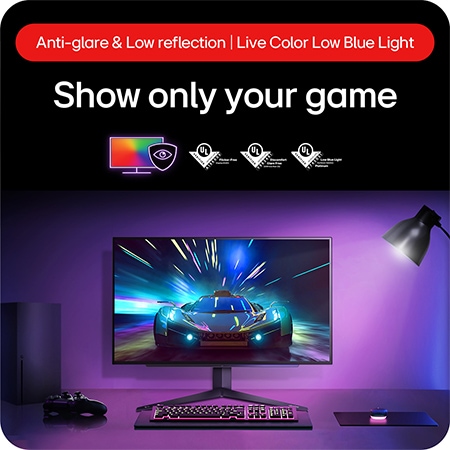
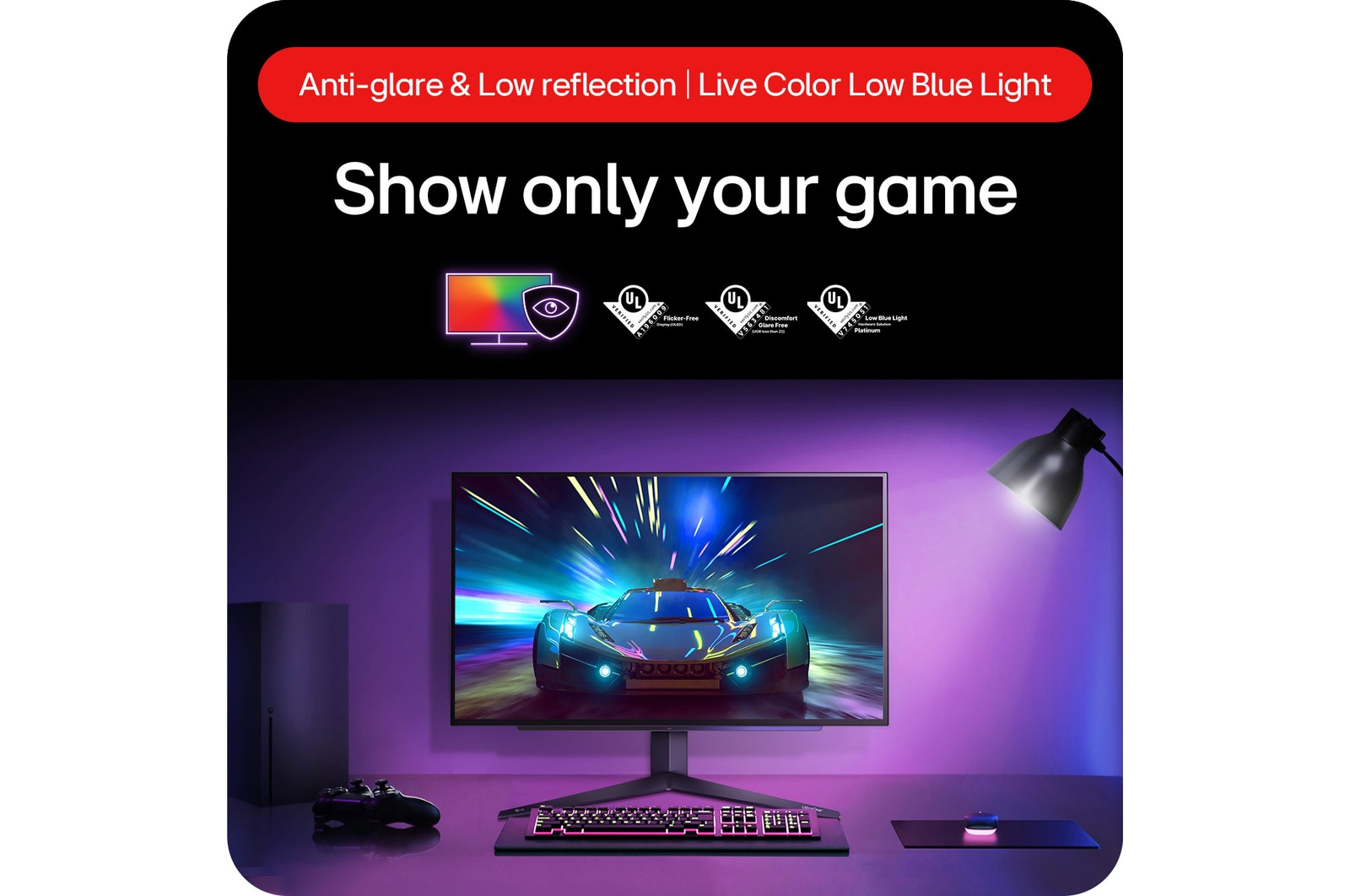
Show only your game

Applying Anti-Glare & Low Reflection technology can provide a better viewing experience anywhere by reducing screen distraction even in the surrounding lighting environment.

*The images simulated to enhance feature understanding. It may differ from actual use.
Comfortable but vibrant

Keep your gaming experience brilliant, keeping your eyes comfortable with LG's Live Colour Low Blue Light technology.

*LG OLED panels have been certified as Flicker-Free, Discomfort Glare Free, and Low Blue Light by UL.

*Certificate Number: Flicker-Free Display (OLED) - A196009, Discomfort Glare Free - V563481 (conditions of UGR less than 22), Low Blue Light Hardware Solution Platinum - V745051.

*The above feature may vary depending on the user’s computing environment or conditions.

OLPantalla OLED con 240Hz y 0,03 ms

Pantalla OLED con 240 Hz y 0,03 ms

Movimiento a la velocidad de la luz

Con una tasa de refresco de 240 Hz1, podrás ver el siguiente fotograma rápidamente y que la imagen aparezca suavemente. Podrás que reaccionar rápidamente ante tus enemigos y apuntar al blanco con facilidad.

1Este monitor admite una frecuencia de actualización de 240 Hz; se necesita una tarjeta gráfica compatible con HDMI 2.1 y DisplayPort 1.4, y los cables HDMI 2.1 y DisplayPort 1.4 para que funcione correctamente. Tarjeta gráfica no incluida.

*Las imágenes están simuladas para mejorar la comprensión de las características. Puede diferir del uso real.

Movimientos suaves y fluidos
con 240 Hz en OLED

Una increíble rapidez de 240 Hz permite ver el siguiente fotograma rápidamente y hace que la imagen aparezca suavemente1. Podrás reaccionar con rapidez a tus oponentes y apuntar al blanco con facilidad.

1Este monitor admite una frecuencia de actualización de 240 Hz; se necesita una tarjeta gráfica compatible con HDMI 2.1 y DisplayPort 1.4, y los cables HDMI 2.1 y DisplayPort 1.4 para que funcione correctamente. Tarjeta gráfica no incluida.

*Las imágenes se han simulado para comprender mejor las funciones. Pueden diferir del uso actual.

Alta velocidad con
0.03 ms (GtG) de tiempo de respuesta

Con una velocidad de tiempo de respuesta de 0,03ms (GtG), el efecto fantasma se reduce y ayuda a renderizar los objetos con nitidez. Disfruta de tu juego con una fluidez suave.

*Las imágenes están simuladas para mejorar la comprensión de las características. Puede diferir del uso real.

Los gamers pueden disfrutar de una frecuencia de actualización de 240Hz a través de DP 1.4, HDMI 2.1.

QHD OLED@240Hz from HDMI 2.1

Amplify your gaming output with OLED display

27GS93QE is capable of up to 240Hz refresh rate from HDMI 2.1. It means gamers can fully enjoy QHD resolution and 240Hz either by DisplayPort or HDMI.

*It supports up to 240Hz rapid refresh rate. A graphic card that supports HDMI 2.1 and the HDMI 2.1 cable (included in the package) is required to work properly.

*The graphics card is sold separately.

Technology focused on fluid gaming experience

Technology focused on fluid gaming experience

*The images simulated to enhance feature understanding. It may differ from actual use.

*The performance of the feature is compared to the models not applying the sync technology.

*Errors or delays may occur depending on the network connection.

Gamer-centric design

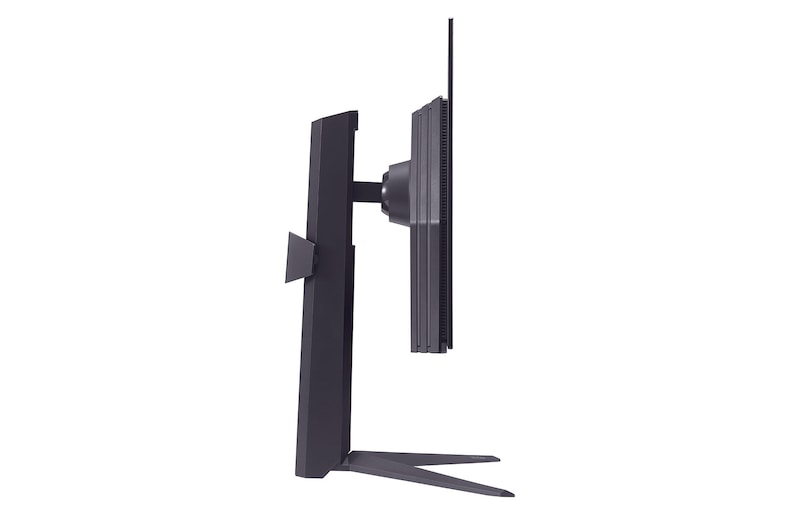
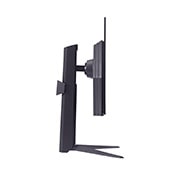
Enhance your gaming experience with a new Hexagon lighting and 4-side virtually borderless design. The adjustable base supports tilt, height, and pivot helps you play games more comfortably.

Gamer centric design.

Tilt adjustable icon.

Swivel

Height adjustable icon.

Tilt

Pivotable icon.

Height

Borderless design monitor.

Borderless design

UltraGear™ remote control

Set and control at once

With UltraGear™ remote control, you can conveniently set and control your monitor by turning it on or off, sound adjusting, changing mode, and others.

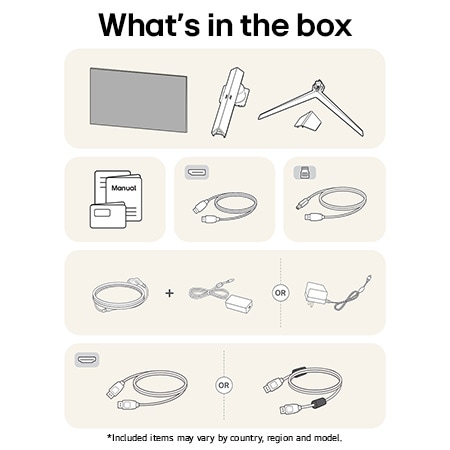
*The remote control is included in the package.

Gaming GUI

Award winning gaming GUI

Gamers can use On-Screen Display and OnScreen Control to easily customize the setting from adjusting basic monitor options to registering ‘User Defined Key’ that user can set the shortcut.

*To download the latest OnScreen Control, visit LG.COM.

*The images simulated to enhance feature understanding. It may differ from actual use.

Protect your display with OLED Care

OLED Care help to prevent the after image, display burn-in, that occurred when it change the new picture after a static high-contrast image was displayed for a long time.

*This feature is only available as a remote controller included in the package.

Dynamic Action Sync

With Dynamic Action Sync, gamers can catch critical moments in real time, reduce input delays, and respond quickly to their opponents.

Black Stabilizer

Black Stabilizer helps gamers to avoid snipers hiding in the darkest places and quickly escape situations when the flash explodes.

Crosshair

Target point is fixed in the center to enhance shooting accuracy.

FPS Counter

The FPS Counter will let you see how well everything is loading. Whether you're editing, playing games, or watching a movie, every frame matters, and with the FPS Counter, you'll have real-time data.

*The images simulated to enhance feature understanding. It may differ from actual use.

*The Crosshair feature is unavailable while FPS Counter is activated.

*FPS Counter may display the value that exceeds the maximum refresh rate of monitor.

LG Calibration Studio.

LG Calibration Studio

Accurate colours updated

Optimize colour performance by using hardware calibration through the LG Calibration Studio, making the most of LG QHD OLED display's wide colour spectrum and consistency.

*The images simulated to enhance feature understanding. It may differ from actual use.

*The software and a Calibration Sensor are ​NOT included in the package. To download the latest LG Calibration Studio software, visit LG.COM.

SUMMARY

DIMENSIONS

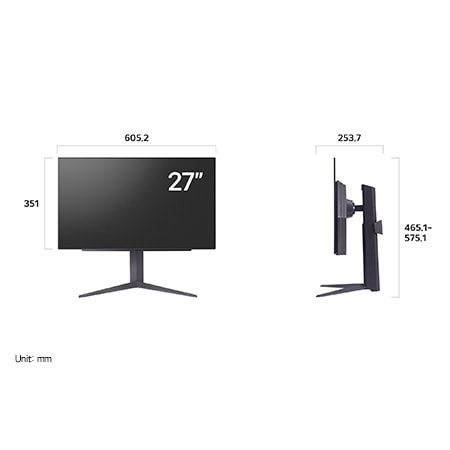
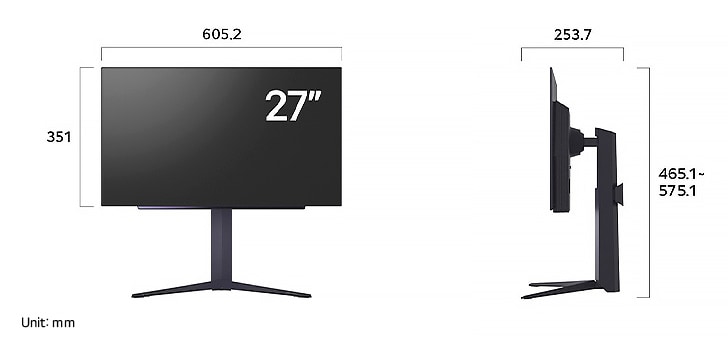
LG UltraGear Monitor 27GS93QE in matte black, showing alternate product dimensions of 605.2 mm width, 351 mm display height, 465.1 mm total height, and 253.7 mm depth.

All Spec

INFO

  • Product name

    UltraGear

DISPLAY

  • Aspect Ratio

    16:9

  • Brightness (Typ.) [cd/m²]

    275 cd/m²

  • Color Gamut (Typ.)

    DCI-P3 98.5% (CIE1976)

  • Contrast Ratio (Typ.)

    1500000:1

  • Panel Type

    OLED

  • Refresh Rate (Max.) [Hz]

    240

  • Resolution

    2560 x 1440

  • Response Time

    0.03ms (GTG)

  • Size [cm]

    67.3

  • Size [Inch]

    26.5

  • Surface Treatment

    Anti-Glare, Low-Reflection of the front polarizer

  • Viewing Angle (CR≥10)

    178º(R/L), 178º(U/D)

FEATURES

  • Reader Mode

    Yes

  • AMD FreeSync™

    FreeSync Premium Pro

  • Auto Input Switch

    Yes

  • Black Stabilizer

    Black Stabilizer

  • Color Calibrated in Factory

    Yes

  • Color Weakness

    Yes

  • Crosshair

    Yes

  • Dynamic Action Sync

    Yes

  • FPS Counter

    Yes

  • HDR 10

    Yes

  • HDR Effect

    Yes

  • HW Calibration

    HW Calibration Ready

  • NVIDIA G-Sync™

    G-SYNC Compatible

  • Others (Features)

    Yes

  • Smart Energy Saving

    Yes

  • User Defined Key

    Yes

  • VESA DisplayHDR™

    DisplayHDR™400 TRUE BLACK

  • VRR

    Yes

SW APPLICATION

  • OnScreen Control (LG Screen Manager)

    Yes

  • Dual Controller

    Yes

  • LG Calibration Studio (True Color Pro)

    Yes

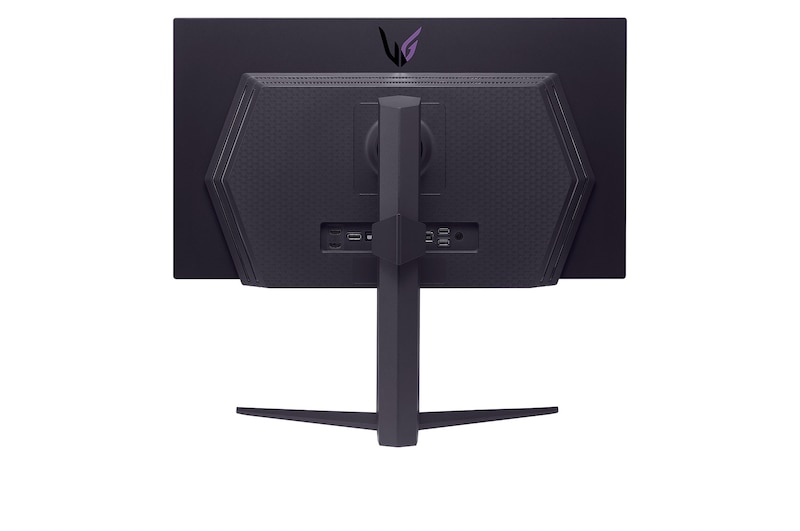
CONNECTIVITY

  • DisplayPort

    Yes(1ea)

  • DP Version

    1.4 (DSC)

  • HDMI

    Yes(2ea)

  • Headphone out

    3-pole (Sound Only)

  • USB Downstream Port

    Yes(2ea/ver3.0)

  • USB Upstream Port

    Yes(1ea/ver3.0)

POWER

  • AC Input

    100~240V (50/60Hz)

  • DC Output

    19V, 7.37A

  • Type

    External Power(Adapter)

MECHANICAL

  • Display Position Adjustments

    Tilt/Height/Pivot

  • Borderless Design

    4-Side Virtually Borderless Design

  • OneClick Stand

    Yes

  • Wall Mountable [mm]

    100 x 100 mm

DIMENSIONS/WEIGHTS

  • Dimension in Shiping (W x H x D) [mm]

    808 x 181 x 532

  • Dimension without Stand (W x H x D) [mm]

    605.2 x 351 x 45.3

  • Dimension with Stand (W x H x D) [mm]

    605.2 x 575.1 x 253.7 (UP) / 605.2 x 465.1 x 253.7 (DOWN)

  • Weight in Shipping [kg]

    10.1kg

  • Weight without Stand [kg]

    4.8kg

  • Weight with Stand [kg]

    6.7kg

ACCESSORY

  • HDMI

    Yes (ver 2.1)

  • Adapter

    Yes

  • Display Port

    Yes

  • HDMI (Color/Length)

    Black / 1.8m

  • Others (Accessory)

    Stand Cable Holder, remote controller

  • Power Cord

    Yes

  • USB A to B

    Yes

What people are saying

FAQ

How to choose a gaming monitor?

Start with your priorities. Want crisp visuals? Go for 4K resolution. Need ultra-smooth motion? Prioritize a high refresh rate (144Hz or more) and low response time. If you're after deep contrast and color accuracy, consider OLED or Nano IPS, Nano IPS black panels. Don’t forget adaptive sync tech like NVIDIA G-SYNC or AMD FreeSync™ Premium to eliminate screen tearing. LG’s UltraGear™ series offers a range of gaming monitors tailored to your play style—from casual console gaming to high-intensity PC competition.

What is the refresh rate of a gaming monitor?

Refresh rate, calculated in Hertz (Hz), refers to how many displays are updated within one second. For example, a 120Hz indicates that the display refreshes 120 times per second. Gaming monitors with high refresh rates offer smoother visuals with less screen tearing.

How many hertz is good for gaming?

For most gamers, 144Hz is the sweet spot for fluid, responsive gameplay. Competitive players may want even faster refresh rates like 240Hz for that extra edge in fast-paced shooters or esports titles. LG’s lineup of UltraGear™ Gaming Monitors includes models that go from 144Hz to 240Hz and beyond (when used in dual mode, LG's models support 165Hz and 330Hz OR 240Hz and 480Hz)*, all designed to keep up with the action while minimizing lag and screen tearing.


It depends on what—and how—you play. Many gamers go with 144Hz for fluid, responsive gameplay. Competitive players may want faster refresh rates like 240Hz for that extra edge in fast-paced shooters or esports titles. LG’s lineup of UltraGear™ Gaming Monitors includes models that go from 144Hz to 240Hz and 480Hz, all designed to keep up with the action while minimizing lag and screen tearing.


*Actual refresh rates may vary depending on computer graphics specifications and configurations.

What are the differences between OLED, IPS, and VA panels?

OLED panels emit their own light at the pixel level, delivering near-perfect blacks, exceptional contrast, and vivid colors. They also offer ultra-fast response times, making them ideal for high-end gaming monitors, premium TVs, and professional video editing.


IPS panels are known for their accurate color reproduction and wide viewing angles, maintaining clear images from various positions. This makes them well-suited for office work, design, and gaming. Their excellent color accuracy is especially appealing to gamers who want to experience visuals exactly as the developers intended.


VA panels boast the highest contrast ratio among LCD types, providing an immersive experience for watching movies and videos. While not as fast as TN panels, they offer nearly comparable performance.

Should I get a curved monitor?

If you want a more immersive gaming experience, curved gaming monitors are a great choice. The curvature helps keep your eyes focused on the center of the screen naturally, which is great for long gaming sessions.


LG's UltraGear GX9 supports 800R curvature and a 21:9 ultrawide aspect ratio, delivering immersive visuals and an ideal viewing distance. At an 800mm viewing distance, its 800R curvature creates a viewing angle of 90 degrees across both the center and the edge—pulling you deeper into the game.

Is 1440p or 4K better for gaming?

Both have their strengths. For many gamers, 1440p (QHD) hits a sweet spot between resolution and performance, especially for competitive gaming where frame rate matters most. It’s easier to push higher FPS without overloading your GPU. 4K, on the other hand, is all about detail and immersion—perfect for single-player adventures or next-gen console play. LG’s UltraGear™ gaming monitors offer both QHD and 4K options, so whether you prioritize speed or stunning visuals, there’s a perfect fit for your setup.

Can I connect my monitor to my PC with a USB-C?

Connecting your gaming monitor via USB-C is simple—just plug one end of the cable into your device’s USB-C port, and you’re good to go. You can charge your laptop too if your PC is connected to your monitor with a USB-C port.


*Supported models may vary.

What is DisplayPort 2.1?

DisplayPort 2.1, the latest version of the DisplayPort standard, delivers ultra-fast data speeds for flawless high refresh rate gameplay. It is developed by VESA (Video Electronics Standards Association) to provide high-performance display connectivity for computers and monitors.

Many of LG’s latest models support DisplayPort 2.1*, which doubles the bandwidth of DP 1.4. That means you get higher resolutions, smoother frame rates, and lower latency—perfect for fast-paced gaming.


*Note: We have received numerous reports from users of NVIDIA 50-series graphics cards experiencing screens turning off when using DisplayPort 2.1 with 10-bit or 12-bit settings. If you are experiencing the same, as a temporary workaround, you can switch the DisplayPort input to 1.4 in your monitor's OSD menu or adjust the color setting to 8-bit in the NVIDIA Control Panel. This issue has been reported to NVIDIA for a more permanent solution.

What is HDMI 2.1?

With HDMI 2.1 supported, you’ll enjoy features like Variable Refresh Rate (VRR), Auto Low Latency Mode (ALLM), and support for 4K at up to 120Hz. Whether you’re gaming on a console or PC, these upgrades give you the flexibility and performance to match any setup.

Our Picks for You