We use cookies, including cookies from third parties, to enhance your user experience and the effectiveness of our marketing activities. These cookies are performance, analytics and advertising cookies, please see our Privacy and Cookie policy for further information. If you agree to all of our cookies select “Accept all” or select “Cookie Settings” to see which cookies we use and choose which ones you would like to accept.
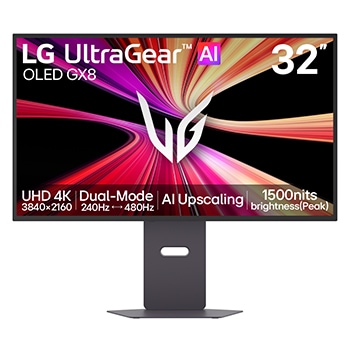
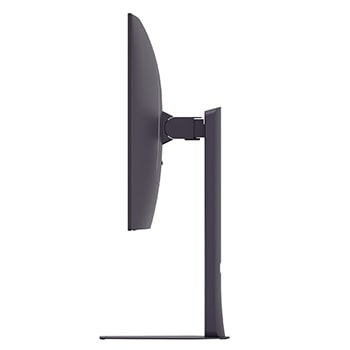
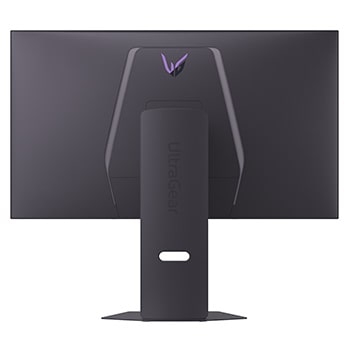
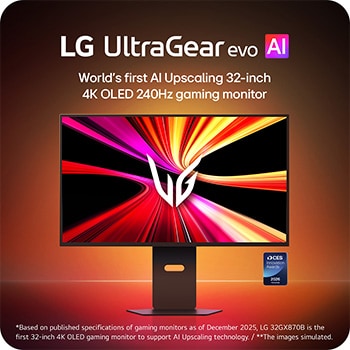
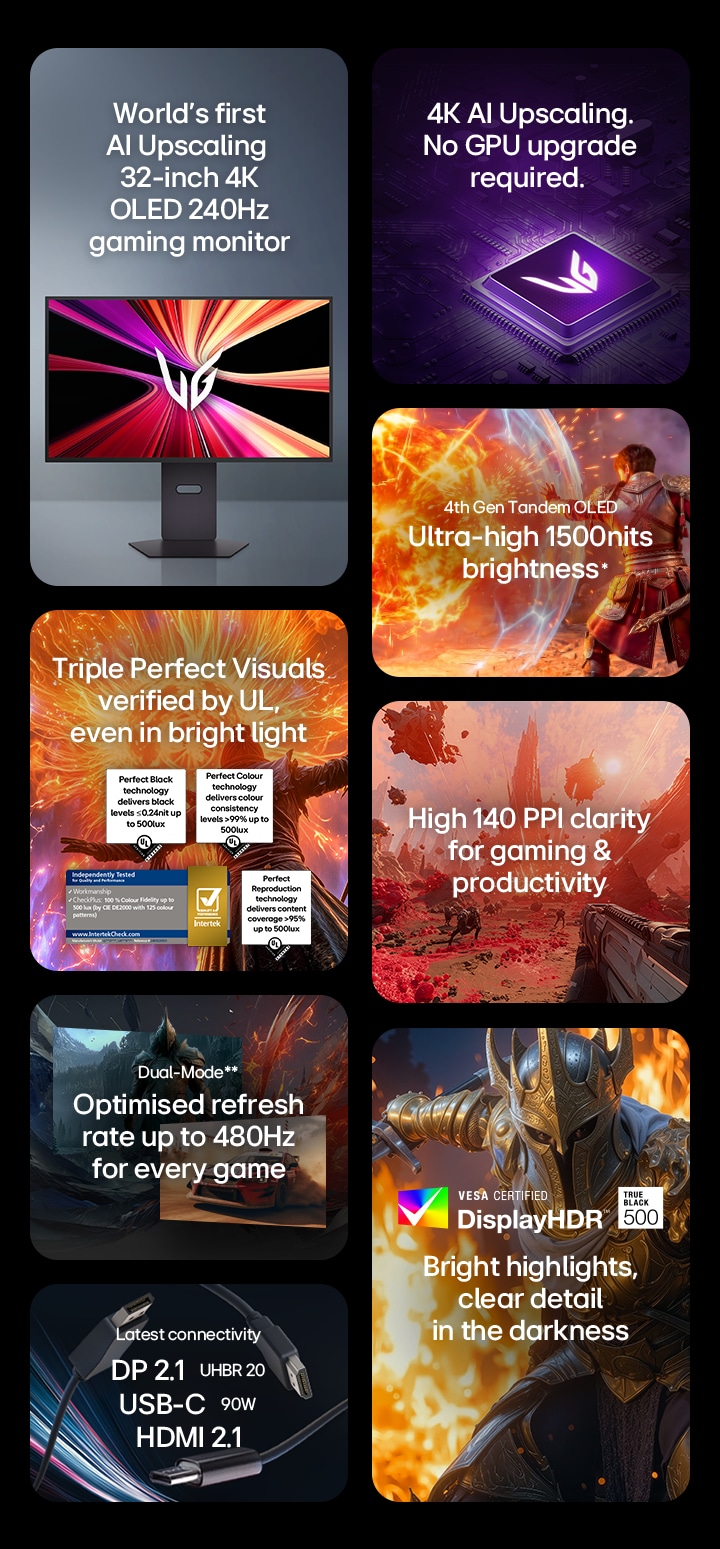
32-inch UltraGear evo GX8, World's First AI Upscaling 32" 4K OLED Gaming Monitor
32GX870B-B
()
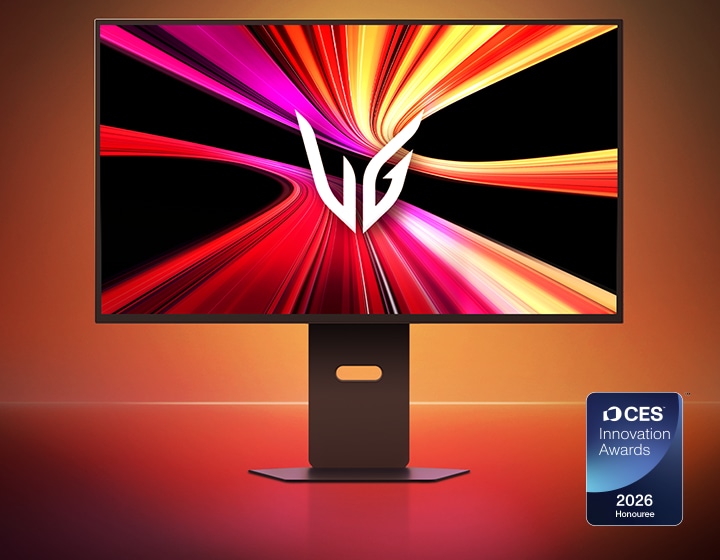
Award-winning excellence
*The CES Innovation Awards are based upon descriptive materials submitted to the judges. CTA did not verify the accuracy of any submission or of any claims made and did not test the item to which the award was given.
*Based on published specifications of gaming monitors as of December 2025, LG 32GX870B is the first 32-inch 4K OLED gaming monitor to support AI Upscaling technology.
**Images have been simulated to enhance feature understanding, and may differ from actual use experience.
*32GX870B offers a peak brightness of 1500 nits, measured under internal test conditions. Actual brightness may vary by usage environment.
**32GX870B supports Dual-Mode with refresh rates of 240Hz at 4K UHD and 480Hz at FHD.
Discover a new level of immersion with the 39-inch 5K2K (5120×2160) display. Designed in a 21:9 UltraWide format with a 1500R curved screen, offering about 33% more pixels than a 32-inch 4K display, it gently surrounds your vision to create a more immersive viewing experience. The high-density 5K2K resolution delivers crisp detail and visual depth, keeping every scene sharp, focused, and deeply engaging across a variety of games.
*Images have been simulated to enhance feature understanding, and may differ from actual use experience.
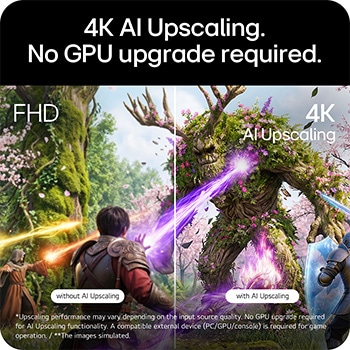
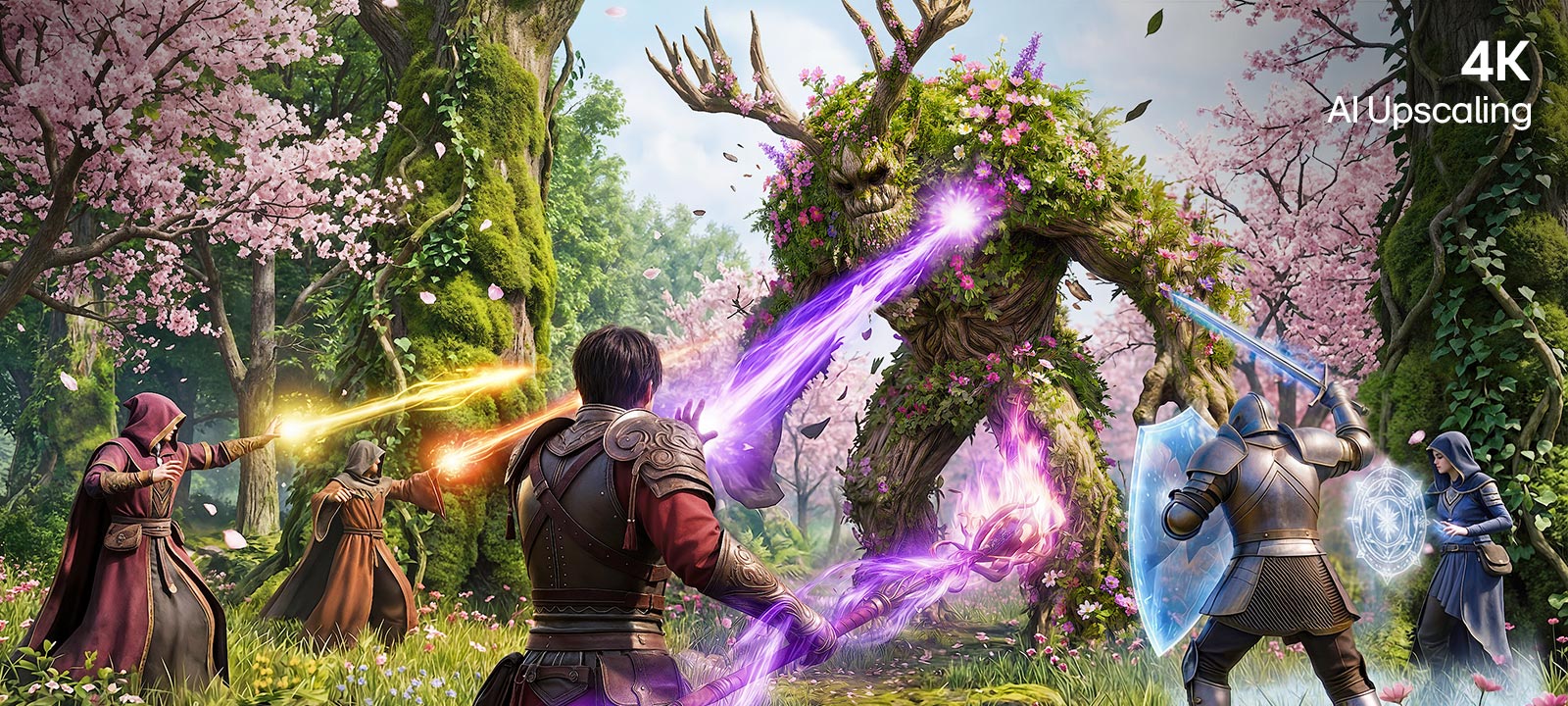
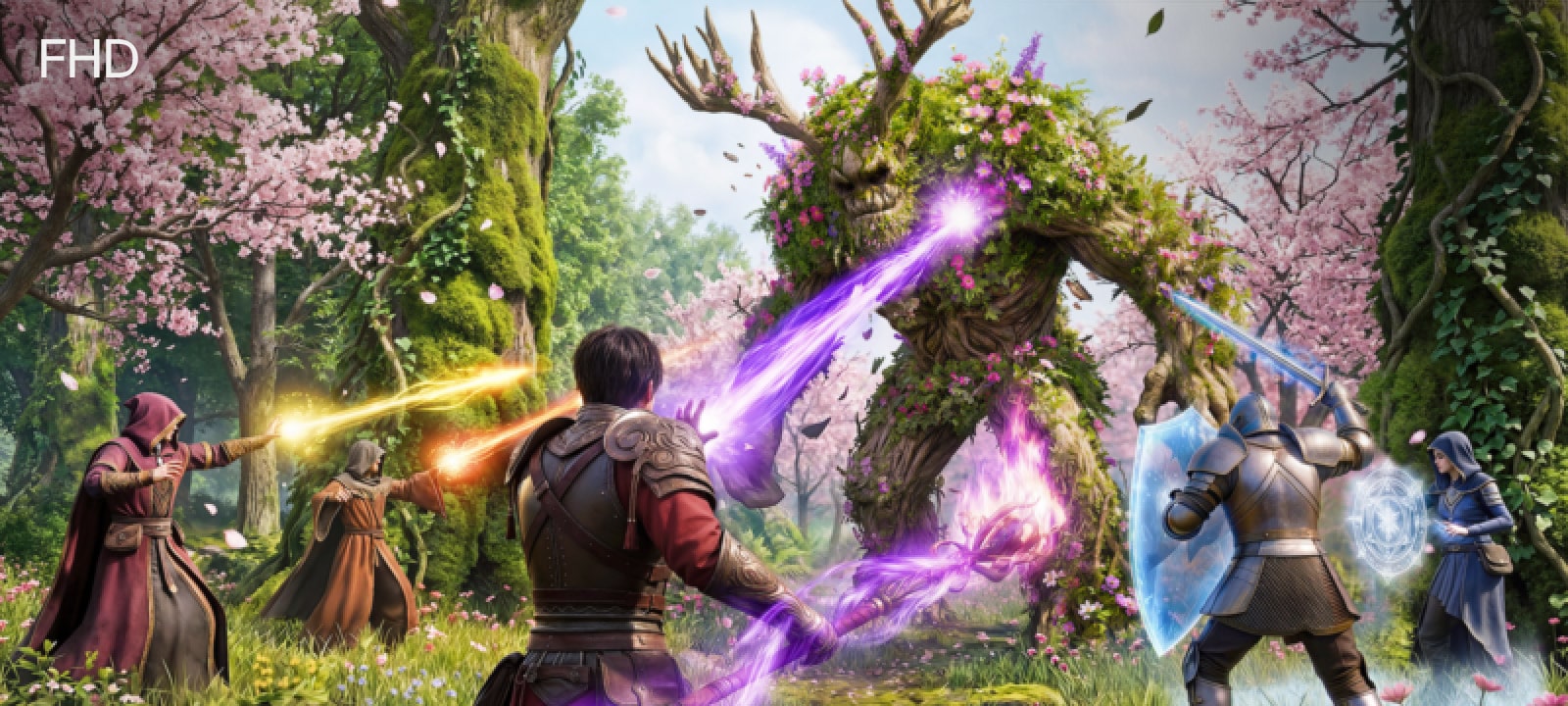
4K AI Upscaling.
No GPU upgrade required.*
UltraGear evo™’s built-in processor powers 4K AI Upscaling, intelligently enhancing content to 4K resolution from any device. Without additional GPU or hardware upgrades, it intelligently upscales content to deliver sharper detail and improved resolution.*

without AI Upscaling

with AI Upscaling
*Upscaling performance may vary depending on the input source quality. No GPU upgrade required for AI Upscaling functionality. A compatible external device (PC/GPU/console) is required for game operation.
**Images have been simulated to enhance feature understanding, and may differ from actual use experience.
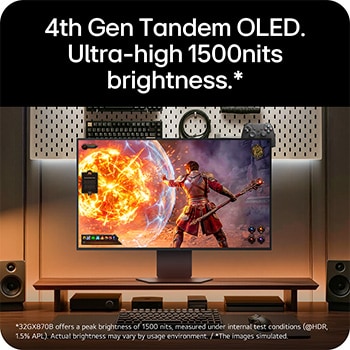
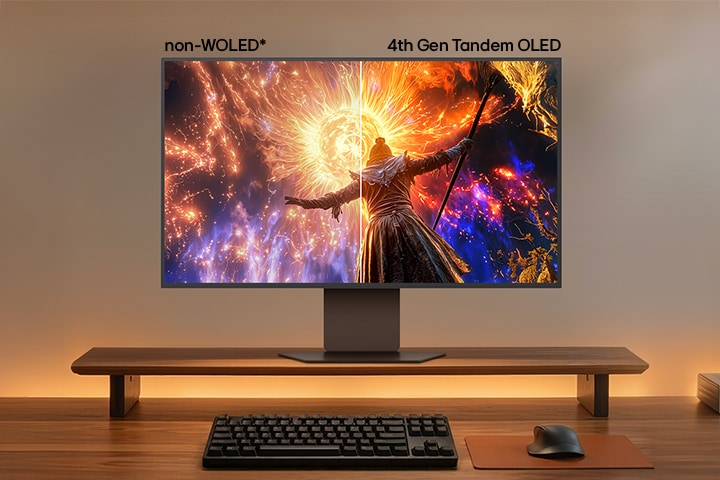
4th Gen Tandem OLED.
Ultra-high 1500nits brightness.*
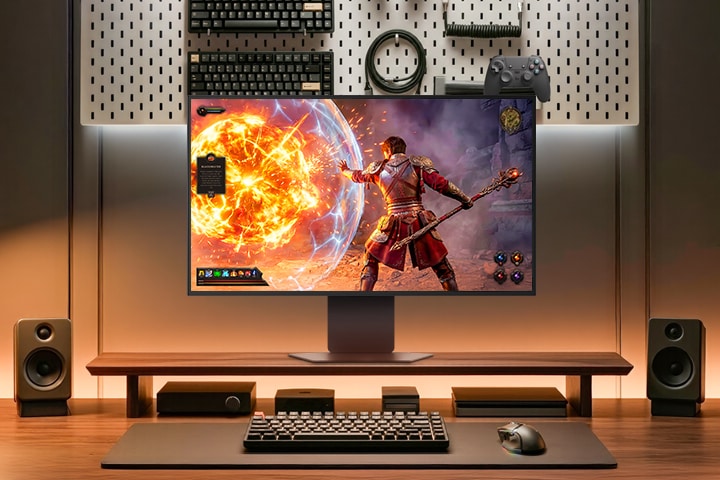
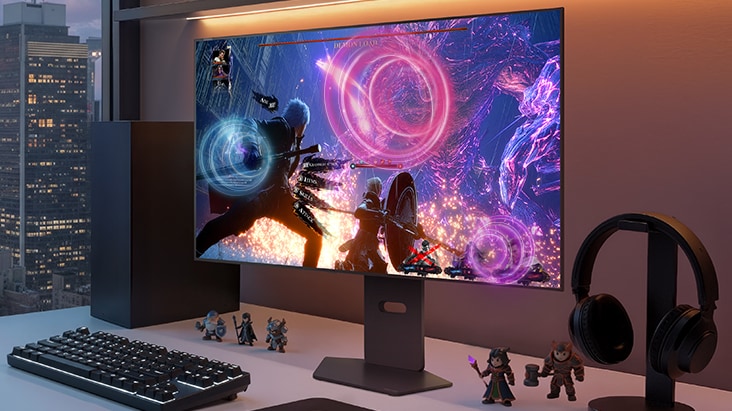
Powered by 4th Gen Tandem OLED, LG 32GX870B delivers brighter visuals—reaching up to 1500 nits of peak brightness for visibly clearer gameplay, helping you to see on-screen visuals with precision even in bright environments.
*32GX870B offers a peak brightness of 1500 nits, measured under internal test conditions (@HDR, 1.5% APL). Actual brightness may vary by usage environment.
*Images have been simulated to enhance feature understanding, and may differ from actual use experience.
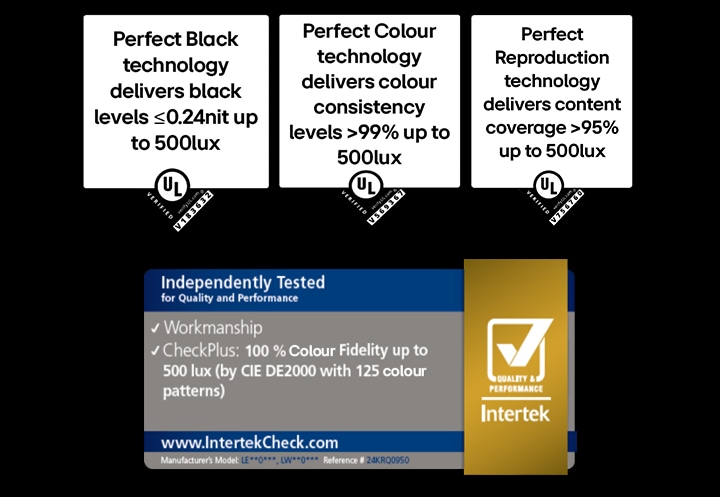
Triple Perfect Visuals verified by UL,
even in bright light
*Among OLED gaming monitors. The images are simulated for illustrative purposes only.
**Images have been simulated to enhance feature understanding, and may differ from actual use experience.
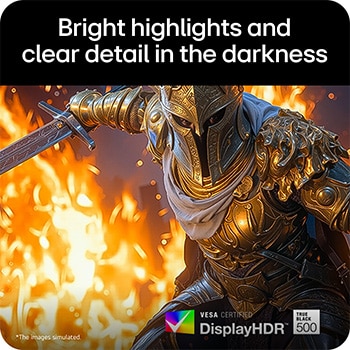
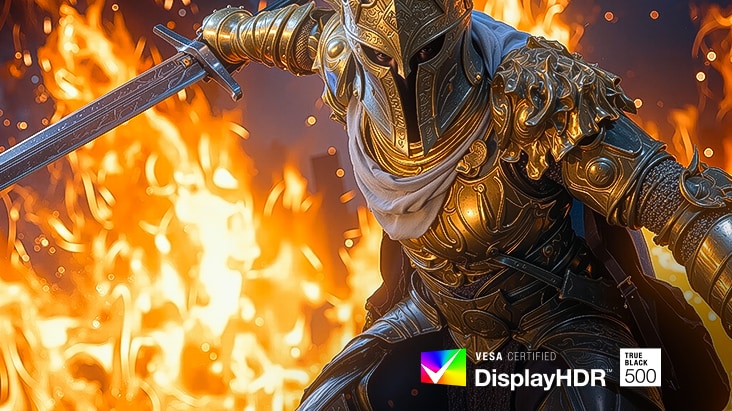
Bright highlights and clear detail in the darkness
Experience greater depth and vibrant realism with VESA DisplayHDR™ True Black 500, enhancing contrast to reveal bright highlights and refined shadow detail in games. Bright, high-impact effects appear more vivid and clearly defined, while dark scenes retain texture and clarity without losing detail. With DCI-P3 99.5% (Typ.) color gamut, the monitor provides that colors are displayed with realistic detail, as close to the original intent as possible.
*The images simulated to enhance feature understanding. It may differ from actual use.
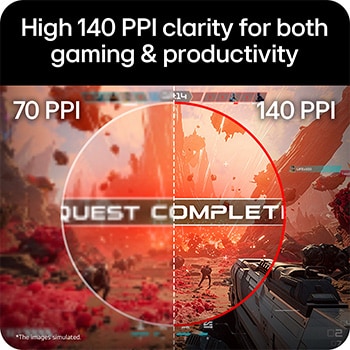
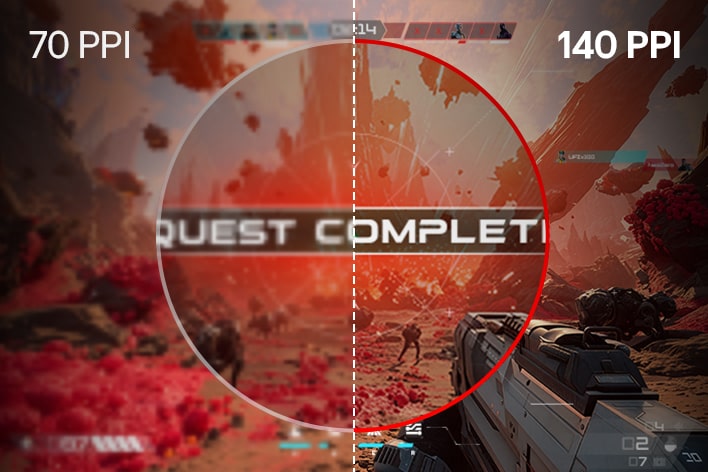
High 140 PPI clarity for both gaming & productivity
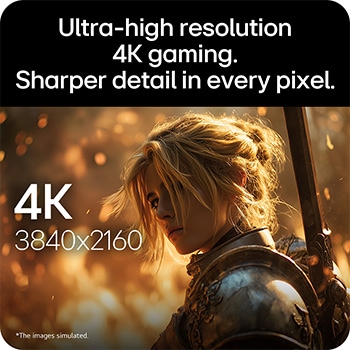
With a 140 PPI (Pixels Per Inch), it delivers a precise gaming experience and better productivity. During gameplay, in-game texts, UI elements, and fine details appear clearer and well-defined, making HUDs (Head-Up Displays), menus, and on-screen information easier to read. It also enhances clarity for text-heavy tasks such as document editing, web browsing, or coding.
*Images have been simulated to enhance feature understanding, and may differ from actual use experience.
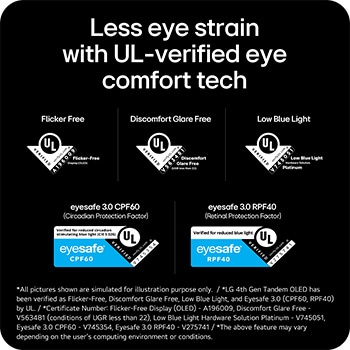
Less eye strain
with UL-verified eye comfort tech
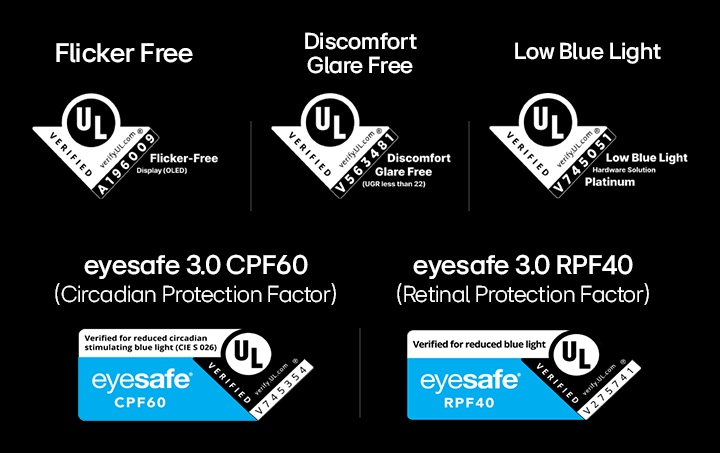
LG UltraGear's UL-verified advanced eye comfort technologies minimize frustrating reflections and are designed with visual comfort in mind, delivering crystal-clear gaming performance with consistent clarity. With UL verifications in key areas—reducing screen flicker, minimizing discomfort glare, and limiting harmful blue light exposure—these technologies promote visual comfort and contribute to a smoother gaming experience, whether you’re gaming in bright environments or LED-lit rooms.
*All pictures shown are simulated for illustration purpose only.
*LG 4th Gen Tandem OLED has been verified as Flicker-Free, Discomfort Glare Free, Low Blue Light, and Eyesafe 3.0 (CPF60, RPF40) by UL.
*Certificate Number: Flicker-Free Display (OLED) - A196009, Discomfort Glare Free - V563481 (conditions of UGR less than 22), Low Blue Light Hardware Solution Platinum - V745051, Eyesafe 3.0 CPF60 - V745354, Eyesafe 3.0 RPF40 - V275741
*The above feature may vary depending on the user’s computing environment or conditions.
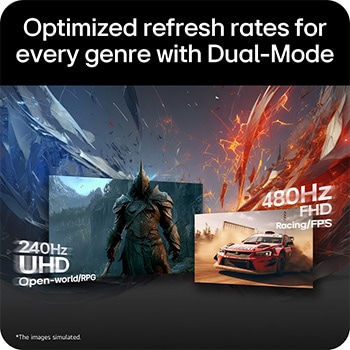
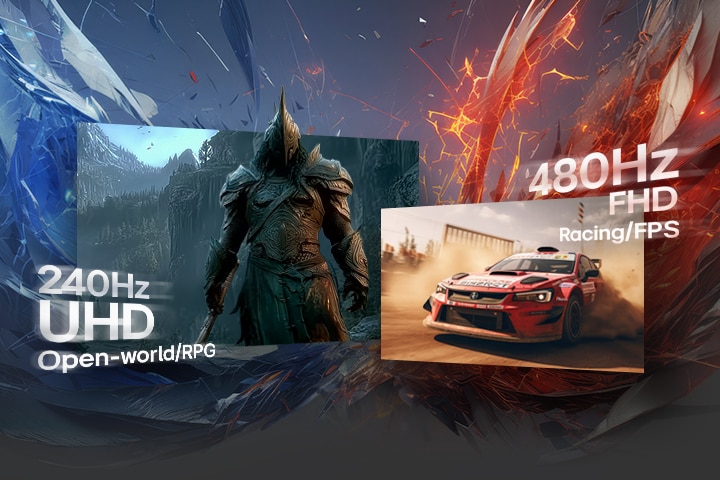
Optimized refresh rates for every genre with Dual-Mode
Seamlessly match your game type with the ideal refresh rate using VESA Certified Dual-Mode—simply switch from 240Hz at 4K UHD for AAA titles such as RPG and adventure to 480Hz at FHD for fast-paced games like FPS and racing.
*Images have been simulated to enhance feature understanding, and may differ from actual use experience.
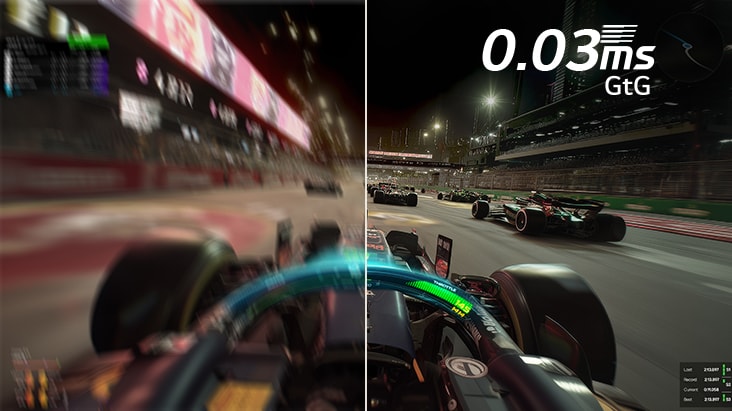
0.03ms (GtG). Quick response for gameplay.
The 0.03ms (GtG) response time is built to reduce ghosting, helping maintain clearer on-screen transitions for smoother, more responsive gameplay.
*Images have been simulated to enhance feature understanding, and may differ from actual use experience.
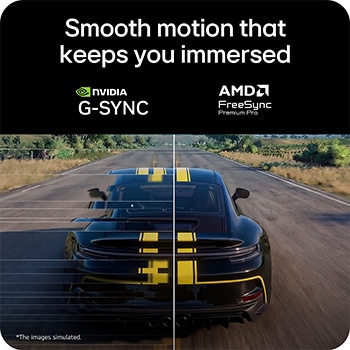
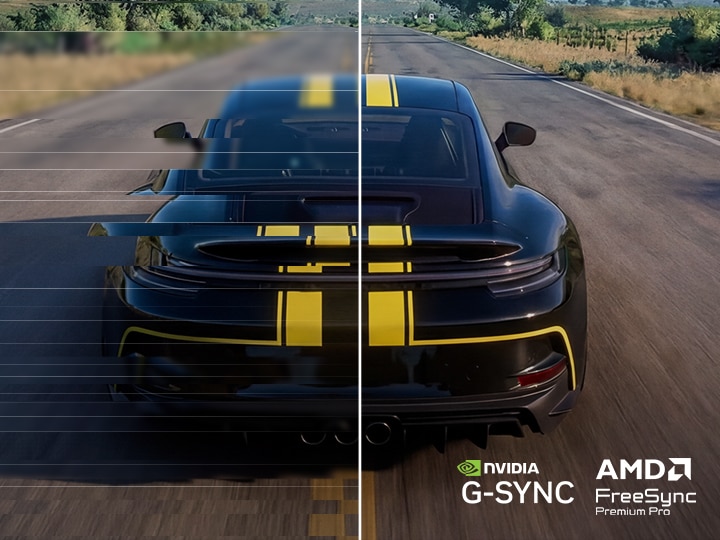
Smooth motion that keeps you immersed
Minimize tears and lags with NVIDIA® G-SYNC® compatible and AMD FreeSync™ Premium Pro technology. Experience significantly reduced screen tearing and stuttering for smooth visuals with minimized motion blur and ghosting.
*Images have been simulated to enhance feature understanding, and may differ from actual use experience.
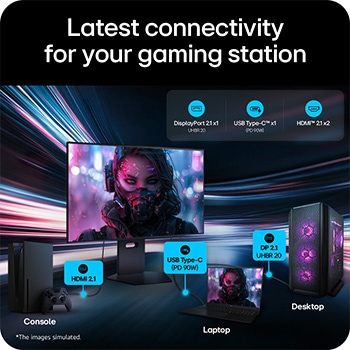
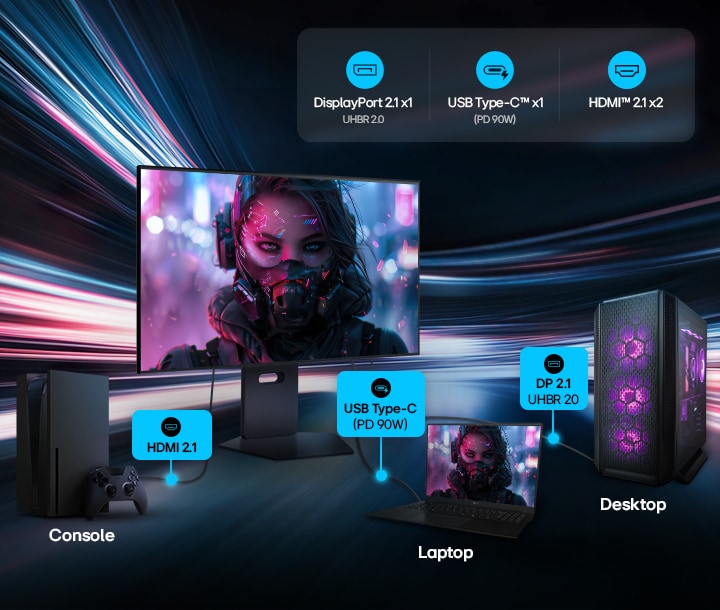
Latest connectivity for your powerful, future-ready gaming station
LG UltraGear evo AI 32GX870B features the latest port selection, including DisplayPort 2.1 (UHBR 20), USB Type-C (PD 90W), and HDMI 2.1—seamlessly connected to a wide range of gaming devices and bringing your ultimate gaming station. Equipped with DisplayPort 2.1 (UHBR 20), LG UltraGear evo AI provides the high bandwidth required for high-resolution, high-refresh-rate gaming on high-performance GPUs—delivering clean visuals and smooth gameplay. USB Type-C supports display output, data transfer, and up to 90W device charging simultaneously via a single cable. HDMI 2.1 provides stable connections with consoles and other devices.
*Images have been simulated to enhance feature understanding, and may differ from actual use experience.
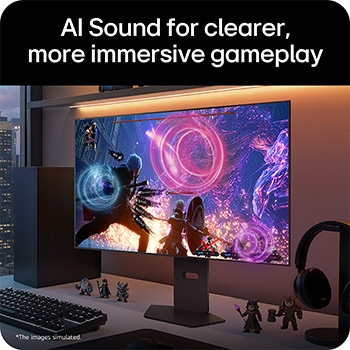
AI Sound for clearer, more immersive gameplay
AI Sound intelligently separates individual audio elements—voices, effects, and background sounds—and adapts to gameplay for more controlled, immersive audio, creating a virtual 7.1.2 channel sound experience. Through 7W×2 built-in stereo speakers or headphones, voices remain clear even in intense firefights, while critical cues like approaching footsteps stay easy to detect during gameplay.
*Images have been simulated to enhance feature understanding, and may differ from actual use experience.
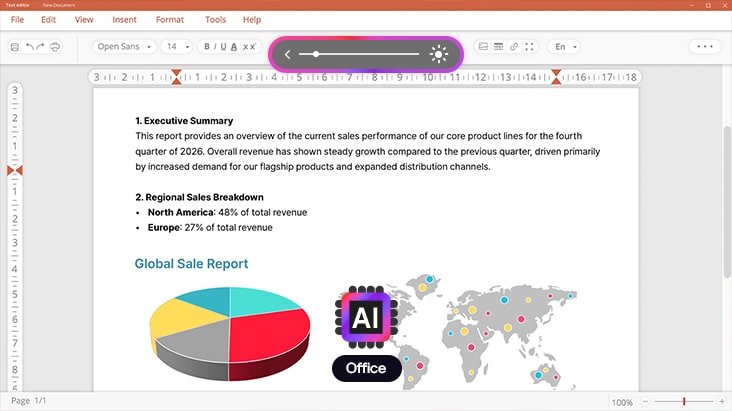
AI Scene Optimization for optimal display settings
AI Scene Optimization recognizes what’s on screen and automatically adjusts key picture settings such as color temperature, color enhancement, and sharpness to match each content type—including Office, Animation, Movie, Game, and Sports modes.
*Images have been simulated to enhance feature understanding, and may differ from actual use experience.
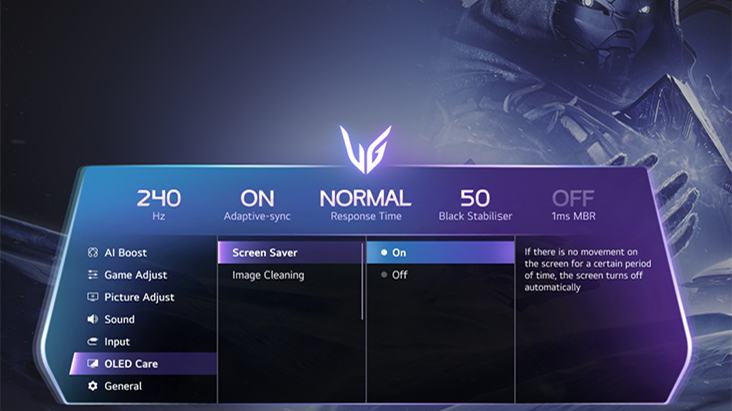
Protect your display with OLED Care
OLED Care features designed to help reduce the risk of image retention and burn-in that can occur when static high-contrast images are displayed for extended periods.
*Images have been simulated to enhance feature understanding, and may differ from actual use experience.
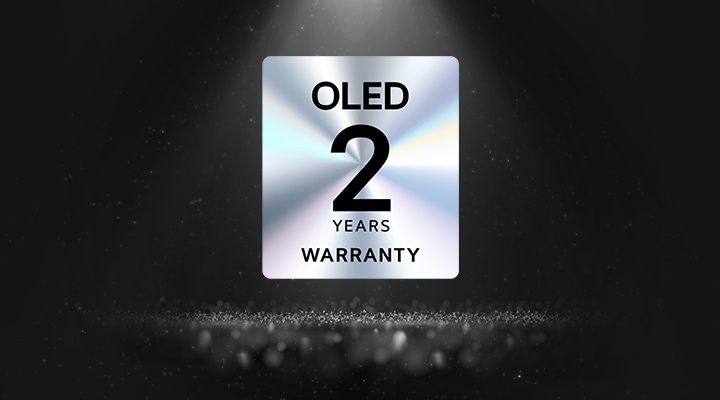
*Based on the standalone purchase price of the warranty available on LG.com.
*Images have been simulated to enhance feature understanding, and may differ from actual use experience.
FAQ
Q.
How to pick a gaming monitor?
A.
Start with your priorities. Want crisp visuals? Go for 4K resolution. Need ultra-smooth motion? Prioritize a high refresh rate (144Hz or more) and low response time. If you're after deep contrast and color accuracy, consider OLED or Nano IPS, Nano IPS black panels. Don’t forget adaptive sync tech like NVIDIA G-SYNC or AMD FreeSync™ Premium to eliminate screen tearing.
LG’s UltraGear™ series offers a range of gaming monitors tailored to your playstyle—from casual console gaming to high-intensity PC competition.
Q.
What is the refresh rate of a gaming monitor?
A.
Refresh rate, calculated in Hertz (Hz) refers to how many images in a display are updated within one second. For example, a 120 Hz indicates that the display refreshes 120 times per second. Gaming monitors with high refresh rates offers smoother visuals with less screen tearing.
Q.
How many hertz is good for gaming?
A.
For most gamers, 144Hz hits the sweet spot for fluid, responsive gameplay. Competitive players may want even faster refresh rates like 240Hz for that extra edge in fast-paced shooters or esports titles. LG’s lineup of UltraGear™ Gaming Monitors include models that go from 144Hz to 480Hz (when used in dual mode, LG's models support 165Hz and 330Hz OR 240Hz and 480Hz)*, all designed to keep up with the action while minimizing lag and screen tearing.
It depends on what—and how—you play. Many gamers go with 144Hz for fluid, responsive gameplay. Competitive players may want faster refresh rates like 240Hz for that extra edge in fast-paced shooters or esports titles. LG’s lineup of UltraGear™ Gaming Monitors includes models that go from 144Hz to 240Hz and 480Hz, all designed to keep up with the action while minimizing lag and screen tearing.
*Actual refresh rates may vary depending on computer graphics specifications and configurations.
Q.
What is the difference between IPS and VA panels?
A.
IPS panels deliver an impressive color performance. They are best for gamers who like to take in the visuals of the game as intended by the artists. They are ideal for RPG and open world games.
VA panels have the most contrast among the LCD varieties. While they do not have the response time of TN panels, they perform nearly as well.
Q.
What is the best curved monitor for gaming?
A.
If you’re looking for a more immersive gaming experience, curved gaming monitors are a great choice. The curvature helps keep your eyes naturally focused on the center of the screen, which can make longer gaming sessions more comfortable.
LG's UltraGear evo GX9 (39GX950B) gaming monitor features the world’s first 39-inch 5K2K OLED display with a 1500R curved ultrawide design. Its 1500R curvature aligns more naturally with your field of view, helping maintain clarity from the center to the edges of the screen. The 39‑inch ultrawide format provides an ideal screen size for immersive gameplay. It also features AI Upscaling technology that lets you enjoy 5K2K at 165Hz without frame drops, even without a high‑end graphics card. In addition, AI Scene Optimization automatically detects your usage scenario and adjusts the picture settings for optimal image quality.
With LG’s own DQ‑C2 chipset, the monitor is equipped with AI Sound technology that makes sound effects, background music, and voices feel even more realistic.
The UltraGear evo G9 (52G930B) also features a 1000R curvature on its world’s largest 52-inch ultrawide display, providing an expansive field of view. Its tighter curvature enhances immersion across the ultrawide screen while maintaining visual clarity and viewing comfort from center to edge. It also features a 240Hz refresh rate for smooth, responsive gameplay.
Q.
Is 1440p or 4K better for gaming?
A.
Both have their strengths. For many gamers, 1440p (QHD) hits a sweet spot between resolution and performance, especially for competitive gaming where frame rate matters most. It’s easier to push higher FPS without overloading your GPU. 4K, on the other hand, is all about detail and immersion—perfect for single-player adventures or next-gen console play. LG’s UltraGear™ gaming monitors offer both QHD and 4K options, so whether you prioritize speed or stunning visuals, there’s a perfect fit for your setup.
Q.
Can I connect my monitor to my PC with a USB-C?
A.
Connecting your gaming monitor via USB-C* is simple—just plug one end of the cable of your gaming monitor into your device’s USB-C port, and you’re good to go.
You can charge your laptop too if your PC is connected to your monitor with a USB-C port.
*Supported model may vary.
Q.
What is DisplayPort 2.1?
A.
DisplayPort 2.1*, which is the latest version of the DisplayPort standard, delivers ultra-fast data speeds for flawless high refresh rate gameplay.
It is developed by VESA (Video Electronics Standards Association) to provide high-performance display connectivity for computers and monitors.
Many of LG’s latest models support DisplayPort 2.1, which doubles the bandwidth of DP 1.4. That means you get higher resolutions, smoother frame rates, and lower latency—perfect for fast-paced gaming.
*Important Update: NVIDIA has released the GeForce Hotfix Display Driver 576.26 (April 28, 2025) to resolve screen blackouts when connecting to DisplayPort 2.1 on NVIDIA RTX 50 series GPUs. NVIDIA GPU users should download and install the latest display driver before connecting their DP2.1-supported monitors.
Q.
What is HDMI 2.1?
A.
With HDMI 2.1 supported, you’ll enjoy features like Variable Refresh Rate (VRR), Auto Low Latency Mode (ALLM), and support for 4K at up to 120Hz. Whether you’re gaming on a console or PC, these upgrades give you the flexibility and performance to match any setup.
Q.
What are the new 2026 gaming monitors lineup from LG?
A.
LG’s 2026 UltraGear lineup introduces a range of high-resolution gaming monitors designed to support both immersive gameplay and productivity. The lineup spans multiple panel technologies, screen sizes, and aspect ratios, offering resolutions up to 5K2K. Select models also incorporate on-device AI upscaling and AI scene optimization to help enhance image clarity across different use cases.
UltraGear evo GX9 (39GX950B) features the world’s first 39-inch 5K2K curved ultrawide OLED display with a 1500R curved design, delivering expansive horizontal resolution, an immersive field of view, and fast OLED response performance.
UltraGear evo G9 (52G930B) features the world’s largest 52-inch 5K2K ultrawide gaming display, paired with a 240Hz refresh rate for smooth motion clarity on a large-format screen.
Q.
Why should I consider buying a 1000Hz gaming monitor?
A.
A 1000Hz gaming monitor can help competitive players gain an edge when reaction speed and precision matter most. Higher refresh rates help improve smoothness, motion clarity, and responsiveness, supporting quicker reactions and greater aiming precision in competitive FPS games.
LG's UltraGear™ 25G590B is the World's First Native 1000Hz FHD Gaming Monitor*, designed specifically for this type of competitive gaming. Its 24.5-inch Full HD IPS display, ultra-fast 0.5ms GtG response time, MBR Pro (Motion Blur Reduction Pro), and native 1000Hz refresh rate work together to help players track fast-moving opponents more effectively during fast-paced gameplay. The monitor can also be overclocked to 1100Hz** for even higher refresh-rate performance.
Unlike dual-mode displays, it delivers native 1000Hz performance in Full HD at all times, helping players maintain a consistent esports-focused experience without changing display settings. Furthermore, it delivers a buttery-smooth gaming experience with NVIDIA G-SYNC® Compatible and AMD FreeSync Premium support, while built-in AI features like AI Scene Optimization and AI Sound enhance your strategy and immersion.
Designed for competitive esports gaming, the UltraGear™ 25G590B delivers the speed, precision, and consistency that competitive gamers demand.
*Based on publicly available information as of May 19, 2026 (KST), among gaming monitors introduced by consumer brands.
**Overclocked 1100Hz operation may limit Adaptive-Sync functionality, as AMD FreeSync™ Premium is not supported and NVIDIA G-SYNC® compatibility is only certified at 1000Hz, where performance is guaranteed.
1100Hz overclock is evaluated based on internal testing.

Q.
What is the difference between 500Hz and 1000Hz refresh rates in gaming monitors?
A.
The key difference between 500Hz and 1000Hz gaming monitors is that a 1000Hz refresh rate delivers visual updates twice as often as a 500Hz refresh rate. A 500Hz gaming monitor refreshes the image every 2ms, while a 1000Hz gaming monitor cuts that refresh interval to 1ms for more frequent visual updates. The difference may not stand out in every game or for every player, but it can become more meaningful in competitive FPS moments where fast mouse turns, target tracking and full-screen camera movement make visual timing harder to read.
LG UltraGear™ 25G590B, the world's first native 1000Hz FHD Gaming Monitor*, is designed to maximize this advantage. It delivers native 1000Hz Full HD performance and pairs this with an ultra-fast 0.5ms GtG response time on an IPS panel. This helps deliver rapid 1ms refresh intervals with enhanced motion clarity and minimal ghosting, helping support smoother motion clarity, sharper visual confirmation and consistent responsiveness in esports gaming. Real-world benefits depend on game frame rate, PC performance, settings and player sensitivity, making 1000Hz most relevant for players who want to reduce visual delay in high-speed competitive scenarios.
*Based on publicly available information as of May 19, 2026 (KST), among gaming monitors introduced by consumer brands.
Q.
What is the best LG gaming monitors for esports?
A.
LG's UltraGear™ 25G590B stands out as LG's most esports-focused gaming monitor.
As the World's First Native 1000Hz FHD Gaming Monitor*, LG's UltraGear™ 25G590B is built specifically for esports competition. Its 24.5-inch Full HD display features the screen size widely adopted in esports, supporting quick situational awareness during gameplay.
The 25G590B's 1000Hz refresh rate, ultra-fast 0.5ms GtG response time, and MBR Pro (Motion Blur Reduction Pro) support the fast visual response and target tracking required in competitive play. Native 1000Hz performance at Full HD also allows players to train and compete under consistent visual conditions without changing display settings.
Designed for competitive esports gaming, its compact, esports-focus design enables a gaming setup tailored for competitive play. The 25G590B's stand base has been redesigned to occupy 49% less area compared to a similar existing model, 25G550B. This enables users to maximize the available space in front of the monitor for flexible keyboard and mouse positioning, making it ideal for esports environments.
*Based on publicly available information as of May 19, 2026 (KST), among gaming monitors introduced by consumer brands.
All Spec
INFO
Product name
UltraGear
Year
Y26
DISPLAY
Aspect Ratio
16:9
Brightness (Min.) [cd/m²]
300cd/m²
Brightness (Typ.) [cd/m²]
335cd/m²
Color Bit
10bit
Color Depth (Number of Colors)
1.07B
Color Gamut (Min.)
DCI-P3 94% (CIE1976)
Color Gamut (Typ.)
DCI-P3 99.5% (CIE1976)
Contrast Ratio (Min.)
1480000:1
Contrast Ratio (Typ.)
1850000:1
Panel Type
OLED
Pixel Pitch [mm]
0.1814mm x 0.1814mm
Refresh Rate (Max.) [Hz]
240
Resolution
3840 x 2160
Response Time
0.03ms (GTG)
Size [cm]
79.9
Size [Inch]
31.5
Surface Treatment
Anti-Glare, Low-Reflection of the front polarizer
Viewing Angle (CR≥10)
178º(R/L), 178º(U/D)
FEATURES
Reader Mode
YES
AMD FreeSync™
FreeSync Premium Pro
Auto Input Switch
YES
Black Stabilizer
YES
Color Calibrated in Factory
YES
Color Weakness
YES
Crosshair
YES
Dynamic Action Sync
YES
FPS Counter
YES
HDR 10
YES
HDR Effect
YES
HW Calibration
HW Calibration Ready
NVIDIA G-Sync™
G-SYNC Compatible
Others (Features)
VESA DSC Tech, 4way Joystick, AI Upscaling, AI Scene Optimization, AI Sound
RGB LED Lighting
Unity Hexagon Lighting
Smart Energy Saving
YES
User Defined Key
YES
VESA DisplayHDR™
DisplayHDR™500 TRUE BLACK
VRR
YES
STANDARD
CE
YES
FCC-B
YES
KC (for Rep. of Korea)
YES
TUV-TYPE
YES
UL (cUL)
YES
SW APPLICATION
Dual Controller
YES
LG Calibration Studio (True Color Pro)
YES
LG Switch
YES
CONNECTIVITY
DisplayPort
YES(1ea)
DP Version
2.1
HDMI
YES(2ea)
Headphone out
4-pole (Sound+Mic)
USB-C
Yes (1Up)
USB-C (Data Transsmission)
YES
USB-C (Max. Resolution at Hz)
3840x2160@240Hz
USB-C (Power Delivery)
90W
USB Downstream Port
YES(2ea/ver3.0)
USB Upstream Port
YES(via USB-C)
ACCESSORY
HDMI
YES (ver 2.1)
Adapter
YES
Display Port
YES (ver 2.1)
HDMI (Color/Length)
Black / 1.8m
Others (Accessory)
Door, Mouse Holder
Power Cord
YES
USB-C
YES
POWER
AC Input
100~240V (50/60Hz)
DC Output
20V , 13.5A
Power Consumption (DC Off)
Less than 0.3W
Power Consumption (Max.)
47.63W
Power Consumption (Sleep Mode)
Less than 0.5W
Type
External Power(Adapter)
SOUND
Speaker
7W x 2
MECHANICAL
Display Position Adjustments
Tilt/Height/Swivel/Pivot
Borderless Design
4-Side Virtually Borderless Design
OneClick Stand
YES
Wall Mountable [mm]
100 x 100
DIMENSIONS/WEIGHTS
Dimension in Shiping (W x H x D) [mm]
973x183x544
Dimension without Stand (W x H x D) [mm]
714.1x411.8x65.0
Dimension with Stand (W x H x D) [mm]
714.1 x 620.9 x 249.8 (UP) / 714.1 x 510.9 x 249.8 (DOWN)
Weight in Shipping [kg]
13.9Kg
Weight without Stand [kg]
5.6Kg
Weight with Stand [kg]
9.8Kg
What people are saying
Our Picks for You
Manual& Software
Download product manuals and latest software for your LG product.
Troubleshoot
Find helpful videos and information about your product systems.
Warranty
Check LG warranty information here.
Part& Accessory
Discover accessories for LG products.
Product registration
Registering your product will help you get faster support.
Product support
Find manual, troubleshoot and warranty of your LG product.
Order support
Track your order and check order FAQ.
Repair request
Repair request service conveniently online.
Contact Us
Chat with us
Get your answers from our virtual assistants.
WhatsApp
We are on WhatsApp. Text with our experts for service related concerns
Email us
No time to chat?Send LG Support your inquiry.
Text us
Text ‘*CARE’ to
1-587-742-2623
and get instantly connected to an agent.
(Only for customers located in Canada)
Find Locally
September 25 - October 8, 2026. Fall Epic Deals are here! Shop Select LG Products Starting at $99.99.
Free shipping exclusions may apply outside of GTA & GVA areas.
Recommended Product