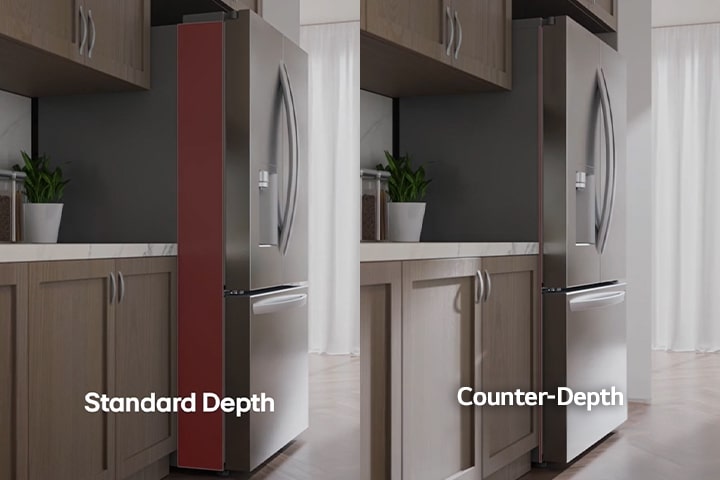
Counter-Depth

Keep it seamless

Thanks to its slightly shallower depth, LG counter-depth refrigerators align with countertops and cabinetry for a sleek and built-in look, without the high-end price tag.1

Counter-Depth

ThinQ® WiFi

Humidity Control Crispers

Keep it Crisp.

Humidity-controlled crispers help maintain humidity levels to help extend the life of your fruits and vegetables.1

Humidity Control Crispers

Humidity Control Crispers

Smart Inverter Compressor

Smart Inverter Compressor with 10 Year Warranty

LG's Smart Inverter Compressor controls the temperature of your refrigerator evenly, allowing your food to taste fresher, longer.1

ENERGY STAR® Certified

Save money. Save energy.

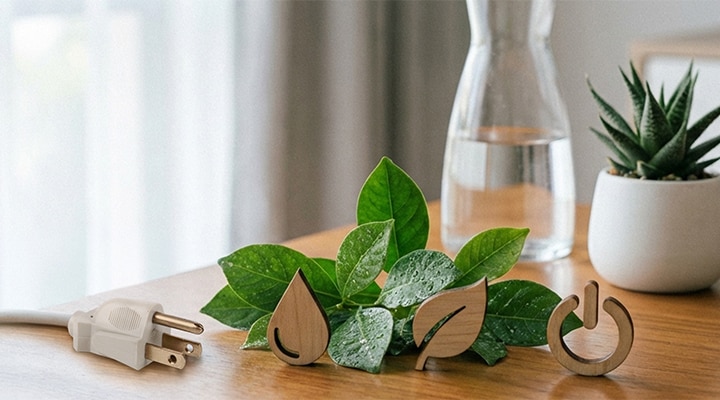
This ENERGY STAR® Certified LG refrigerator exceeds minimum federal energy standards to positively impact your energy bill, your energy consumption, and most importantly, the environment.

Energy Star

Energy Star

1 Images may be simulated and dramatized for illustrative purposes. Actual features, functionality, and other product specifications may differ and are subject to change without notice.

SUMMARY

DIMENSIONS

LG Top Freezer Refrigerator technical drawing: H 67 3/4"(1720mm), W 27 1/2"(700mm), D 26 3/4"(680mm), incl. clearances.
Volume Total (cu.ft)
13.2
Product Dimension (WxHxD, inch)
27 1/2" x 67 3/4" x 26 3/4"

All Spec

What people are saying

FAQ

How large should my refrigerator/freezer be?

This depends on your lifestyle, but as a guideline:


An LG refrigerator/freezer with a capacity of 12.0 – 13.6 cu.ft. is usually sufficient for a smaller household of 1–2 people.


Slim Multi-Door models (17.9 – 18.0 cu.ft.) are well-suited for a family of 3–4 people.


For larger families, we recommend the spacious LG Multi-Door models (22.1 – 24.9 cu.ft.).


Multi-Door models also provide extra-wide space, perfect for storing larger items such as trays or platters. At LG, we want every customer to find the refrigerator that best fits their needs, which is why we offer a variety of sizes within each product line.

How can I change the temperature setting on my LG refrigerator/freezer?

You can adjust the desired temperature using the control panel on the door or inside the refrigerator.

For supported models, you can also conveniently adjust the temperature remotely through the LG ThinQ® app on your smartphone.

Our Picks for You