We use cookies, including cookies from third parties, to enhance your user experience and the effectiveness of our marketing activities. These cookies are performance, analytics and advertising cookies, please see our Privacy and Cookie policy for further information. If you agree to all of our cookies select “Accept all” or select “Cookie Settings” to see which cookies we use and choose which ones you would like to accept.
How do resolution and picture quality affect your gaming experience?
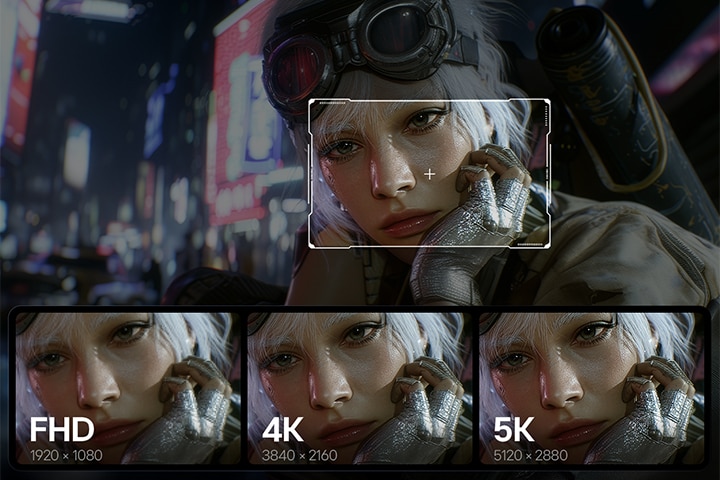
High resolution makes game worlds sharper, revealing finer textures, clearer details, and more readable on-screen elements. Picture quality—including contrast, brightness, color accuracy, and HDR—adds visual depth by bringing out detail in both dark and bright areas. Together, they create a clearer, more immersive experience for AAA games, including open-world adventures and cinematic RPGs.
What does resolution in monitors mean?
In gaming monitors, resolution represents the total number of pixels that make up the images displayed on your screen. Measured by width and height (such as 1920x1080), higher pixel counts mean sharper details and clearer textures in your favorite games. When a monitor has a higher resolution, it can render intricate graphics with precision, transforming jagged edges into smooth, lifelike visuals.
Why does LG UltraGear evo™ offer high-resolution gaming monitors up to 5K?
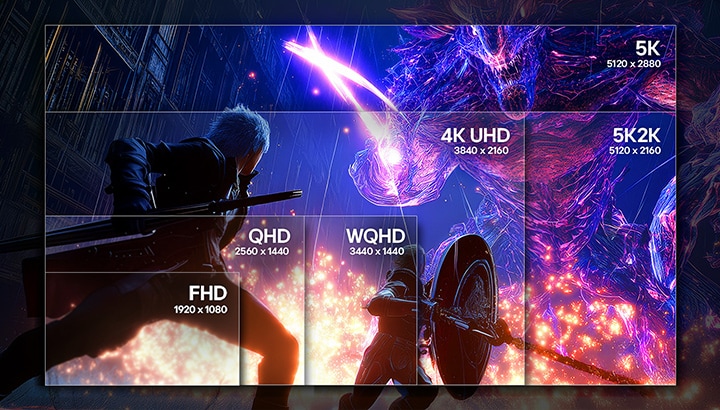
LG UltraGear evo™ is designed to deliver next-level immersion through high-resolution gaming experiences that make every scene feel sharper, wider, and more lifelike. LG UltraGear offers premium high-resolution monitors up to 5K, 5K2K, giving you more screen real estate and enhanced in-game visual clarity. But to get the most out of it, you need to match resolution to your PC specs and the games you play.
*The image is for illustrative purposes only and is intended to compare screen size by resolution. Actual gameplay visuals may vary.
What is Hyper Mini LED, and how does it enhance brightness and detail?
Hyper Mini LED, introduced by LG UltraGear evo GM9, represents the next generation of display technology, designed to enable ultra-high brightness and ultra-high resolution.
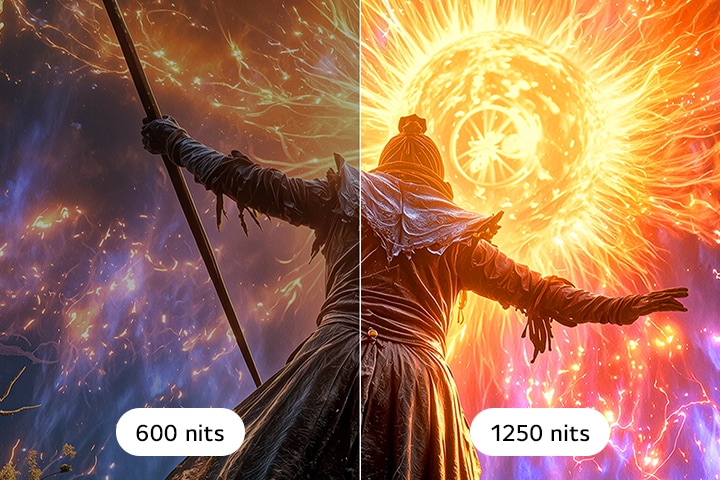
By utilizing much smaller, more densely packed LEDs than conventional Mini LED, it enables an ultra-high resolution 5K gaming experience with unmatched clarity. Powered by Hyper Mini LED, 27GM950B delivers an astonishing peak brightness of up to 1250 nits, making your game worlds brighter, sharper, and incredibly vivid, while helping maintain consistent gaming visuals even in bright indoor environments.
*27GM950B offers a peak brightness of 1250 nits, measured under internal test conditions. Actual brightness may vary by usage environment.
What is blooming on a gaming monitor, and how can you solve it?
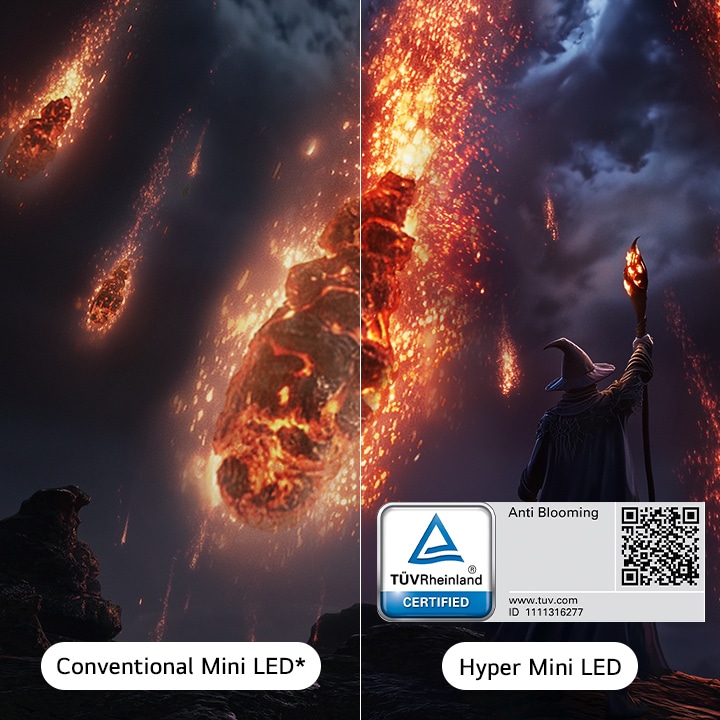
Blooming (light bleeding or halo effect) in a gaming monitor occurs when light from bright in-game objects leaks into surrounding dark areas, creating an unwanted halo effect. This can distort critical details, making it harder to spot enemies hiding in the shadows or read text and UI elements in dark game settings.
To solve this, UltraGear introduces advanced Anti Blooming technology, rigorously tested and certified by TÜV. By featuring a Zero-Optical Distance technology that minimizes the panel-to-backlight gap to near zero, it significantly suppresses light bleed and blooming effects. Plus, LG UltraGear’s Hyper Mini LED features 1.5x more local dimming zones (2,304 zones) and 5.9x more LEDs (9,216 LEDs) than conventional Mini LED* to deliver superior peak brightness and visual precision. This lets you see clearer highlights and deeper blacks even across fast-moving scenes.
*Based on internal comparison with LG’s previous MiniLED model (27GR95UM).
What is LG UltraGear’s 4th Gen Tandem OLED, and how does it elevate your gaming visuals?
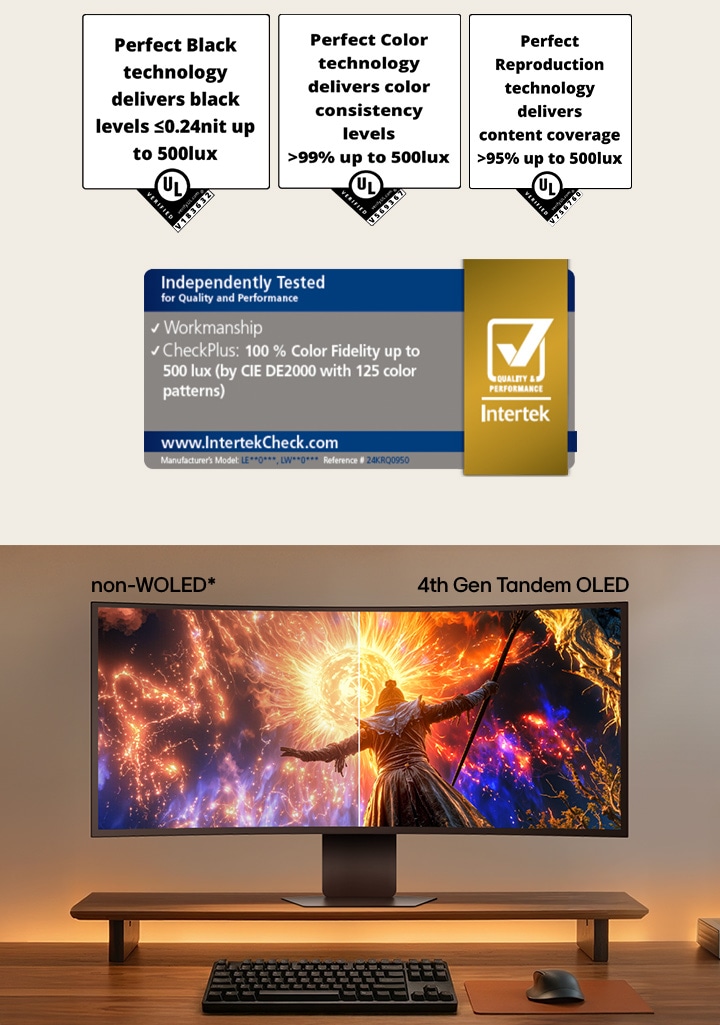
Our latest LG UltraGear™ models feature 4th Gen Tandem OLED, an advanced display technology that enables higher brightness and improved power efficiency compared to previous generations. Its innovative 4-stack panel structure featuring Primary RGB Tandem 2.0 significantly enhances light output and maintains vivid color reproduction, even in bright environments. With an astonishing peak brightness of up to 1500 nits (featured on 39GX950B), this cutting-edge panel delivers clear and consistent visibility across a wide range of game scenes. This ultimately helps you spot hidden enemies more clearly in dark scenes and maintain sharp visual control, allowing you to react faster in critical moments.
4th Gen Tandem OLED achieves a perfect gaming visual experience with UL's comprehensive verification with Perfect Black, Perfect Color, and Perfect Reproduction whether you're gaming in a dark or even under bright environments.
*This feature is based on the specifications of the model 39GX950B.
*Among OLED gaming monitors. The images are simulated for illustrative purposes only.
What is AI Upscaling in a gaming monitor, and how does it work?
AI upscaling is an advanced on-device technology featured in LG UltraGear evo™ that intelligently analyzes lower-resolution content in real-time and enhances it to near-native high-definition quality. Instead of relying solely on your PC's graphics card, the built-in AI processor inside the monitor automatically fills in missing pixels to deliver sharper, smoother visuals. LG UltraGear evo™ takes this innovation further by integrating powerful AI Upscaling features that can instantly elevate FHD source content up to 5K or 5K2K resolution.
*Upscaling performance may vary depending on the input source. No GPU upgrade required for AI Upscaling functionality. A compatible external device (PC/GPU/console) is required for game operation.
**To experience optimal AI upscaling performance, set your console or PC to 1080p at 60Hz.
***Images have been simulated to enhance feature understanding, and may differ from actual use experience.
How does a high-PPI display improve your gaming and work experience?
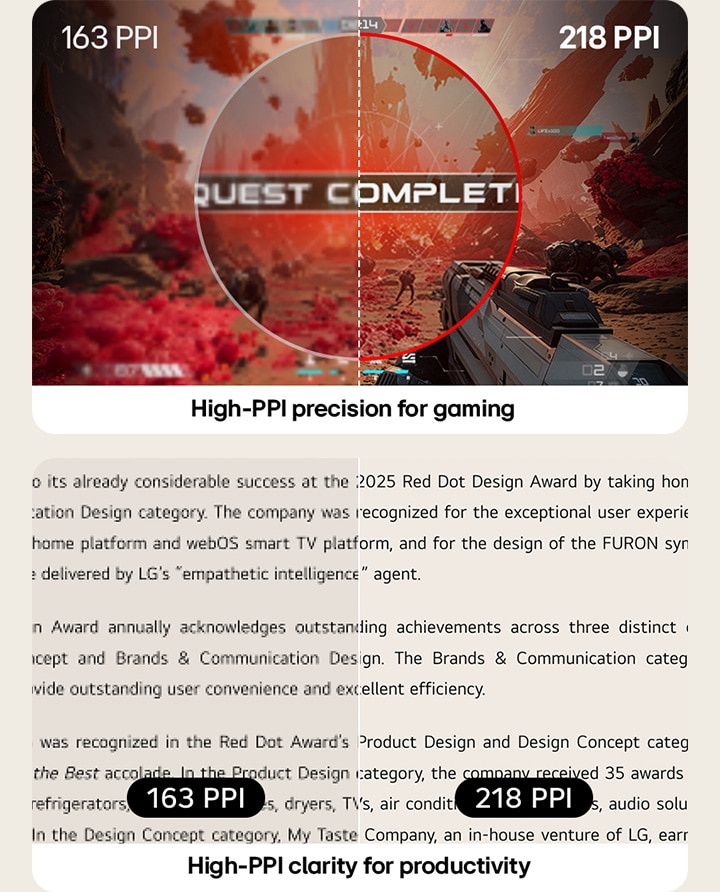
High PPI (Pixels Per Inch) means more detail in every frame. When choosing a gaming monitor, it matters as it packs more pixels into the screen, delivering sharper images and clearer text for both gaming and work. LG UltraGear evo™ GM9 (27GM950B) features a high 218 PPI, revealing finer details in every scene—whether you're aiming in an FPS, exploring open-world vistas, or working with text and graphics. Higher pixel density keeps textures crisp and UI elements clean, making in-game visuals easier to read and everyday tasks more comfortable. This helps you stay focused with greater clarity across both gameplay and productivity tasks, even during extended use.
*This feature is based on the specifications of the model 27GM950B.
How does a gaming monitor's brightness affect visibility in your gameplay?
Brightness is a crucial factor in gaming because it directly determines how clearly you can spot details in both deep shadows and high-contrast environments. To ensure you never lose visual clarity, LG UltraGear evo™ delivers an ultra-high brightness of up to 1500 nits*. This exceptional luminance power maintains crisp, vivid, and consistent gameplay visuals, even when you are gaming in bright indoor environments with heavy ambient light. By helping prevent screen washouts and revealing hidden details, this superior brightness helps maintain a consistently clear view across a wide range of gaming landscapes.
*The above-mentioned specification applies to LG UltraGear 39GX950B, 32GX870B, and 27GX790B.
**39GX950B offers a peak brightness of 1500 nits, measured under internal test conditions (@HDR, 1.5% APL). Actual brightness may vary by usage environment.
What does HDR do in gaming, and when does it make the biggest difference?
HDR (High Dynamic Range) in a gaming monitor expands the dynamic range of a display, allowing you to see a much wider spectrum of contrast between the brightest whites and the darkest blacks. This technology makes the biggest difference in cinematic, high-contrast game scenes where lighting transitions are critical.
To unlock this next-level realism, LG UltraGear™ supports elite certifications including VESA DisplayHDR™ 1000, as well as VESA DisplayHDR™ True Black 400 and 500. These advanced standards enhance contrast to reveal intense highlights and refined shadow textures simultaneously, delivering breathtaking depth and vibrant clarity that brings every gaming world to life.
Why does color accuracy matter for immersive gaming?
Color accuracy is essential for rendering various color gamuts as closely as possible to creators' intent. LG UltraGear OLED monitors are engineered for precision, with a wide color gamut of DCI-P3 95% to 99% (Typ.) coverage or 99% of sRGB, delivering vivid yet accurate colors across genres, from Soulslike to open-world RPGs. Whether you're spotting enemies in low light or enjoying cinematic storytelling, UltraGear delivers exceptional visual performance by capturing subtle gradients and preserving rich color fidelity.
What makes LG UltraGear evo™ a new standard for high-resolution 5K gaming?
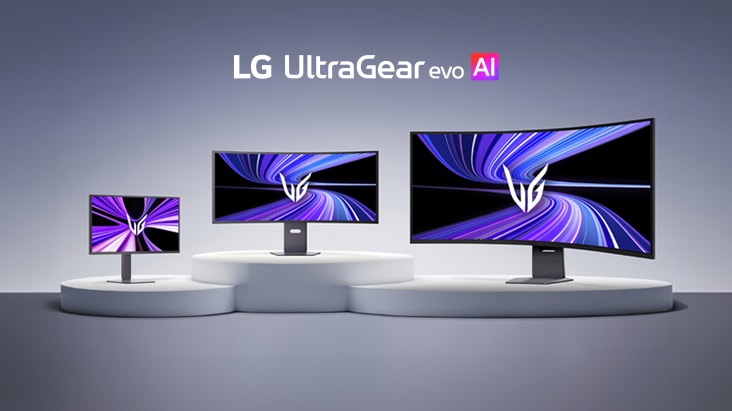
LG UltraGear evo™, our new premium gaming monitor brand, expands the boundaries of high-resolution gaming by building on LG’s leadership in 5K and 5K2K displays. With a portfolio of 5K-and-above monitors spanning OLED, New MiniLED, and ultra-wide formats, it delivers uncompromised image quality across multiple form factors. At the heart of this evolution is a newly introduced on-device AI solution powering the world’s first* 5K AI Upscaling technology, achieving stunning 5K-class clarity and allowing gamers to enjoy a next-level immersive gaming experience.
*Based on published specifications of gaming monitors as of March 2026, LG 27GM950B is the first gaming monitor to support AI upscaling to 5K resolution.
Recommended gaming monitors for best picture quality
Frequently Asked Questions
Q.
Which gaming monitors are recommended for both gaming and productivity?
A.
High-resolution (4K and above) and high-PPI gaming monitors recommended for both gaming and productivity are chosen based on text clarity, screen space, and long-session viewing comfort.
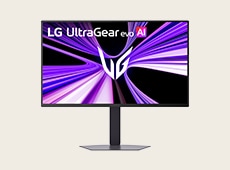
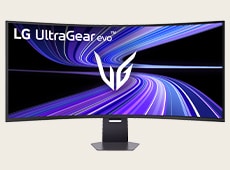
Monitors with high pixel density (PPI) help make text, UI elements, and fine image details appear sharper for work tasks, while high-resolution displays provide the screen space needed for multitasking, video timelines, and immersive gameplay. For a well-balanced OLED choice, the LG UltraGear evo™ 39GX950B is highly recommended, featuring a 39-inch 5K2K display, 143 PPI, and 4th Gen Primary RGB Tandem OLED technology for crisp text clarity, detailed images, and an expansive viewing experience. For users who prioritize even higher pixel density in a more compact format, the LG UltraGear evo™ 27GM950B is another strong option. Its 27-inch 5K Hyper Mini LED display delivers 218 PPI, helping support detailed gaming visuals and everyday productivity.
Q.
Which UltraGear gaming monitors have the best HDR performance?
A.
LG UltraGear™ gaming monitors with strong HDR performance are certified across advanced VESA DisplayHDR™ levels, including VESA DisplayHDR™ 1000, as well as VESA DisplayHDR™ True Black 400 and 500. These certifications expand the display’s dynamic range, revealing intense highlights and refined shadow textures. For the ultimate HDR experience, LG UltraGear™ 27GM950B features VESA DisplayHDR™ 1000 powered by Hyper Mini LED technology to maximize vivid highlights, while LG UltraGear™ 39GX950B features VESA DisplayHDR™ True Black 500 with a 4th Gen Tandem OLED panel to deliver deep contrast and precise black levels.
Q.
What are the differences between 1080p, 1440p and 4K monitors?
A.
The main differences between 1080p, 1440p, and 4K monitors come down to the balance between image sharpness and GPU performance. 1080p (FHD) is a common choice for fast‑paced competitive gaming because it lowers graphics load and makes it easier to reach higher frame rates. 1440p (QHD) offers a good middle ground, balancing crisp visuals with smooth gameplay. 4K (UHD) provides much higher visual detail with four times the pixels of FHD, making it appealing for cinematic AAA titles and RPGs.
GPU requirements also increase with resolution: 1080p generally requires the least graphics power, while 1440p offers a balance between visual clarity and performance. Beyond QHD, increasingly higher resolutions require progressively more GPU power to maintain smooth frame rates, especially in demanding games at high settings.
For players who want to go beyond these conventional resolutions, LG UltraGear™ expands the options with 5K and 5K2K (WUHD) displays. The LG UltraGear™ 27GM950B features a 5K panel with an ultra‑high 218 PPI that delivers very clear text and sharp graphics, while the LG UltraGear™ 39GX950B offers a 5K2K UltraWide display that extends your field of view for more panoramic immersion.

Q.
What are the main advantages of high-PPI gaming monitors?
A.
The main advantages of using gaming monitors with around 218 PPI or higher are improved sharpness and finer detail. A higher PPI packs more pixels into every inch of the screen, creating a denser visual field where individual pixels become harder to notice at typical viewing distances. Because of this higher density, these monitors can reduce the appearance of jagged edges on fine in‑game details, making complex textures and lines look smoother and more refined. For players seeking this level of native visual precision, the LG UltraGear™ 27GM950B delivers a 5K Hyper Mini LED display with a high 218 PPI for exceptional clarity, making it ideal for both gaming and daily productivity.
Q.
What are the main differences between QHD and WQHD gaming monitors?
A.
The main differences between QHD and WQHD gaming monitors are screen aspect ratio and horizontal screen space. QHD typically refers to a 2560×1440 resolution with a standard 16:9 aspect ratio, while WQHD expands that width to 3440×1440 in a wider 21:9 UltraWide format with more horizontal viewing area. Because both formats share the same vertical height of 1440 pixels, WQHD simply adds extra horizontal screen real estate. This additional viewing area provides a broader field of view for immersive gaming and offers greater flexibility for side‑by‑side multitasking.
Q.
What does monitor resolution mean?
A.
Monitor resolution refers to the total number of pixels displayed on a screen, typically expressed as width × height, such as 1920×1080 (FHD) or 2560×1440 (QHD). A higher resolution fits more pixels into the same screen area, which delivers sharper images, crisper text, and finer details within the in‑game environment. For gaming, higher resolutions are ideal for open‑world, RPG, and cinematic titles where rich texture detail and visual immersion are important, while lower resolutions can make it easier to achieve higher frame rates in fast‑paced, competitive games like FPS.
Q.
Which monitor resolution should I choose?
A.
The monitor resolution you should choose depends on how you balance visual immersion with performance. For players seeking a more immersive, high-detail gaming experience, upgrading to an expansive resolution—such as the 5K display on LG UltraGear evo™ 27GM950B (5120×2880) or the 5K2K display on 39GX950B (5120×2160)—can be a strong option. Ultra-high 5K and 5K2K resolutions deliver sharper image detail, clearer text and UI elements, and more screen space for immersive gameplay, multitasking, and content creation. They are especially well suited to cinematic AAA titles, open-world games, and RPGs, where detailed textures, large environments, and visual realism can enhance the overall experience.