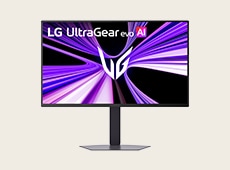
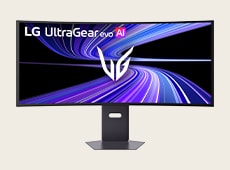
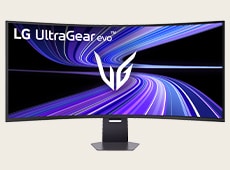
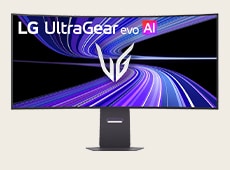
What screen size and aspect ratio is best for my gaming style?

Screen size and shape aren’t just about desk fit—they affect how you see, react, and enjoy your games. From sniping in FPS to exploring open-world RPGs, the right setup improves visibility, response, and immersion across genres. LG UltraGear offers monitors in various sizes, aspect ratios, and curvatures to match your playstyle.

What is the best screen size for a gaming monitor for different game genres?

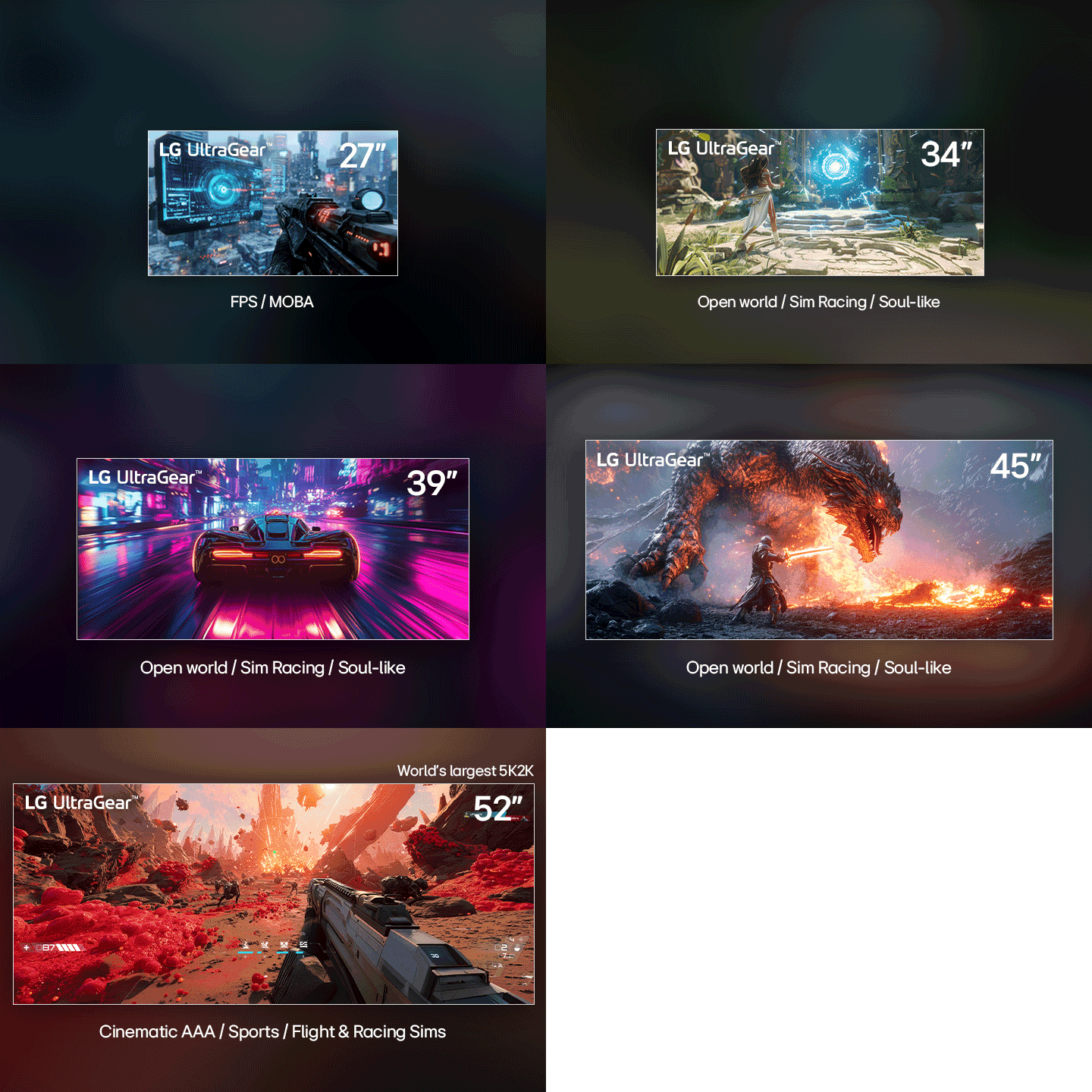
LG UltraGear offers a wide range of screen sizes—so you can pick the one that perfectly fits your playstyle. For immersive AAA games like Open world titles, sim racing, or cinematic RPGs, larger screens from 32″ to 52″ can expand your field of view and help enhance the sense of scale—pulling you deeper into the action. For fast-paced shooters or MOBAs, compact 24- to 27-inch monitors keep the crosshair, minimap, and HUD (Heads-Up Display) within easy view, letting you respond quickly with minimal eye movement. UltraGear offers screen sizes across the full spectrum—find the one that fits your playstyle best. 


*FPS : First-Person Shooter, MOBA : Multiplayer Online Battle Arena

A video of various screen sizes of LG UltraGear monitor displays various gaming genres.

How is gaming monitor screen size measured?

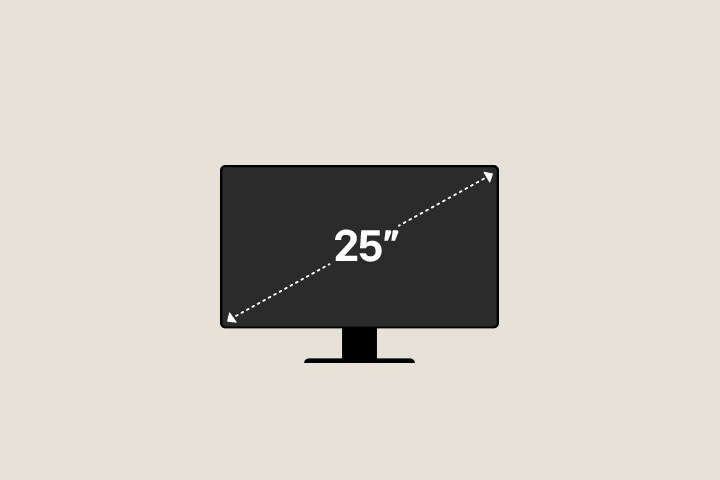
The screen size of a monitor is determined by measuring the diagonal length of the viewable display, excluding the outer bezels. When building your ideal desk setup, knowing this measurement helps you estimate the actual space required for your monitor.


For instance, compact 25-inch gaming monitors are perfect for limited desk spaces, keeping everything within your natural line of sight. Mid-sized 32-inch gaming monitors require a bit more viewing distance but offers significant increase in screen real estate, letting you take in much richer visual information at a glance. If you are aiming for a premium, theater-like presence on your desk, a massive 52-inch gaming monitors expands your peripheral vision entirely, surrounding you with an expansive canvas that changes the definition of display scale.

An illustrative video showing various screen sizes of LG UltraGear monitors, with a diagonal line implying how to measure a monitor screen size.

What is the difference between 16:9 and 21:9 monitor aspect ratios?

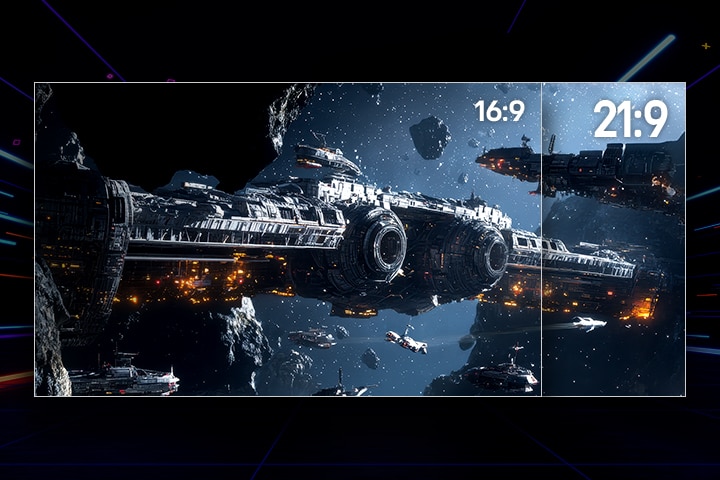
A monitor’s aspect ratio represents the proportional relationship between its width and height, officially calculated by comparing these two dimensions. While 16:9 is the traditional widescreen standard, moving to a 21:9 ultrawide ratio expands your screen horizontally. This wider format grants you an extra bonus area of screen real estate, creating a much wider workspace where you can comfortably view multiple windows side-by-side without a dual-monitor setup. For games that support ultrawide resolutions, this extra space translates into a wider field of view (FOV), letting you see more of the game world at the edges of the screen. Ultimately, choosing a 21:9 aspect ratio upgrades both your daily productivity and visual immersion.

An illustrative video showing the difference between 16:9 and 21:9 aspect ratios of a monitor.

Why LG UltraGear offers the ideal aspect ratio for every play style?

A 21:9 ultrawide hits the sweet spot between immersive scale and practical desk space. For MOBA, RPG, or AAA titles, this wider format reveals more terrain and UI in a single glance, with curved screens keeping the edges comfortably in view. UltraGear offers a wide range of 21:9 monitors across various sizes, so you can find the right fit for your setup. If you prefer a standard widescreen format, explore UltraGear’s extensive lineup of 16:9 monitors, which offer a familiar, balanced view. Choose the aspect ratio that matches the way you play.

A space battle scene on an LG UltraGear display compares aspect ratios, showing the narrower 16:9 view beside the wider 21:9 view that reveals more of the massive starships and surrounding asteroids.

Why choose a curved monitor for gaming?

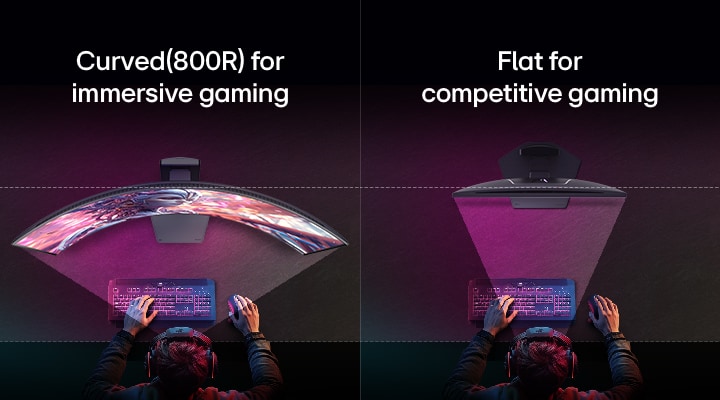
Choosing between flat and curved monitors depends on your preferred game genres. While flat screens are the traditional choice, curved screens wrap visuals around your peripheral vision to boost immersion in open-world or racing titles. LG UltraGear™ offers a versatile range of curvature options such as 1500R, 1000R, and the deeply wrapped 800R, making our curved monitors a premier choice beloved by many gamers.


UltraGear brings this immersion to life with a versatile range of curvature options—including 1500R, 1000R, and the deeply wrapped 800R. The lower the 'R' rating, the deeper the screen curves around your eyesight to keep the viewing distance perfectly uniform. For instance, UltraGear’s 800R curvature keeps screen distance uniform across your view, reducing distortion and enhancing comfort. Curved monitors expand FOV (Field of View) by wrapping visuals around your periphery, boosting immersion in Open world, racing, or cinematic titles and easing eye movement in long play. Flat screens can provide accurate visibility and clean lines, ideal for FPS or RTS where precision and alignment matter. UltraGear offers multiple curvature options—choose the curve that draws you in.

Top view comparison of a gamer at a desk using two monitors: on the left, a curved 800R display for immersive gaming with a wider field of view, and on the right, a flat display designed for competitive gaming with a focused straight view.

Recommended gaming monitors for your ideal screen setup

Table Caption
Features27GM950B39GX950B52G930B45GX950B32GX870B
27GM950B
27GM950B
39GX950B
39GX950B
52G930B
52G930B
45GX950B
45GX950B
32GX870B
32GX870B
Screen size27-inch39-inch52-inch45-inch32-inch
Resolution 5120 x 2880 (5K)5120 x 2160 (5K2K)5120 x 2160 (5K2K)5120 x 2160 (5K2K)3840 x 2160 (4K)
Aspect ratio16:921:921:921:916:9
CurvatureFlat1500R1000R800RFlat
Panel typeHyper Mini LEDOLEDVAOLEDOLED
HDRVESA DisplayHDR™ 1000VESA DisplayHDR™ True Black 500VESA DisplayHDR™ 600VESA DisplayHDR™ True Black 400VESA DisplayHDR™ True Black 500
Learn MoreLearn MoreLearn MoreLearn MoreLearn More

Frequently Asked Questions

Q.

What are the main differences between 1500R, 1000R and 800R curved monitors for gaming?

A.

The main differences between 1500R, 1000R, and 800R curved monitors for gaming are the level of screen curvature and the resulting visual immersion. A 1500R rating offers a more subtle curve that works well for mixed-use setups and general gaming. A 1000R curve creates a tighter wraparound effect that many players prefer for racing and simulation titles. For stronger immersion, an 800R curve (as used in the LG UltraGear™ 45GX950B) provides the deepest wrap and brings the screen curvature closer to the natural human field of view, which can help reduce distortion and maintain a more consistent viewing distance across the display.

Q.

What are popular screen sizes for each monitor panel type?

A.

Among LG UltraGear™ gaming monitor models, popular screen sizes vary by panel type and are designed to reflect different gaming preferences. Premium OLED gaming monitors are increasingly common in larger sizes such as 34-inch, 39-inch (39GX950B), and 45-inch (45GX950B), where visual depth and strong immersion are more noticeable in RPG, racing, and cinematic games. For a balance of speed and color accuracy, IPS panels—including models enhanced with Hyper Mini LED backlights like 27GM950B—are most frequently available in 27-inch sizes. For fast-paced FPS and competitive gaming environments, the 25-inch 25G590B offers an ultra-fast 1000Hz refresh rate. VA panels are also available in large formats such as 52-inch (52G930B), which can be appealing for players who want a bigger screen for mixed use and immersive content.

Q.

What is the best monitor size for gaming?

A.

The best monitor size for gaming depends heavily on your preferred genres, viewing distance, and desk setup. Compact 24-inch to 27-inch displays (27GM950B) are widely used by competitive FPS and MOBA players because they keep the minimap, crosshair, and key HUD elements within your immediate line of sight for quick reactions. Larger screens in the 32-inch to 45-inch range, including models like the LG UltraGear™ 39GX950B and 45GX950B, are popular for AAA titles such as RPG and open-world games that benefit from a wider field of view and deeper immersion. Very large formats like 52-inch displays (52G930B) can further expand your viewing area for cinematic gameplay and mixed entertainment.