* All images are for illustrative purposes only.

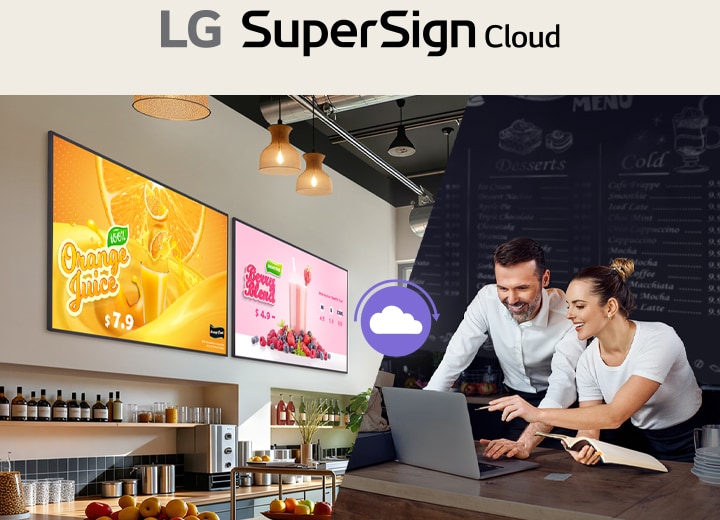
The image shows staff remotely distributing beverage advertising content to two signage displays installed in a café using LG SuperSign Cloud.

Upgrade Displays with Content Management Solution

LG SuperSign Cloud is a cloud-based CMS (Content Management Solution) for integrated digital signage management. Through LG SuperSign Cloud, users can remotely control multiple displays*, create and distribute content tailored to each space anytime anywhere without being restricted by time and location**.

* Compatible with LG signage (webOS 4.0 and above) and devices with Android 9, 10 or 11 or Windows 10 or 11 version that has ‘SuperSign Cloud Player’ installed. Upon purchasing an LG SuperSign Cloud license, the ‘SuperSign Cloud Player’ installation file will be provided within the SuperSign Cloud platform. The applicability of the solution may vary by product, and support may be limited for certain webOS 4.0 and above signage models. For details, please check with your local sales team. ** Since LG SuperSign Cloud is a cloud-based solution, it may be affected by network conditions.

Content Management

By utilizing a content management software solution, LG SuperSign Cloud, businesses can reduce the time spent on aggregating separate sources for content creation. LG SuperSign Cloud is a software solution that provides various efficient content management features with flexible editing functions for users to create and distribute content on their signage displays effortlessly.

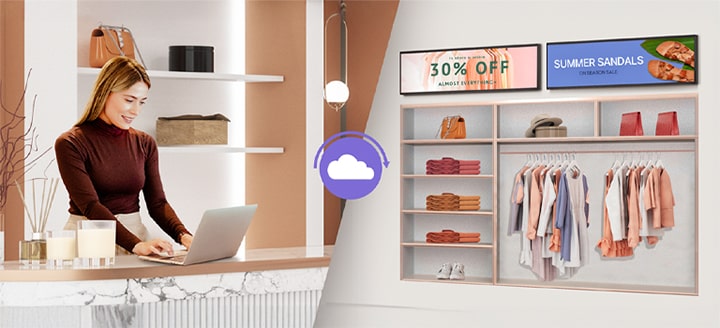
The image shows a store staff member using a laptop to send apparel promotions and advertising images to two stretch signage displays via LG SuperSign Cloud.

Customizable Content Creation

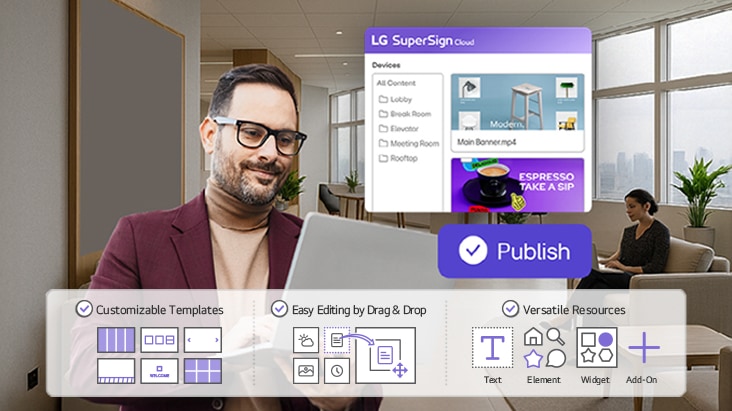
LG SuperSign Cloud is a cloud-based digital signage solution that offers intuitive content creation tools. Users can easily design and edit content through a drag-and-drop interface, choose from a variety of space-tailored templates, and enhance displays by adding widgets such as date, time, weather and more.

Tailored Templates for Diverse Industries

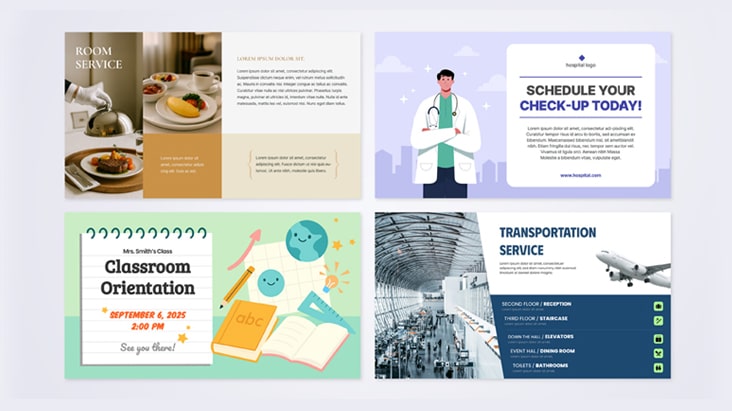
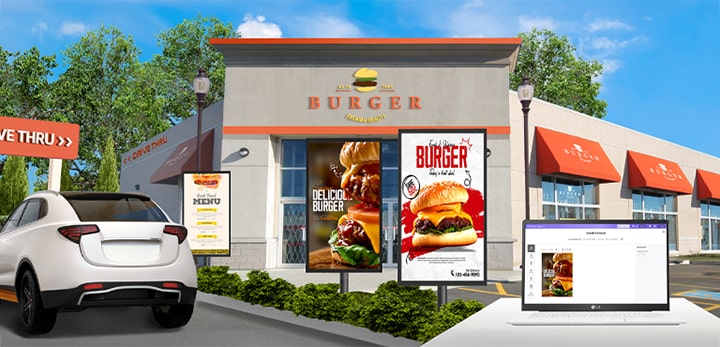
LG SuperSign Cloud offers content templates designed for a wide range of industries, including restaurants (menu boards), education, transportation, healthcare, and retail. Users can easily create and manage content using these ready-made templates, and further customize them by adding their own logos, images, and other elements to suit their specific business environment.

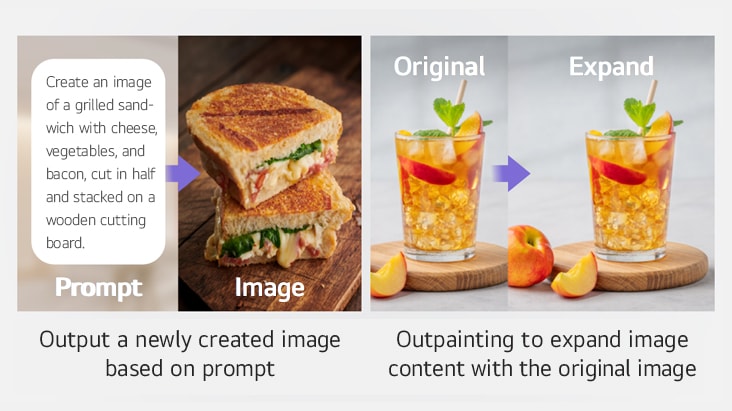
AI Image Generation, Gen AI

LG SuperSign Cloud’s Gen AI feature significantly streamlines the image creation process. This advanced AI automatically generates high-quality images based on user prompts, making it ideal for tasks such as image editing and resizing.

* Gen AI feature is only available with LG SuperSign Cloud ‘Art Lounge’, and ‘Premium’ License.

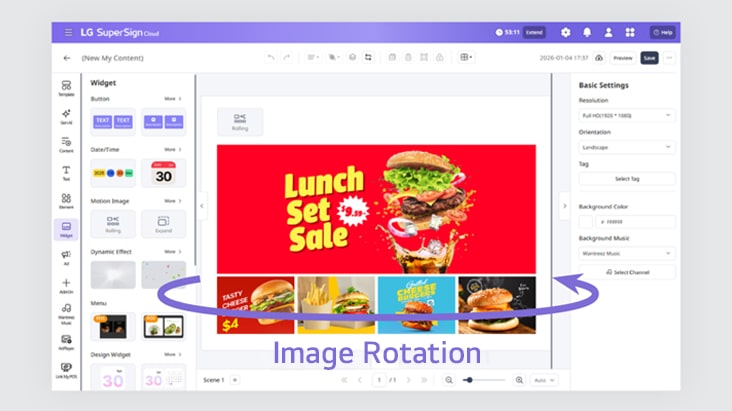
Bring Screens to Life with Dynamic Motion Images and Effects

LG SuperSign Cloud comes with a range of stylish widgets like weather, date, time, and menu boards. Especially with its motion image effects and text animations, users can bring visuals to life and create rich, context-aware content.

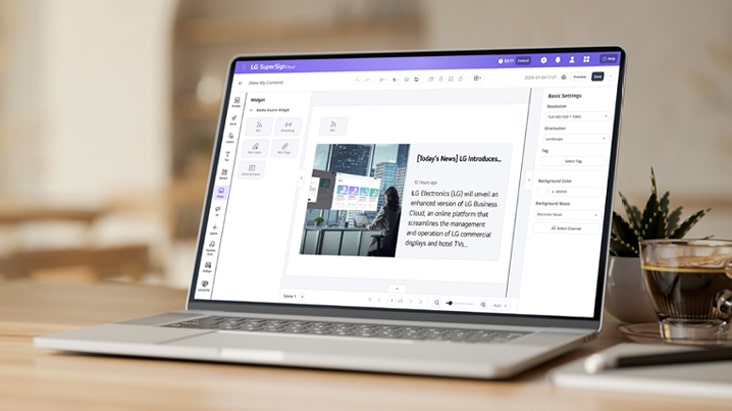
Enhance Content with RSS Feeds and Code Widgets

Integrate live RSS feeds and custom HTML code* to deliver real-time information and interactive elements on users’ screens. LG SuperSign Cloud lets users embed external content seamlessly, giving them the flexibility to create personalized and informative displays.

* To use the RSS Feed or HTML features, users must input the desired RSS URL or provide HTML/CSS code.

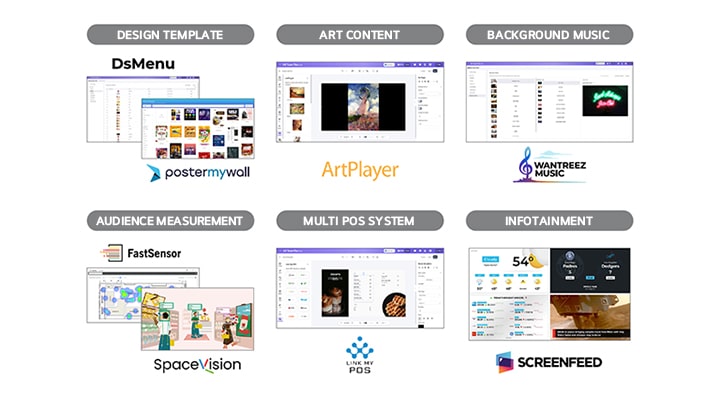
Partner Services with Add-On Service

LG SuperSign Cloud offers a range of content partner services through its Add-On Service. Users can enjoy these offerings with an additional subscription.

* These features can be utilized with additional subscription.

The image shows visual representations of professional content partners provided through paid Add-On services in LG SuperSign Cloud.

Art Lounge

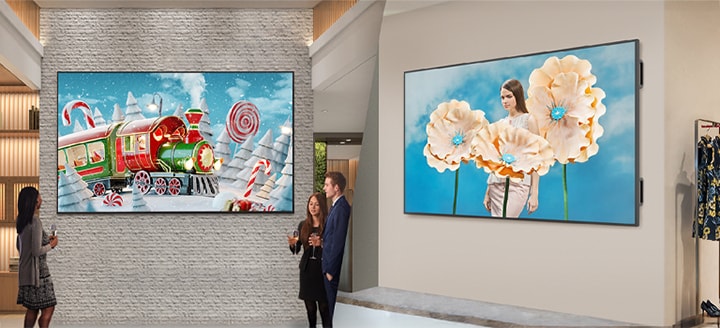
Enrich your space with art collections that reflect seasonal moods and atmospheres. LG SuperSign Cloud’s Art Lounge* offers curated selections, making it easy to choose and display artworks that complement any environment.

The image introduces the Art Lounge feature of LG SuperSign Cloud, showing artwork displayed on signage in a corporate lobby on the left and fashionable art images shown on signage in a clothing store on the right.
* For LG SuperSign Cloud users with Basic, Standard, or Premium licenses, additional points must be purchased to use artwork content from Art Lounge. However, users with the Art Lounge license can use all artwork content unlimitedly without extra cost.

Content Distribution

It is easy to use the content distribution features of LG SuperSign Cloud. With various user-friendly functions provided by this software solution, users can conveniently create and manage content distribution schedules at their preferred times.
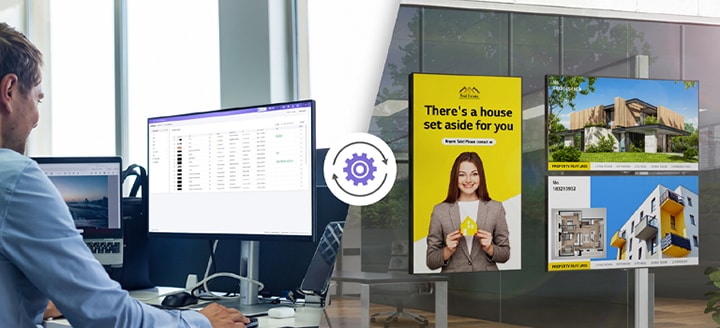
The image shows various window-facing displays installed at a real estate site, each playing different ads and content. On the left, a person is depicted remotely managing the signage using LG SuperSign Cloud.

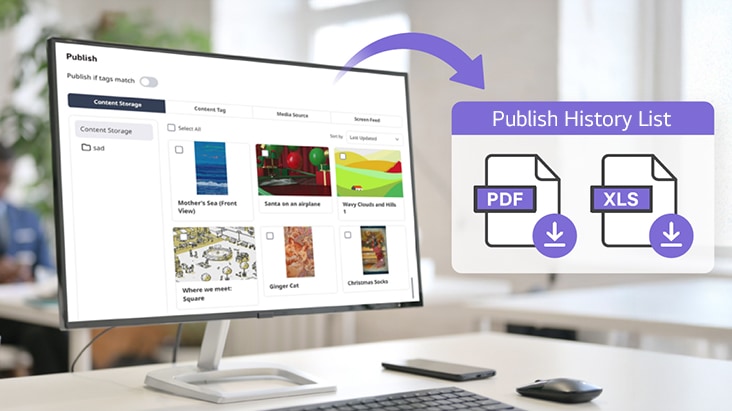
Publish & Track Publish History

Deploy content easily with minimal setup and track schedule status with reports.

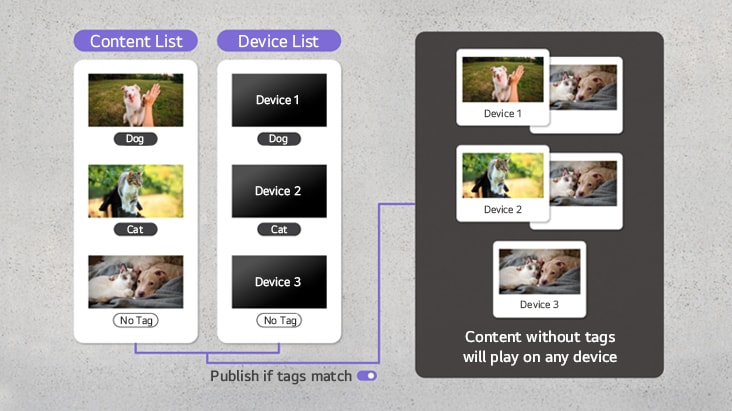
Publish IF Tags Match

Available to selectively distribute content matched to each device based on tag settings.

* The availability of this feature may vary depending on the device model. For details, please check with your local sales team.

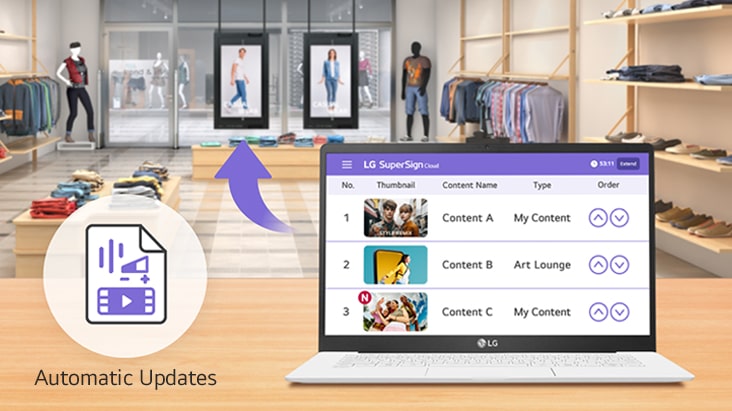
Auto-Apply for Effortless Updates

Enable auto-apply to manage content distribution more efficiently, even when schedules or playlist change.

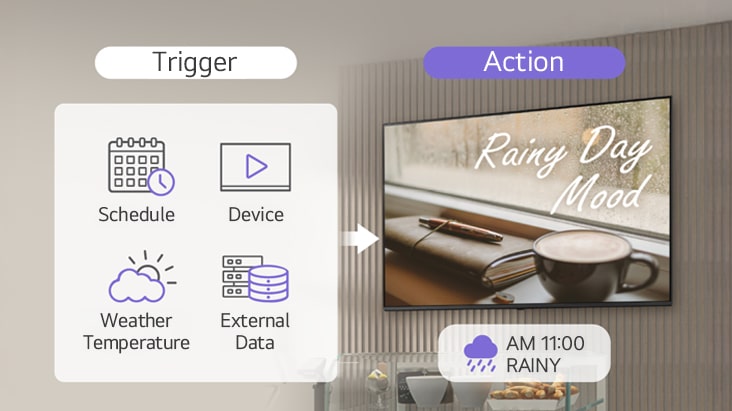
Rules Setting

Available to automate content deployment and device control by setting trigger conditions.

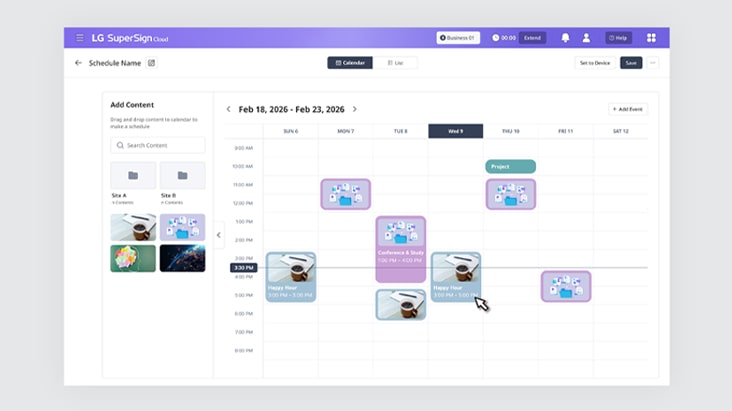
Simple Scheduling with Easy Drag & Drop

Just drag and drop to quickly add content from storage to your calendar.

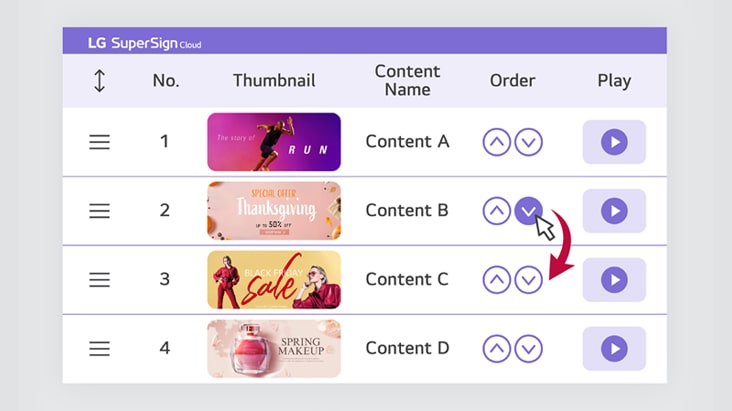
Flexible Content Play

Easily set playback options for individual content in a playlist — including playback status, order, and duration — with just a few clicks.

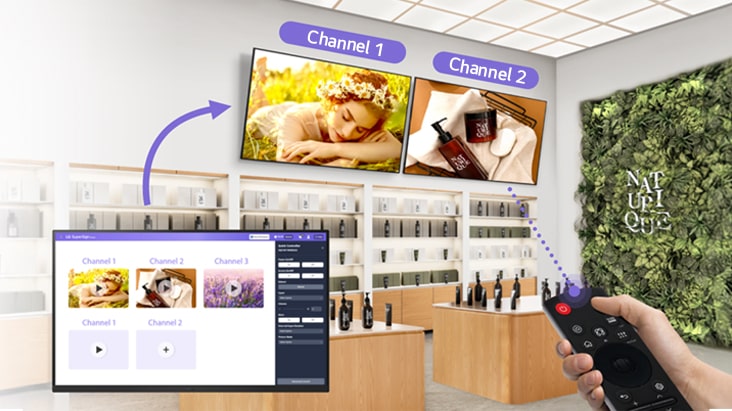
Multi Channel Distribution

Assign desired channel numbers to content items and control playback on signage with a remote control.

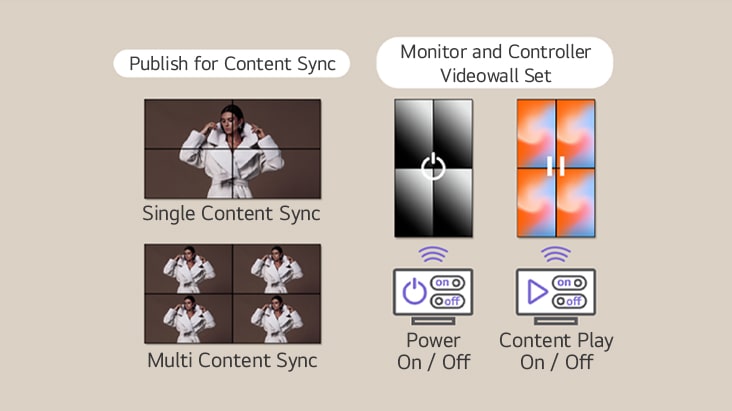
Videowall Sync

Easily manage your videowall with various sync modes — operate it as one large display or four independent screens. Users can also remotely monitor and control power settings and content playback.

Device Management

Gain actionable insights into display performance, content playback, and impact — and optimize your content strategy to enhance operational efficiency across your displays.

The image shows real estate advertisements and content displayed on window-facing displays on the right, while an operator on the left remotely manages the signage using LG SuperSign Cloud.

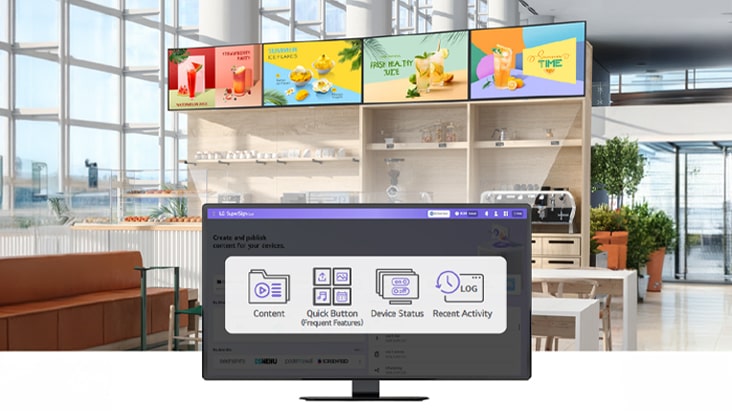
One Screen, Multi-Device Control

Easily monitor and control multiple digital signages with real-time access to content usage, device status, and frequently used features — all in one screen.

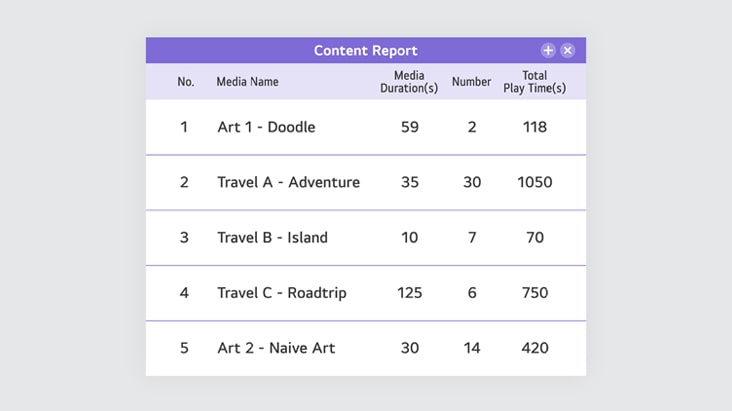
Statistics Reports for Better Use

Dedicated reports for Device Playback History, Content Playback History, and Device Status enable users to quickly access key data and manage signage and content with confidence.

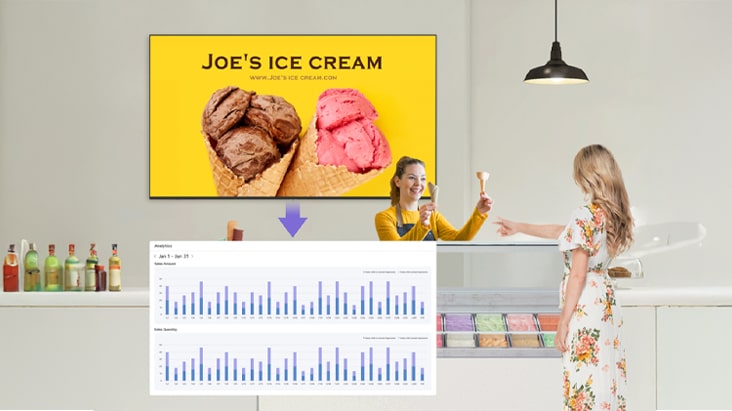
Link Content to Sales with Data

By integrating POS data, users can analyze content effect on how content influences sales and make smarter decisions to improve store performance.

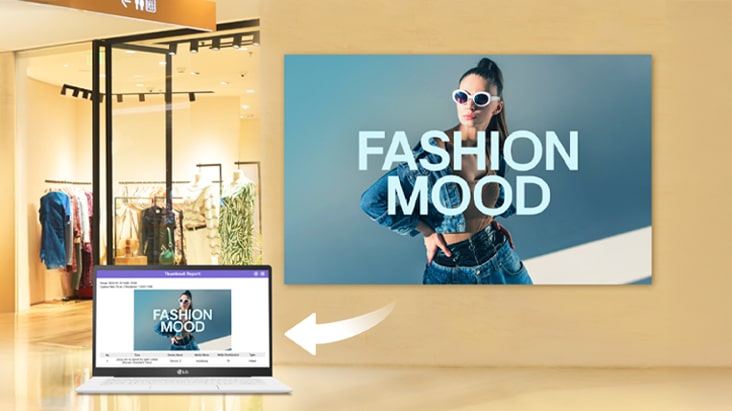
Verify Content Playback with Greater Confidence

LG SuperSign Cloud captures device screens at user-defined intervals (15 seconds to 15 minutes), allowing visual confirmation of actual content playback.

Settings

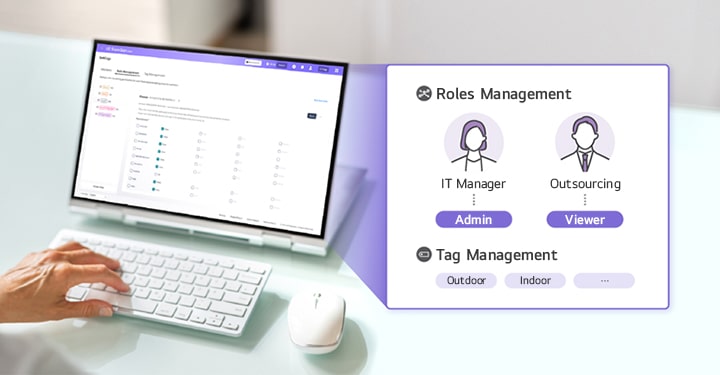
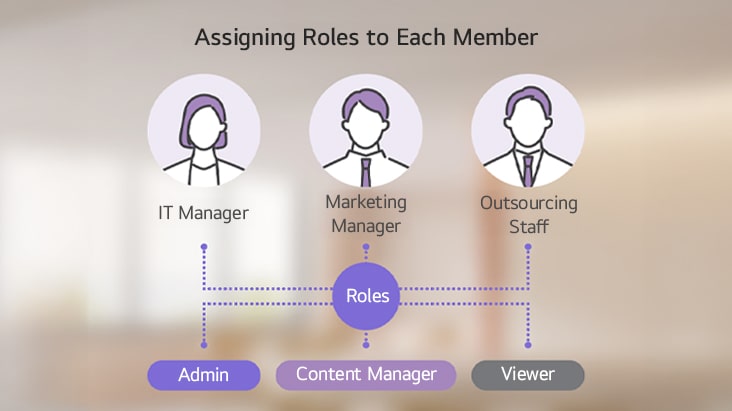
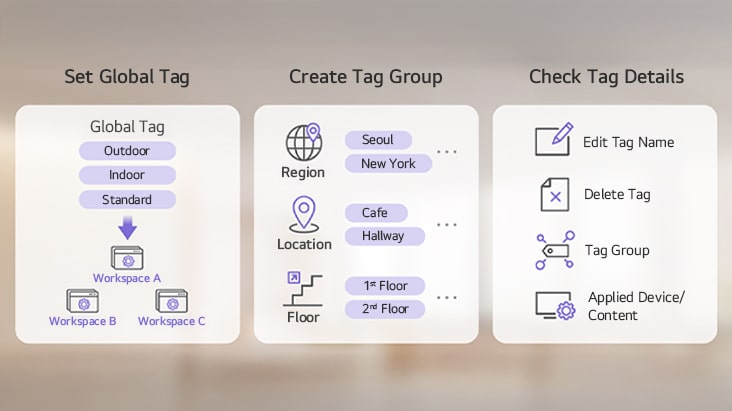
Assign roles to each account and set tags such as business site, workspace, or global to use LG SuperSign Cloud more efficiently.

LG SuperSign Cloud provides Role Management and Tag Management features to enhance operational efficiency, and this image illustrates how those features are used.

Role Management

The Main user of the LG SuperSign Cloud can assign 6 basic roles (Master, Admin, Viewer, Content Editor, Content Manager, Schedule Manager) to each member belonging to business site or workspace. It allows role-based access control, limiting available features for each member according to their responsibilities.

Tag Management

Users can monitor the overall tag list in a single view to check which tags have been assigned to each device or content. Additionally, users can group individual tags into tag groups or create a global tag that is used across the entire workspace.

Compatible Devices

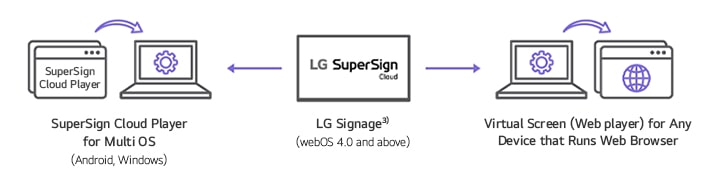
Compatible with LG Signage supported by webOS 4.0 and above, as well as Windows/Android OS1) device that have ‘SuperSign Cloud Player’ installed. This software solution provides a ‘Virtual Screen (web player)’ feature that allows users to distribute content on a device with a web browser2).

A set of icons is used to represent devices compatible with LG SuperSign Cloud. Device compatibility may vary by model, so please consult your local sales representative for specific details.

1) For Android and Windows devices, ‘ SuperSign Cloud Player’ must be installed before use, and only Android 9, 10 or 11 and Windows 10 or 11 devices are supported. 2) Users can create content using the ‘Virtual Screen’ feature and deliver it to devices with a web browser (PC versions of Chrome 53 or higher are supported). 3) The applicability of the LG SuperSign Cloud may vary by product, and support may be limited for certain webOS 4.0 and above signage models. For details, please check with your local sales team.