We use cookies, including cookies from third parties, to enhance your user experience and the effectiveness of our marketing activities. These cookies are performance, analytics and advertising cookies, please see our Privacy and Cookie policy for further information. If you agree to all of our cookies select “Accept all” or select “Cookie Settings” to see which cookies we use and choose which ones you would like to accept.

Part 9. Heart of future Mobility delivered by LG Electronics, Infotainment

The latest trend in mobility has become more about what kind differentiated experience a car can provide than the functions of the car itself. Consumers are valuing the time they spend in their cars, and the car itself has become a lifestyle. So, how comfortable the environment is and what kind of new driving experience it can provide determine the competitiveness of the car. And the technology for enhancing this competitiveness is "infotainment."
What does infotainment mean?
Infotainment is a word that combines information, such as navigation directions, and entertaining, including movies, music, games and social media. It delivers information in a fun and interesting way to provide a more satisfying user experience rather than just sending notifications.
UX (User Experience) and UI (User Interface) are the primary contact points between the product and the customer, and how easy, fast, and intuitive the UX and UI are is becoming ever more important. To meet this trend, LG Electronics is developing the infotainment technology that can satisfy the passengers in the cabin.
What makes LG Electronics' infotainment special?

Autobest logo (Source: Autobest website https://autobest.org/about-us/)
IVI, In-Vehicle Infotainment, jointly developed by LG and Jaguar Land Rover, was selected as SMARTBEST 2020 by Autobest, a European non-profit automobile review organization in recognition for its excellence.
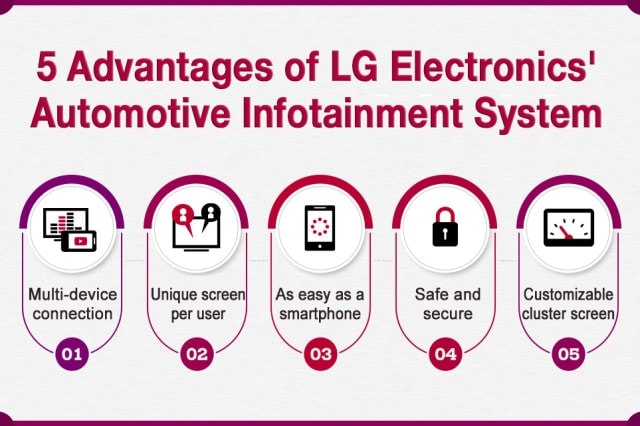
Now, let's take a look at the five benefits of LG Electronics' In-Vehicle Infotainment system using the application in a Land Rover Defender.

① Multi-device connection
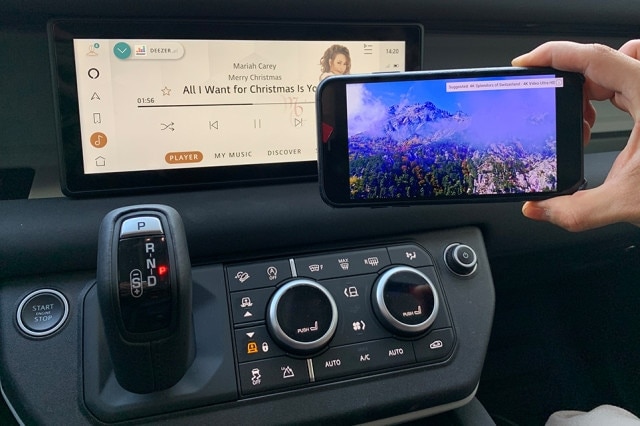
Unlike AVNs (Audio, Video, Navigation) that only support a single connection, LG's infotainment technology supports two simultaneous connections. You can connect the smartphone and the car using a hot spot feature, and perform two different operations on the AVN screen and the smartphone screen.

That means by connecting Defender's AVN and smartphone via hot spot, you can stream music from the smartphone using the AVN, and watch YouTube on the smartphone screen at the same time. Basically, the driver can play his favorite music and the passenger can watch YouTube clips of their favorite artist, using a single smartphone. AVN supports other multitasking operations such as update the car's software while using the navigation app on your smartphone.
② Unique screen per user

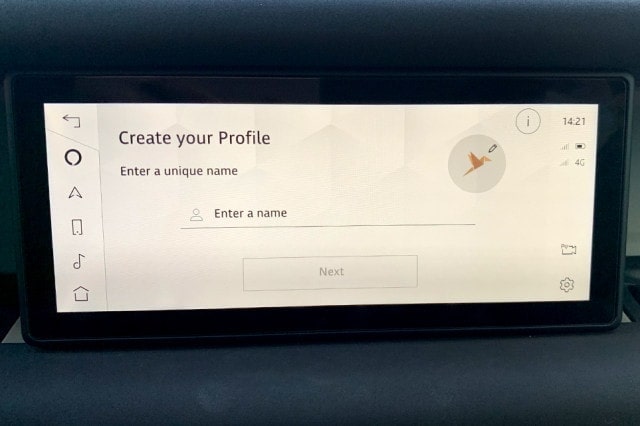
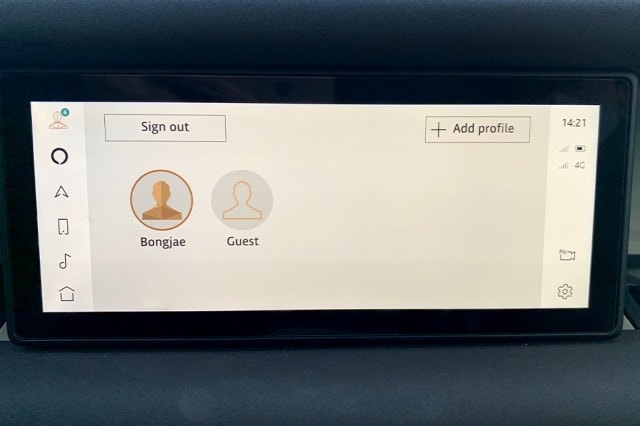
Designating a new user profile on the Land Rover Defender's AVN
Members of the family or a company may share the same car. And each person may have a different interface that they prefer to use. In this case, you can create different user accounts with separate profiles on the AVN.

Land Rover Defender's AVN UI for setting user profile of the passenger
When you select your account, your predefined wallpaper, playlist and recent destinations are displayed on a personalized screen. It's very useful when there is more than one person that drives the car on a regular basis.
③ As easy as a smartphone

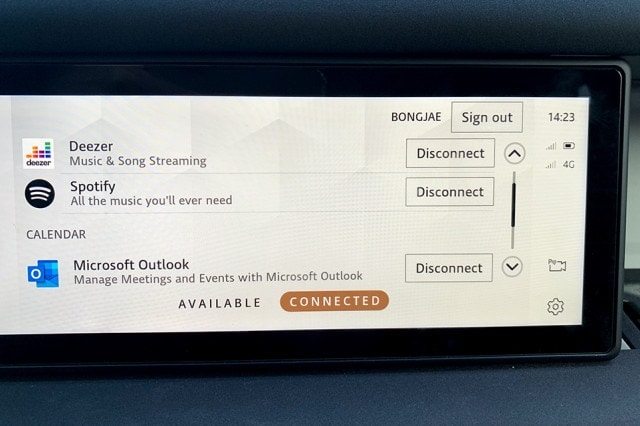
Viewing the apps installed on the smartphone via Land Rover Defender's AVN screen
You can also use the AVN to launch apps in the same way you use a smartphone. One of the benefits is that you have access to web apps. That means you can access online media stored on the Cloud. The AVN also offers a user-friendly UI, including unique fonts, intuitive menu layout and efficient menu structure, so that you can access the menu you need with just a few taps.

Checking the apps installed on the smartphone via Land Rover Defender's AVN screen
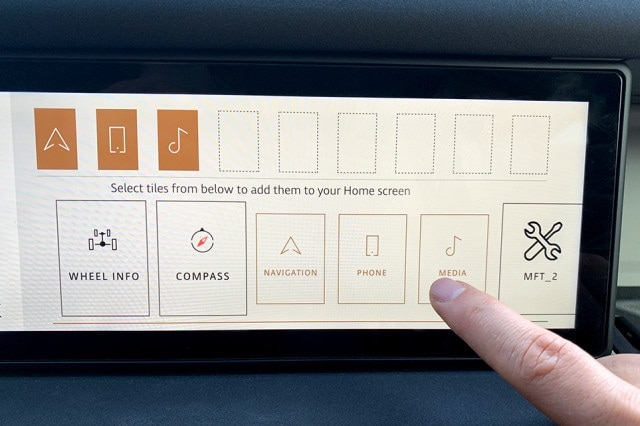
Editing apps is also easy and intuitive.

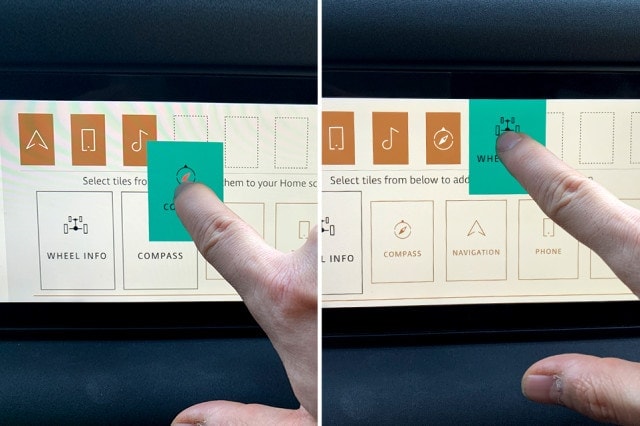
Selecting apps to display on the home screen of the Land Rover Defender's AVN screen
You can easily change the layout and order of apps with just a few taps.
The AVN also supports Single Sign-In, which means that you just need to log into your account once to have access to all your apps. This resolves the hassle of logging in multiple times when you are using different apps. This is an example of a seamless experience, where the user experience on your smartphone is extended to the car's AVN. It's easy, fast and seamless.
④ Safe and secure
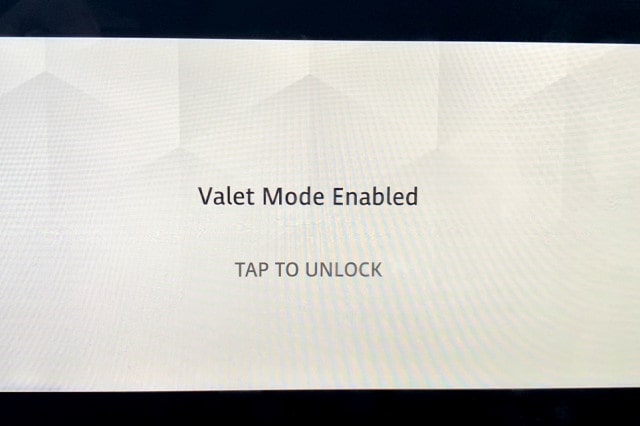
When you give your car to a valet, your AVN is logged into your account and could be a security risk as it contains sensitive information including your home address and contacts.

That's why the AVN supports Valet Mode. Valet Mode password-protects the screen to prevent unwanted access to your personal information. It is also useful when you hire a driver for a short term or lend your car to a friend.
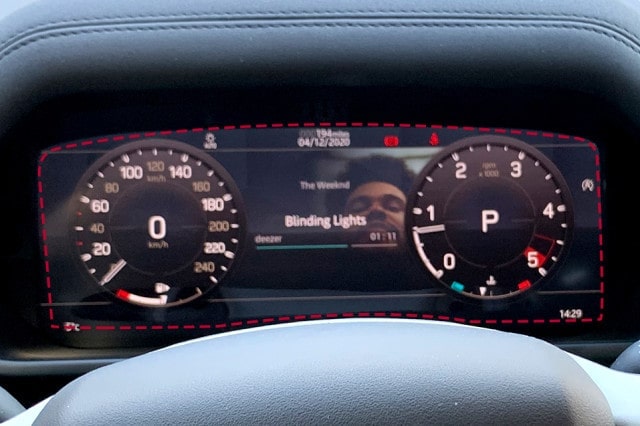
⑤ Customizable cluster screen

Music playback screen display on the instrument panel of Land Rover Defender's cluster
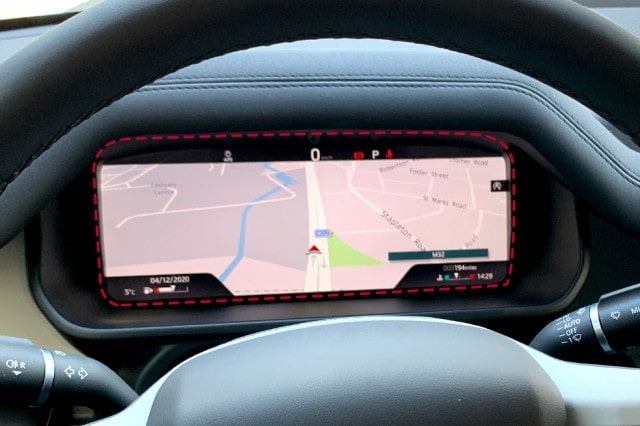
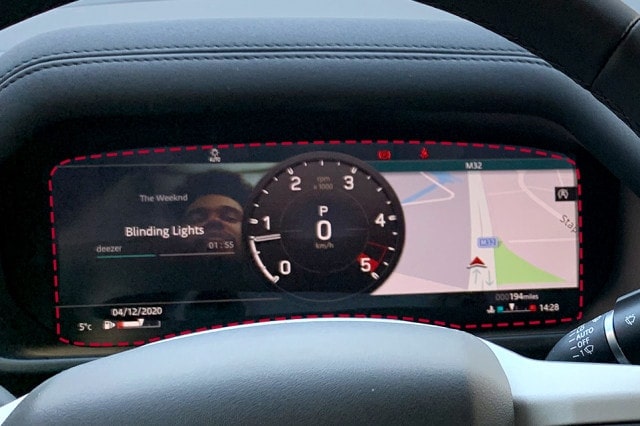
The cluster provides key information about your car. In addition to the speedometer and warning indicators, you can set it to show maps and other driving-related information.

Land Rover Defender's cluster showing navigation screen

Land Rover Defender's cluster showing music playback, RPM and maps
You can enlarge a certain screen to make it bigger, or even display something in full-screen.
The In-Vehicle Infotainment developed by LG Electronics for Jaguar Land Rover is equipped in various models, including internal combustion models and EVs, of premium brands. LG will continue to expand the list of global premium automakers using our infotainment system.
We'll be sure to update you on other vehicles and brands equipped with LG's trendy infotainment system.
- Previous
- Next
The URL has been copied to the clipboard.